Designing human-agent experiences for complex data workflows
Work forGoogle, Core
DateJun – Sep 2026
TeamAI Foundation Data UX
WorkAgentic UX, Human-Agent Interaction
(tl;dr) my role — UX Design Intern · Google Core
10+critical user journeys designed end-to-end for an autonomous data science agent
3interactive prototypes built & submitted, used by UXE for further exploration and iteration
What did I work on
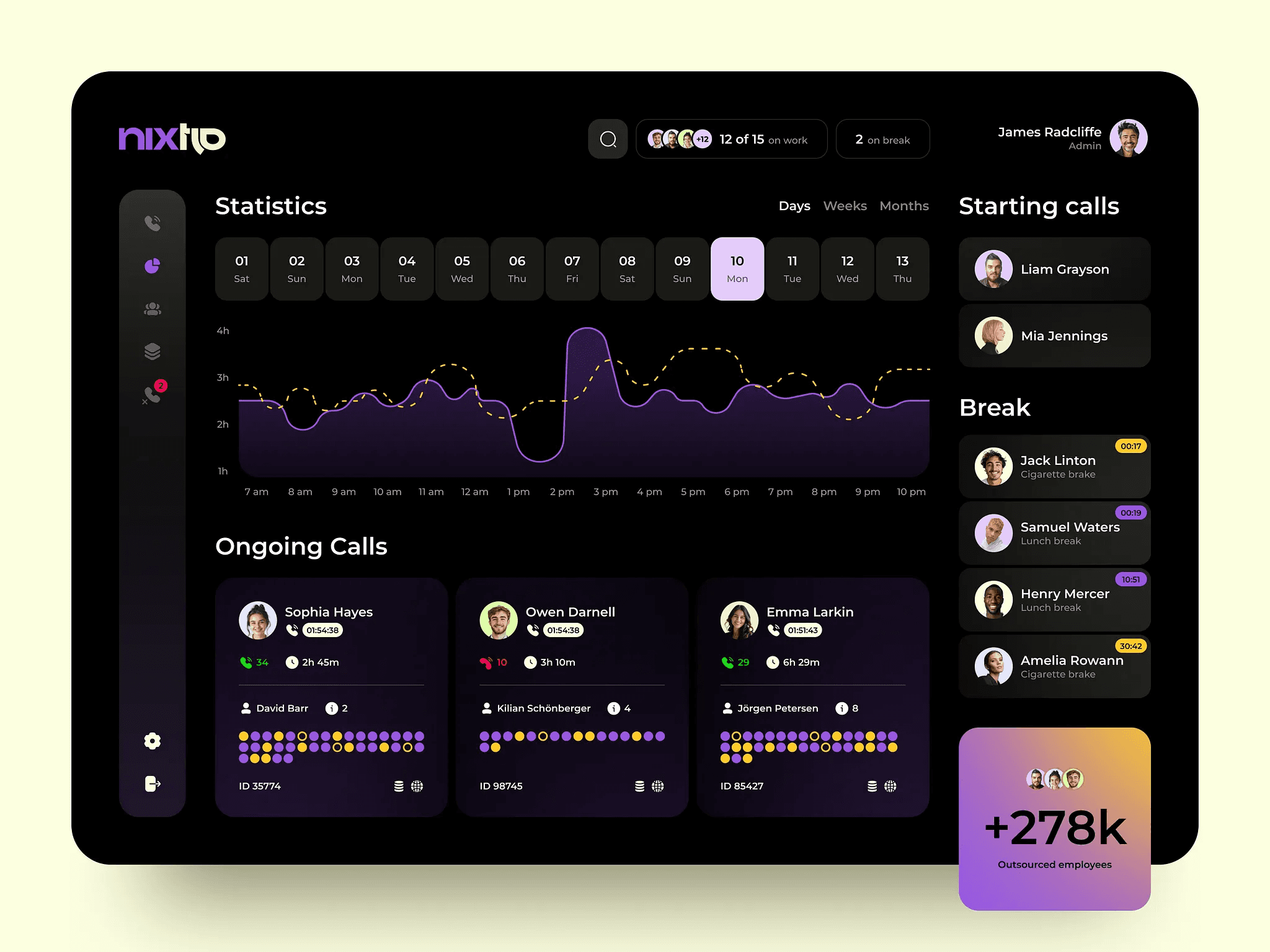
As a UX Design Intern at Google Core, I worked across three agentic AI initiatives, exploring how autonomous agents can simplify complex data workflows while preserving user control, transparency, and trust. I collaborated with PMs, UX researchers, and UX engineers to translate emerging AI capabilities into intuitive interaction patterns and functional prototypes.
Led end-to-end UX flow across 10+ critical user journeys for an autonomous data science agent, designing integrated workflows that enable users to steer, inspect, and approve AI-driven data operations.
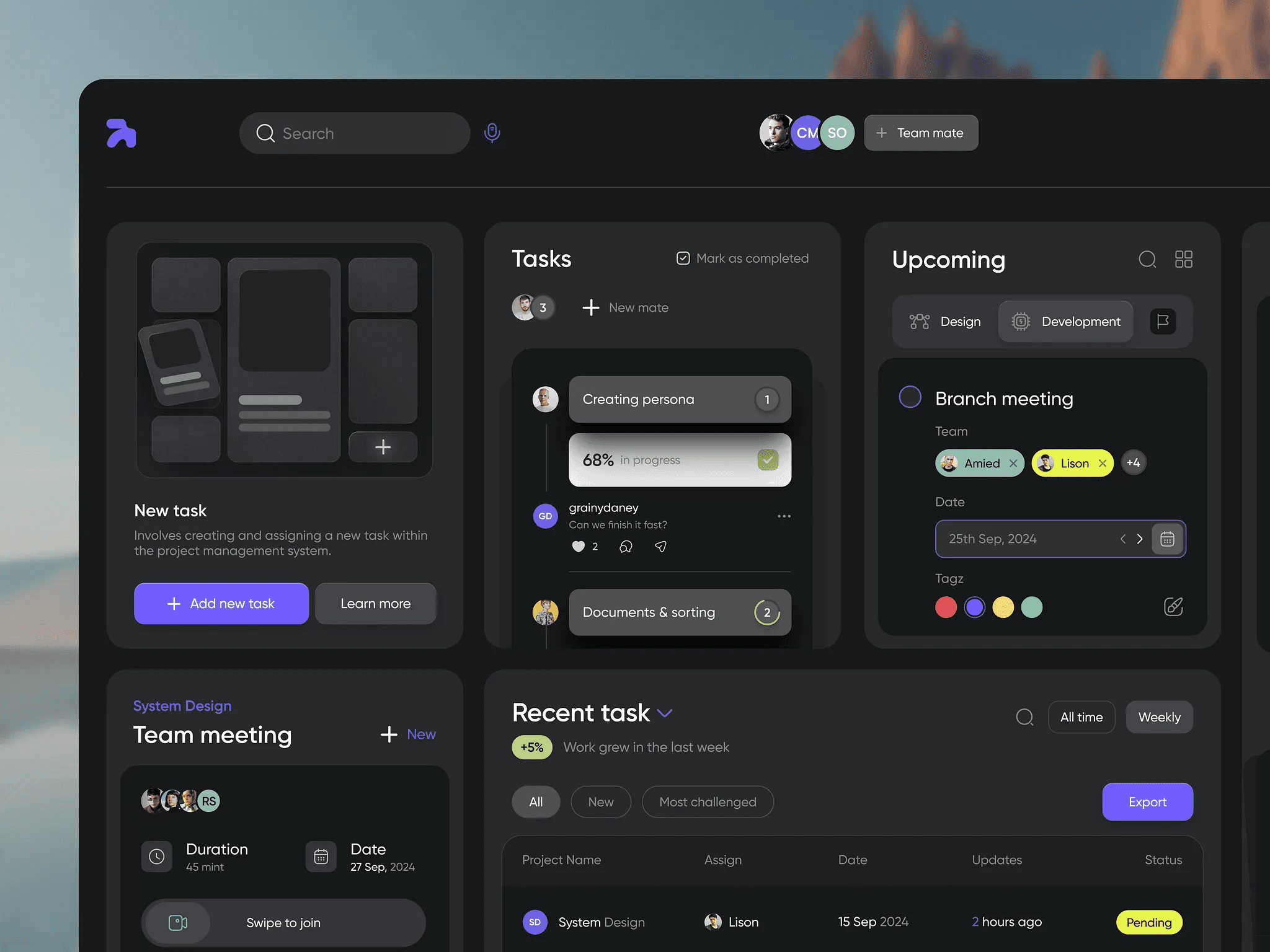
Designed human-in-the-loop verification for AI-driven data transformations, introducing contextual decision rationales, granular controls, and cell-level before/after comparisons to help users review proposed changes before approval.
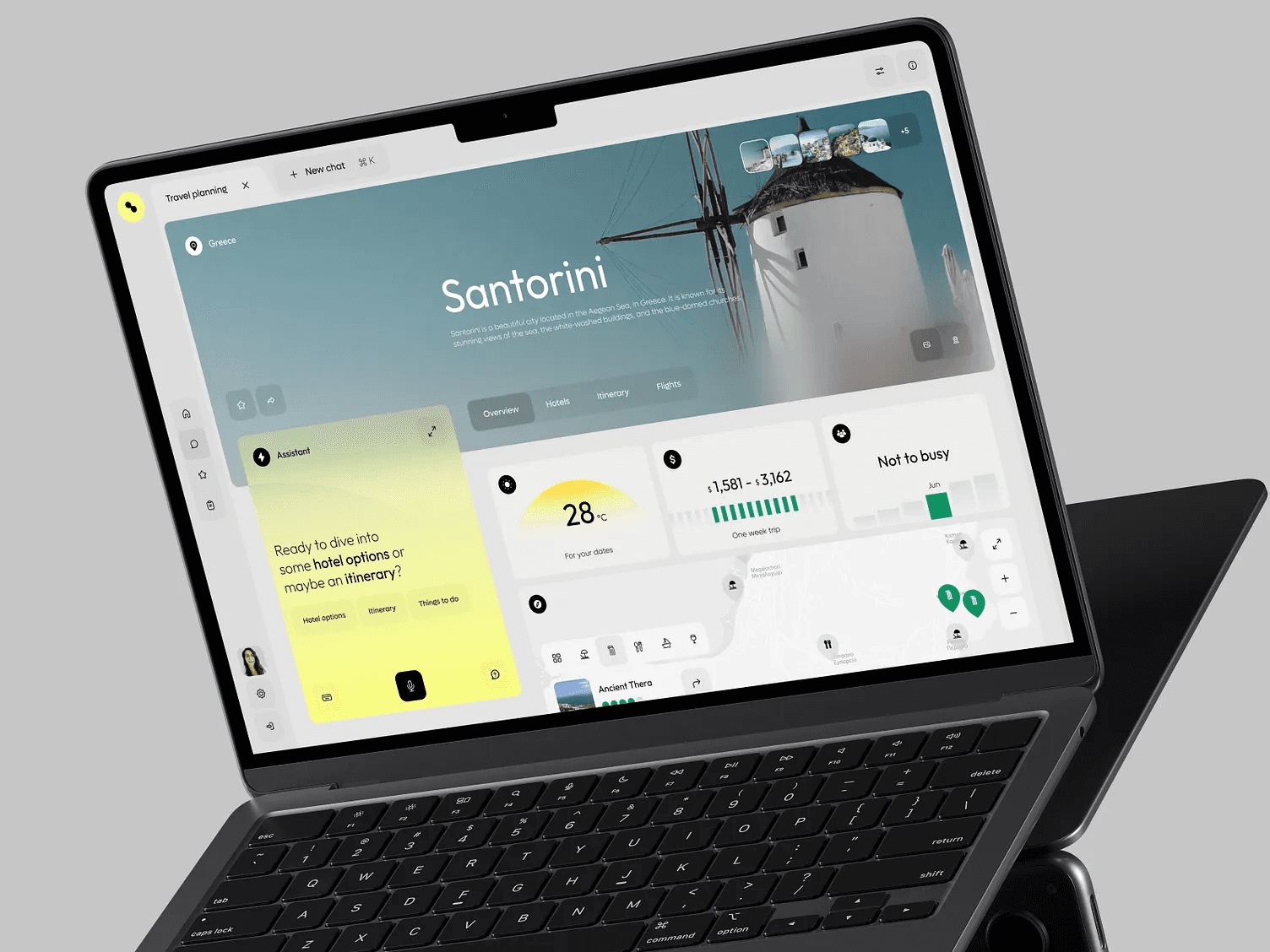
Explored human-agent collaboration within shared workspaces, designing interaction patterns that allow users to transition from team discussions to contextual AI assistance.
Built and submitted interactive prototypes across all three projects, translating emerging agent interactions from design concepts into working software that UXE used for further exploration and iteration.
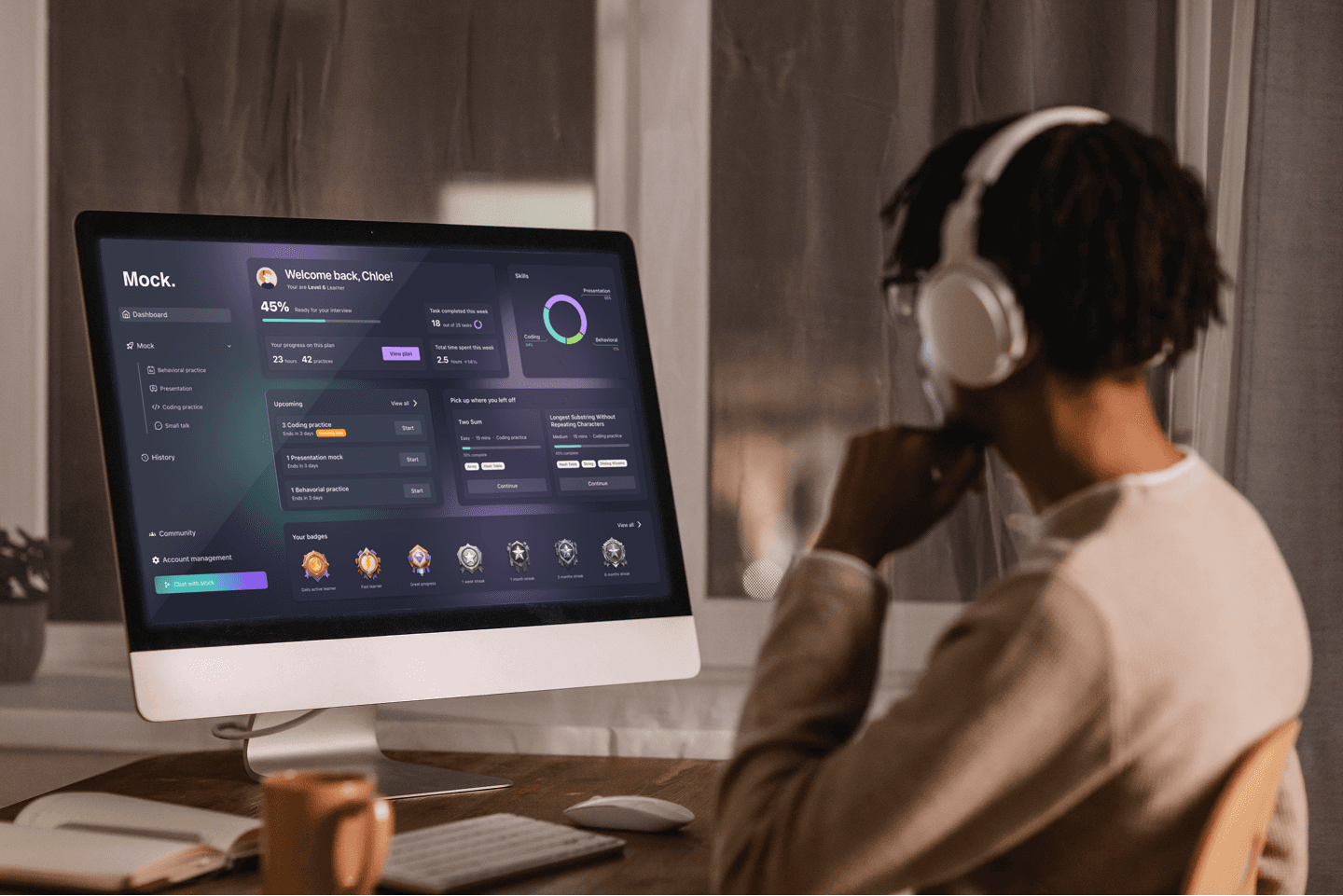
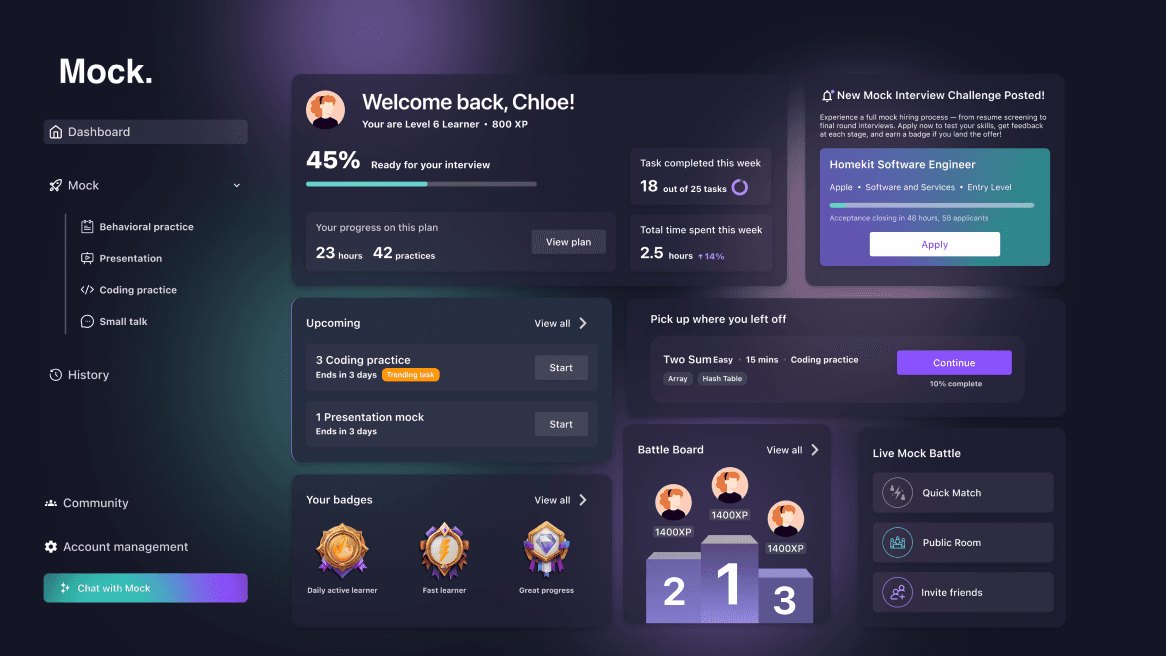
MockAI is a conversation-first, AI-powered interview coach designed to help candidates overcome communication barriers during live interviews.
Prepared forLeetGPT Inc.
Date2025
Timeline6 Months
Team3 Designer
AwardsIF Design Award WinnerLondon Design Award WinnerUX Design Award (Nomination)Muse Design Award WinnerIndigo Design Award Winner
(tl;dr) my role — Product Design Intern · 1 of 3 designers
10K+interviews run on the MVP within 3 months
40%higher task completion rate
5design award honors, incl. iF & London Design Award
Design Overview
Mock AI: Designing an AI-Powered Interview coach experience
A user-centered solution that transforms interview prep into clear, confident, and engaging practice.
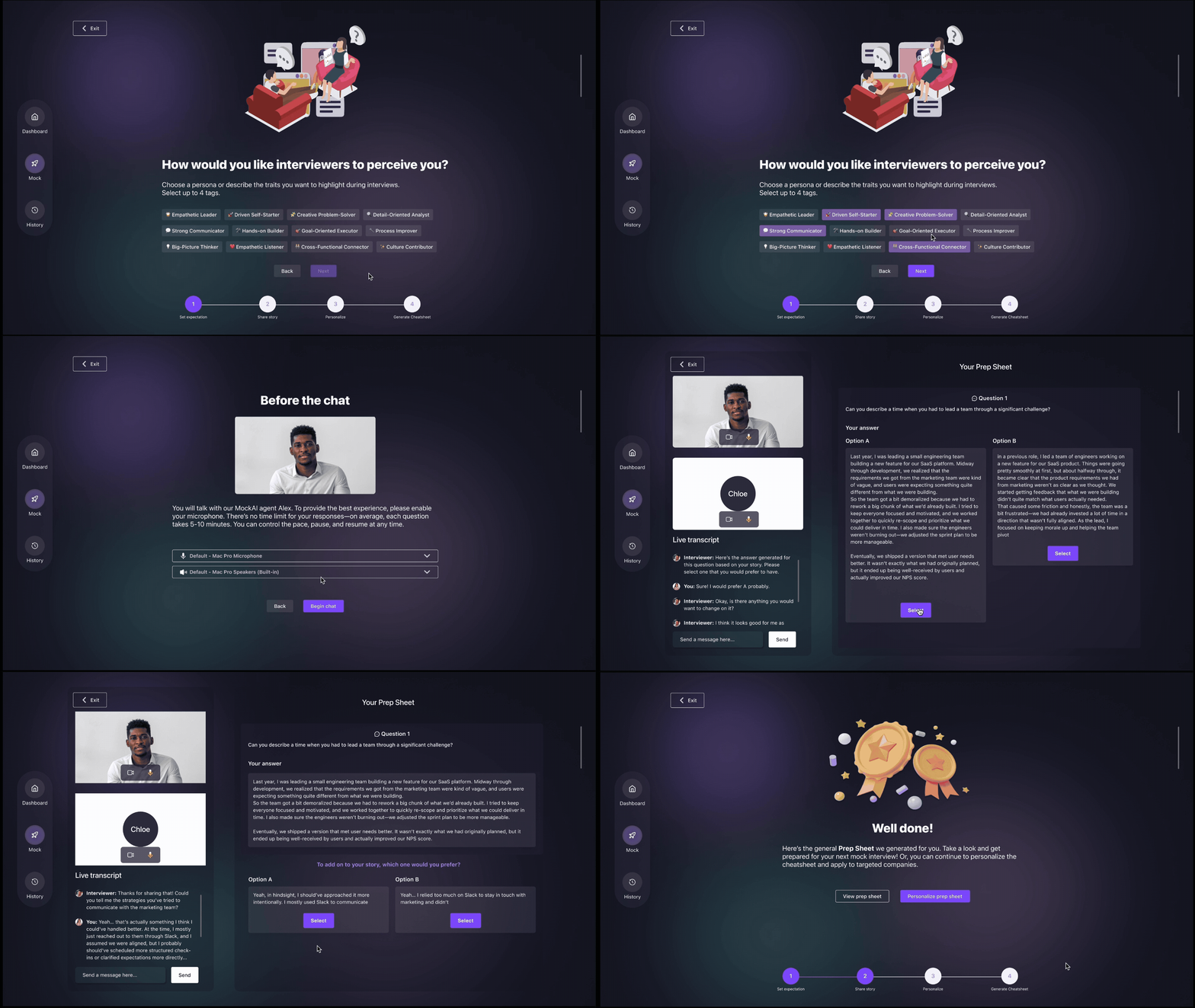
STEP 1 Define your unique persona
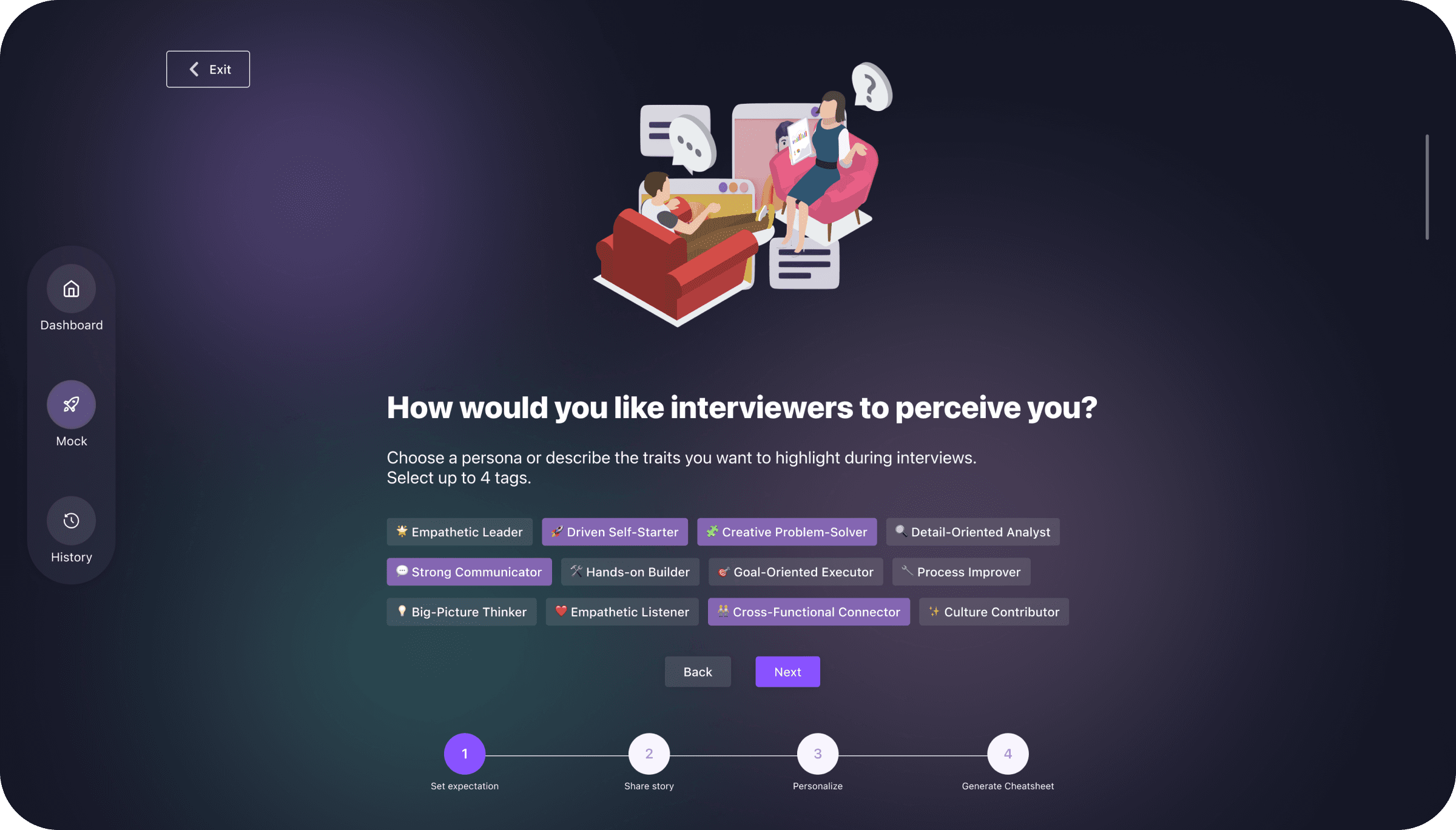
Define Your Persona and Surface Key Stories
MockAI begins with onboarding that helps users define the persona they want to present—visionary, collaborative, or detail-oriented. Guided prompts surface key work experiences that form the foundation for personalized interview preparation.
STEP 2 Collect your story
Build Confidence Through Interview Challenges
Users practice in realistic scenarios—recording answers, receiving instant feedback, and progressing through multi-stage evaluations.
Transform Stories Into Job-Ready Prep
Helps candidates refine their experiences into clear STAR-structured narratives, supported by AI feedback on tone, clarity, and structure.
Integrated Support for Practices
Combines technical and behavioral prep in one place, offering targeted feedback on both content and delivery under time pressure.
Gamified Interview Practice That Drives Growth
Turns routine prep into an engaging experience with daily challenges, streaks, and live battles that build consistency and motivation.
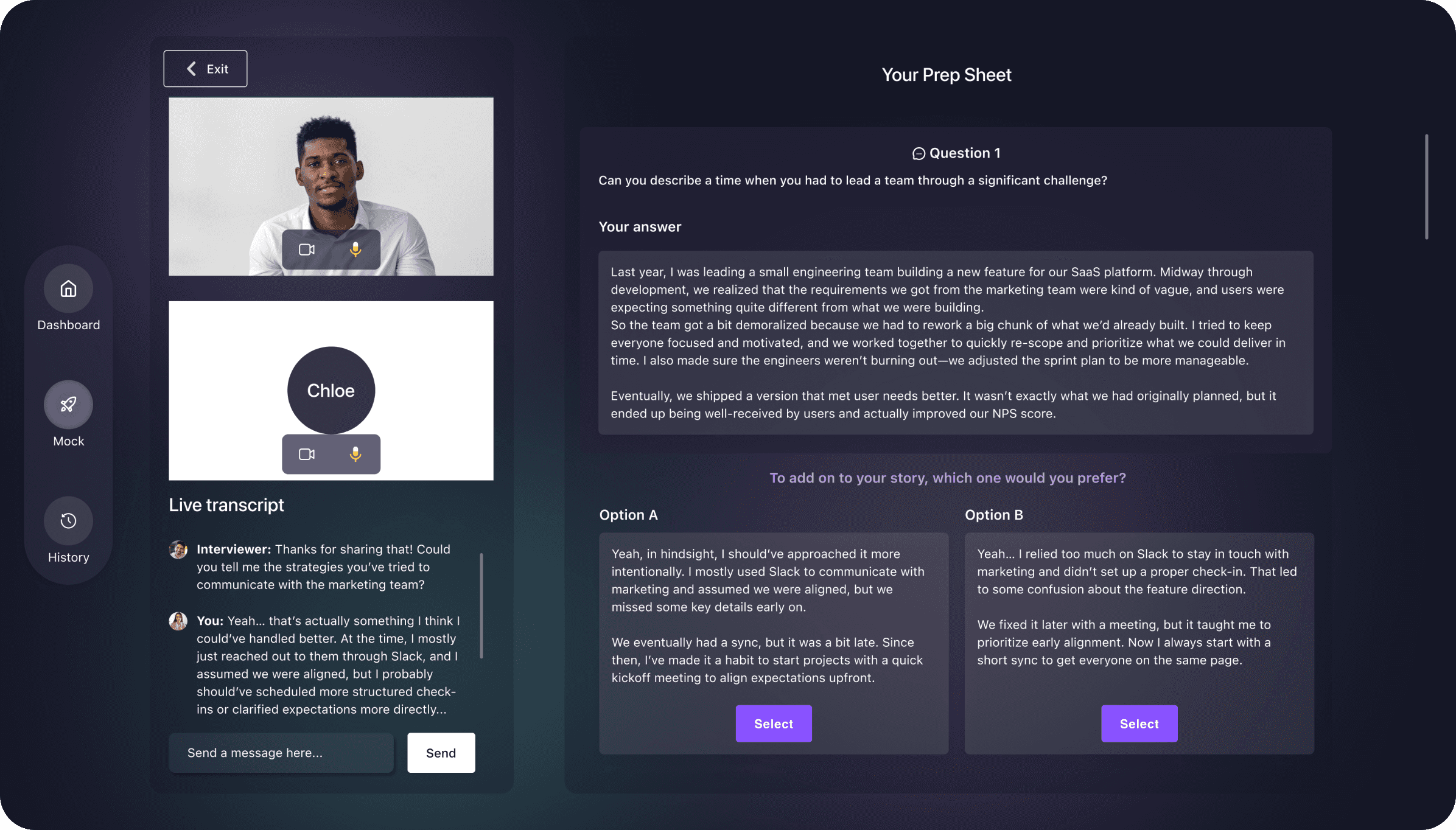
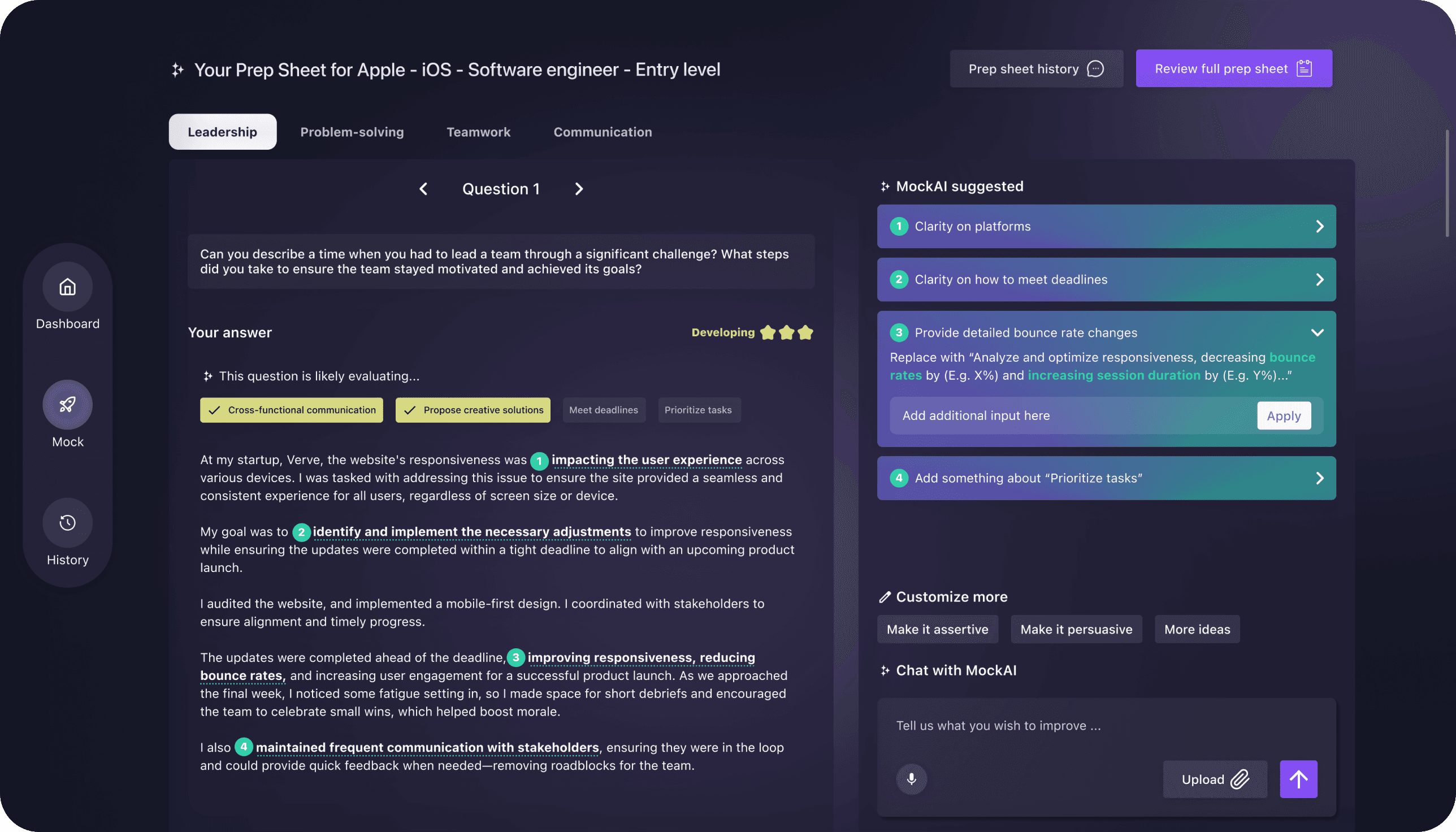
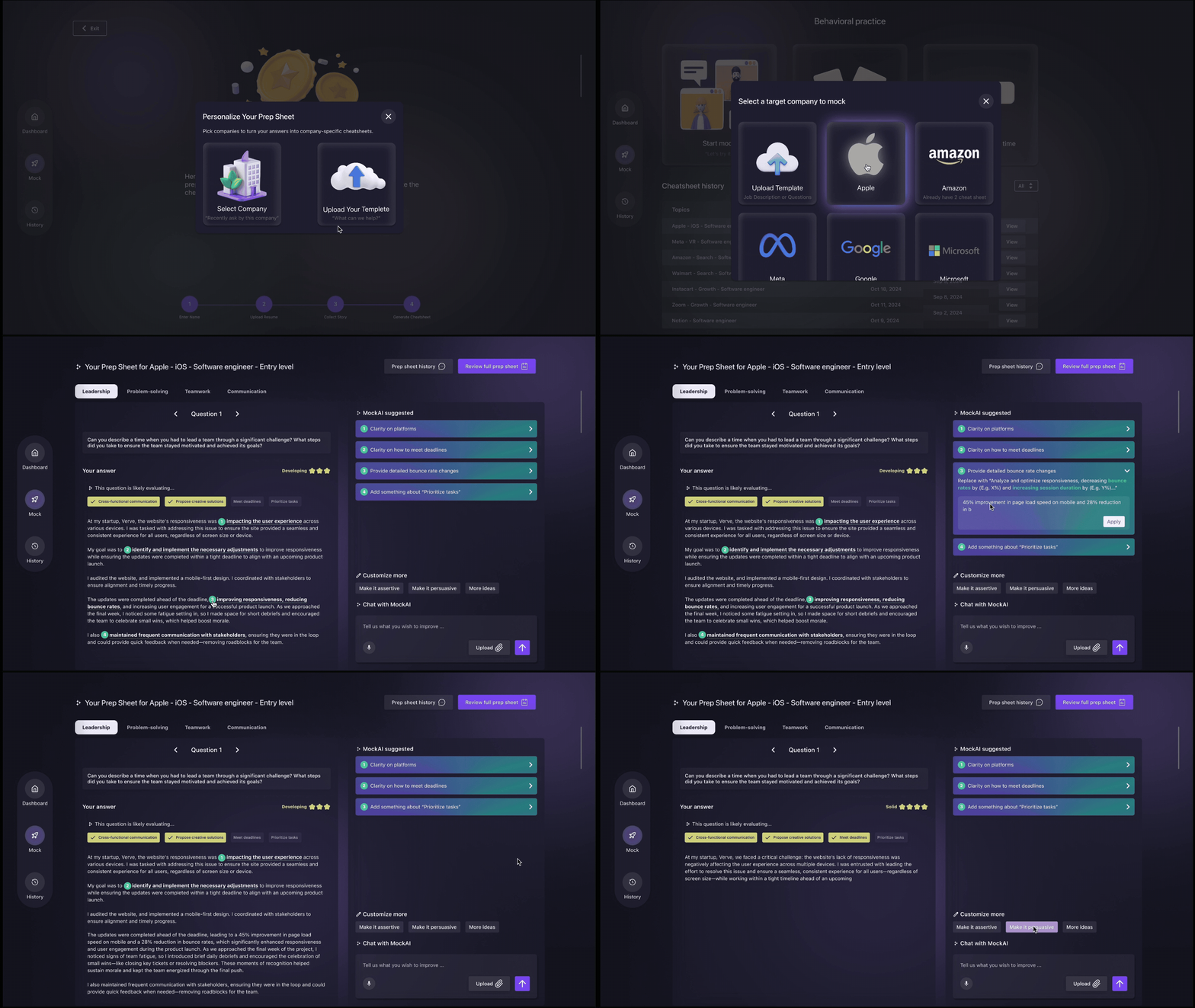
Smart Prep Sheets for Behavioral Questions
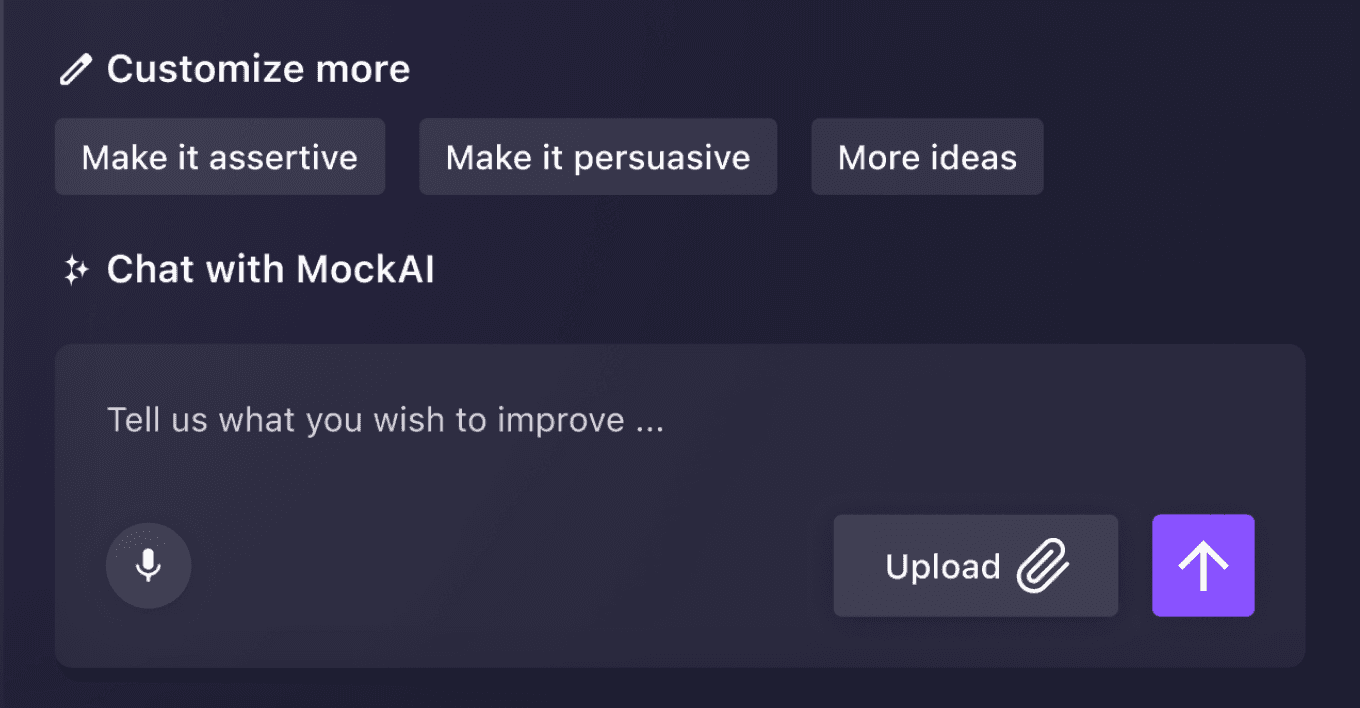
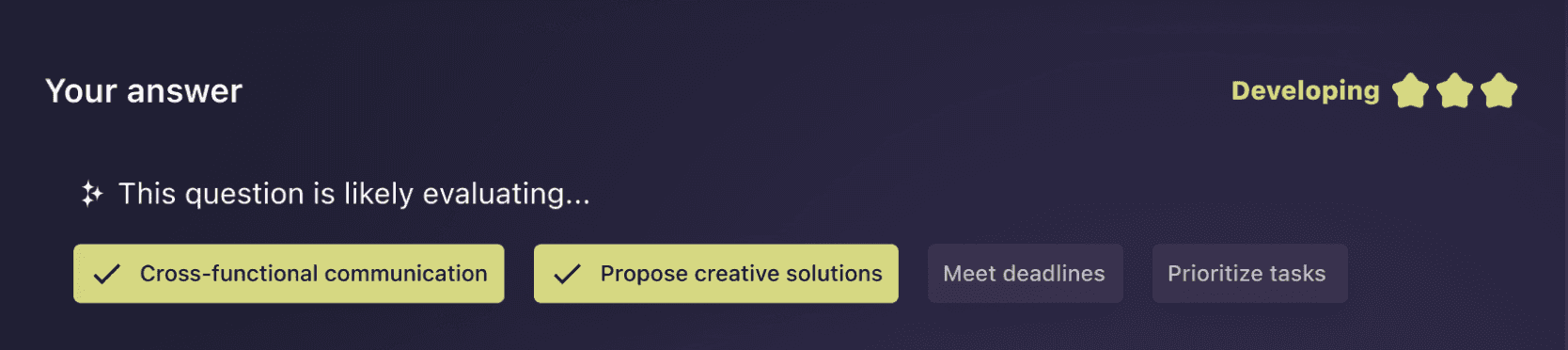
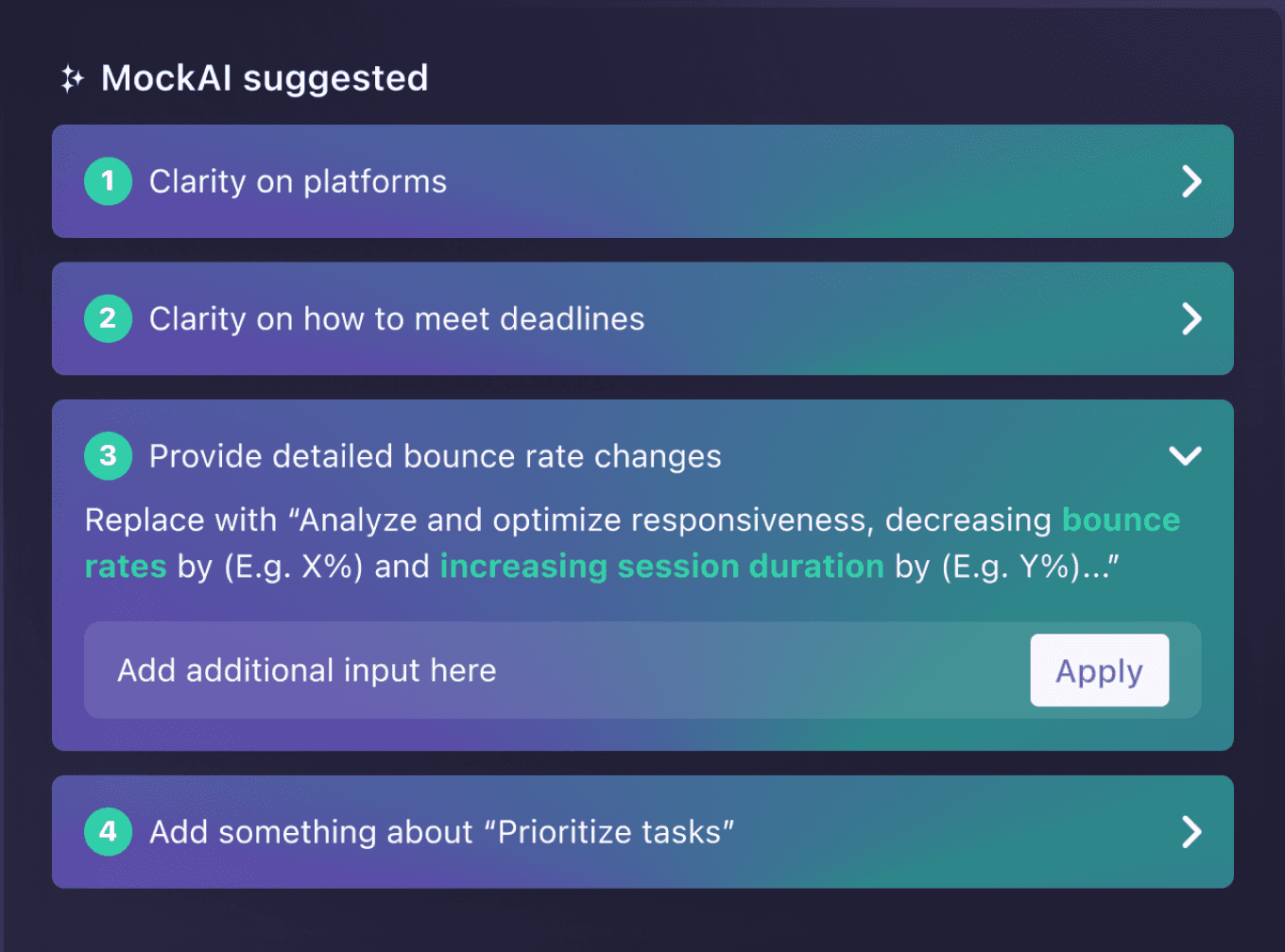
Generates editable prep sheets tailored to each role and company, providing AI-driven suggestions that turn rough stories into polished answers.
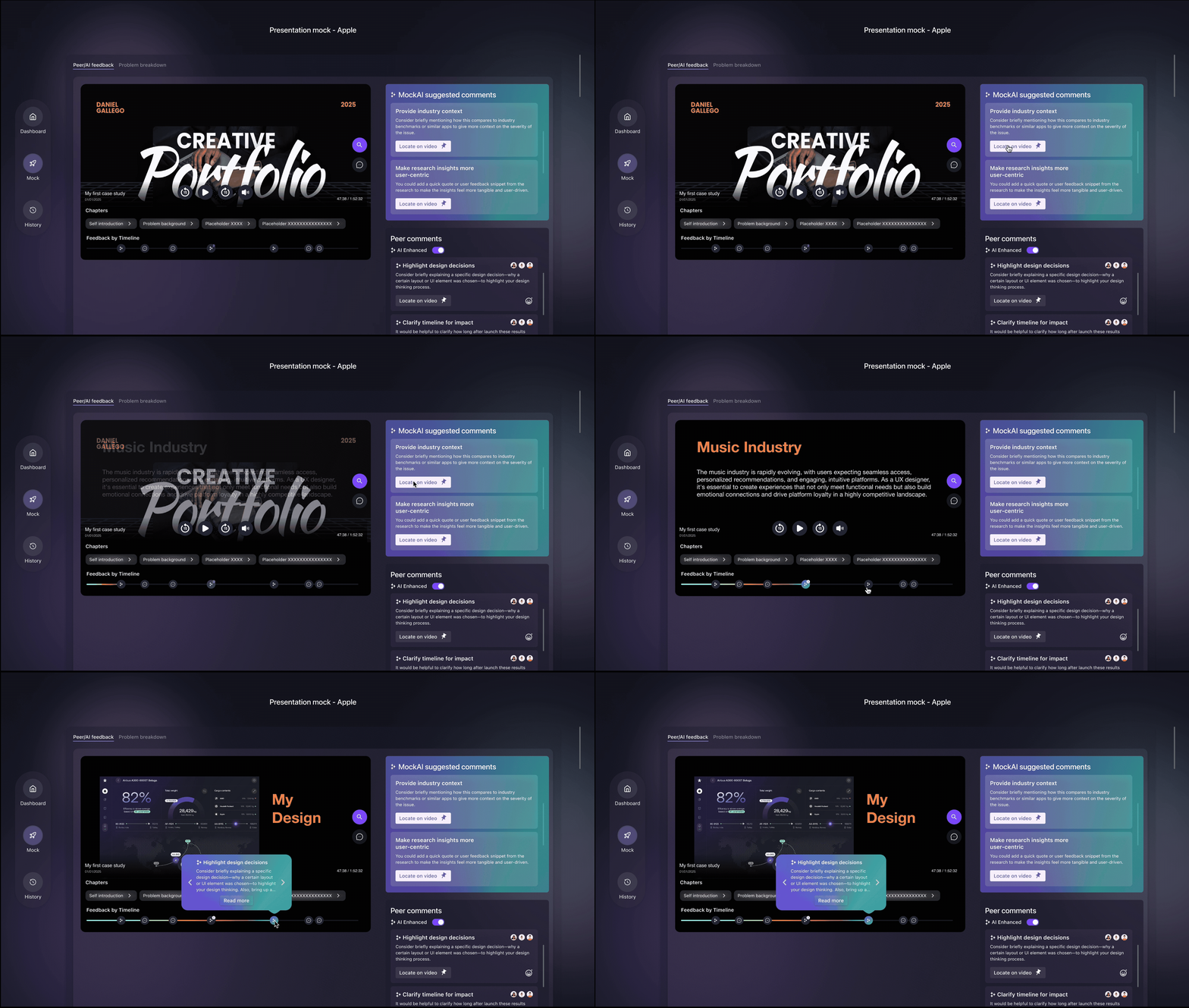
AI-Powered Coaching for Impactful Delivery
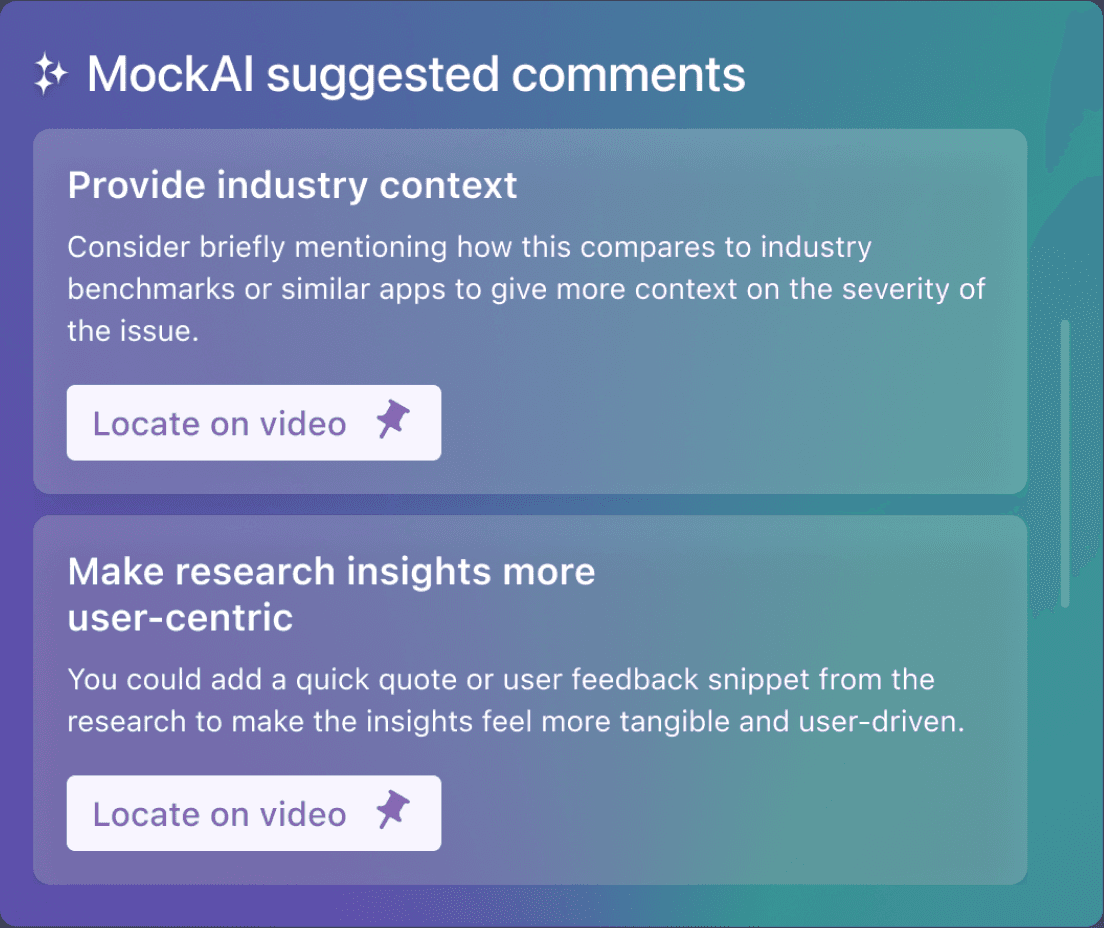
Provides tailored feedback on clarity, pacing, and language, helping candidates strengthen presence and deliver ideas with confidence.
What I design
60+ wireframes & prototypes
Visual Design
Design system
AI-powered prep flows
I impacted…
Shipped MockAI MVP
enabling 10K+ interviews within 3 months
Increased task completion rate by 40%
Background
In the aftermath of the pandemic and ongoing economic uncertainty, The job market is more competitive and less equitable than ever. Many candidates don’t struggle with skills—they struggle with communication. Yet soft skills remain the hardest to practice and improve.
96 %
recruiters say communication is just as important as coding
80 %
candidates fail interviews due to poor soft skills, not technical gaps
31 %
increase in job applications has intensified competition, harder to stand out
Research
Competitor Analysis
Establishing our edge through UX and interaction benchmarking
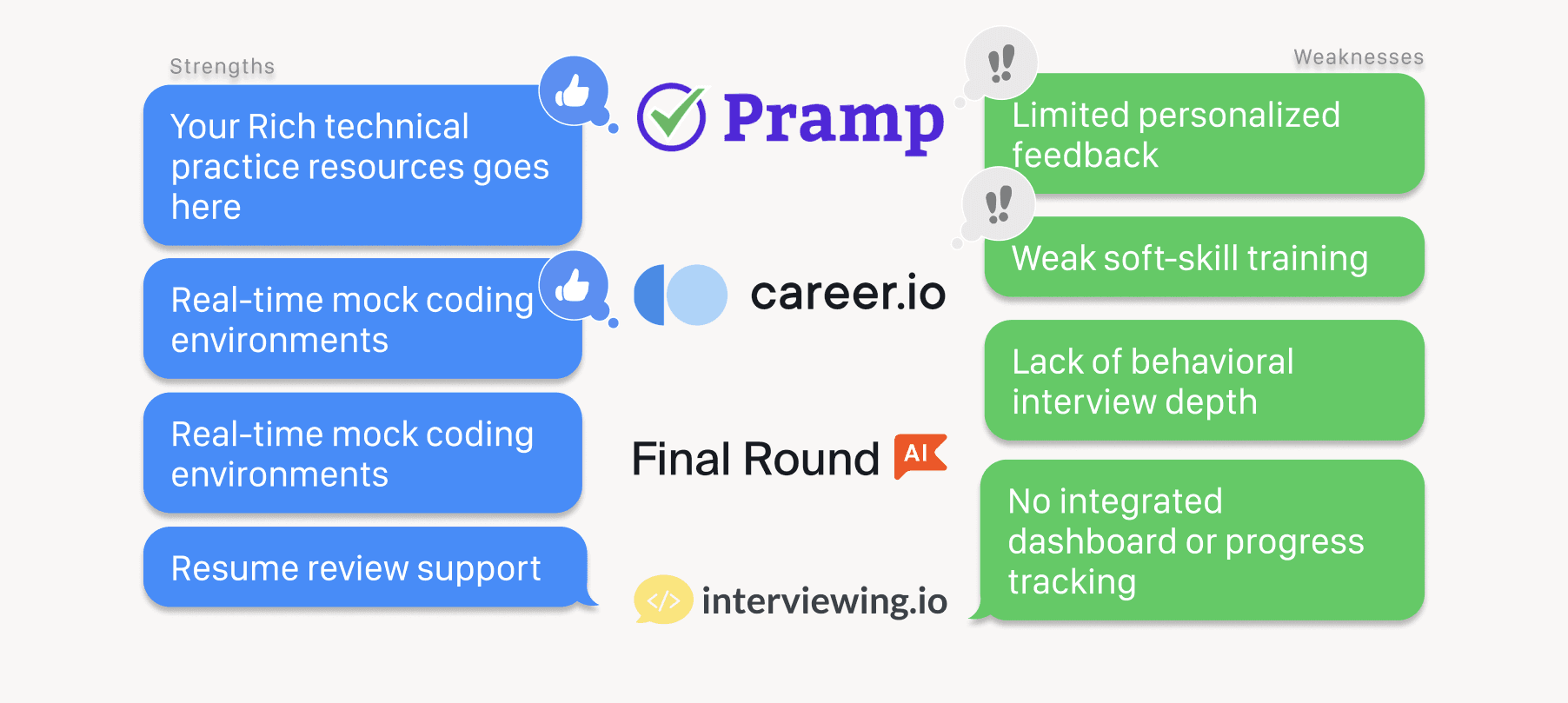
MockAI’s competitors offer isolated features for interview prep, but they often lack continuity, personalization, and soft skill support.
💡 Why AI-First as the Solution?
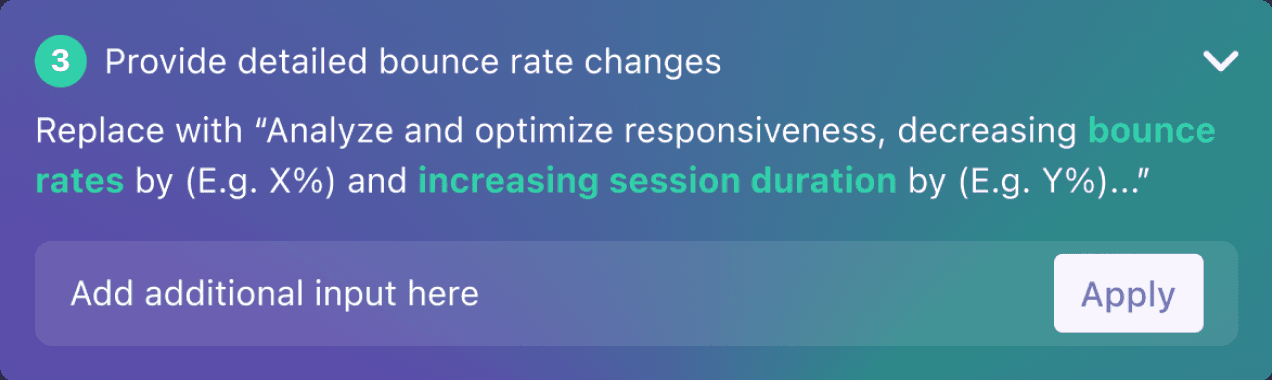
From the competitor analysis, traditional prep tools are static or inconsistent, while AI enables structured, explainable, and adaptive practice that feels more realistic.
Without AI
📚 Question banksrepetitive, don’t teach how to improve
👥 Peer feedbackinconsistent, sometimes contradictory
❌ Static practicegeneric, no reasoning
With AI
✍️ Structurebreak answers into STAR components
🔁 Explainabilityshow why an answer needs revision
🧠 Adaptabilitysimulate dynamic conversations like small talk or presentations
User Interview
Interviewing 7 job seekers to uncover what’s broken in interview prep
To understand how we could better support interview success, we 1:1 interviewed 7 users—ranging from PhD students to professionals—about their prep methods, mock experiences, and what tools they wish existed.
We use 1 on 1 Zoom meeting to interview people, and the basic information of interviewees:
2PhD Student in Tech
3Software Engineer
2Technical Engineer
7interviewees
During the interview, we received those quotes and asked the following question:
When you get into the mock interview process, how did you prepare for it? What did you mock for? (e.g. coding? Behavioral? Challenge questions? etc.)
How confident do you feel about preparing for interviews?
What’s the most challenging and the easiest part for you? Why?
In which area of the interview process, do you feel the most needed to mock? Why?
Mock Interview related
“I mock with different people and everyone has different feedback, and I don’t know who to listen to in the end.” (PhD student, Tch)
When did you have your most recent interview? What is it for?
How’s the interview process look like? (Number of interview steps, duration, type & category)
How did you prepare for it? Please explain step by step in detail (e.g. timeline, tools/platforms have used)
What kind of help have you asked for throughout the preparation process?
Interview Prep related:
“I know technical prep resources like LeetCode, but I don’t know how to prepare my stories.” (Software Engineer)
Have you ever used any virtual AI tools/platforms that help you mock the interview? If so, what are they?
If there’s a virtual AI tool/product that helps you mock interviews, how would you imagine it to help you with? (e.g. which area do you want to mock)
If you have ever used the tools/platforms above, compared with mocking interviews with another real person, what’re the differences?
AI related
“AI is fast, but I don’t trust it unless it explains why its feedback makes sense.” (Technical Engneer)
Research Insights
We synthesized four major insights from their responses:
Lack of Realistic Practice Tools
AI tools like ChatGPT and Pramp were helpful but felt generic, lacking realism and emotional nuance like tone, delivery, or body language.
Behavioral Interviews = Blind Spot
Most users focused on technical prep but neglected behavioral questions. Storytelling, case studies, and soft skills were consistent pain points.
Demand for Guided Feedback
Users wanted structured feedback to improve over time—particularly for communication, confidence, and storytelling clarity.
Time Pressure & Anxiety
Candidates struggled with managing time during interviews and staying calm under pressure, especially in multi-stage assessments.
Persona
Among the 7 interviewees, these three groups showed the most distinct communication challenges and prep needs — hence we prioritized them in our design.
Our primary users are engineers, often with strong technical skills but struggling to express themselves in behavioral interviews. They need a way to build confidence, structure answers, and practice soft skills in realistic settings.
Engineer as Candidate
Focused on passing coding interviews, but often overlook soft skill preparation. Needs practice beyond LeetCode.
Engineer as Communicator
Struggles to organize stories using STAR, and feels uncertain about how to phrase experiences clearly.
Engineer as Job Seeker
Faces anxiety in real-time conversations, especially small talk or open-ended questions.
💡
How Might We...
empower job seekers to practice soft skills through realistic, personalized interview simulations?
✨ Final Solution Preview
Prototyping Realistic, AI-Powered Interview Practice
To help job seekers practice soft skills in a structured and motivating way, we designed three key modules:
Behavior Question Prep Sheet
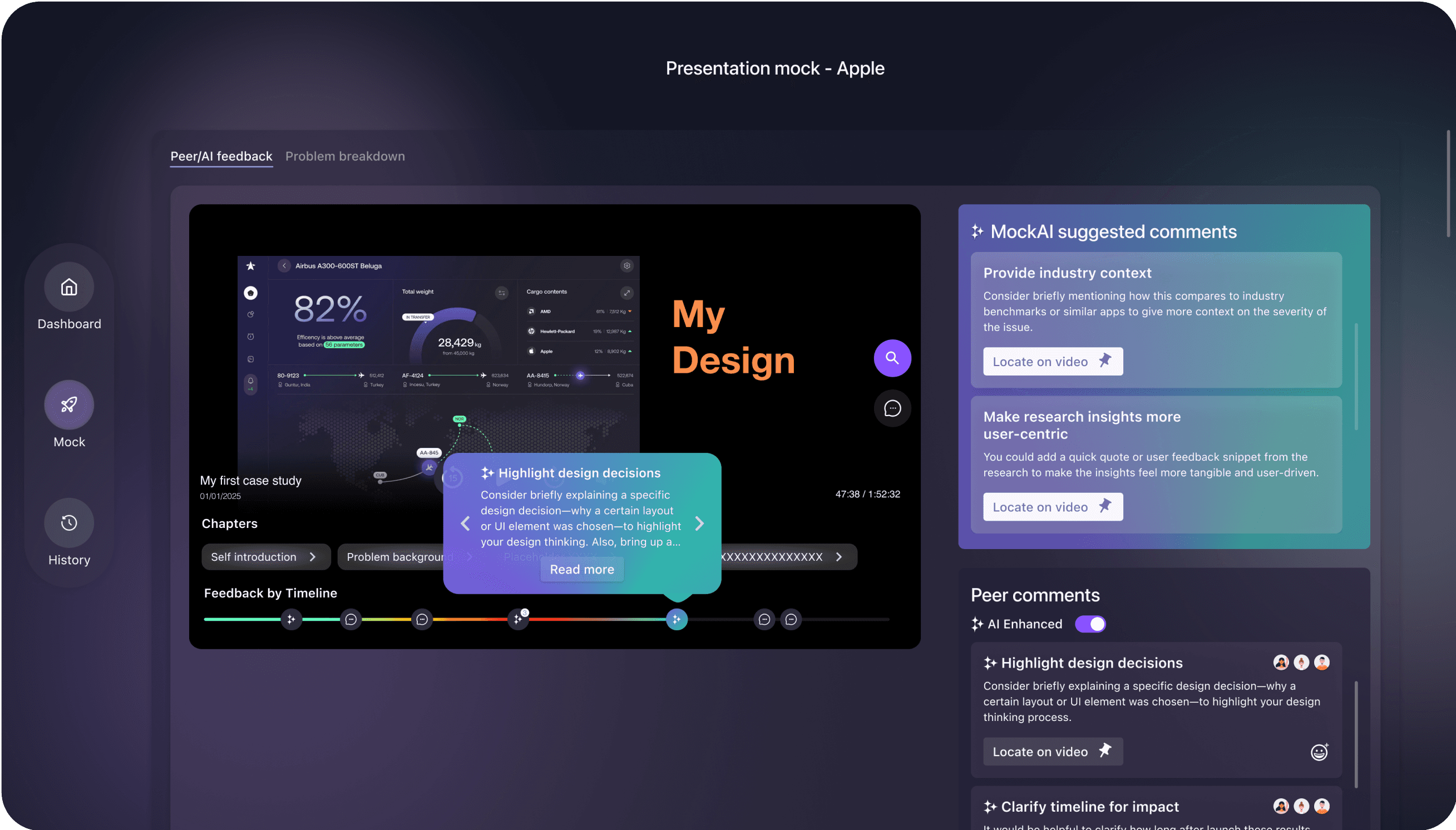
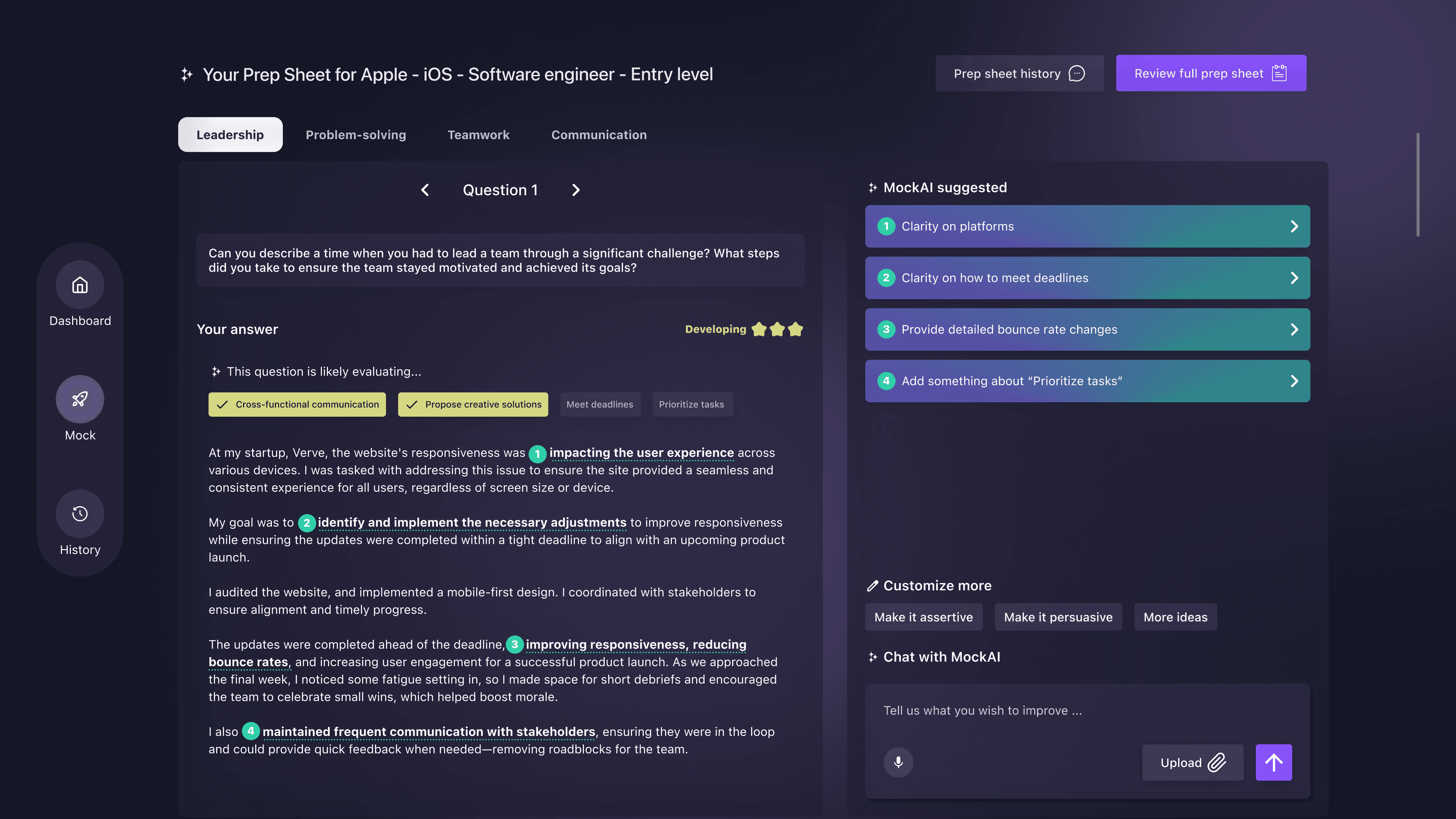
Supports users to structure answers using the STAR framework. AI breaks down responses into sections, gives tone suggestions, and explains the rationale behind each revision. ✅ Solves: “I don’t know how to organize my answer clearly.”
Small Talk Simulation
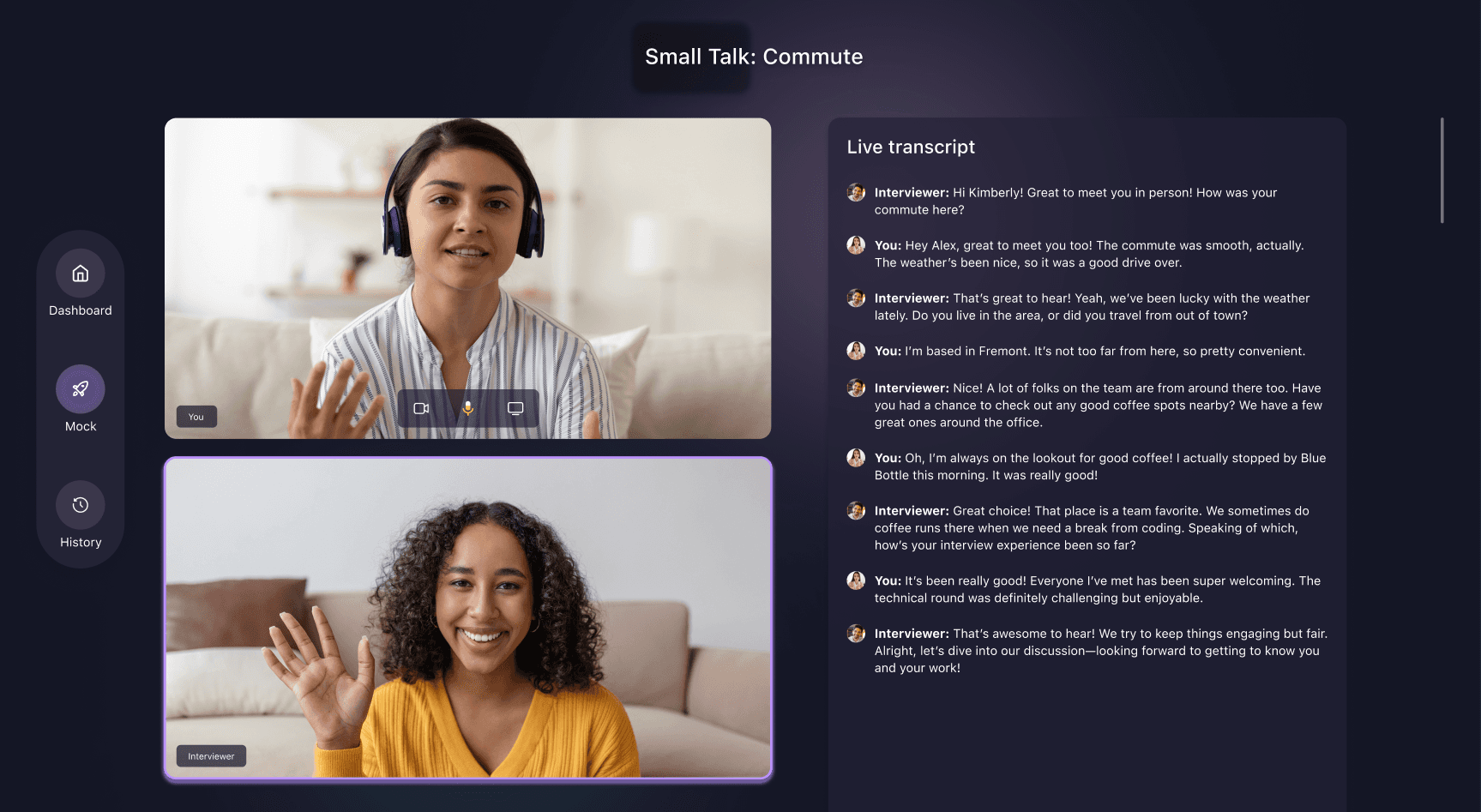
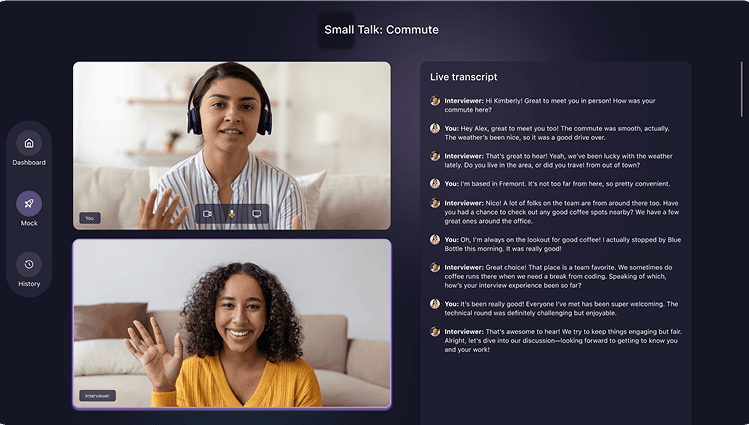
Simulates real-time casual conversations to reduce social anxiety. Users receive feedback on eye contact, tone, and engagement style to build confidence in informal settings. ✅ Solves: “I freeze or feel awkward in small talk situations.”
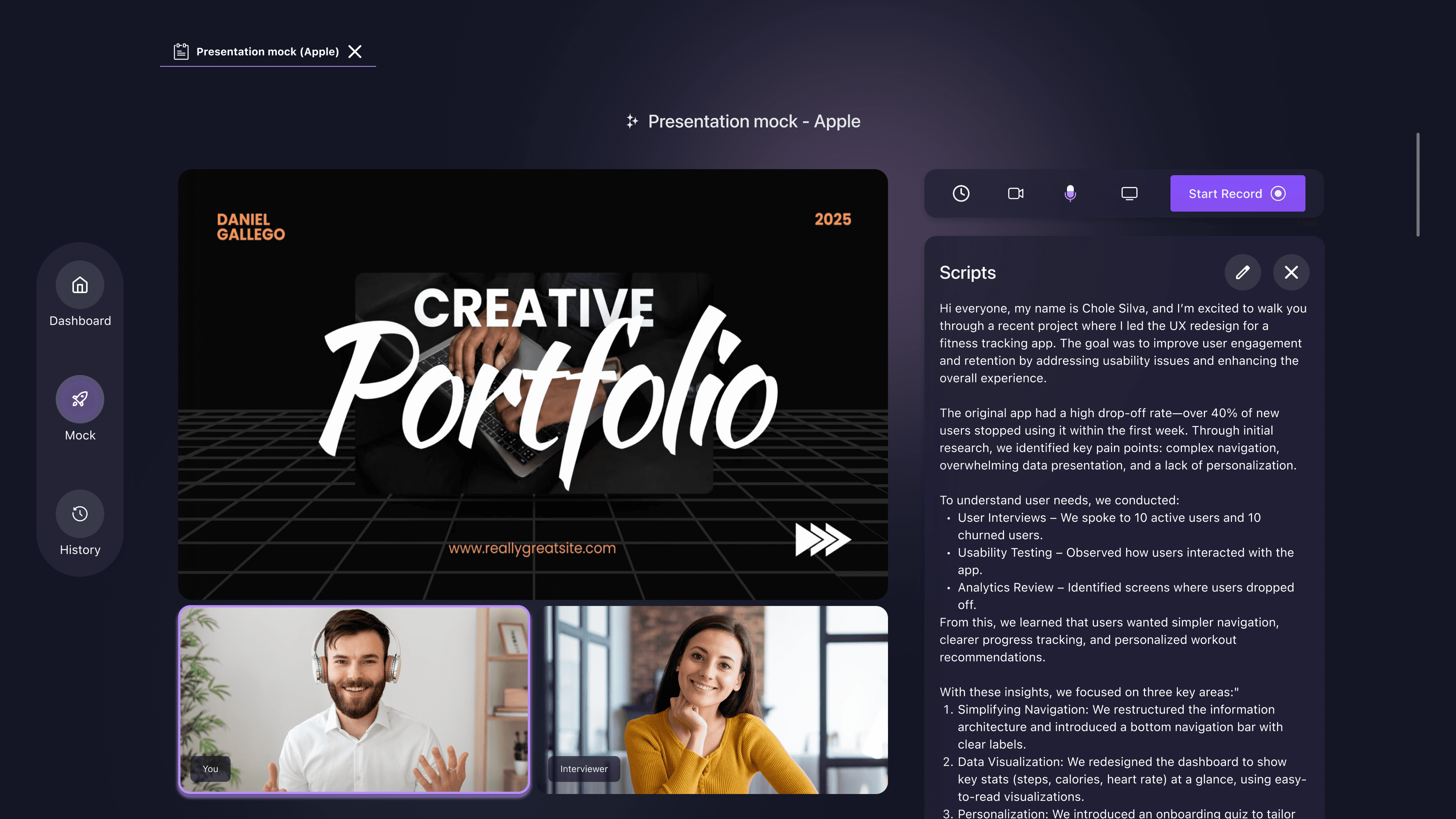
Presentation Deck
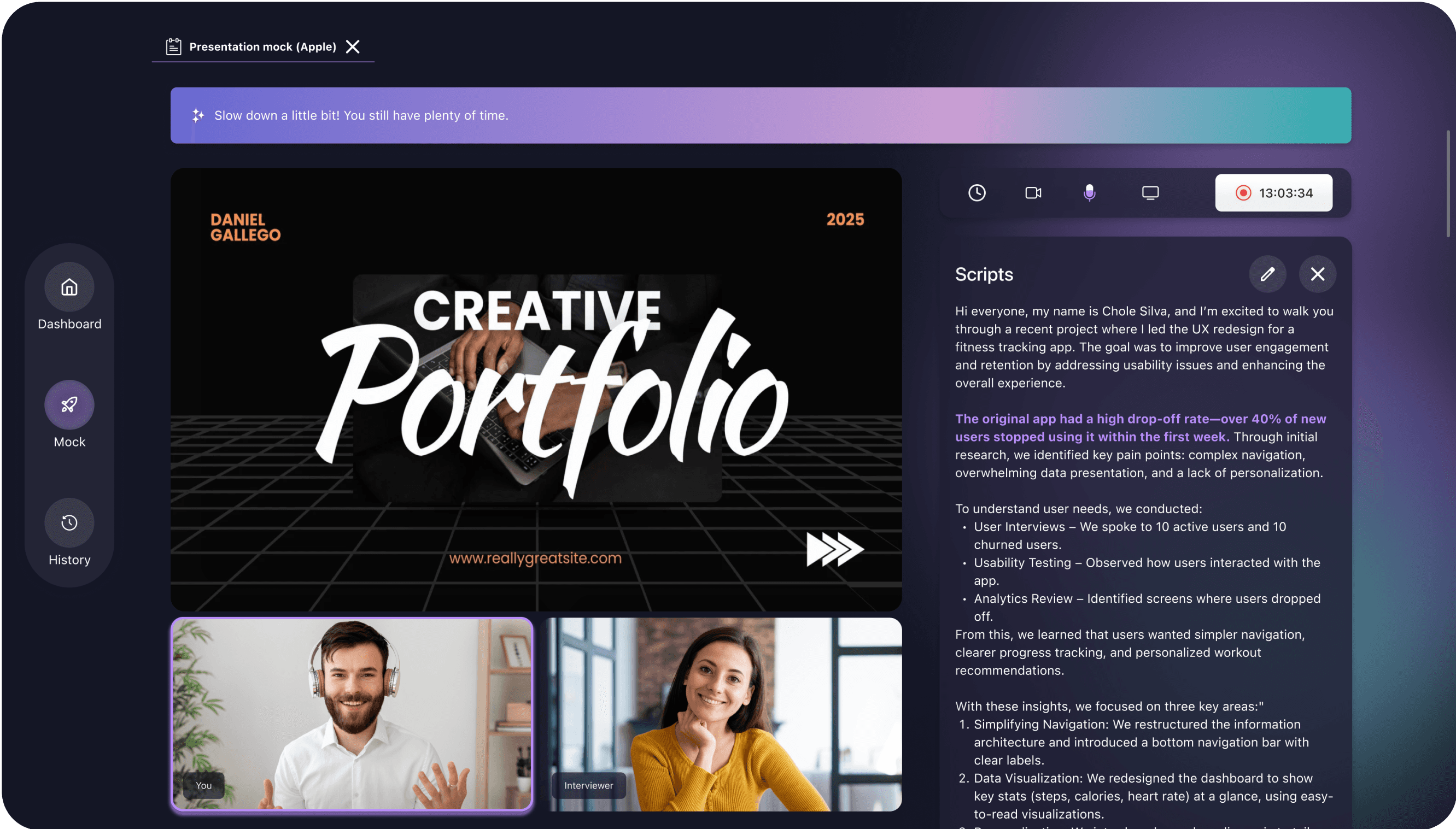
Helps users improve public speaking and storytelling through timed presentation practice. AI provides instant feedback on pace, clarity, tone, and delivery style during slide walkthroughs. ✅ Solves: “I don’t know if I’m speaking too fast / I struggle to present confidently.”
These Hi-Fi designs directly reflect the core user needs surfaced in our interviews — clarity, confidence, and contextual feedback.
Product Thinking
Brainstorm
From User Pain Points to Product Priorities
After identifying key challenges in soft skill development — like structuring answers, handling small talk, and presenting ideas confidently — we translated these needs into potential features.
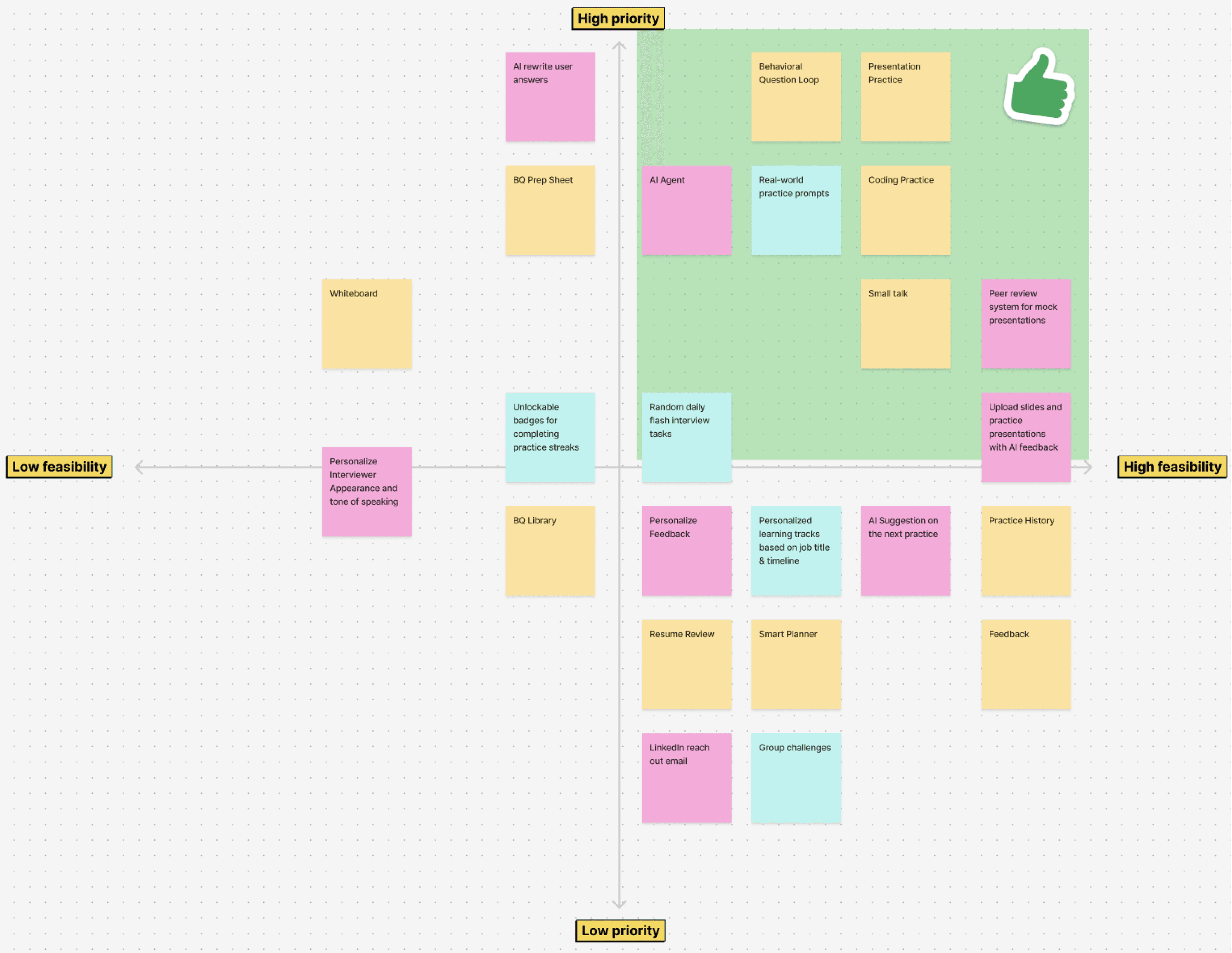
We used a prioritization matrix (impact × feasibility) to evaluate ideas based on:
🎯 Relevance to pain points
⚙️ Technical feasibility (esp. for AI features)
📈 Potential user impact
🧠 Complexity / scope constraints
✅ The green area in the matrix highlights our core features:
Behavior Question
Small Talk Simulation
Presentation Practice
— which directly correspond to the needs of our three target user groups.
Design Exploration
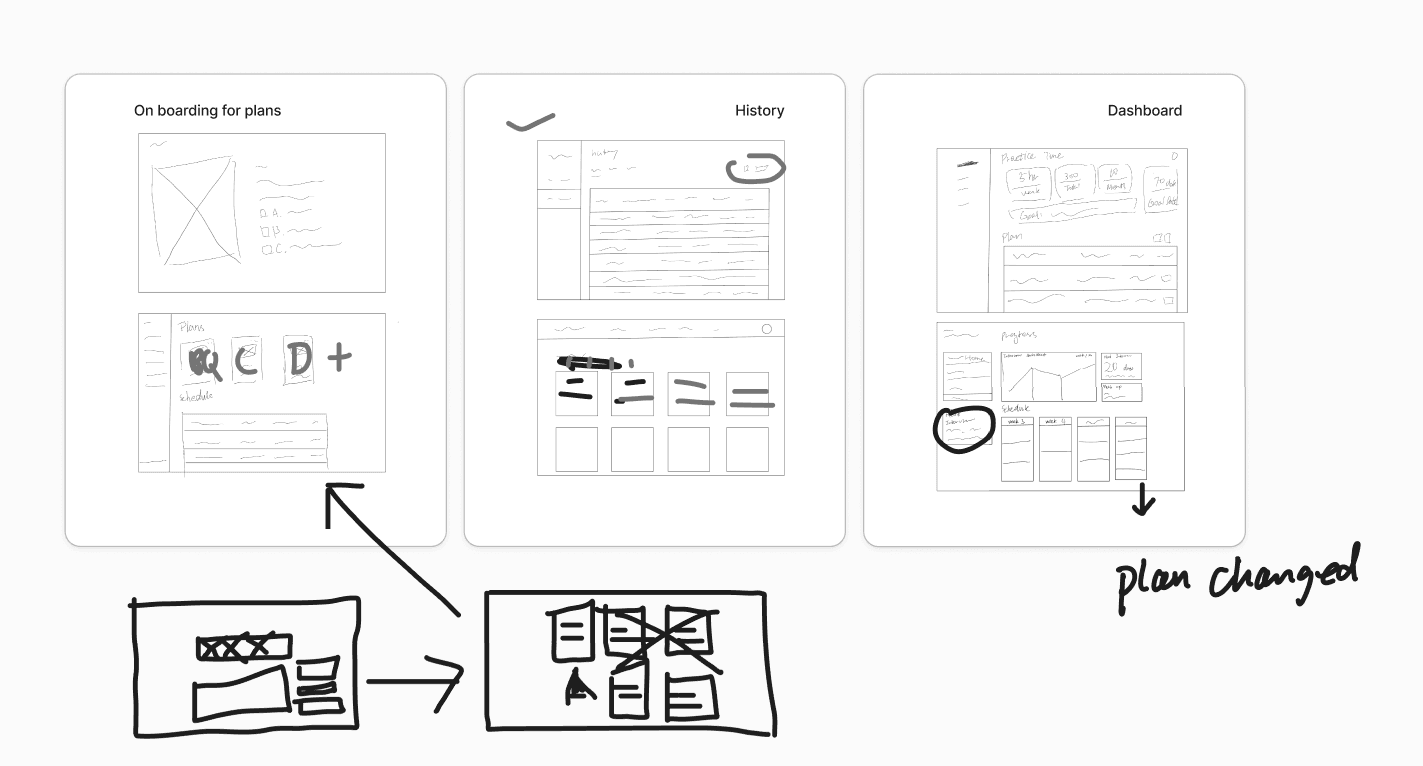
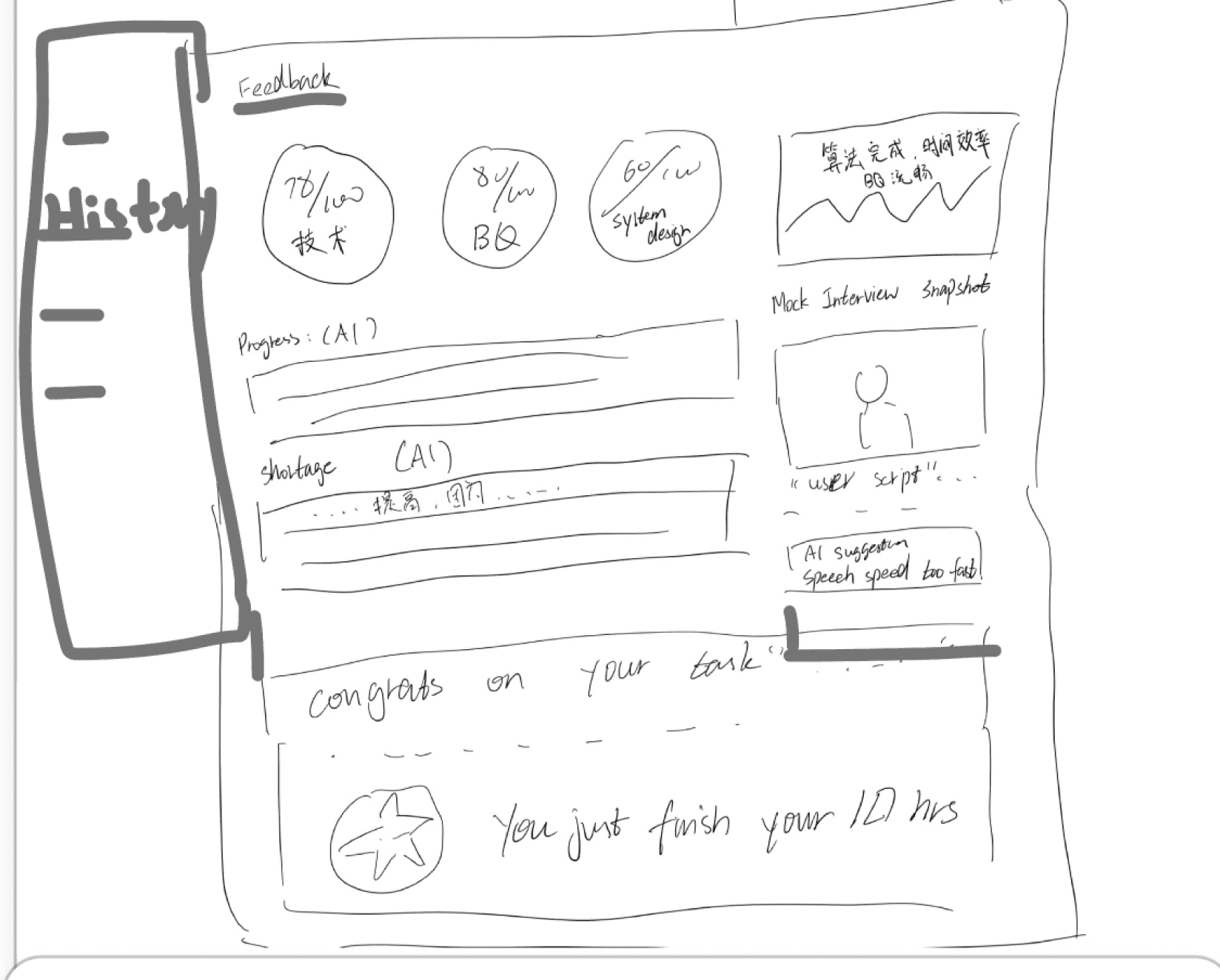
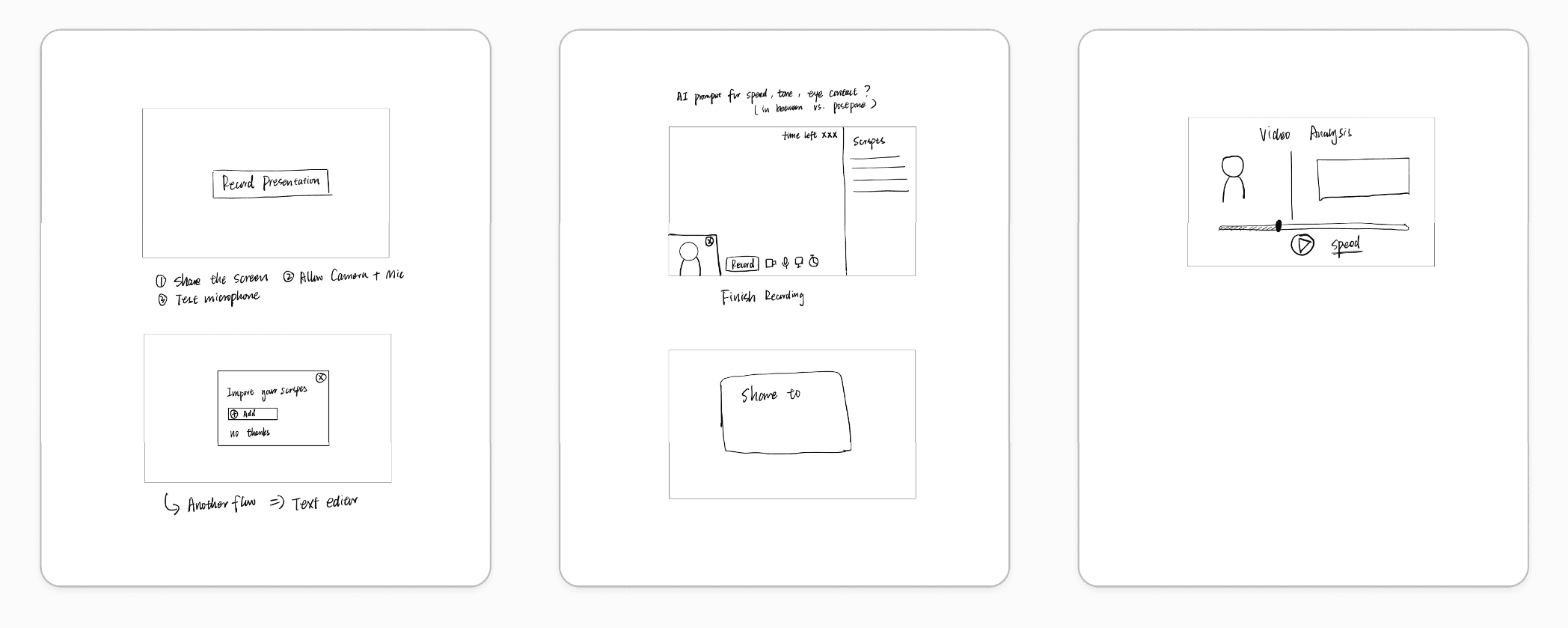
Lo-Fi Sketches
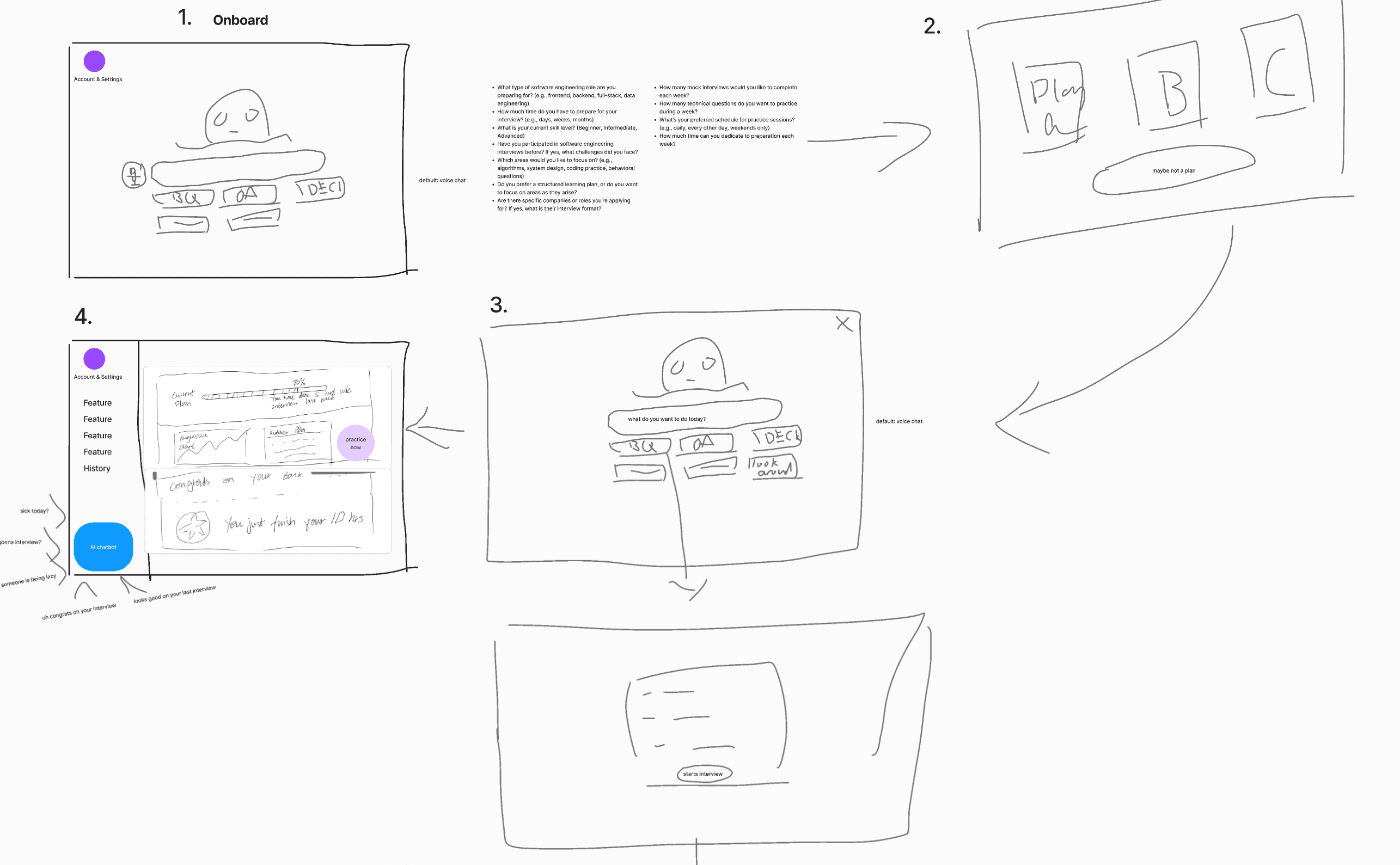
Focus on our design principle, we put pen to the paper.
Exploring key features to address the complexities of the mock interview
On-boarding
Behavior Question
Feedback
Feedback
Presentation
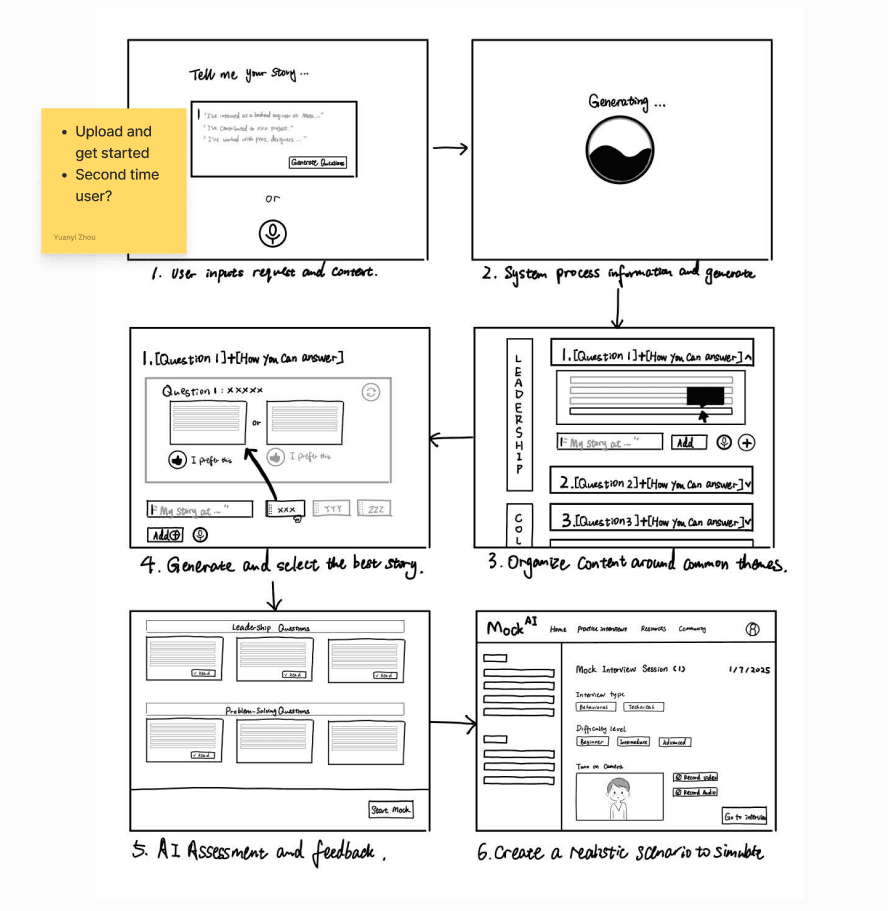
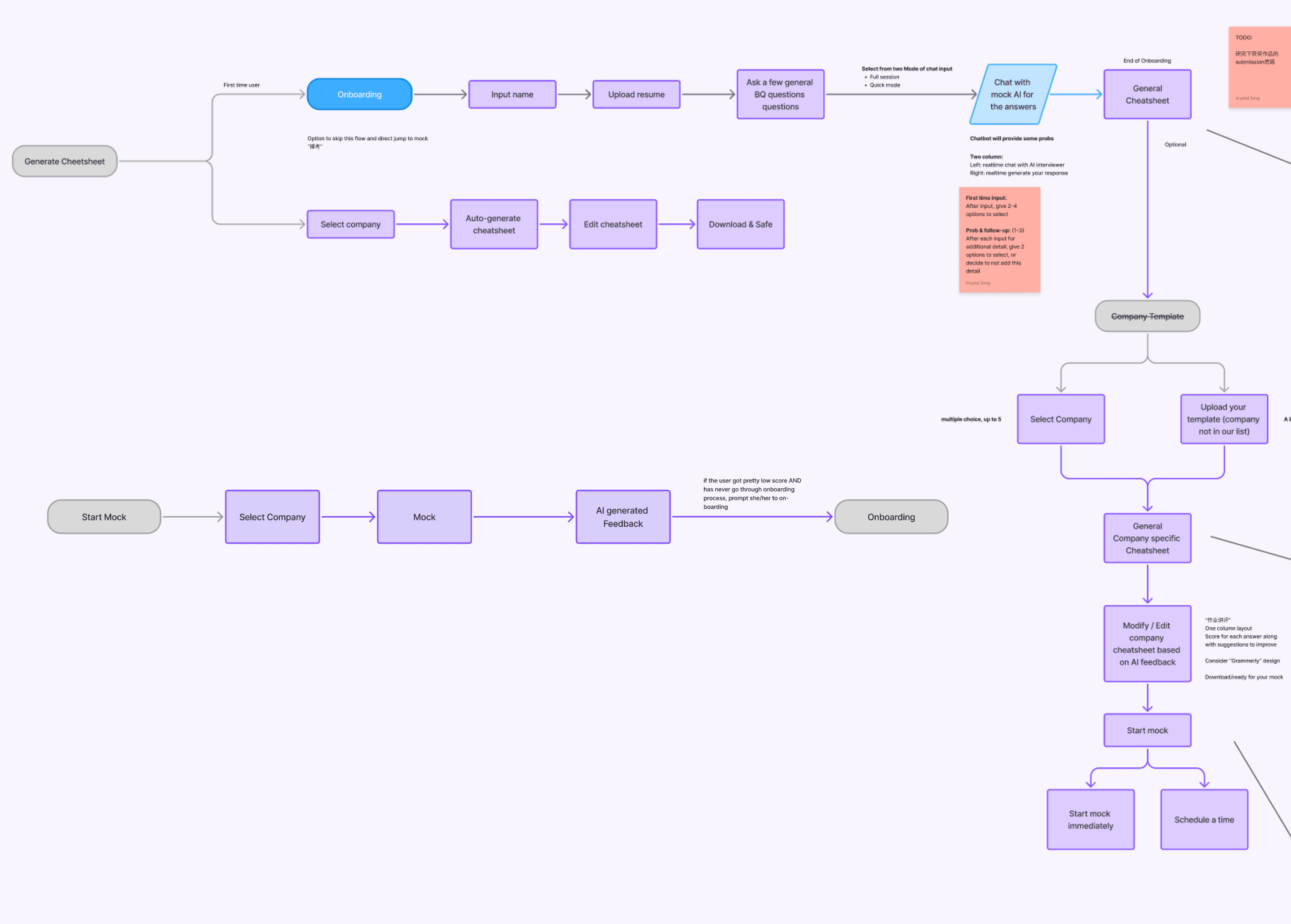
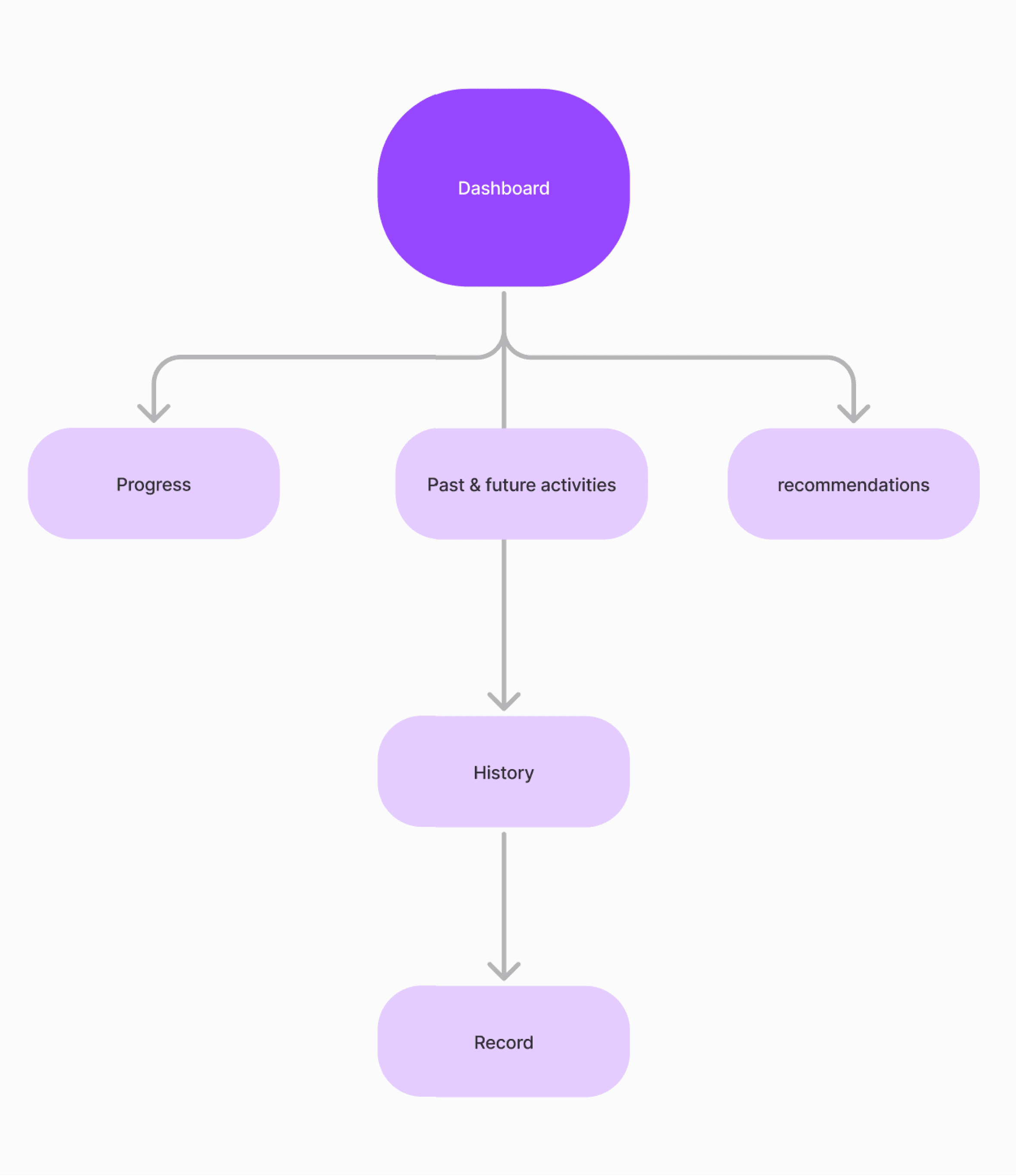
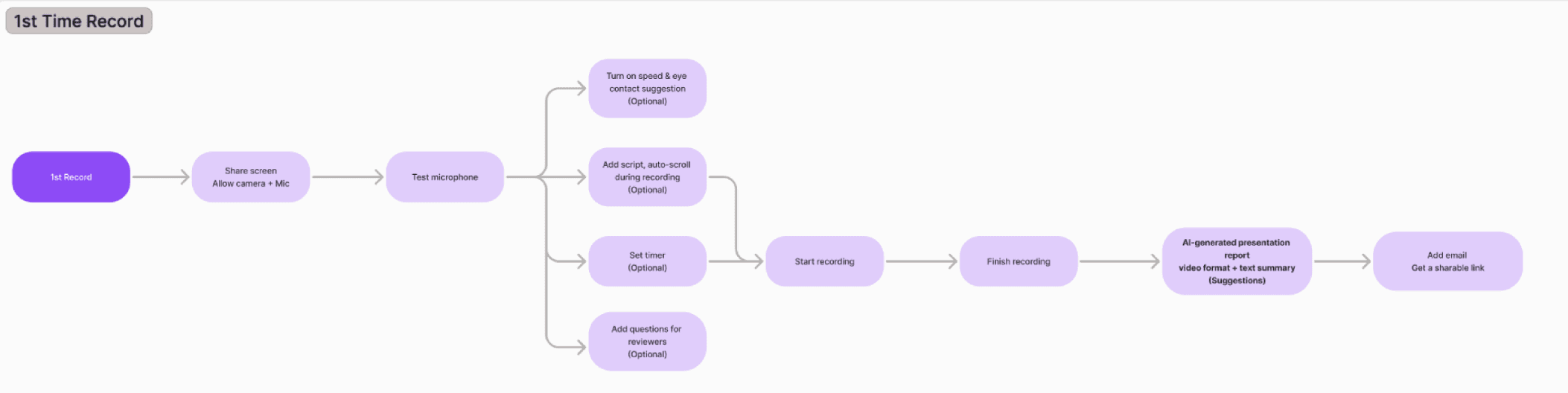
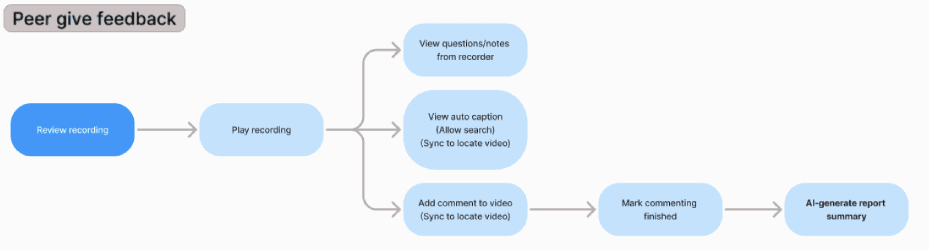
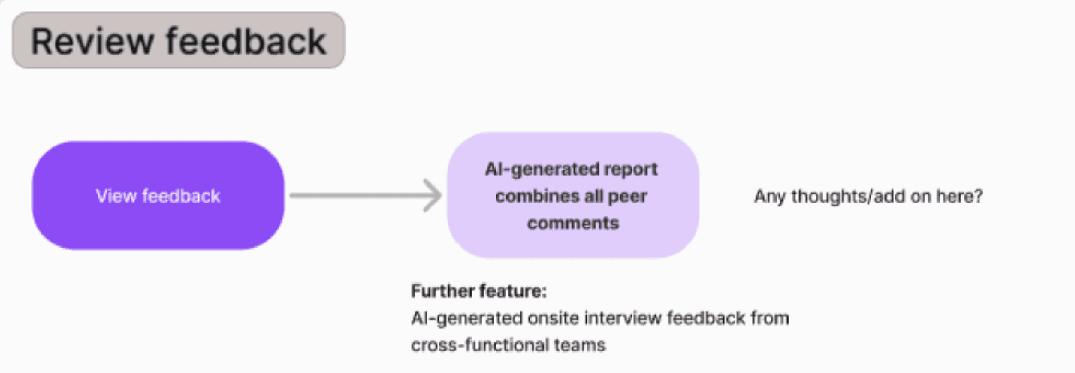
Flowchart
Consolidate our potential ideas and envision the core features of the webpage
After the sketches, we figured out the flow of main pages and primary features.
Behavior Question
Dashboard
On-boarding
Design Strategy
After mapping out the core product flow, we asked: “How can we make this practice not just useful, but also engaging and confidence-building?”
From our user interviews, we derived three principles that guided our design choices:
User Engagement
We designed every interaction to feel purposeful and motivating — from dashboard micro interactions to progress feedback — helping users stay invested even during routine prep tasks.
Gamification
To reduce anxiety and improve retention, we incorporated game-inspired elements like streaks, badges, peer challenges, and interview simulations that mimic real-world scenarios.
Adaptive Learning
We prioritized adaptive learning paths and feedback based on each user's goals, personality, and performance history — ensuring the experience feels supportive, not generic.
Competitive inspiration
Learning from SaaS + AI Design Trends to Shape Our Dashboard
When analyzing SaaS and AI dashboards, we noticed that most products rely on side navigation combined with content/action zones. This familiar layout helps users quickly locate key functions and lowers the learning curve.
Traditional dashboards: clear side navigation, modular content blocks, but often lacked adaptability for AI-driven interactions.
we adopted the same familiar side-nav structure to maintain usability, but introduced clearly defined practice zones and AI-powered modules that surface relevant insights in context.
Mid-FI wireframes
Clarifying hierarchy and refining layout to support usability
When moving into the mid-fi wireframes, we made a critical design decision:
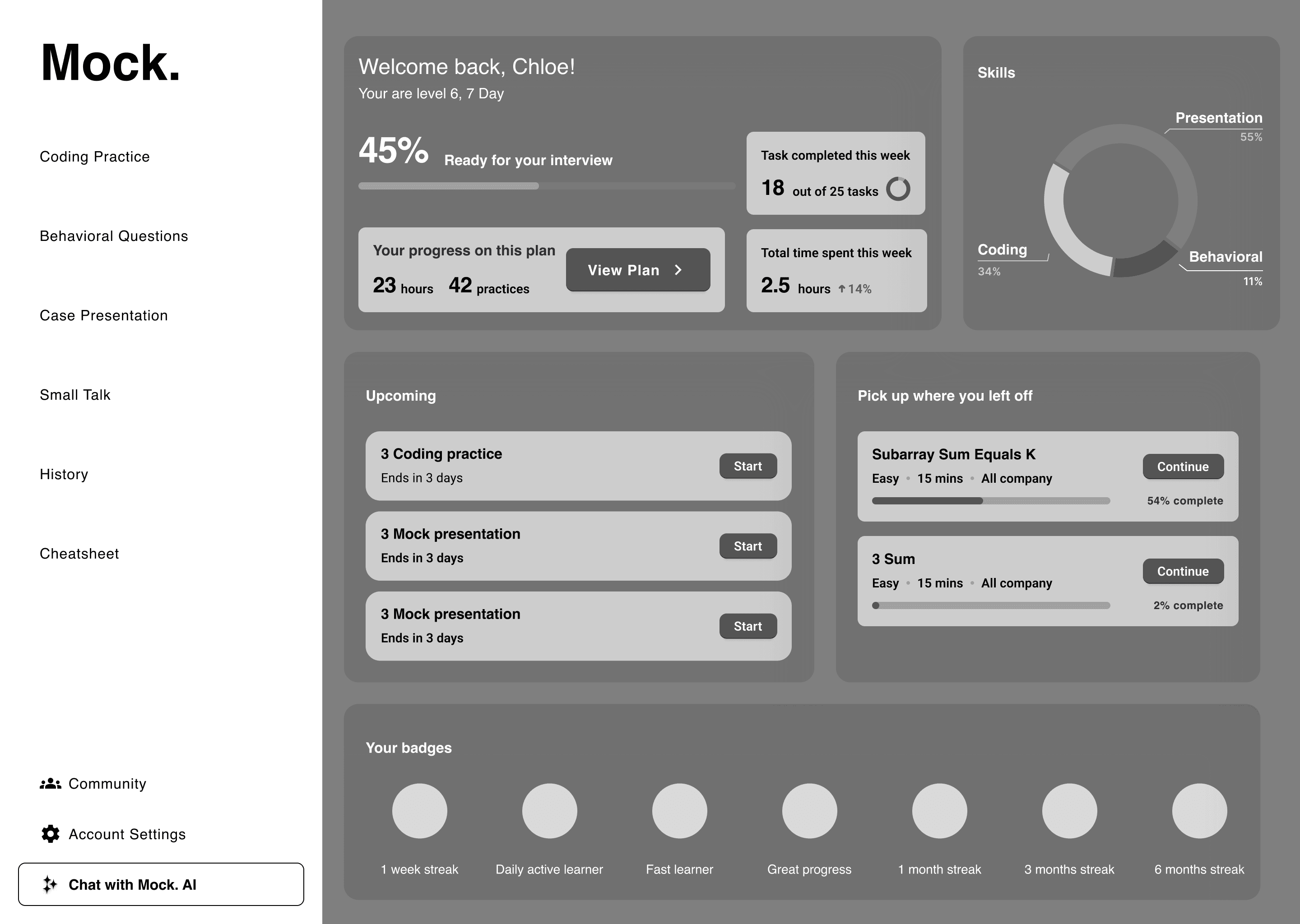
Dashboard
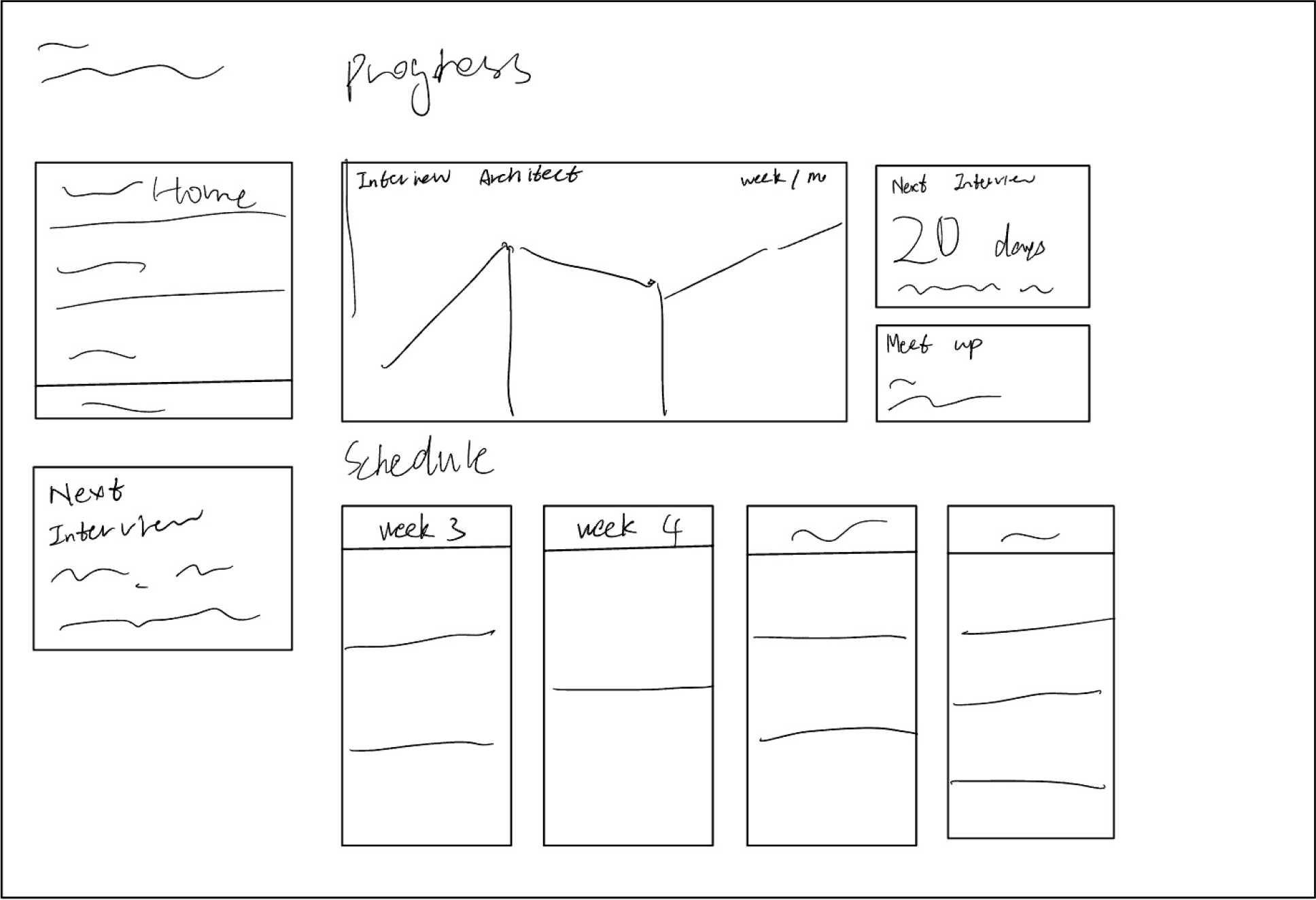
Lo-fi sketches
❎ No Call-to-Action bottoms
❎ Prioritize Tracking, not practice
❎ Low Motivation
Mid-fi sketches
☑️ Call-to-Action as Top Hierarchy
☑️ Motivational Layer
☑️ Progress Tracking Below CTA
Behavior Question
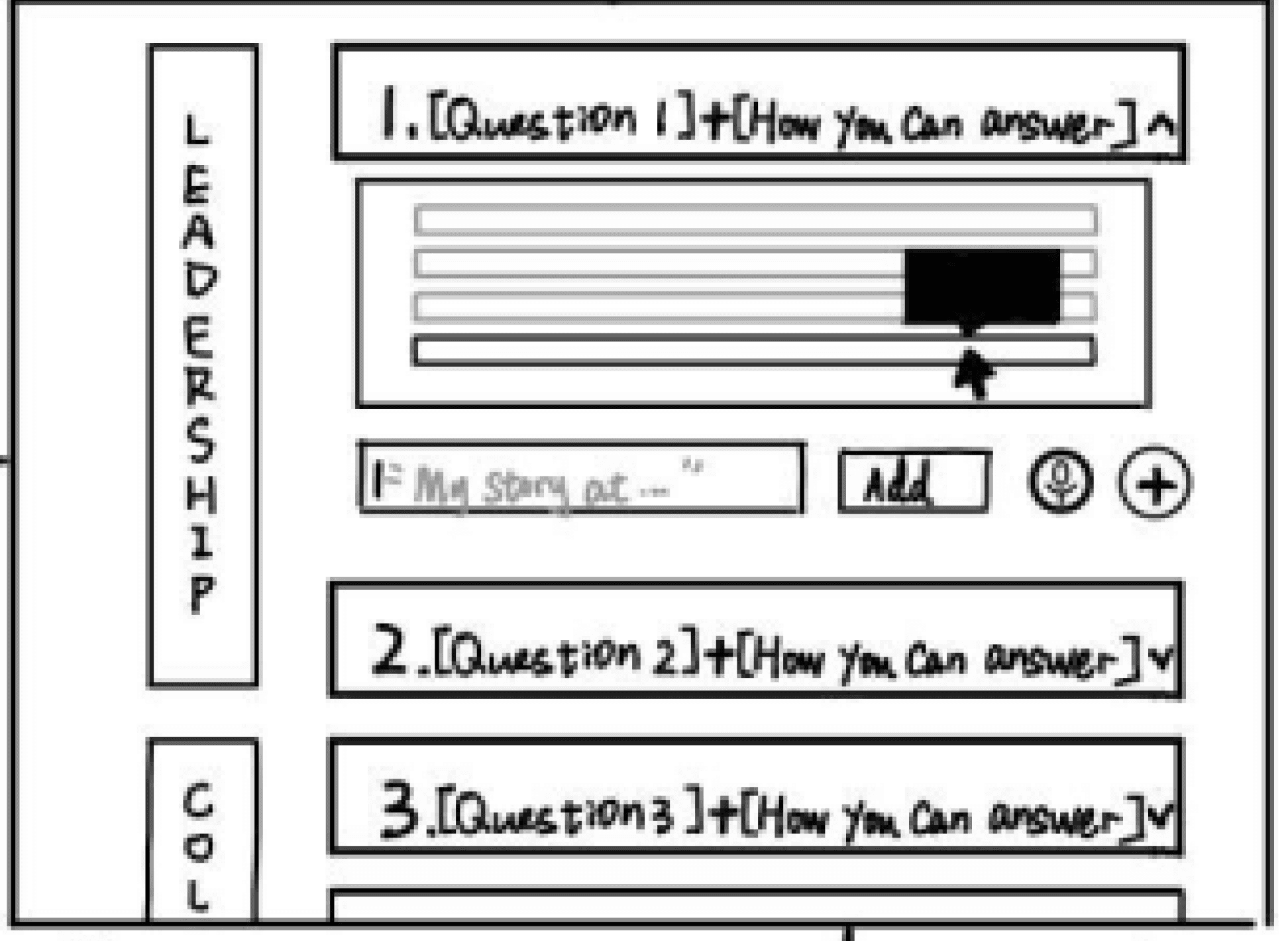
Lo-fi sketches
☑️ Brainstorming categories and listing sample questions
❎ Lacked structure for user answers and feedback
❎ Only captured question banks
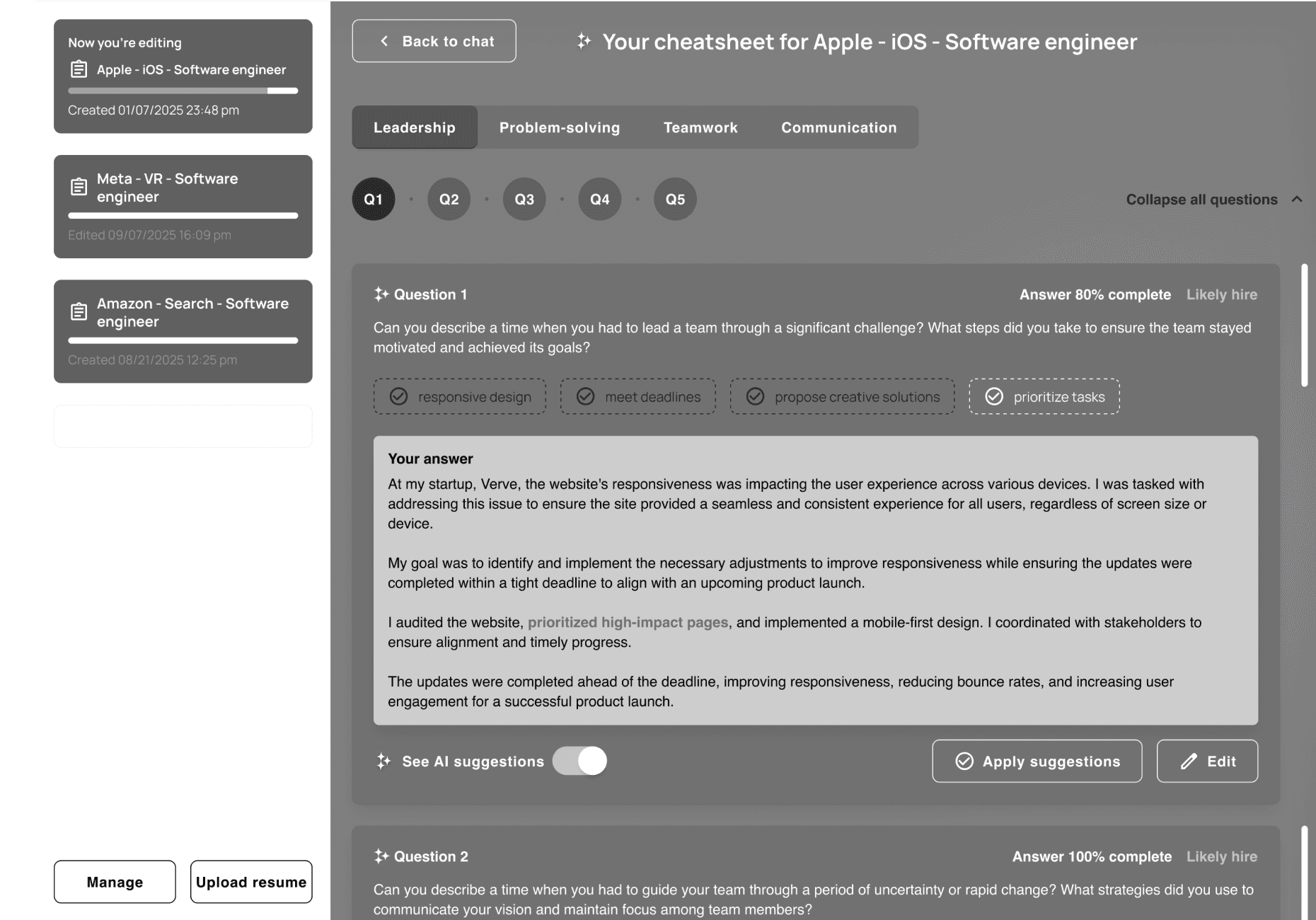
Mid-fi sketches
☑️ Shifted from Q&A to interactive practice environment
☑️ See completion indicators (80% / 100% complete)
☑️ Get AI suggestions and tags to improve answers
Presentation
Lo-fi sketches
☑️ Gave us clarity on what elements were essential
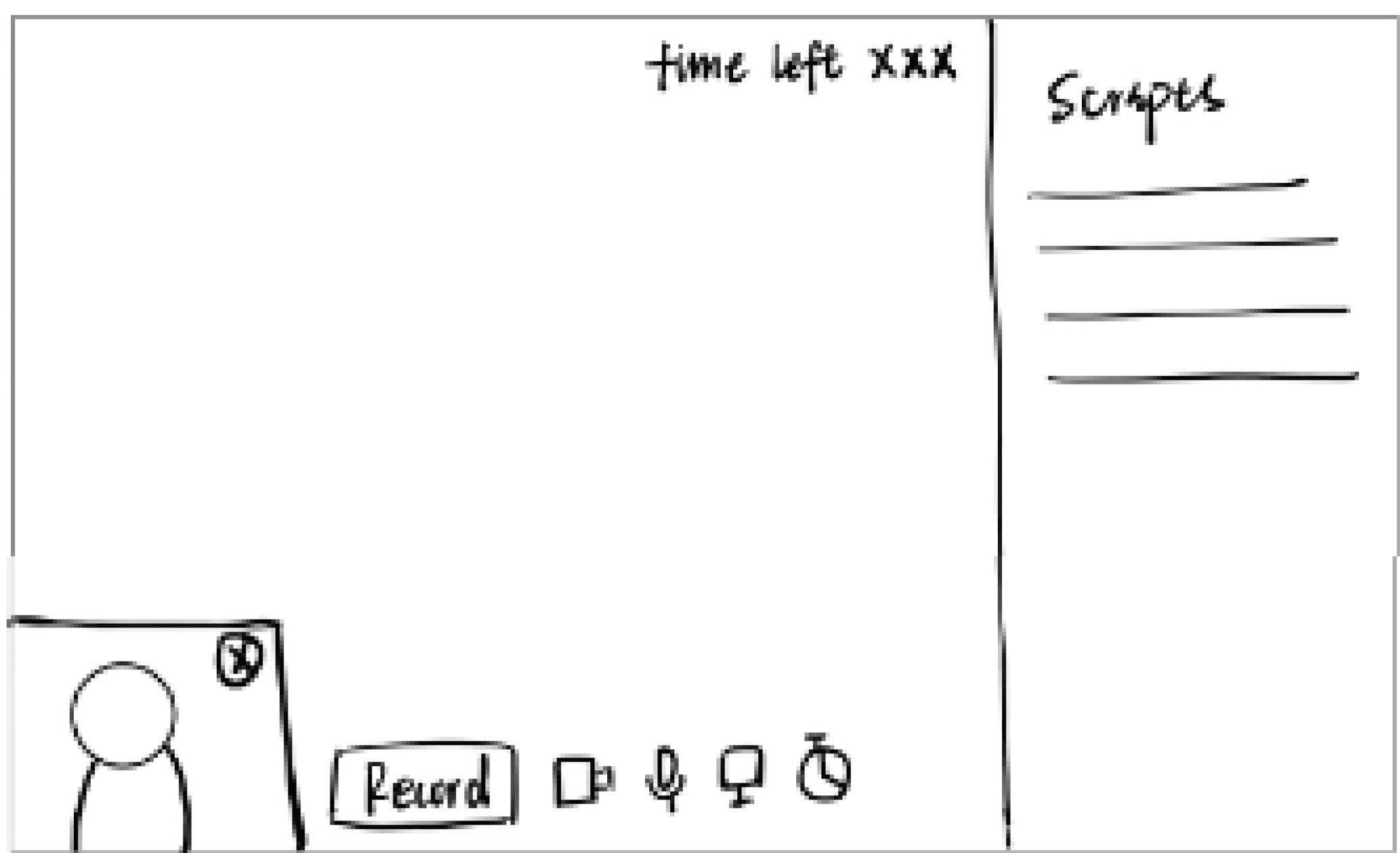
❎ Didn’t consider dual video frames, only basic layout
❎ Lacked realism and didn’t fully simulate presentation
Mid-fi sketches
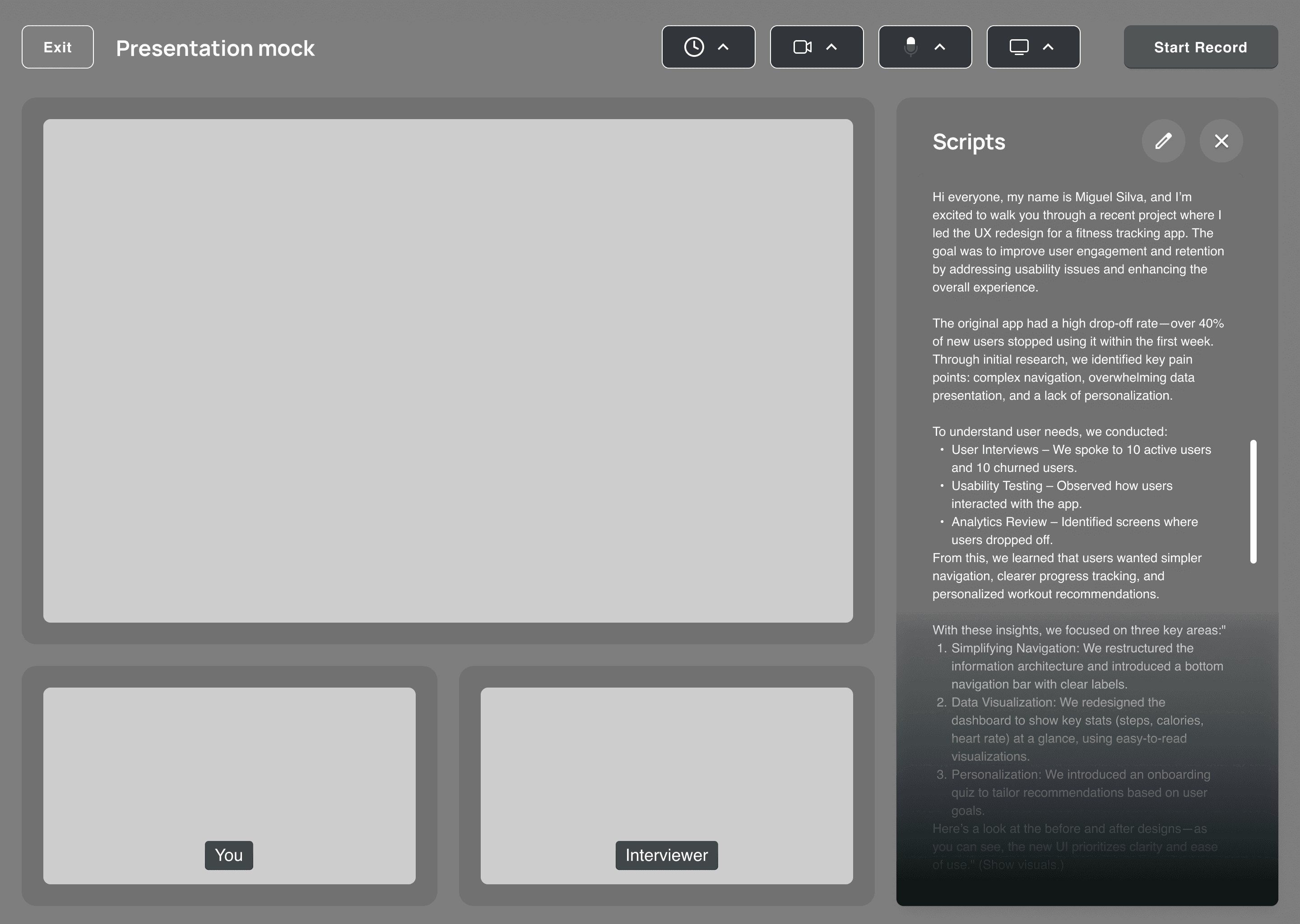
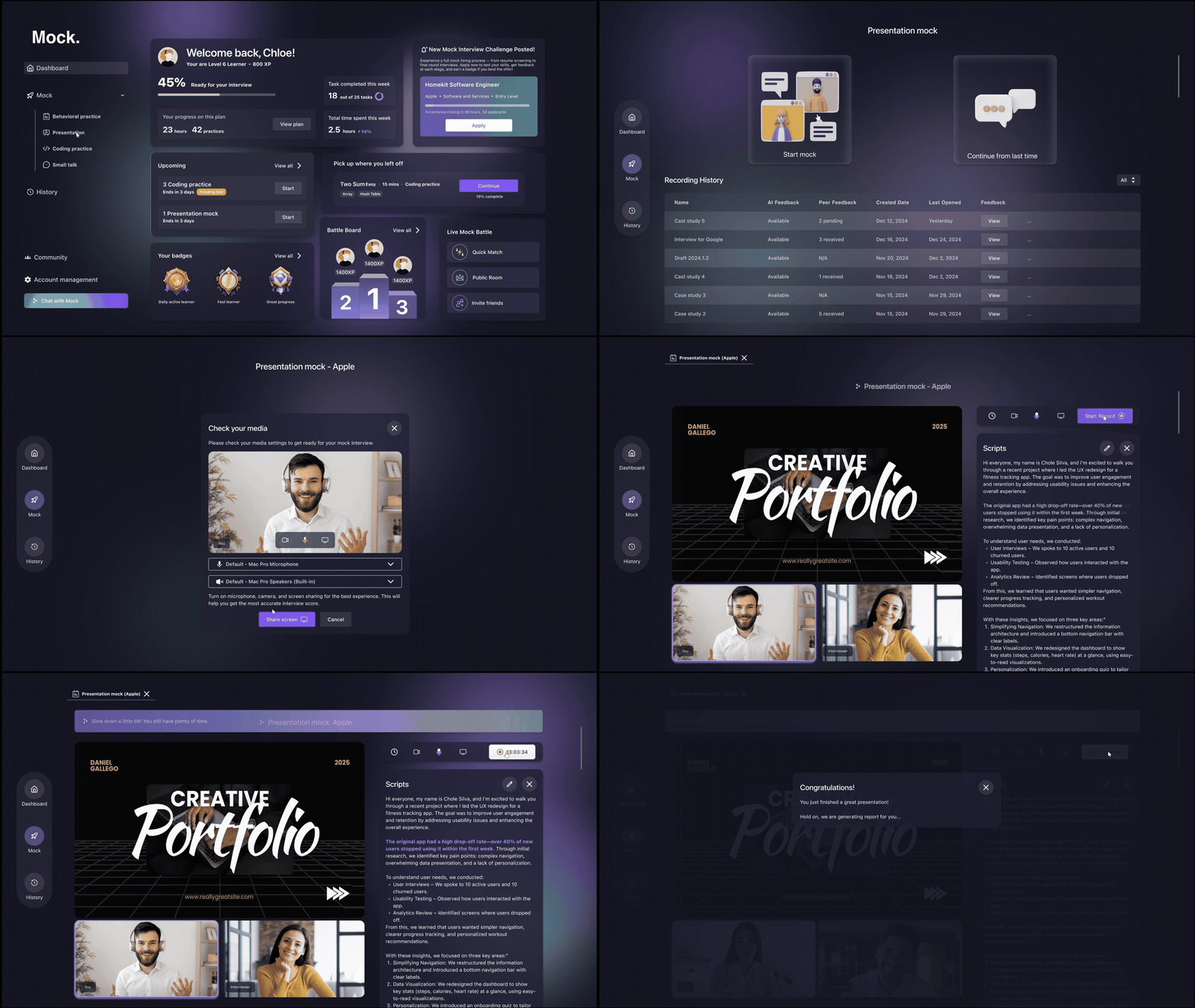
☑️ Add dual video frames simulate real practice environment
☑️ Expanded script panel with scrolling capability
☑️ Clearer hierarchy: timer & record remain visible at top
Small Talk
Lo-fi sketches
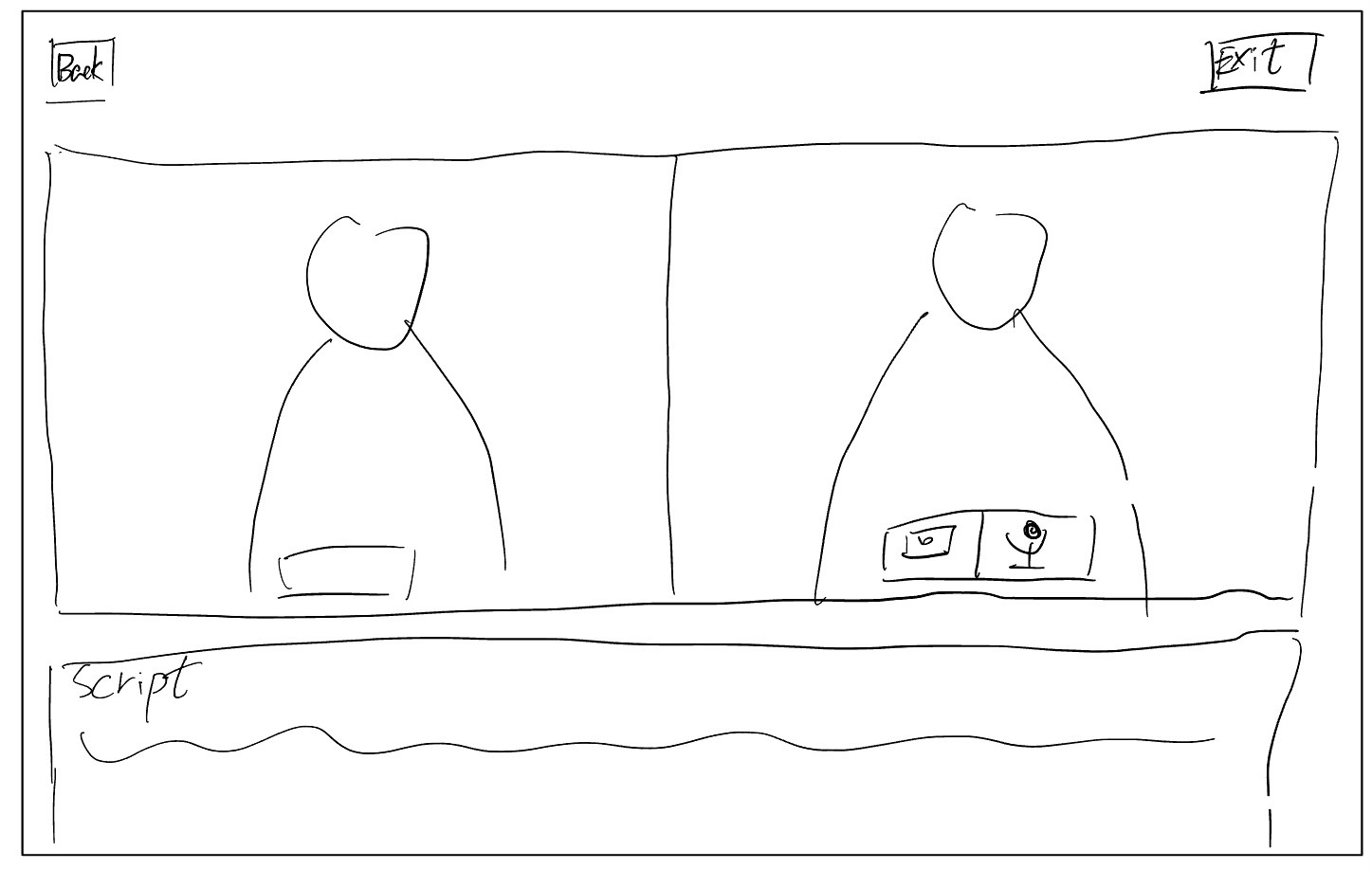
☑️ No realistic simulation of small talk dynamic
❎ Didn’t include AI-driven cues or conversation prompts
❎ No feedback mechanics
Mid-fi sketches
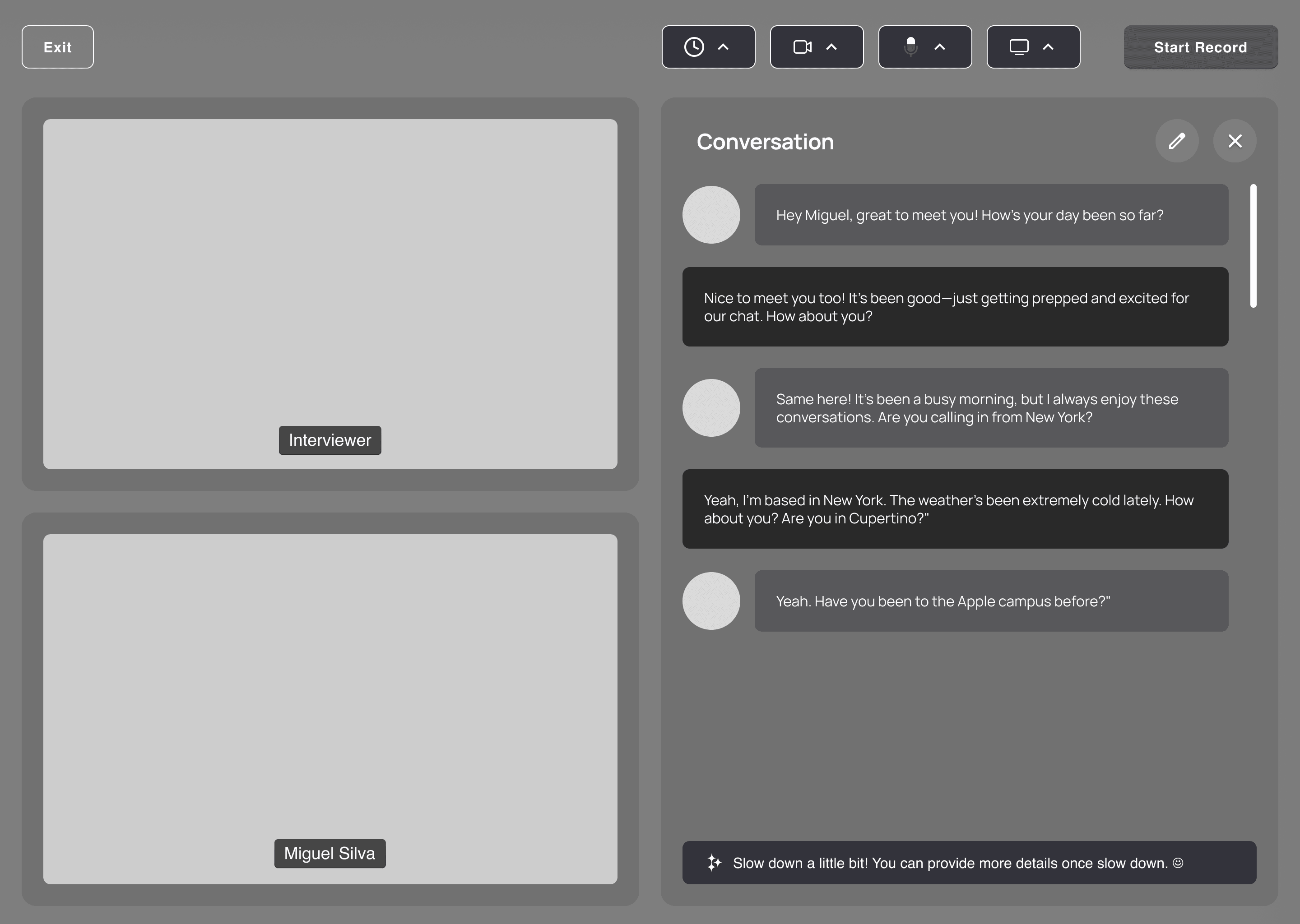
☑️ Introduced structured conversation blocks
☑️ Added live AI tips to guide practice dynamically
☑️ Layered in hierarchy and supporting features
Iteration
Dashboard - From Scratch to MVP
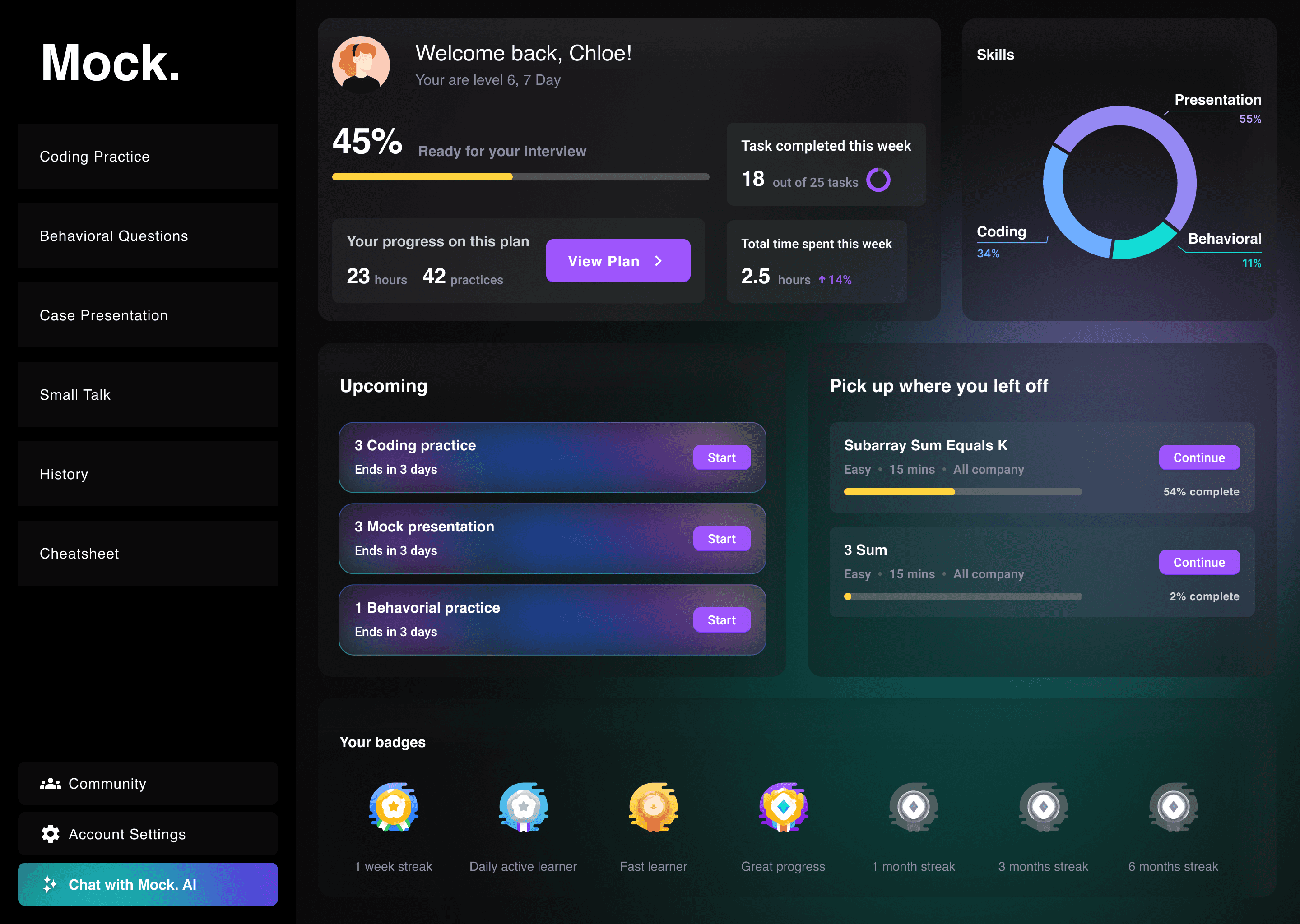
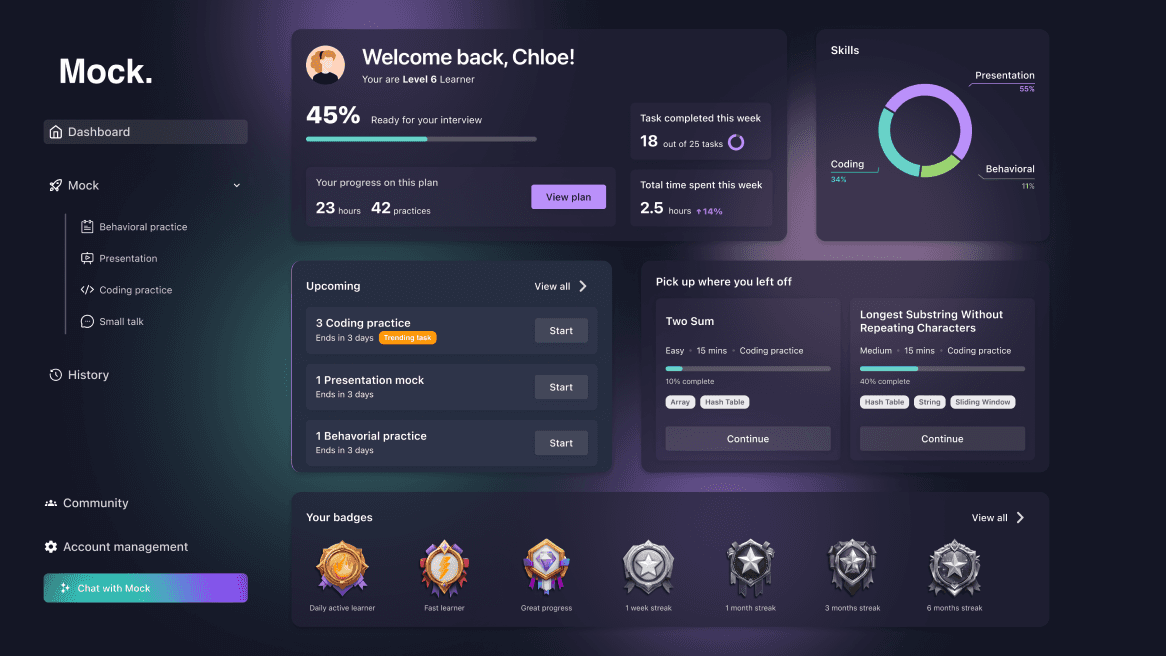
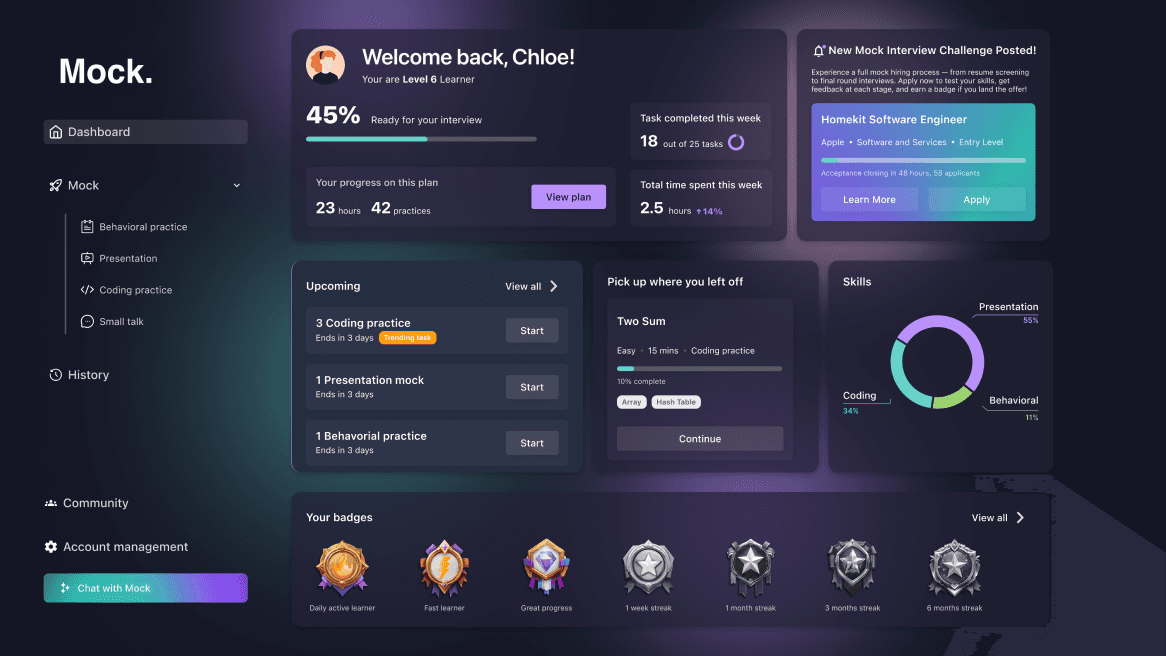
We explored and iterated on multiple layout directions of the dashboard—refining each to maximize clarity, usability, and user engagement in our final design. Through this process, we learned that engagement grows only when the product evolves from static dashboards to contextual tasks and finally to gamified, motivating experiences.
Iteration 1
We started with a basic dashboard featuring a pie chart and badge system for visual feedback. While it provided progress tracking, users found the layout static and not sufficiently AI-driven, leading to low engagement.
Iteration 2
To address engagement, we introduced trending tasks, richer progress states, and a clearer navigation hierarchy. These changes helped users stay oriented and more motivated, but the experience was still mostly passive.
Iteration 3
We added mock interview challenges and contextual tasks to simulate real-world preparation. This increased relevance for users preparing for interviews, but testing revealed a need for stronger gamification to sustain long-term motivation.
Iteration 4
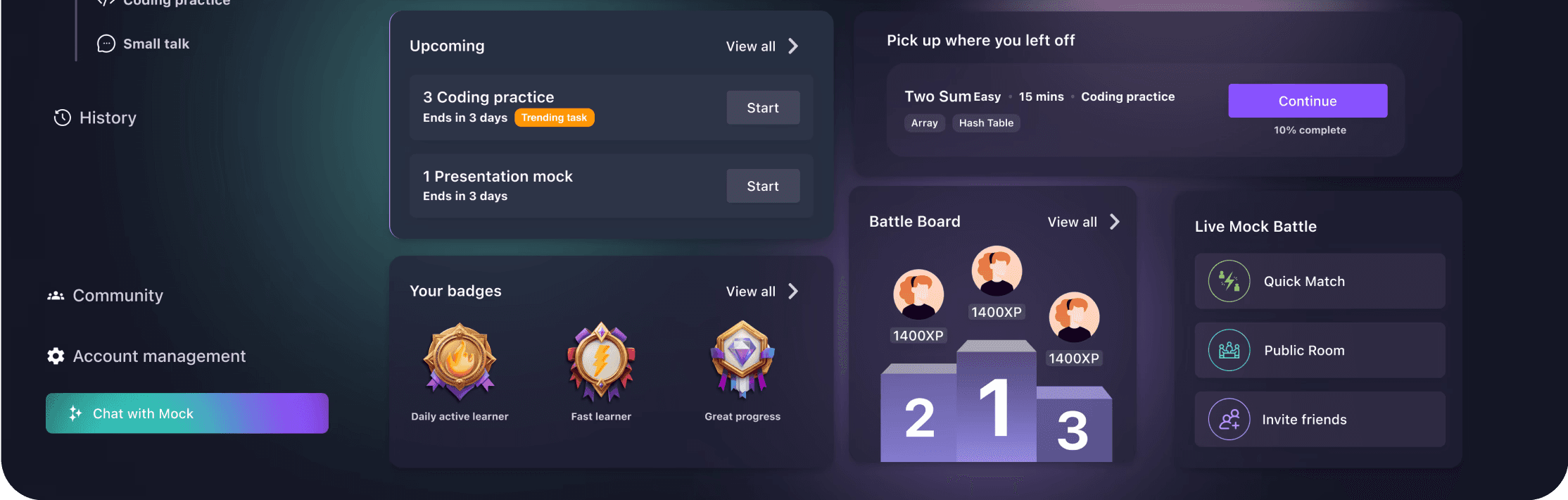
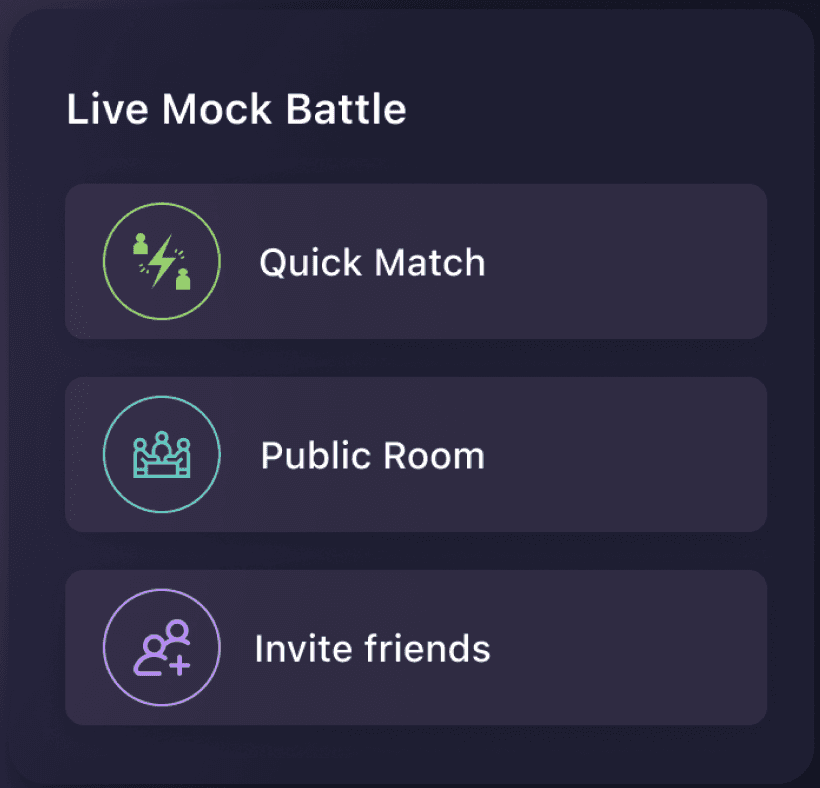
We launched Battle Board rankings and a Live Mock Battle module to foster friendly competition and real-time practice. This transformed the dashboard into an interactive hub, boosting user motivation and making preparation more dynamic.
Design system
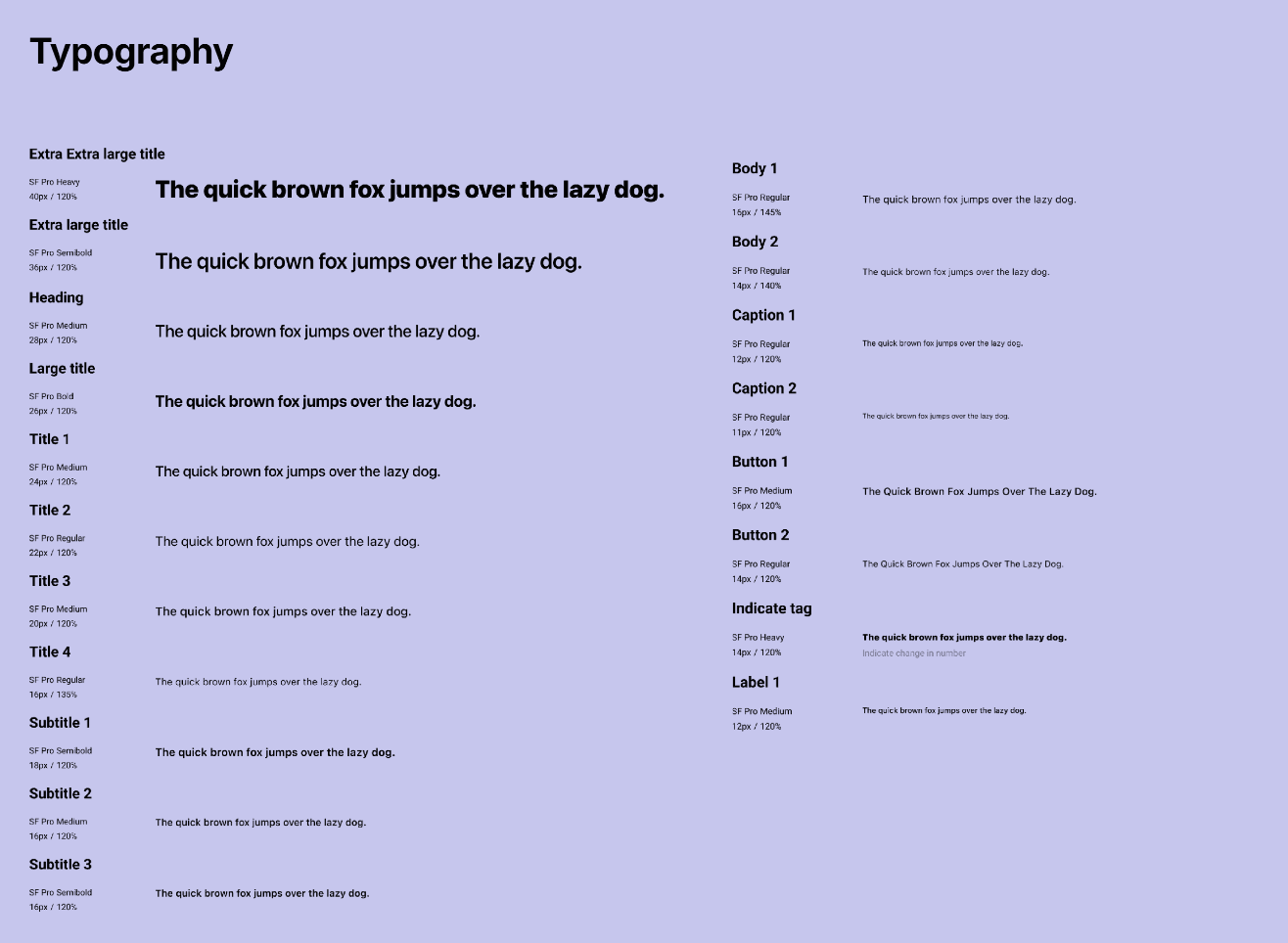
Balancing bold and calming visuals to create consistent branding in a dark mode interface
Through multiple iterations, we refined the design system to achieve the best balance between brand consistency, accessibility in dark mode, and scalability across modules.
Color
Primary#BA90FA
Secondary#CCA0D3
#9AD470
#D6D882
#67D2C8
Neutral#D6D2D3
Primary Tonal Surface Color
Secondary Tonal Surface Color
Secondary Green Tonal Surface Color
Secondary Yellow Tonal Surface Color
Secondary blue Tonal Surface Color
Surface Color
Design
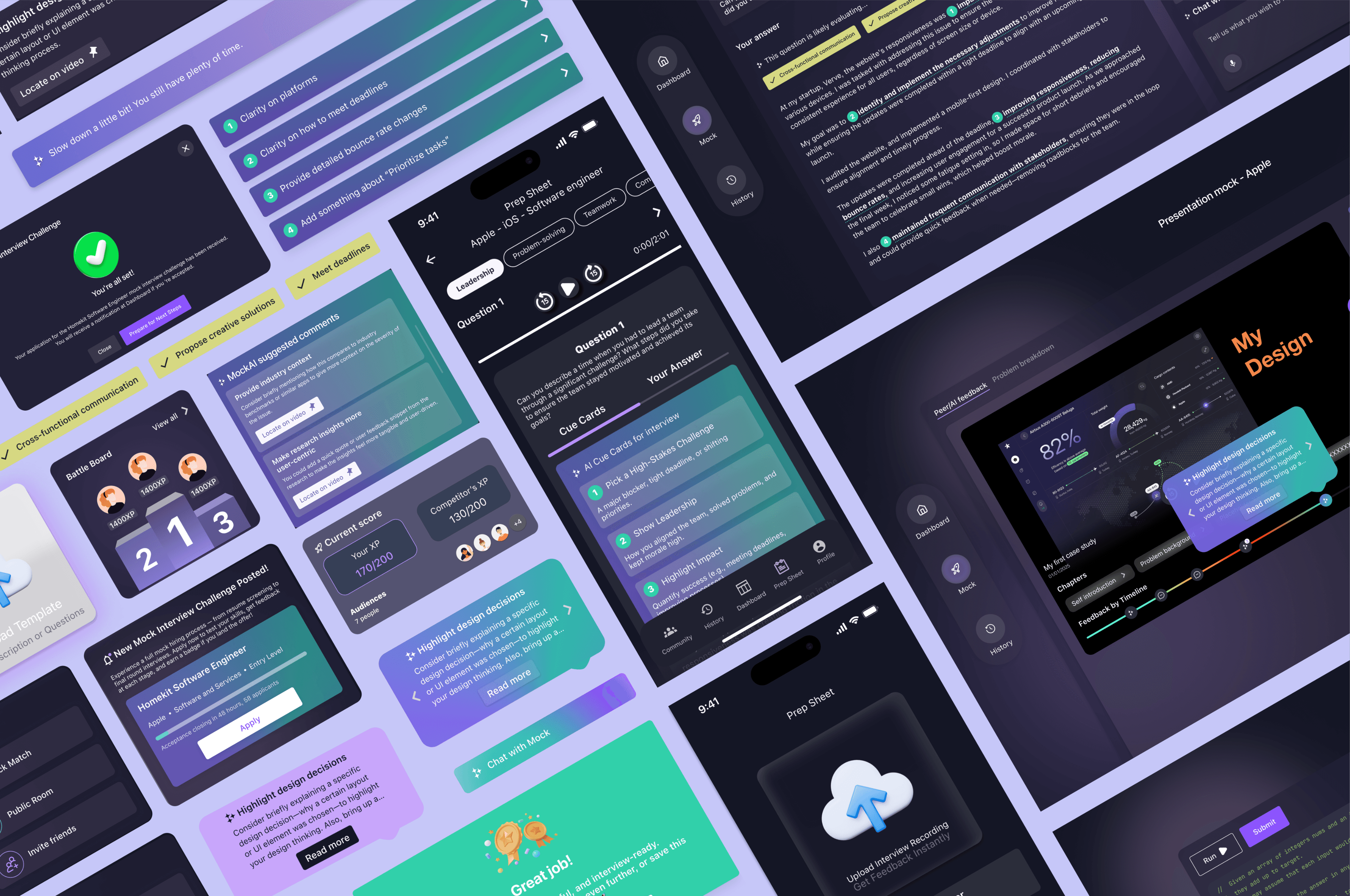
We combined the strongest aspects of each iteration to create a strong collective visuals
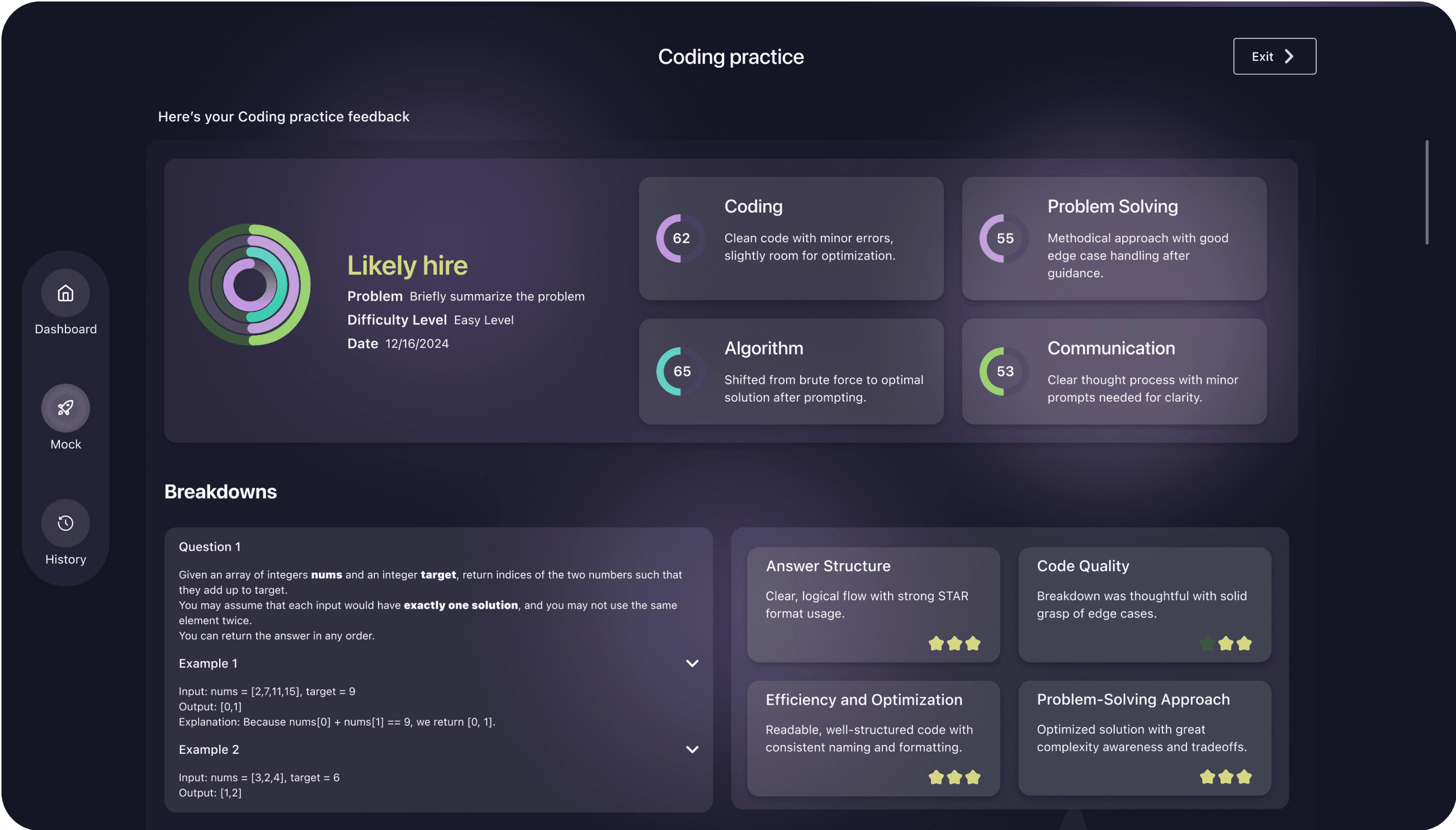
Gamified Interview Practice That Drives Growth
MockAI turns prep into a motivating experience with daily time-bound challenges and live mock battles that sharpen communication and consistency.
Build Confidence Through Interview Challenges
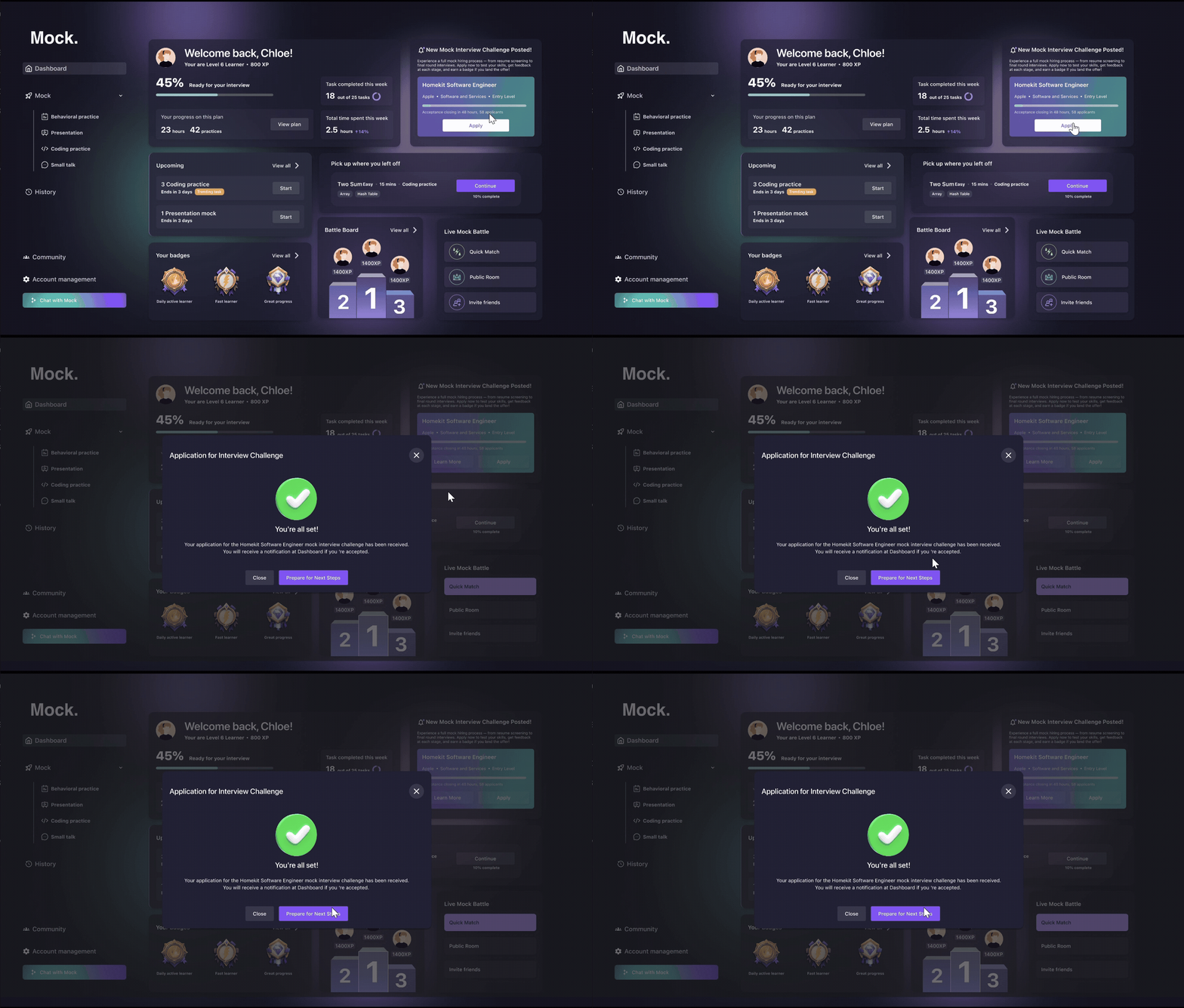
Users practice in realistic scenarios—recording answers, receiving instant feedback, and progressing through multi-stage evaluations. One-click applications, multi-round formats, and challenge-based scoring replicate the full hiring journey.
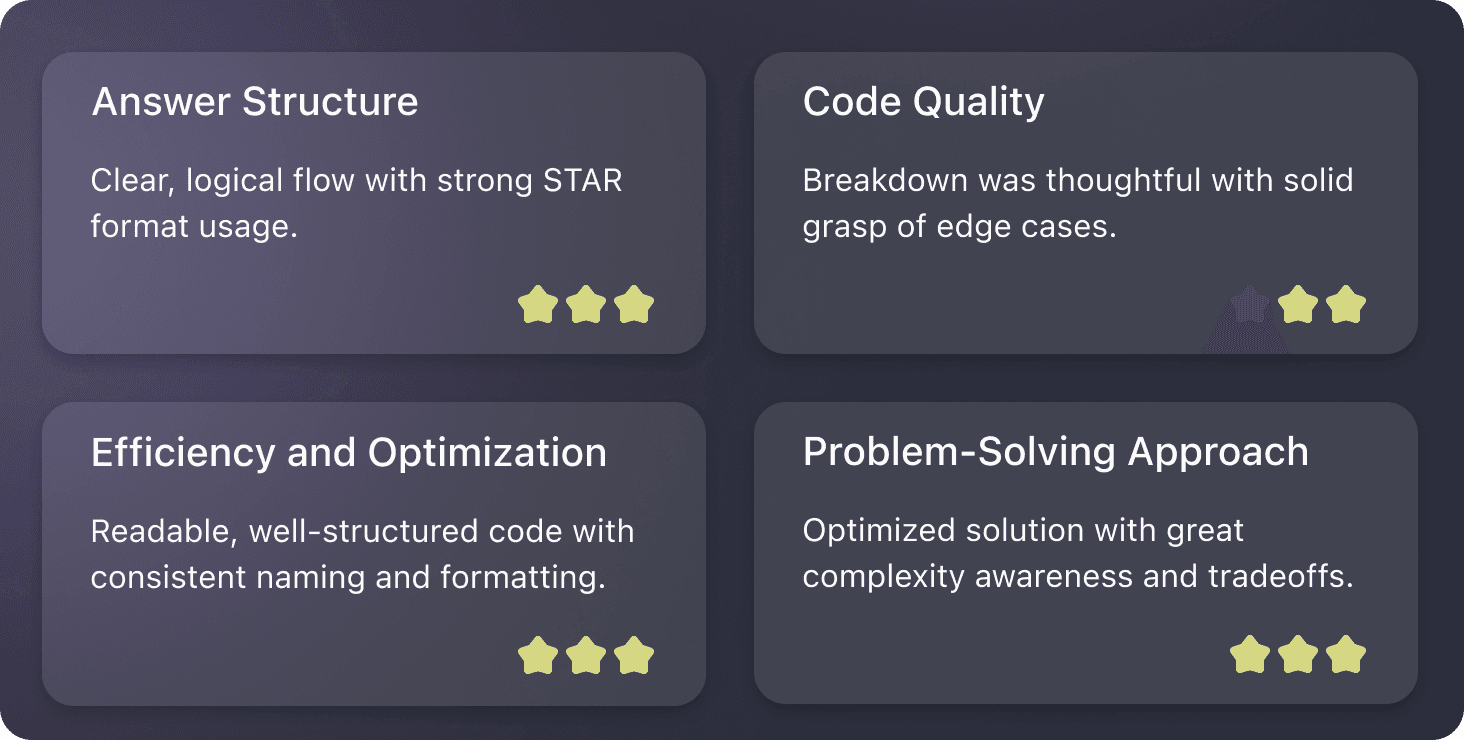
AI-Powered Coding Practice
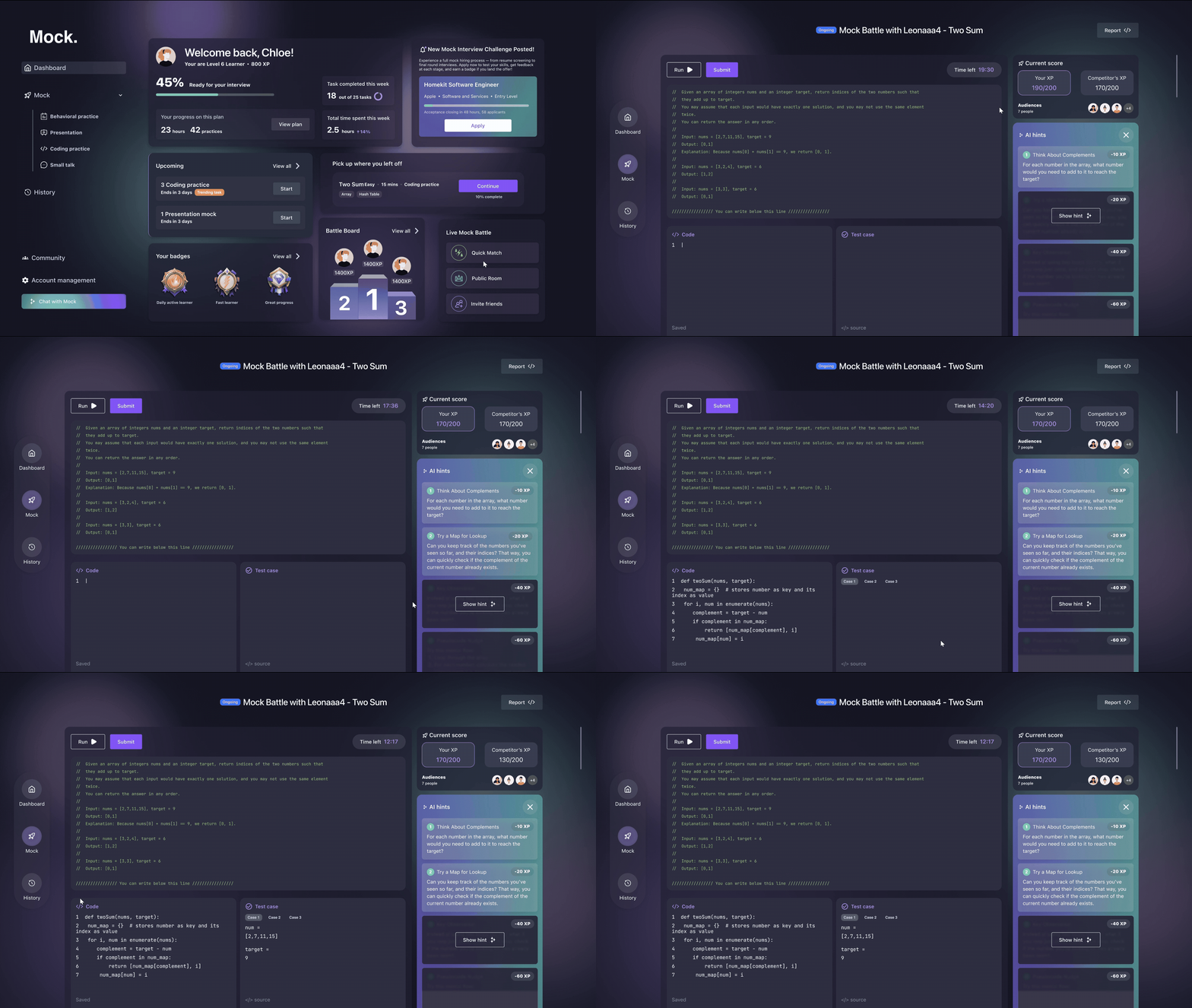
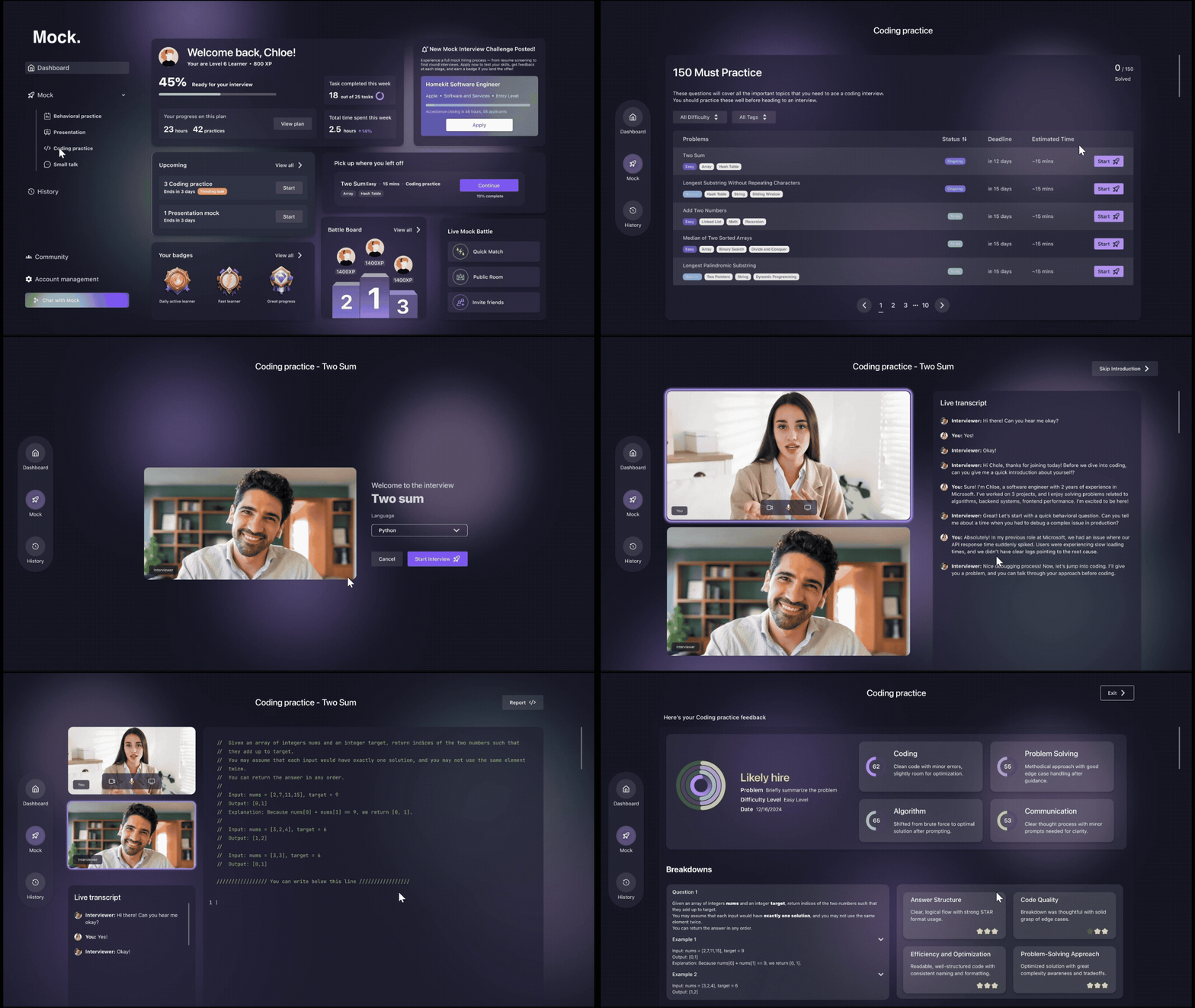
Solve coding challenges with instant AI feedback, offering hints, step-by-step guidance.
Define Your Persona and Surface Key Stories
MockAI begins with onboarding that helps users define the persona they want to present—visionary, collaborative, or detail-oriented. Guided prompts surface key work experiences that form the foundation for personalized interview preparation.
Transform Stories Into Job-Ready Prep
Collected stories are transformed into company-specific prep sheets using STAR frameworks. Users refine their responses through AI-powered feedback, tone suggestions, and chat-based editing. Download the final prep or go for a mock interview.
AI-Powered Presentation Deck Practice
Get suggestions on tone, speaking speed, posture, and time management to enhance performance.
AI-Powered Coaching for Impactful Delivery
Peer feedback adds human nuance and actionable tips for real-world improvement.
AI-Powered Small Talks Practice
Feeling embarrassed or stuck with small talk? No worries, just practice anytime, anywhere, and boost your confidence.
Video
A Designer-Created 2 Minute Demo to Showcase the Final Experience
I produced this video to clearly communicate our product’s core features, user flow, and polished design, making it easy for stakeholders to quickly understand the value of the final solution.
We documented the design system and prepared for scalability
After launching the MVP, we began laying the foundation for long-term growth. We documented every design component for smooth developer handoff and future scalability. Our next steps focus on refining personalization, deepening AI feedback accuracy, and introducing more peer-driven learning mechanics. With early user signals validating core features like behavioral loops and presentation coaching, we’re now preparing to support more complex interview paths and expand our offering to group practice and team-based prep.
Reflection
Designing with empathy, pressure, and potential in mind
This project wasn’t just about building a tool—it was about helping people perform under real-world pressure. Throughout, I learned to balance AI capability with human vulnerability, designing flows that reduce friction and interfaces that encourage progress. Whether it was shaping the onboarding to feel less overwhelming or iterating on the feedback experience to make it more actionable, each decision was grounded in how it would feel to a nervous job-seeker. As a product designer, this experience sharpened my ability to connect user emotion with functionality—and reminded me that great design supports not just behavior, but belief.
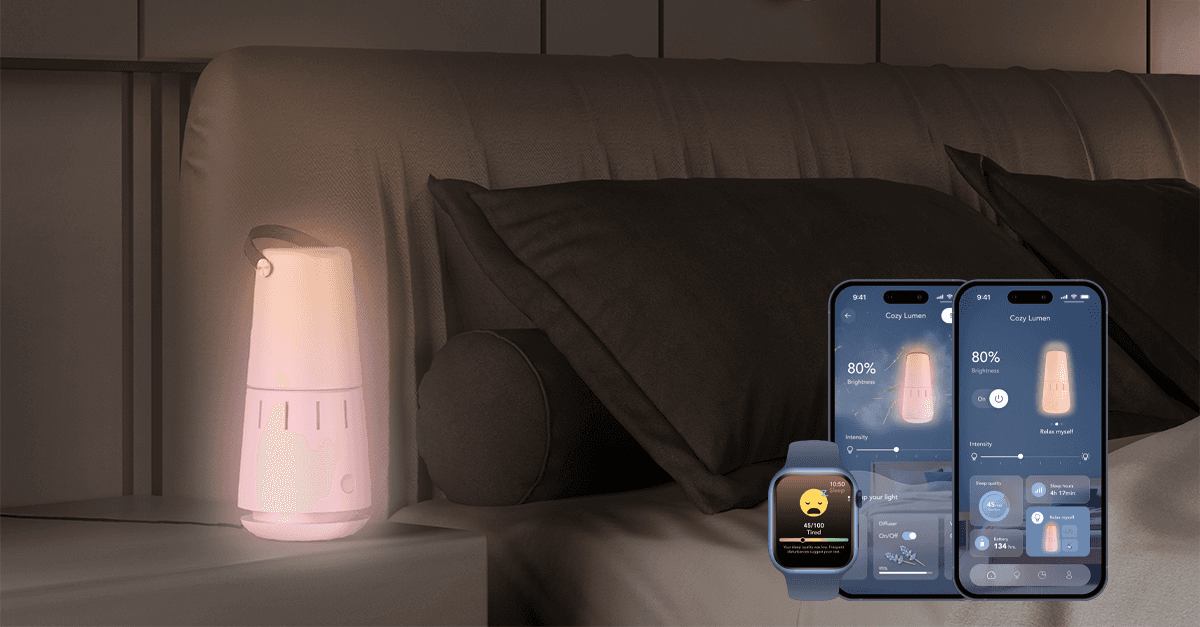
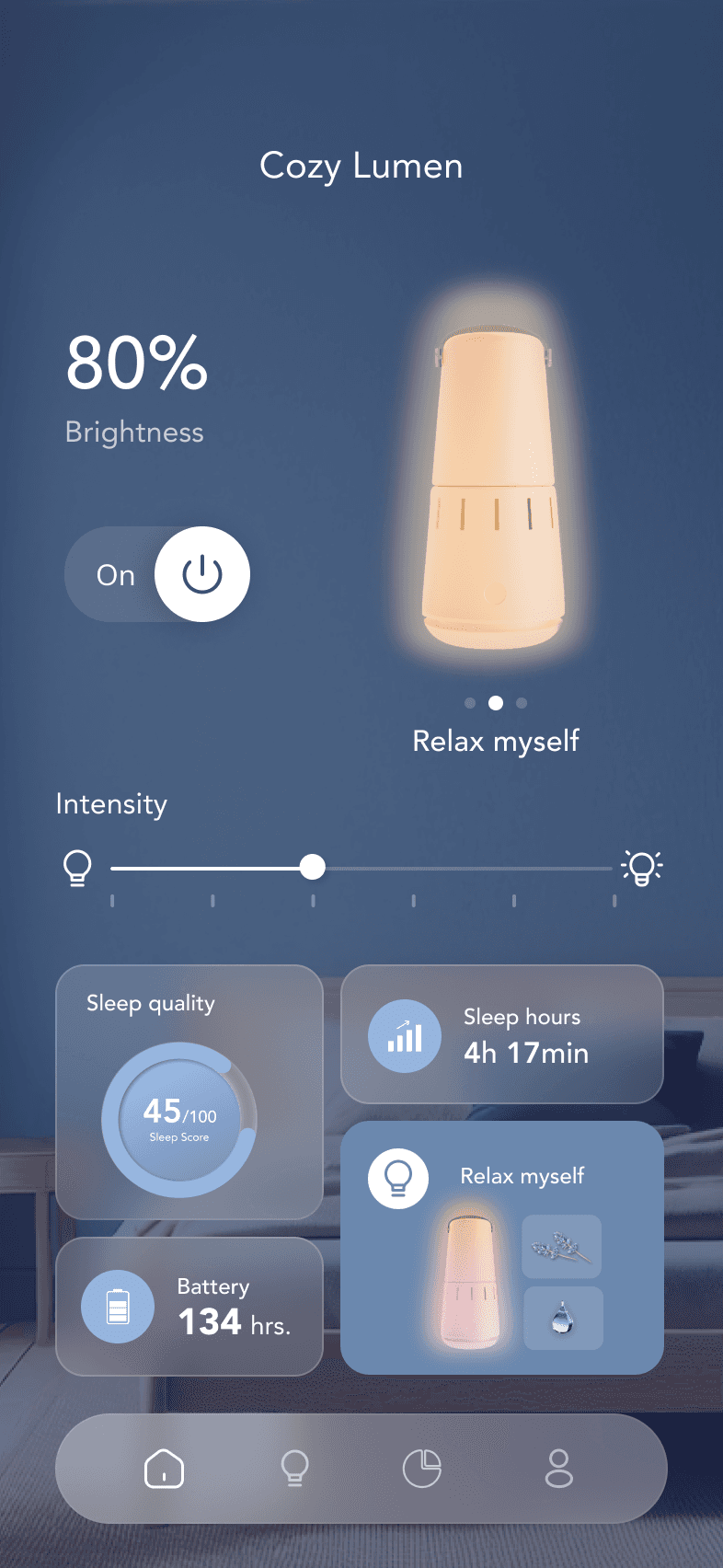
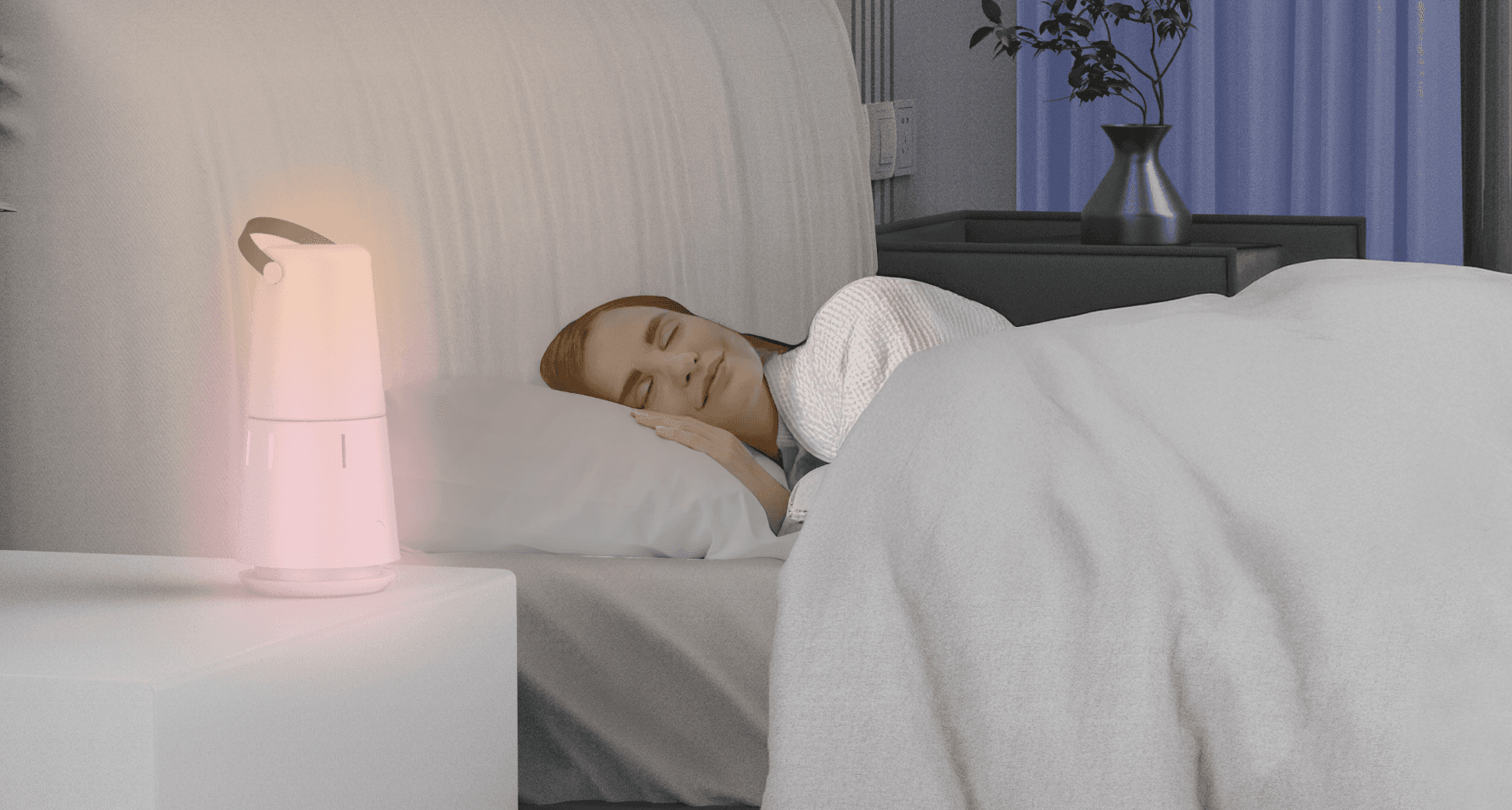
Cozy Lumen is a sleep system designed to enhance sleep experience and improve the quality of sleep.
Prepared forParsons Capstone
Date2023
Timeline5 Months
Team2 Designer
AwardsMuse Design Award Winner
(tl;dr) my role — Product & UX Designer · team of 2 · Parsons capstone
178survey responses + 10 in-depth interviews
30+people tested the physical prototype & app
MuseDesign Award winner
Background
According to the National Sleep Foundation, sleep disorders are more common in middle-aged adults than any other age group. Based on the current global population, up to 237 million people are affected.
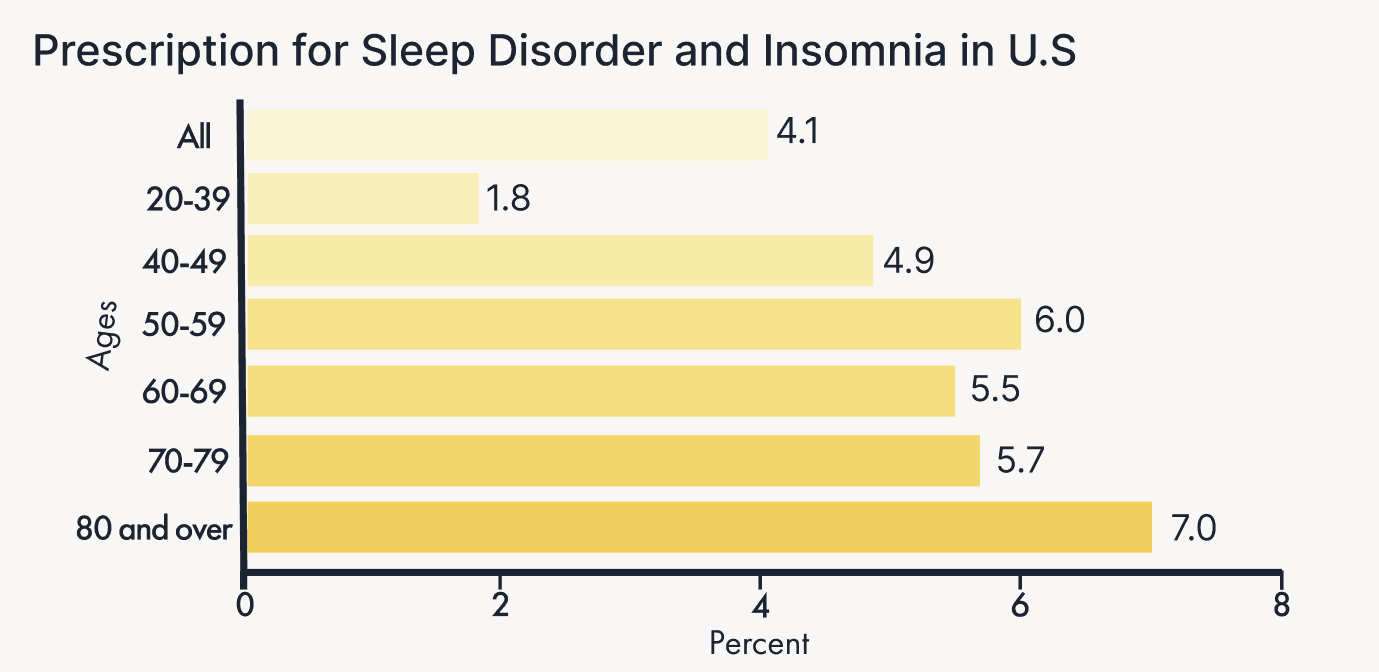
From 2005 to 2010, about 4% of U.S. adults aged 20 and over used prescription sleep aids in the past month. Usage was lowest in the 20-39 age group (2%) and highest in those aged 80 and over (7%).
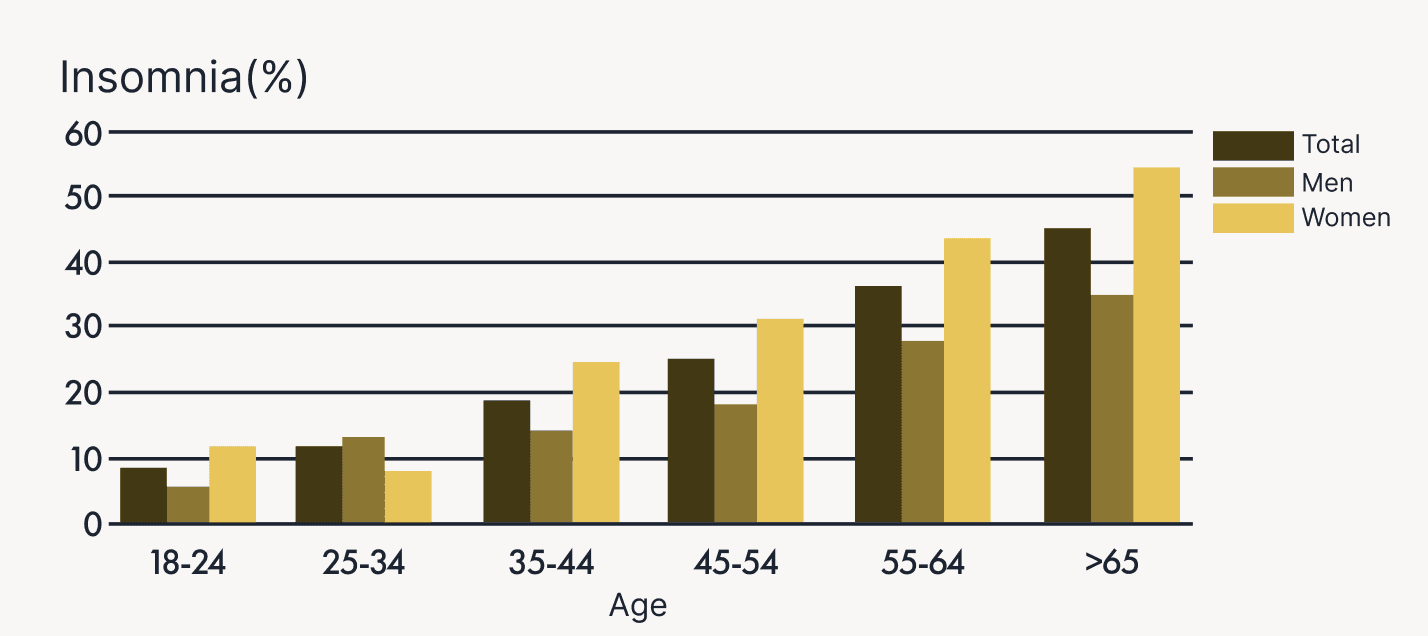
It is estimated that about 30% of adults aged 55-64 years old have some form of sleep disorder, and this percentage increases with age. Women have more sleep disorder than men.
Sleep disorder refers to a group of conditions that affect the ability to sleep well on a regular basis, leading to problems with falling asleep, staying asleep, or feeling rested upon waking. It can be caused by a variety of factors such as medical conditions, lifestyle habits, and environmental factors
Sleep disorders impair memory, decision-making, and productivity, leading to accidents and reduced well-being. Addressing sleep issues is essential for long-term health and quality of life.
Research
We built a data-driven product from multiple angles
30+ArticlesArticles
178responsesSurvey
10interview
Survey
Understanding common struggles with sleep patterns and disorders to inform design priorities
In conducting a sleep quality and sleep disorder survey with 178 participants , I gained valuable insights into people's needs and identified specific groups that require assistance.
60%
people admit occasionally have difficulty falling asleep, and sleep quality is fair
58%
people report waking up in the middle of the night
50%
people choose to change circadian when they have trouble falling asleep
User Interview
Understanding diverse sleep issues to uncover user needs
To better understand user needs and coping strategies, we conducted one-on-one interviews with 10 participants experiencing a range of sleep-related problems.
10interviewees
4Age30-40
3Age40-50
3Age20-30
Interview Insights
We synthesized four major insights from their responses:
Overthinking and screen usage before bed
Many participants reported overthinking and screen usage before bed as major barriers to falling asleep.
Waking up in the midnight
Several people described waking up in the middle of the night and struggling to return to sleep, often due to stress or irregular routines.
Coping mechanisms
Participants tried solutions such as exercising, adjusting their circadian rhythm, or using sleep apps, but most felt these methods were inconsistent.
Time Pressure & Anxiety
Users expressed interest in personalized, reliable recommendations — rather than generic tips — to help them manage their sleep issues more effectively.
Article Analysis
After reviewing over 30 scholarly and news articles on sleep disorders, several key insights and statistics emerged that shaped our understanding of the problem space:
Nearly 70% of middle-aged adults report waking at least once during the night, showing how common fragmented sleep is in this age group.
Over 50% of people say light and screen exposure before bed worsens their sleep, highlighting the importance of the sleep environment.
A majority prefer non-intrusive, environment-based solutions over wearables for long-term sleep support.
Main Insights
People struggle with falling asleep and staying asleep.They’ve tried many fixes, but what they really want is personalized, non-intrusive support that actually works.
Target Users
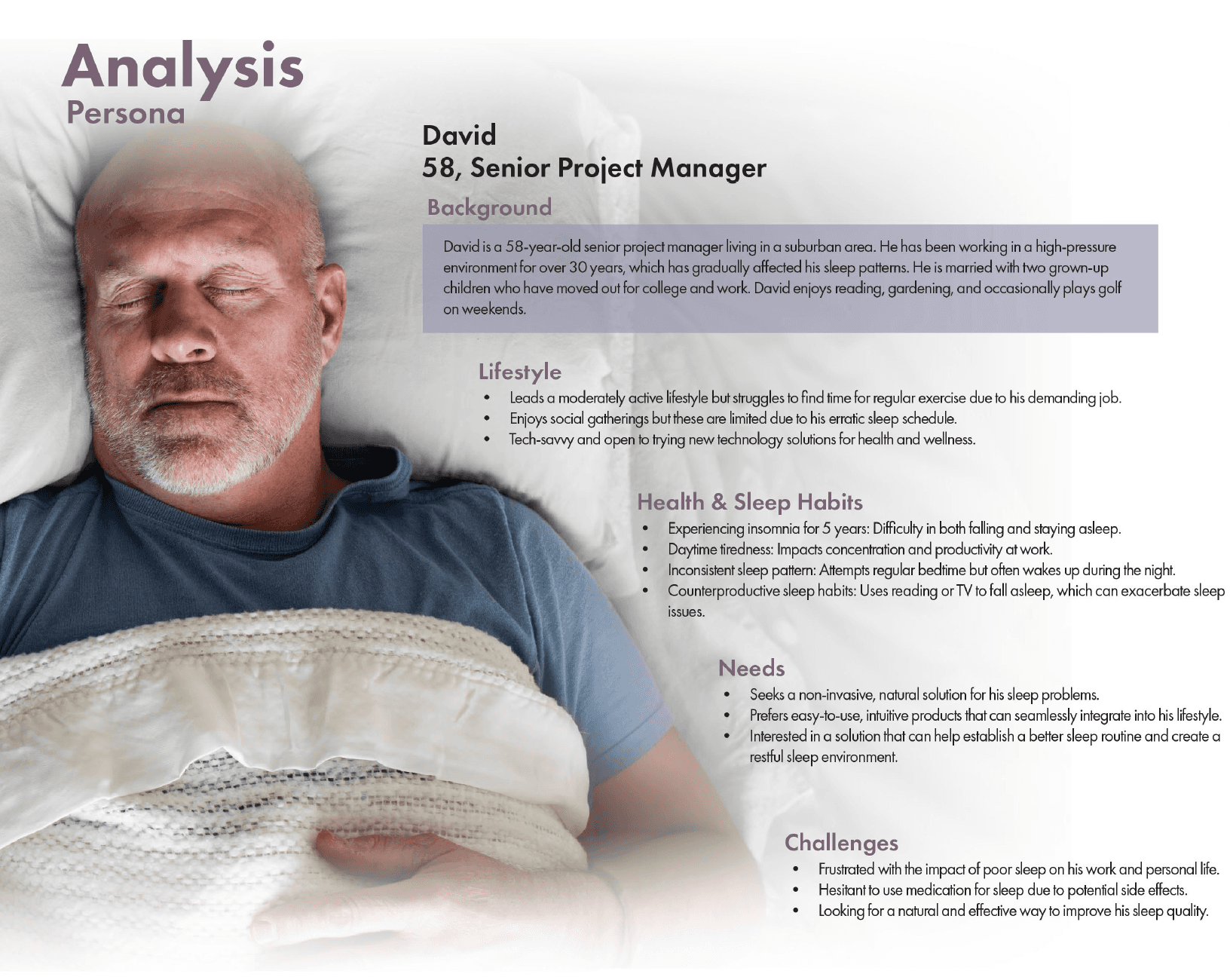
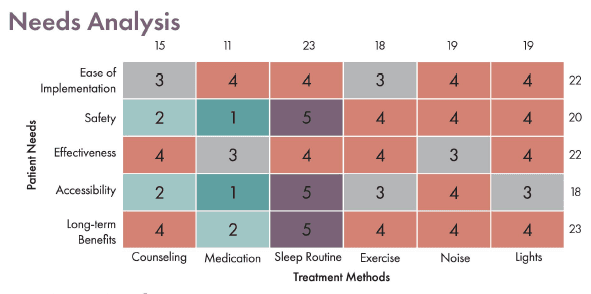
Grounded in research insights, we identified a persona and need analysis to represent our audience.
These findings shaped how we defined our target users and guided the creation of a representative persona.
💡
How Might We...
help people with sleep problems achieve more restful, consistent sleep?
Product Thinking
Market Analysis
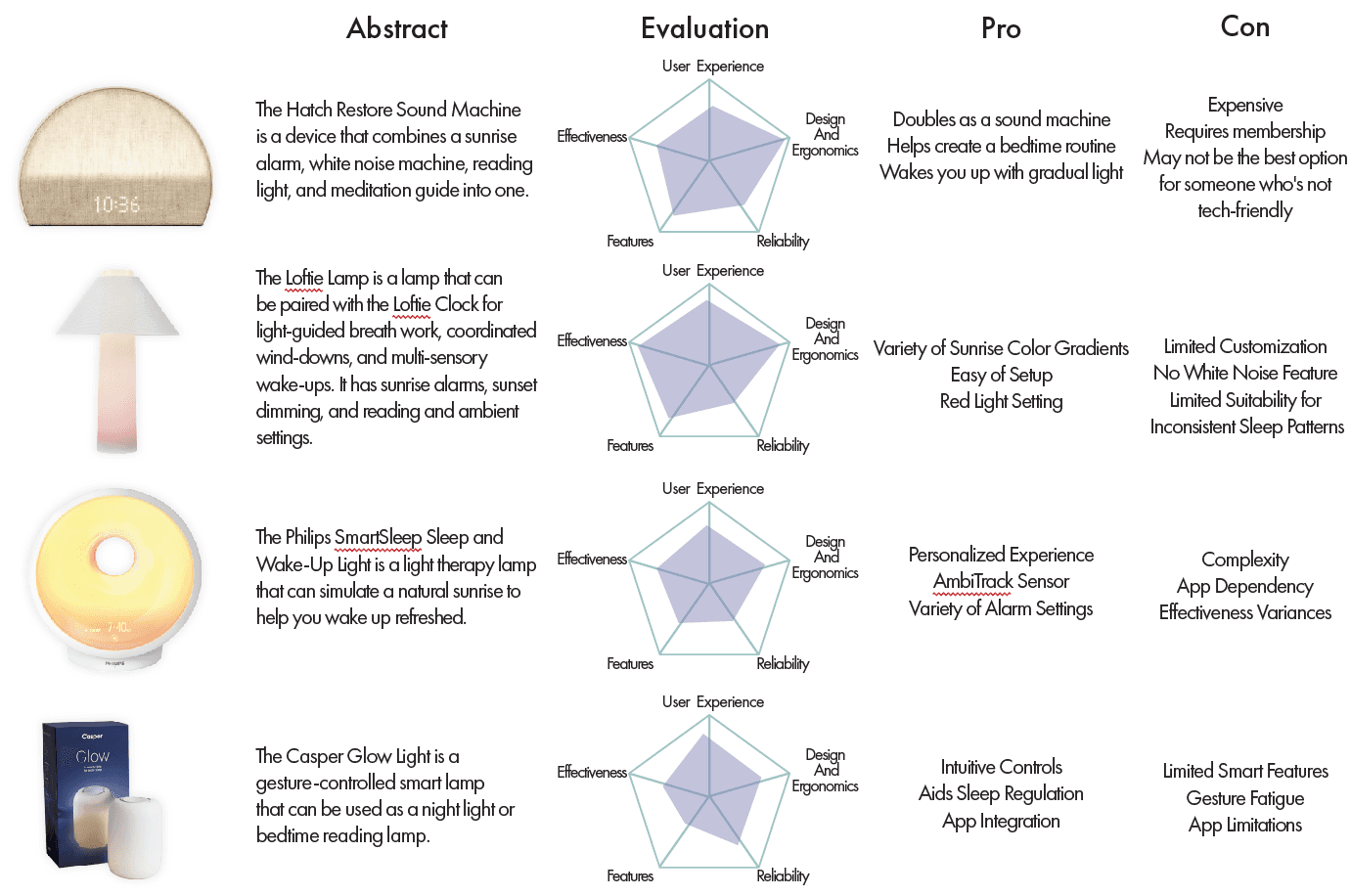
To understand what’s already out there, we evaluated existing sleep device.
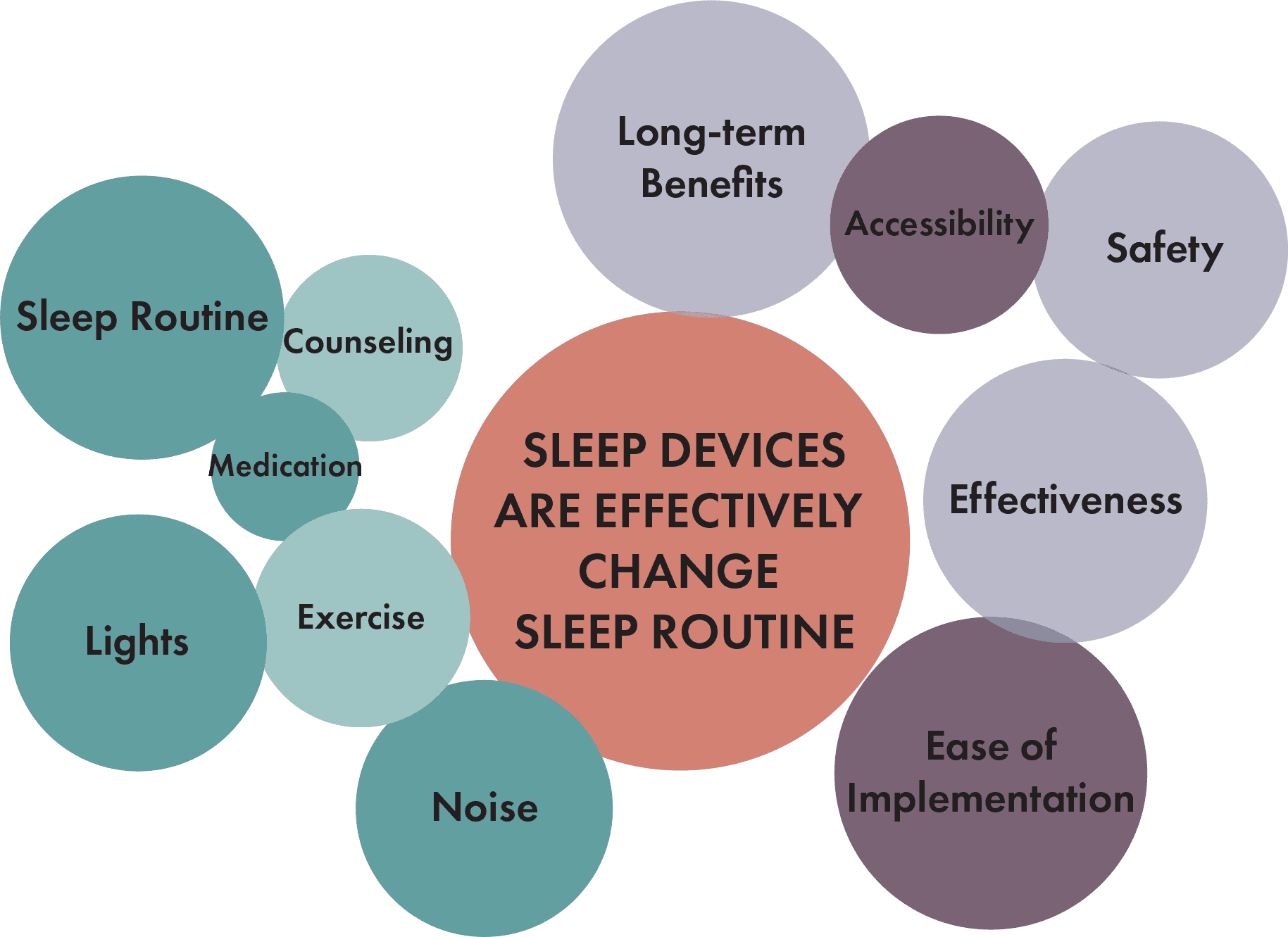
We brainstormed multiple ideas, and choose which we should prioritize based on the impact and user pain point
Through evaluating existing sleep devices , we identified several gaps in the current solutions:
High cost & complexityLimited personalizationFragmented experiencesLack of integration with user data
Design Goal
Design a solution that is affordable, personalized, and integrated with sleep tracking data to create a more holistic and responsive sleep experience.
Design Approaches for the methods
From our research and market analysis, three non-invasive methods stood out as promising directions.
We focused on three proven, non-invasive methods to support better sleep: light, sound, and aromatherapy. These approaches align with user needs for safe, personalized, and easy-to-implement solutions.
Method
What it does
User Value
Sound
Provides white noise and soothing soundscapes
Creates a calming sleep environment and masks disruptions
Light
Reduces blue light and simulates natural cycles
Regulates circadian rhythms and supports healthier routines
Aroma
Integrates scents like lavender or chamomile
Complements bedtime rituals with gentle, non-intrusive relaxation
We are designing…
A sleep system that combines sound, light, and aroma into one product, paired with a companion app that monitors sleep quality and delivers personalized adjustments.
Design Exploration
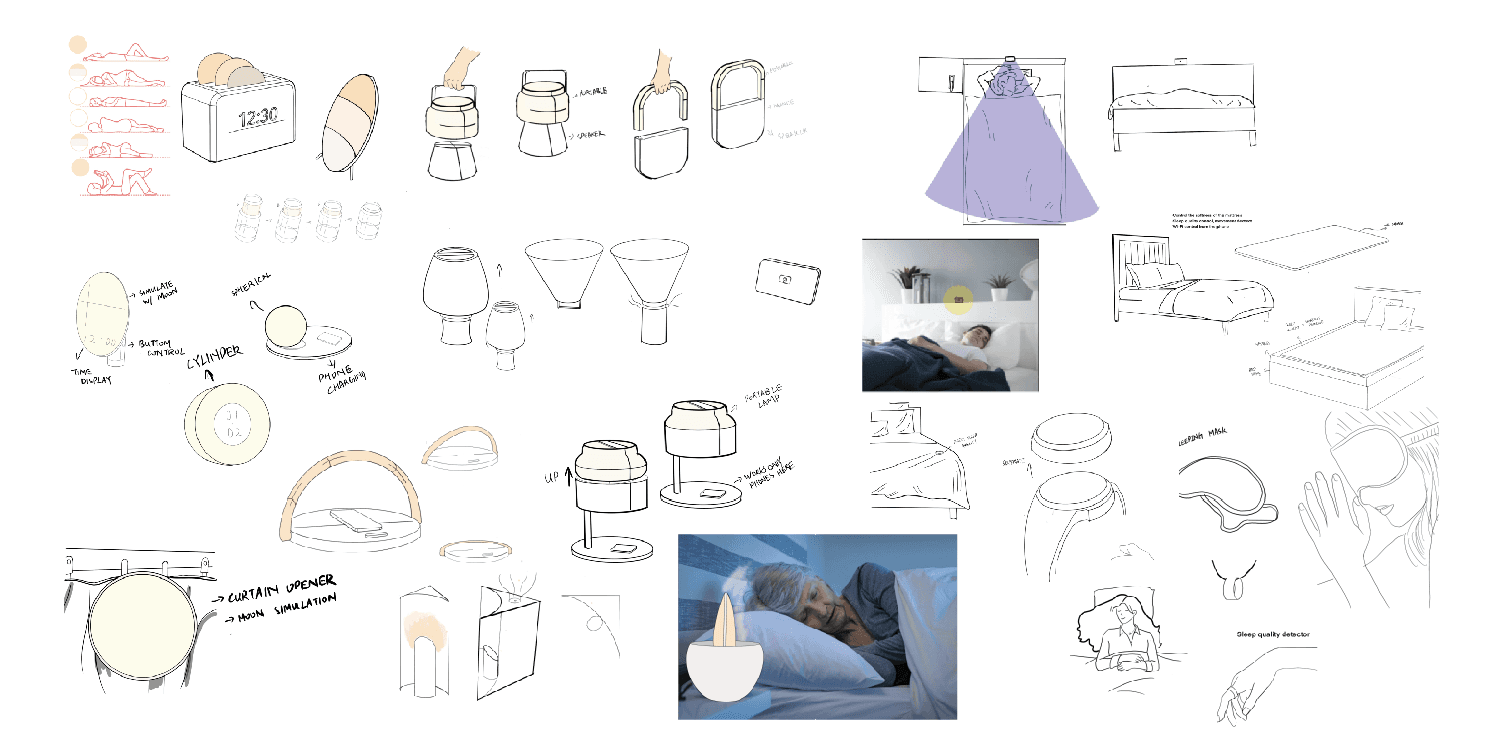
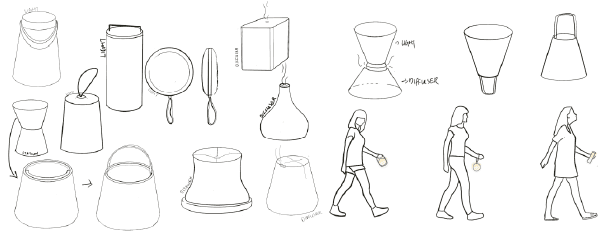
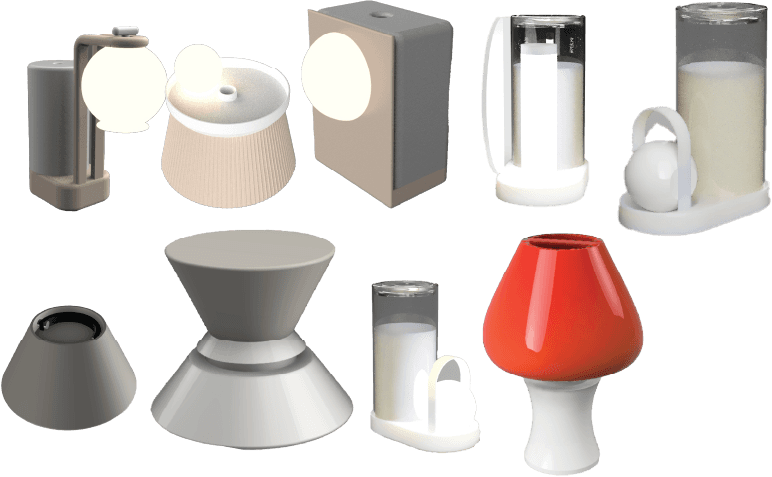
Physical Product Concept Design
Translating our design concept into sketches and form explorations
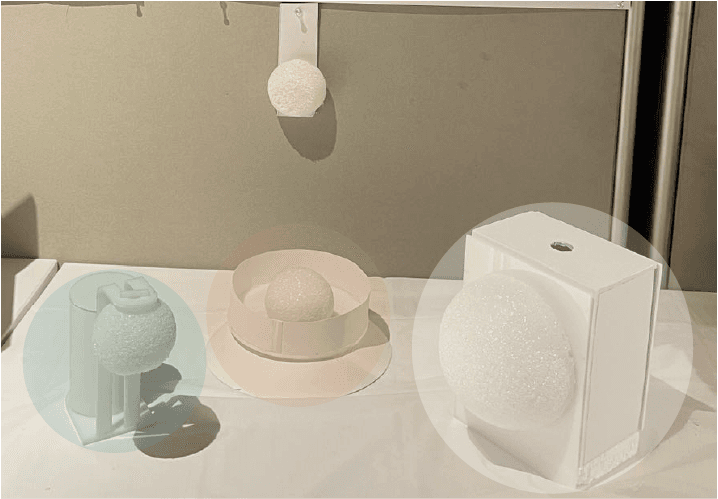
Sunset Simulation Lighting
Lighting concepts mimic the natural dimming of sunset, helping users relax and transition into sleep by supporting their circadian rhythm.
Portable Sleep Aids
Compact, hand-held designs offer safe and gentle lighting for users who wake at night, focusing on ergonomics and minimal disruption during movement.
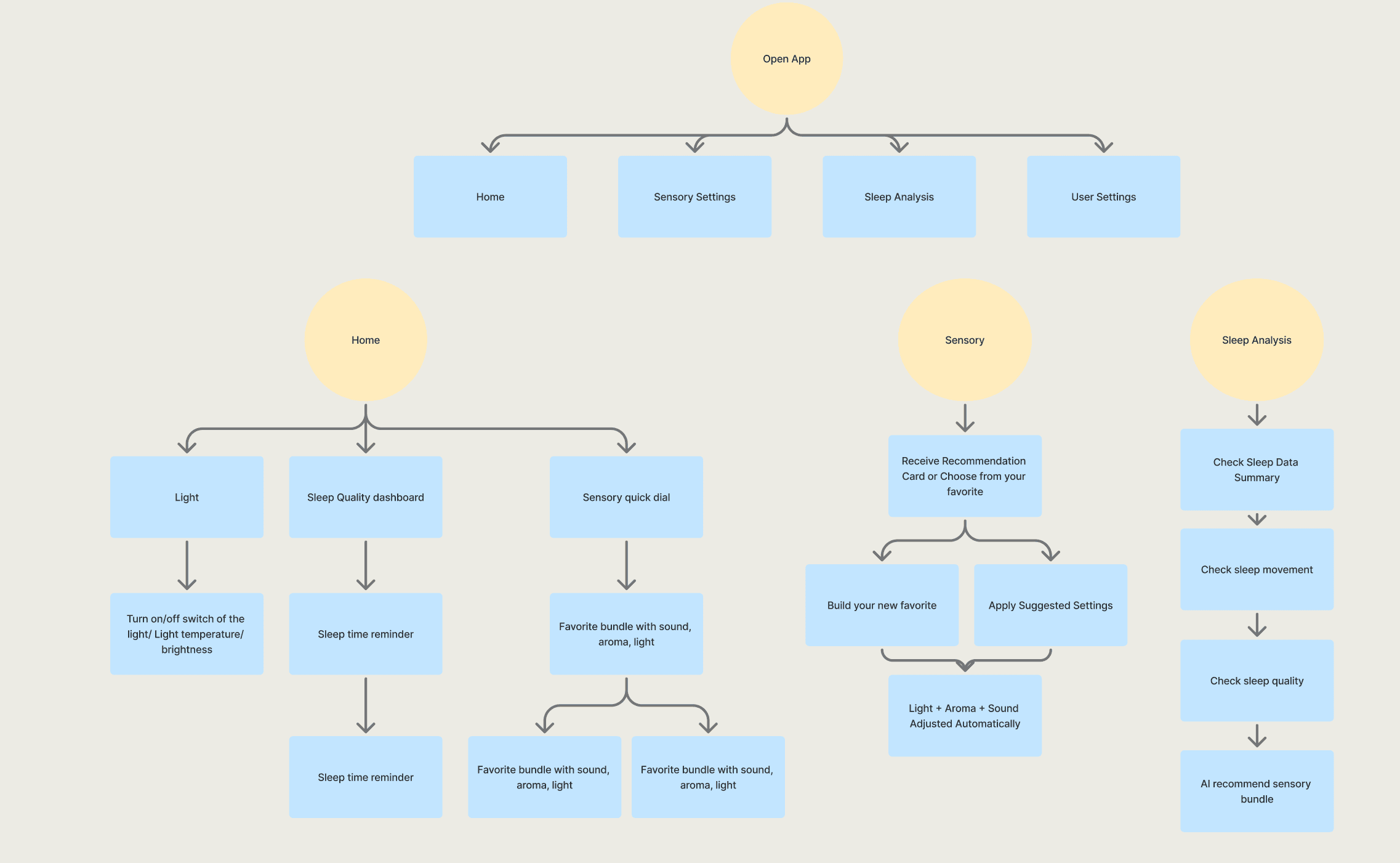
Flowchart for the App
Mapping the core user flows and primary features
we figured out the flow of main pages and primary features.
Prototype Evaluation and User Testing
Building and testing early forms to refine usability, ergonomics, and interaction flow
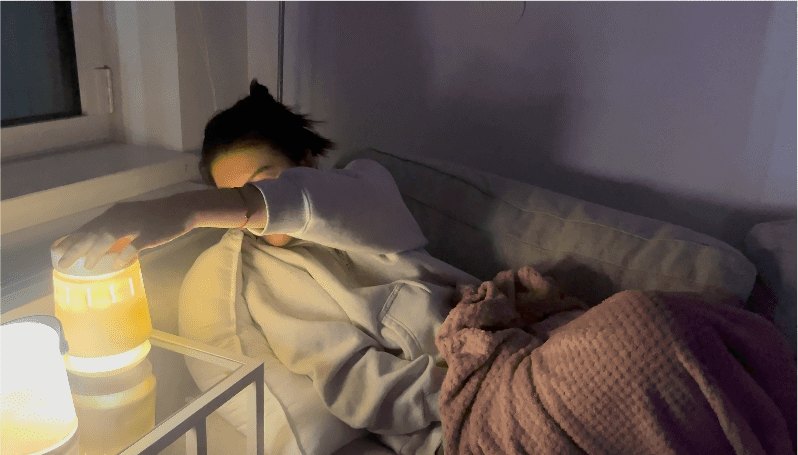
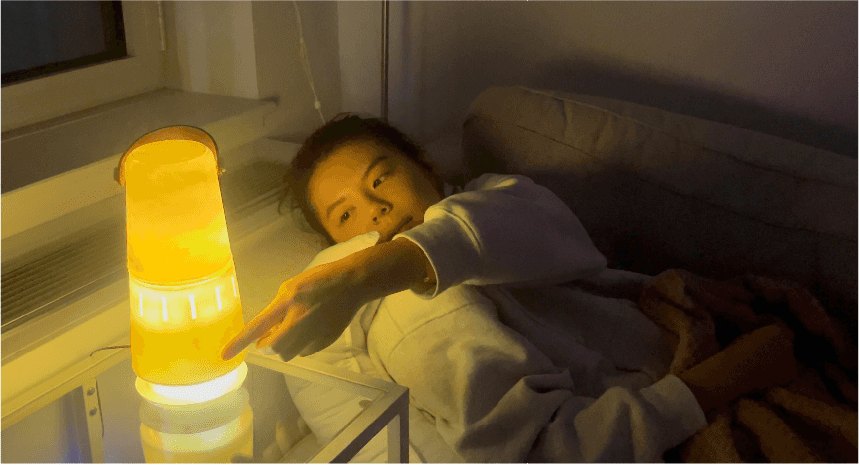
We have around 30+ people testing our physical product and the interaction of App flow with physical product.
Scenario Based Testing
The product needs to be compact and stable, so it can fit comfortably in different bedroom setups.
Prototype Testing
Soft, approachable shapes make the product feel more natural as a sleep aid.
A/B Testing
Blending a familiar lamp archetype with a novel diffuser element, while showing a clear digital interaction flow, increased acceptance and reduced learning effort.
Iteration
Iteration after testing with 30+ people
We explored and iterated on multiple layout directions—refining …
Before
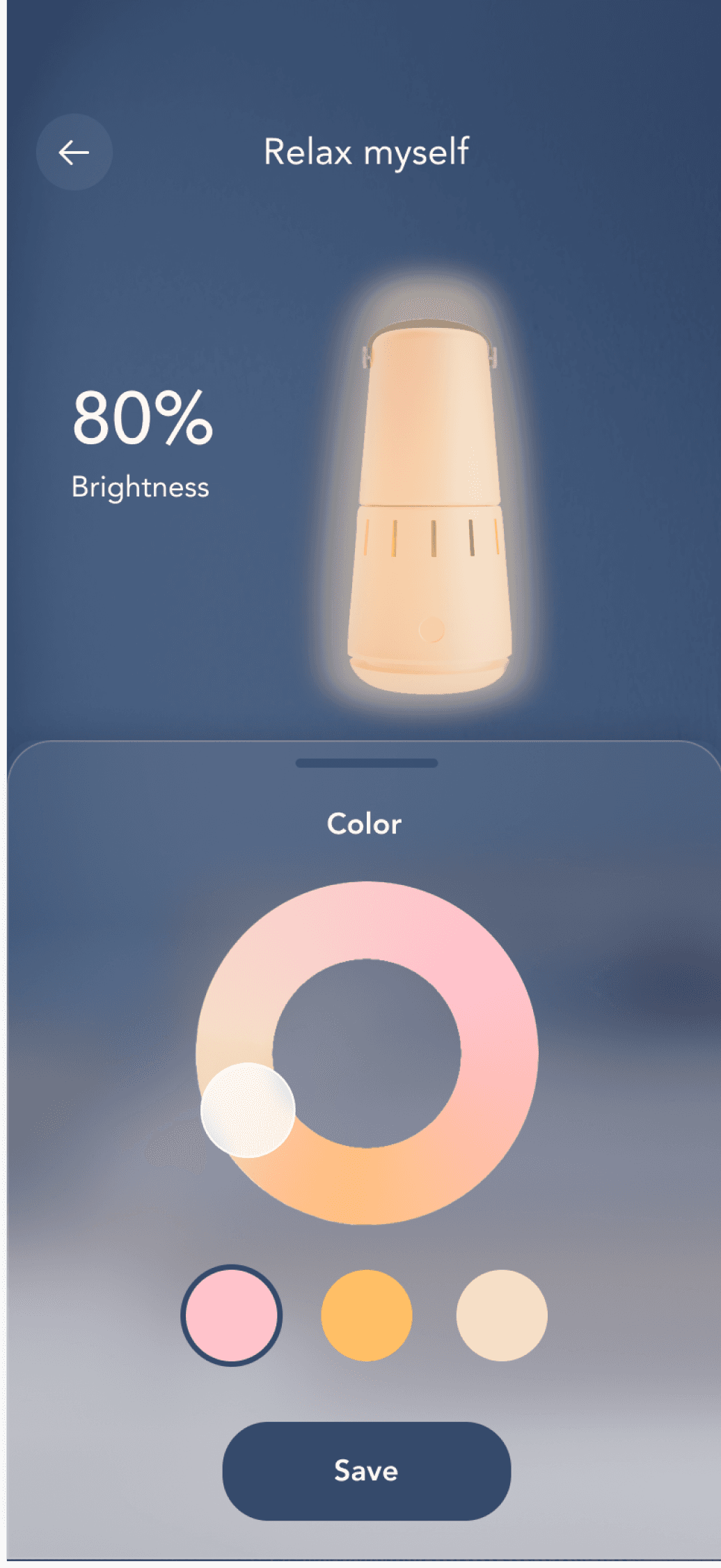
Light settings relied on sliders and technical inputs, which felt functional but not engaging. Users had to adjust brightness, countdown, and colors separately.
After
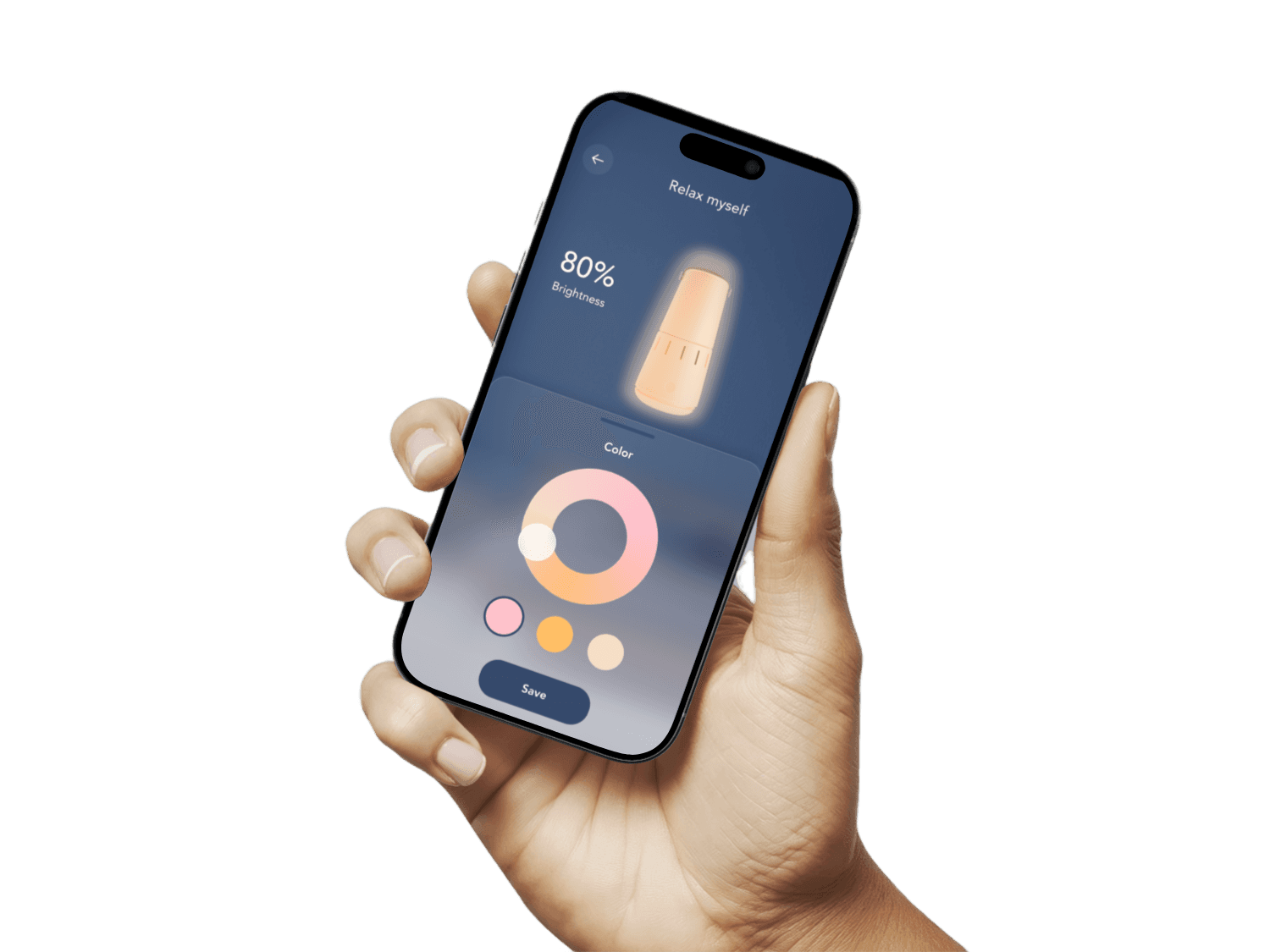
Redesigned into a visual, immersive interface with real-time previews — making it easier to adjust brightness and color in a more intuitive, calming way.
Before
Controls for light, sound, and aroma were separated into different sections, making the experience feel fragmented and requiring extra steps from users.
After
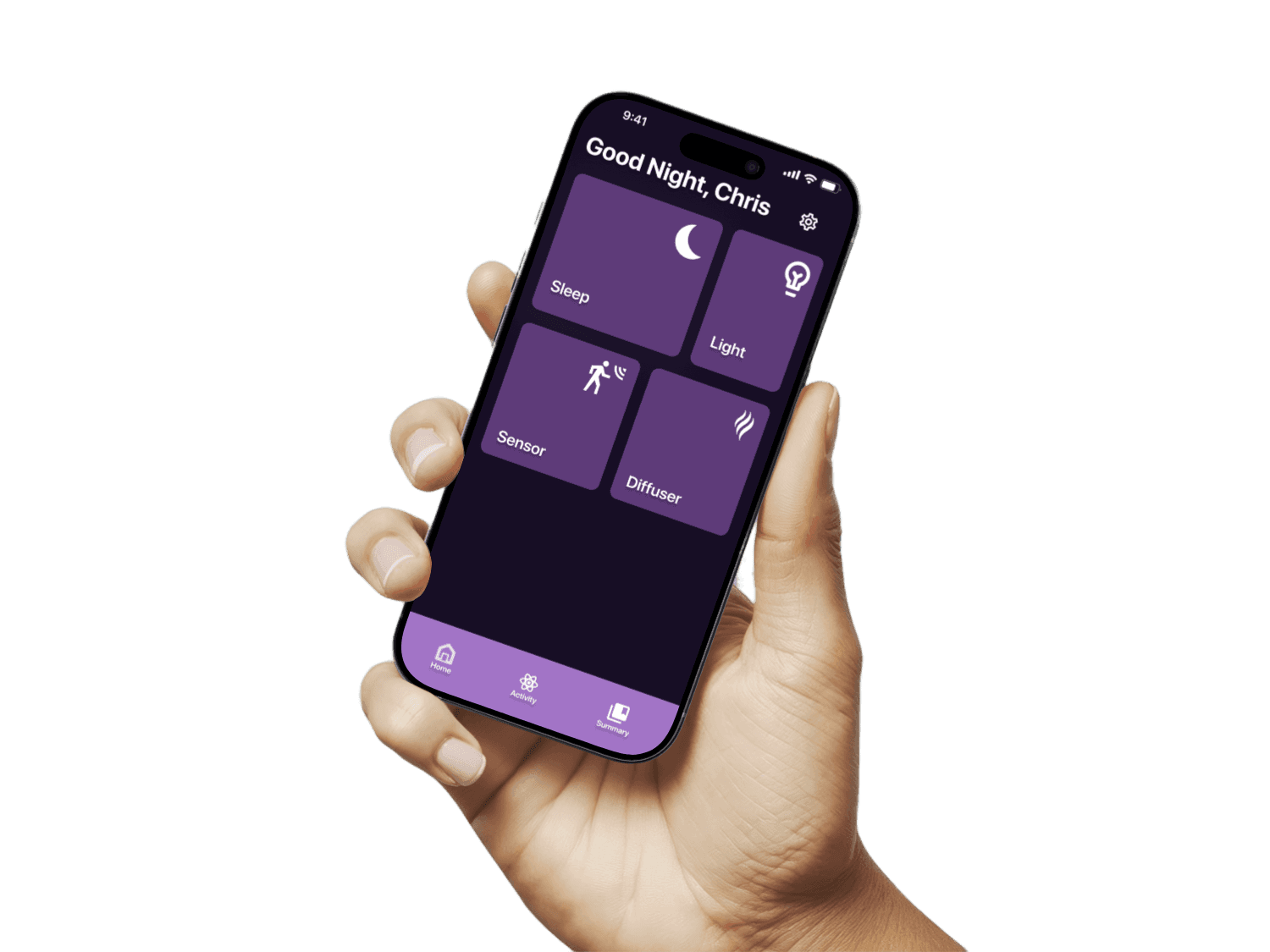
Unified the three sensory elements into one cohesive interface with personalized adjustments — creating a seamless and intuitive sleep setup.
Before
Sleep data was presented with dense charts and percentages, making it hard for users to quickly grasp their overall sleep quality.
After
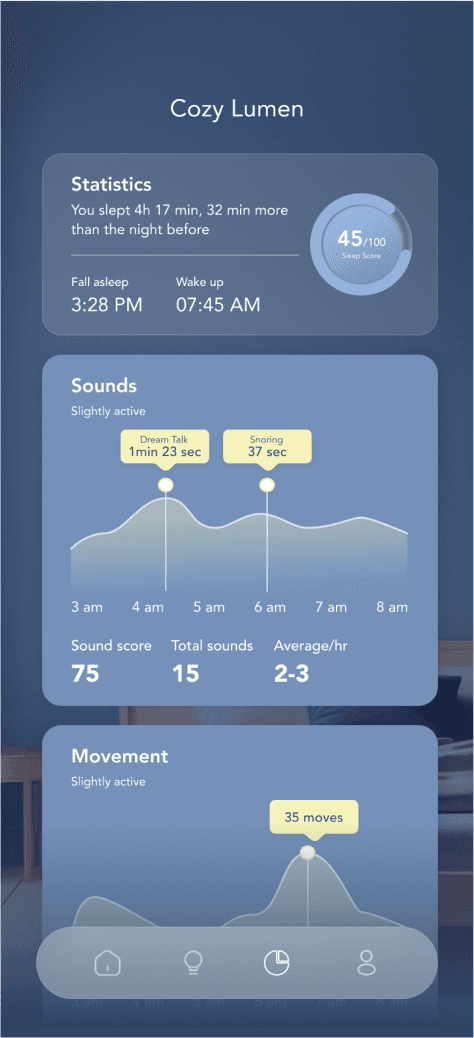
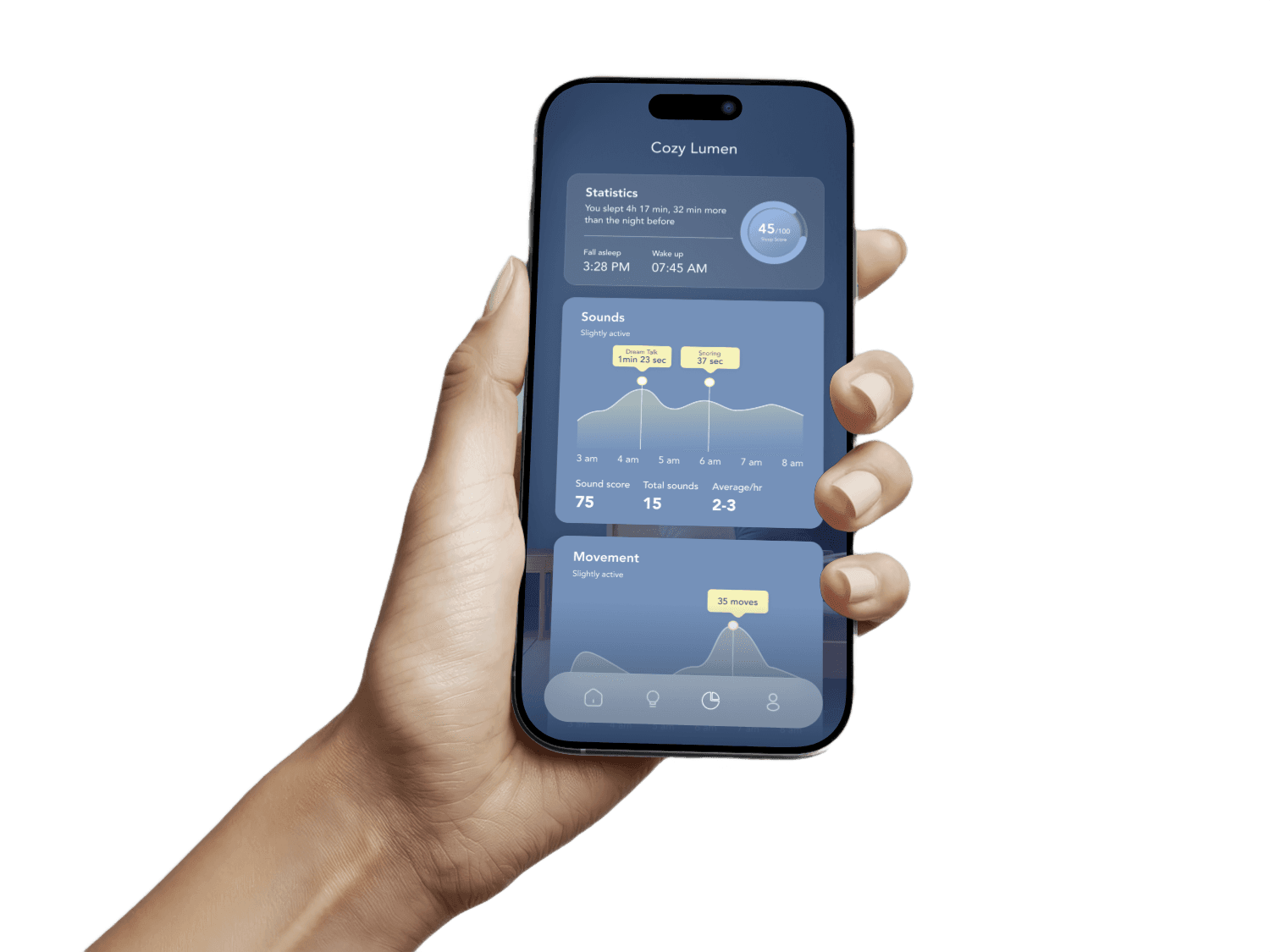
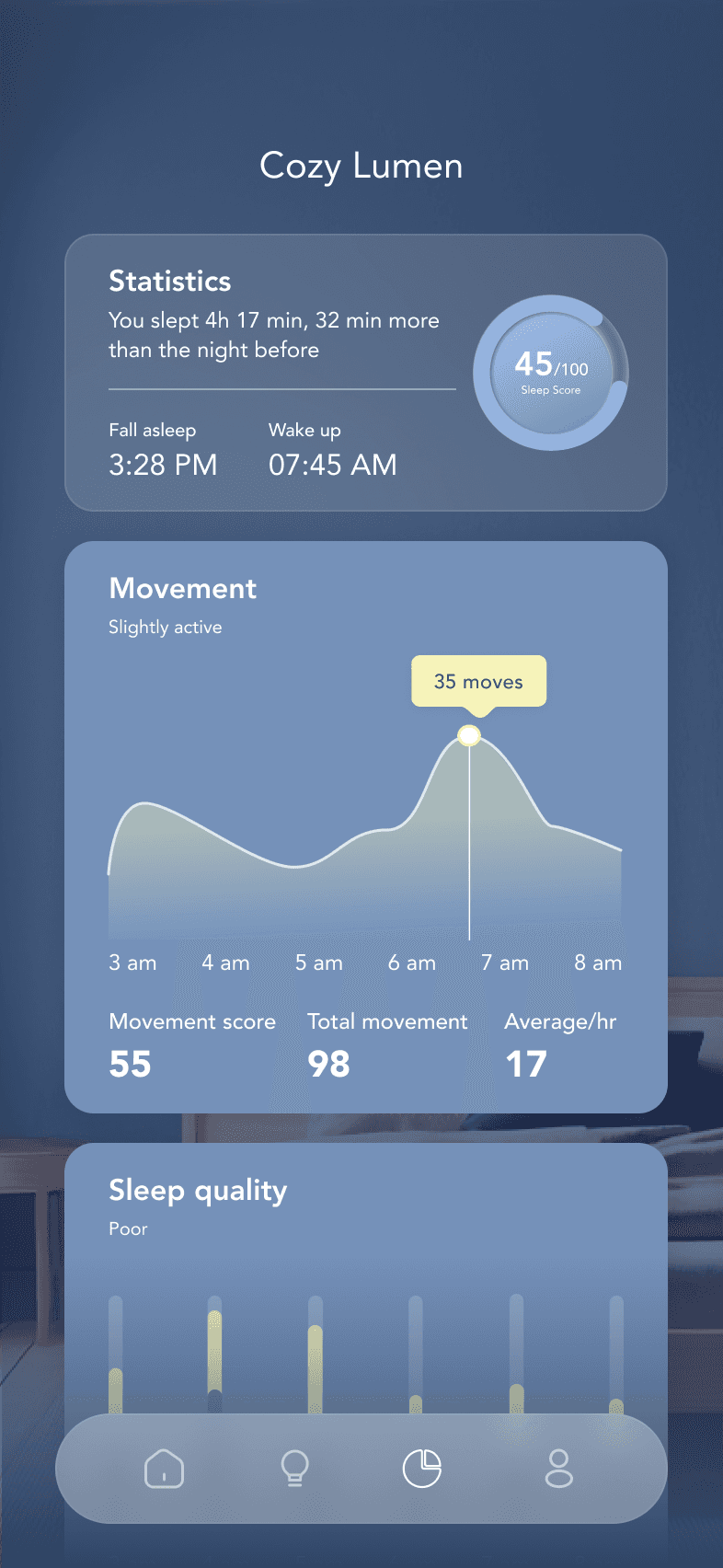
Redesigned the report into a clear, insight-driven dashboard with trends, movement, and quality highlights.
Before
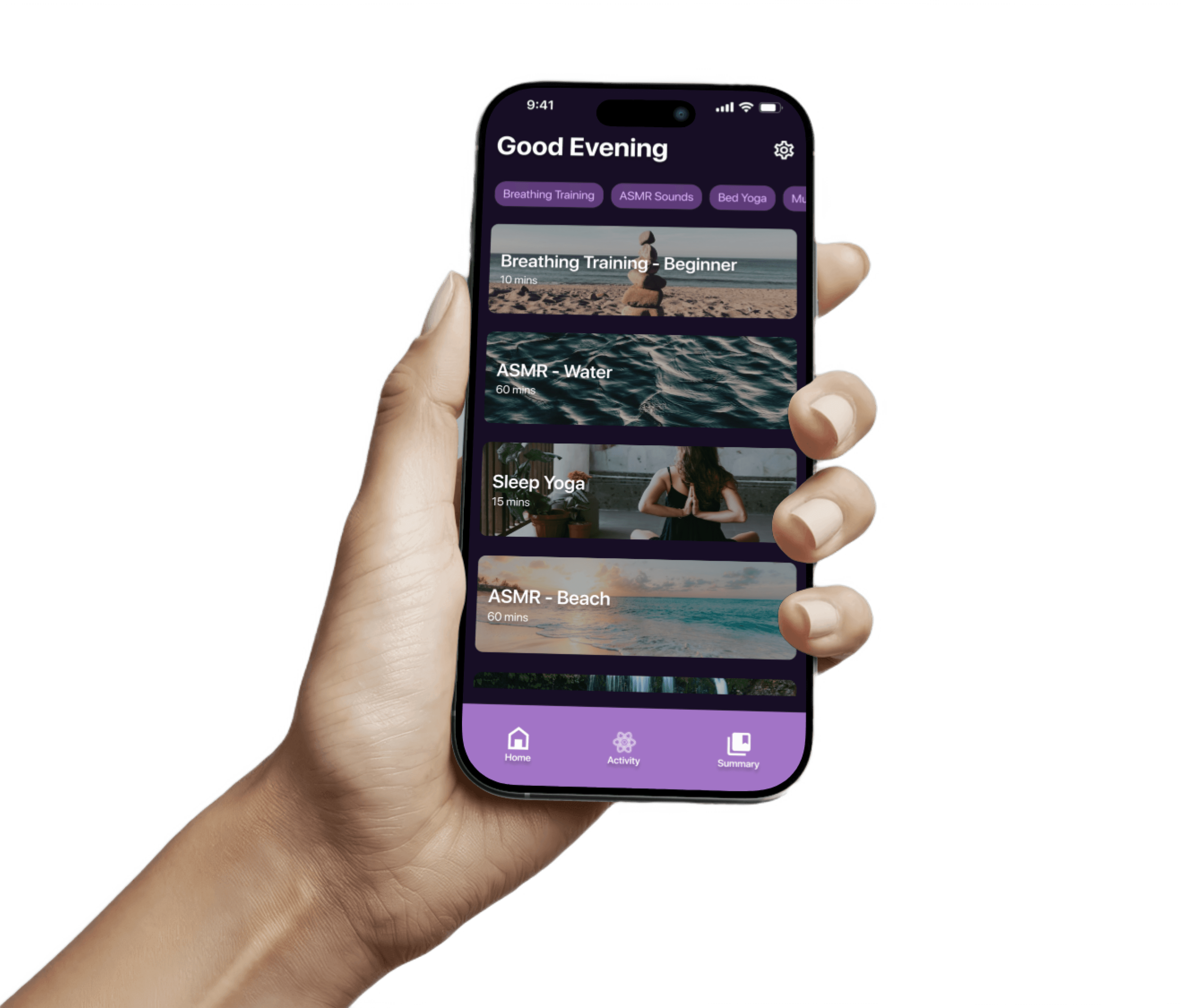
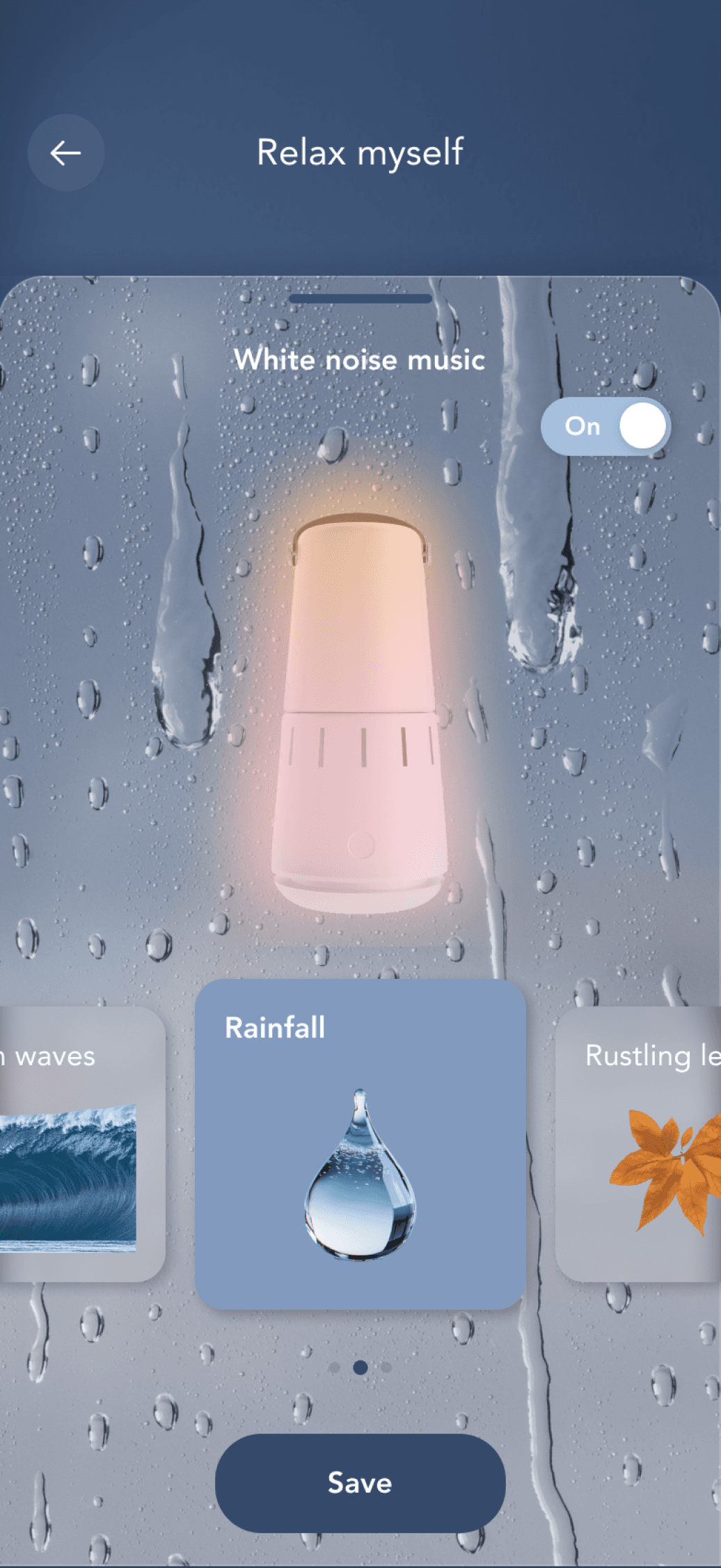
White noise and relaxation options were presented as a content library, requiring users to browse through long lists. This felt overwhelming and detached from the sleep device experience.
After
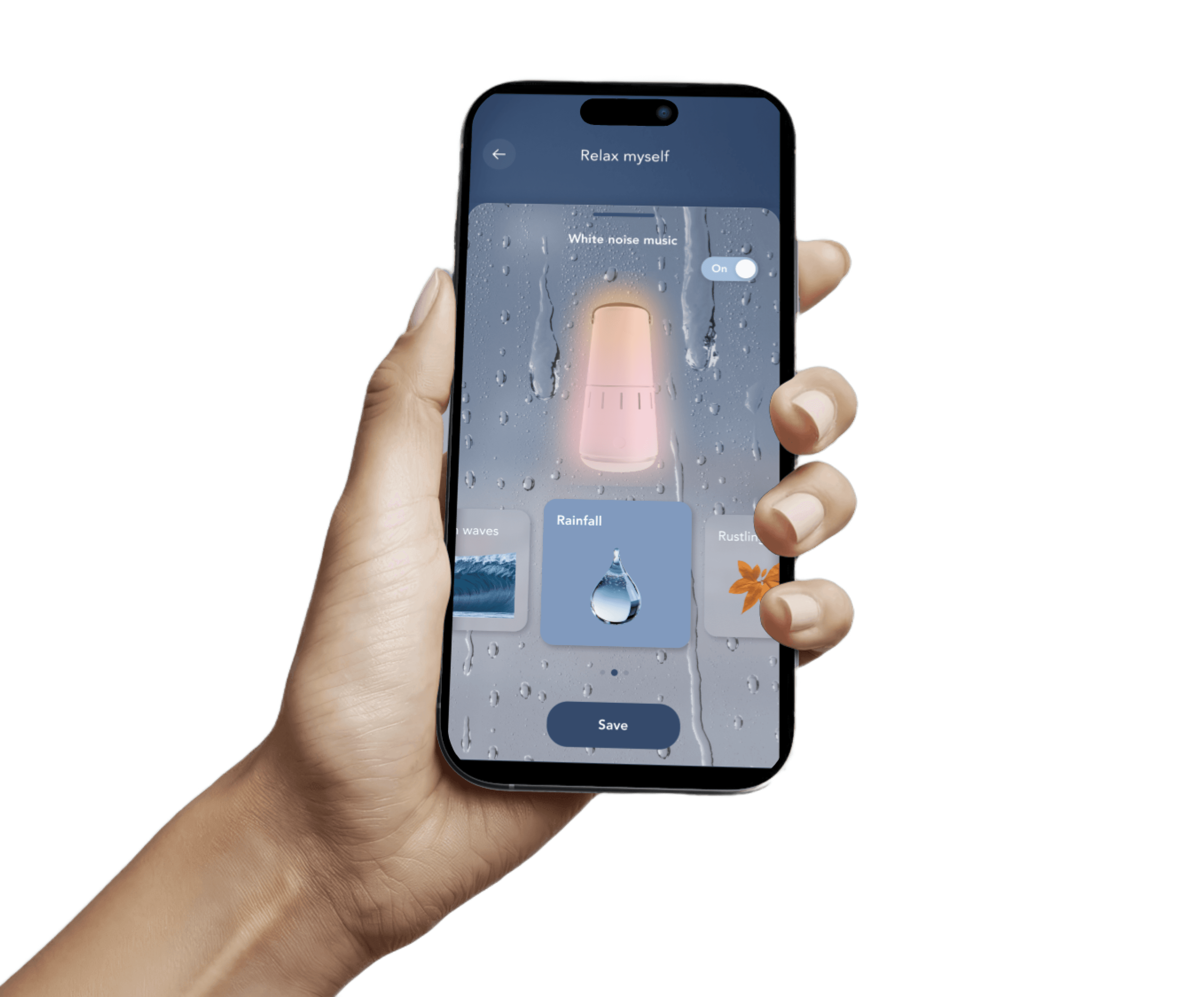
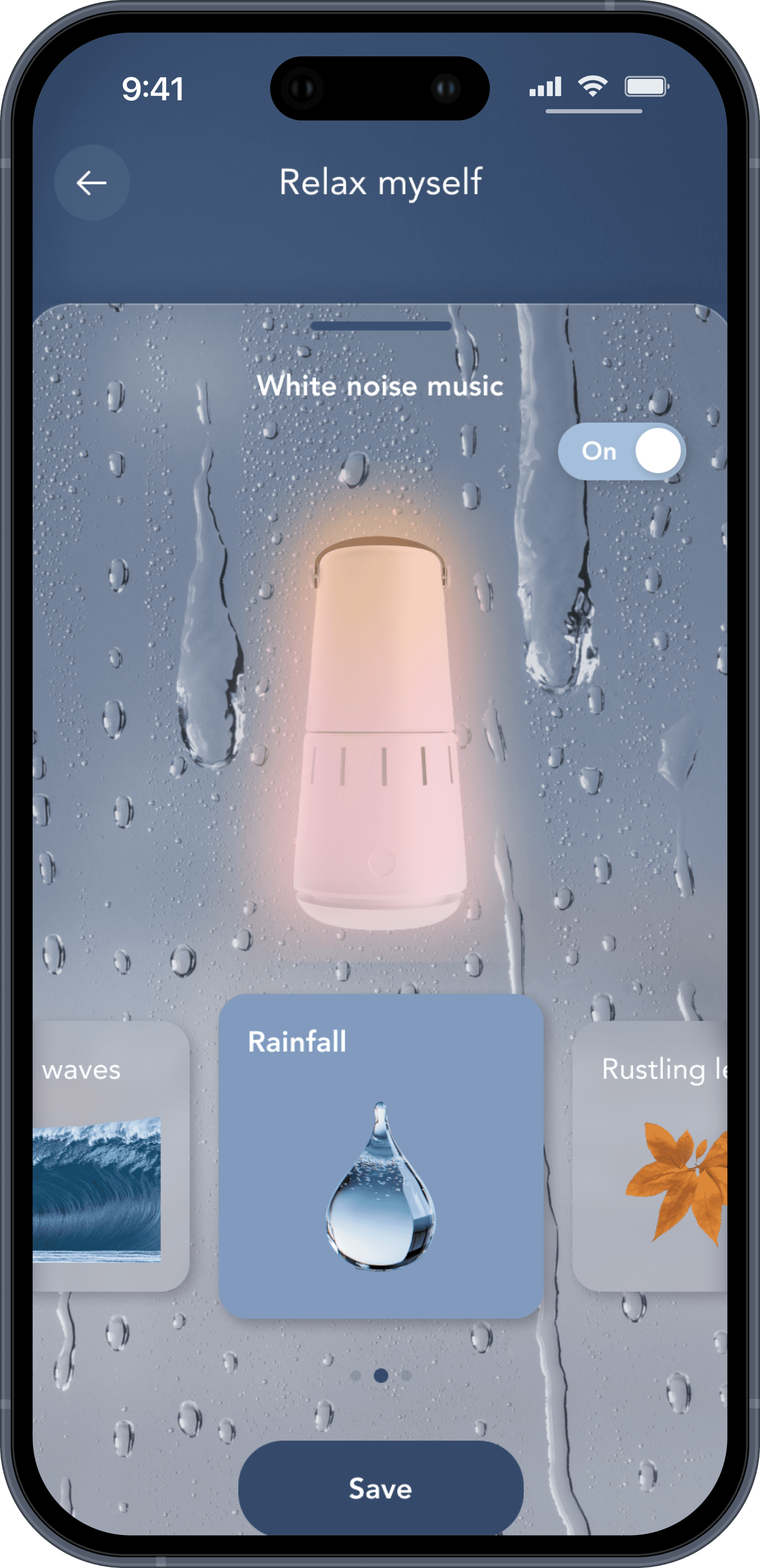
Streamlined into a visual, immersive interface where users can preview and select sounds directly — making the experience calming, intuitive, and directly linked to their device.
Final Product
Everything
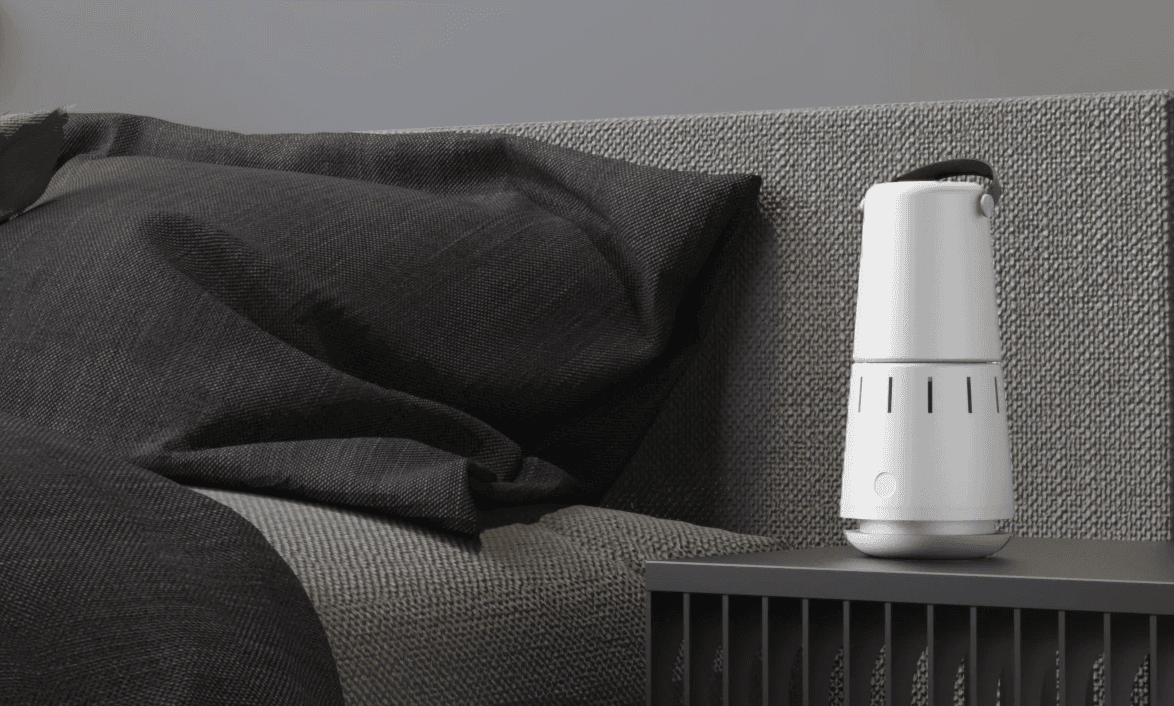
Cozy Lumen Sleep Clock Lamp
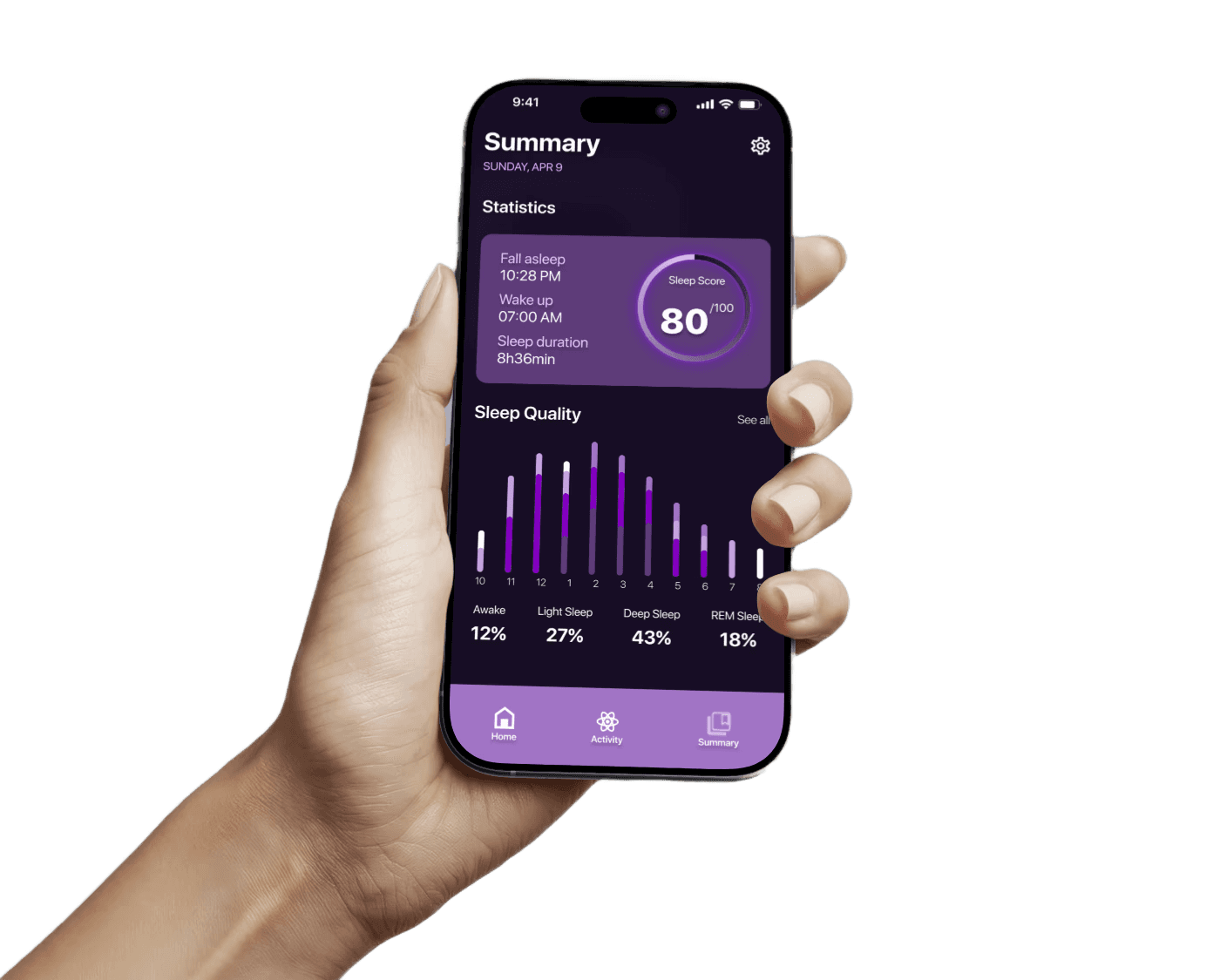
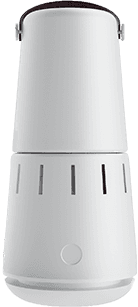
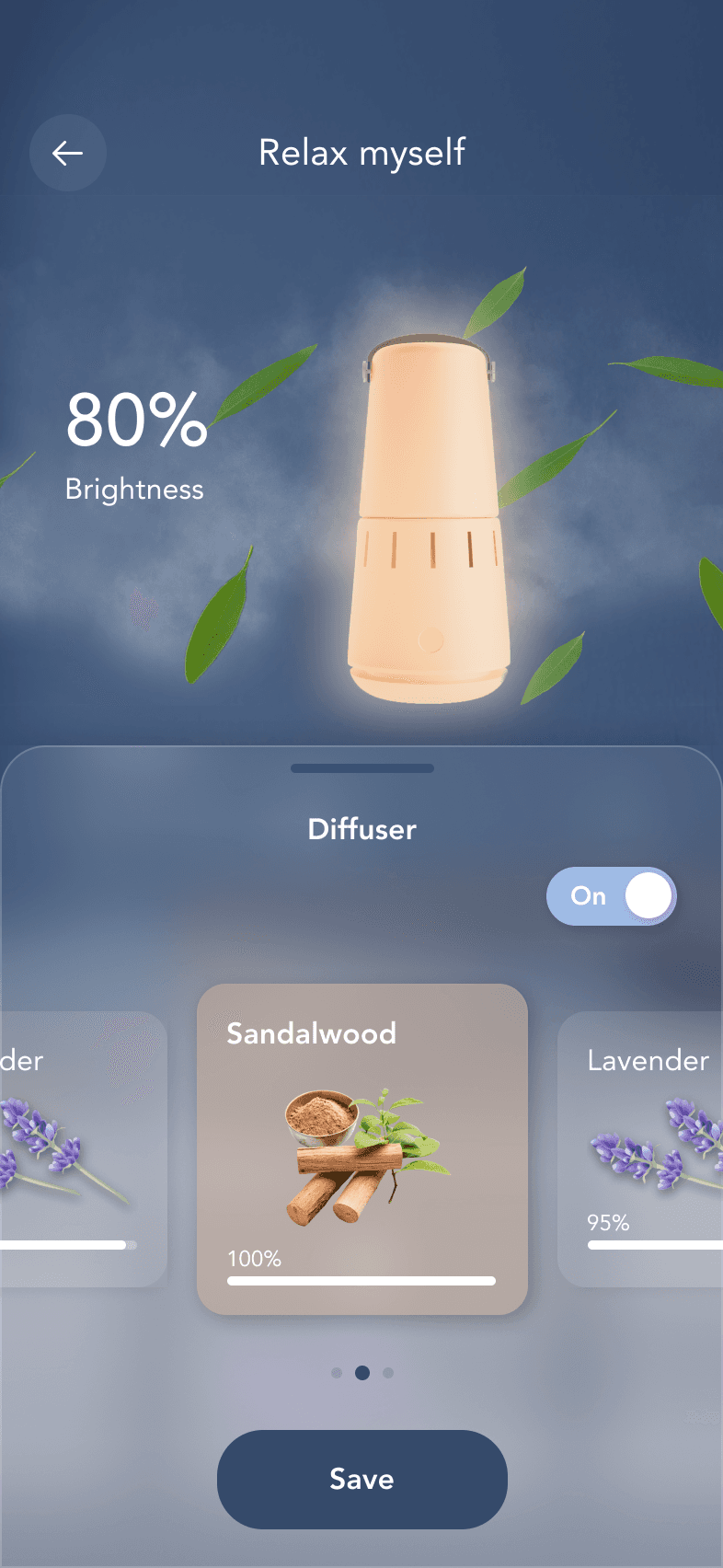
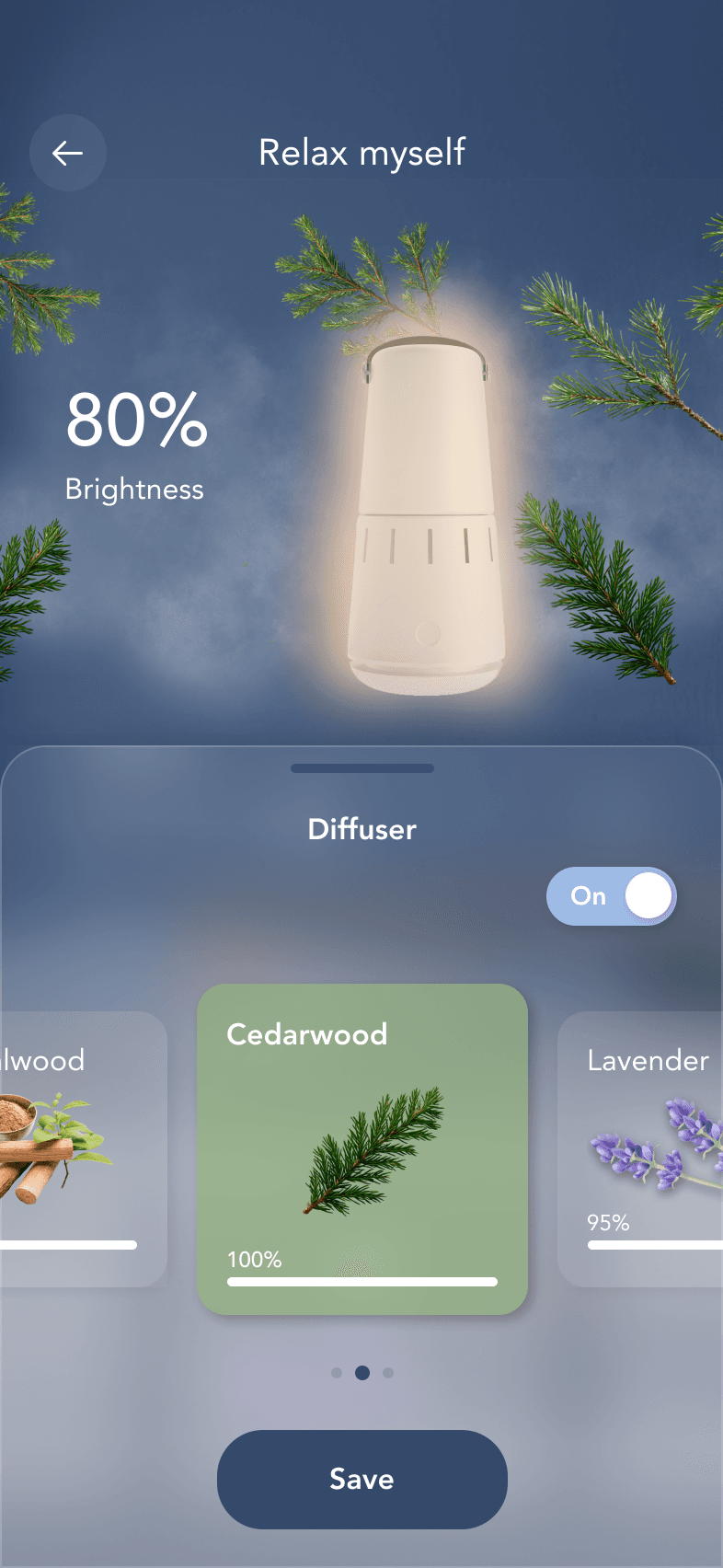
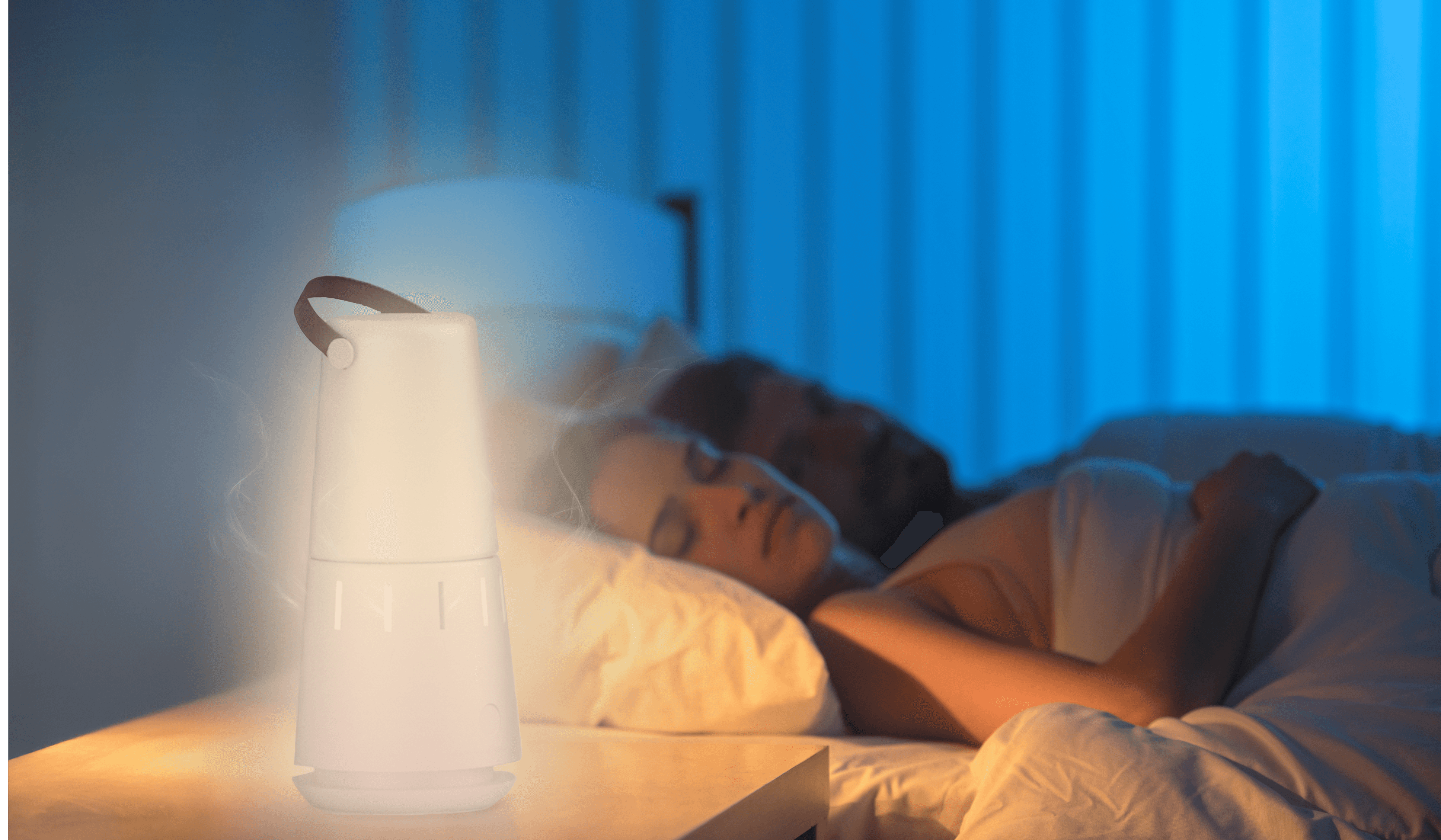
The Sleep Clock Lamp provides a sunset simulation light to facilitate your sleep, along with an aroma diffuser to enhance sleep quality.
Cozy Lumen Sleep Sensory
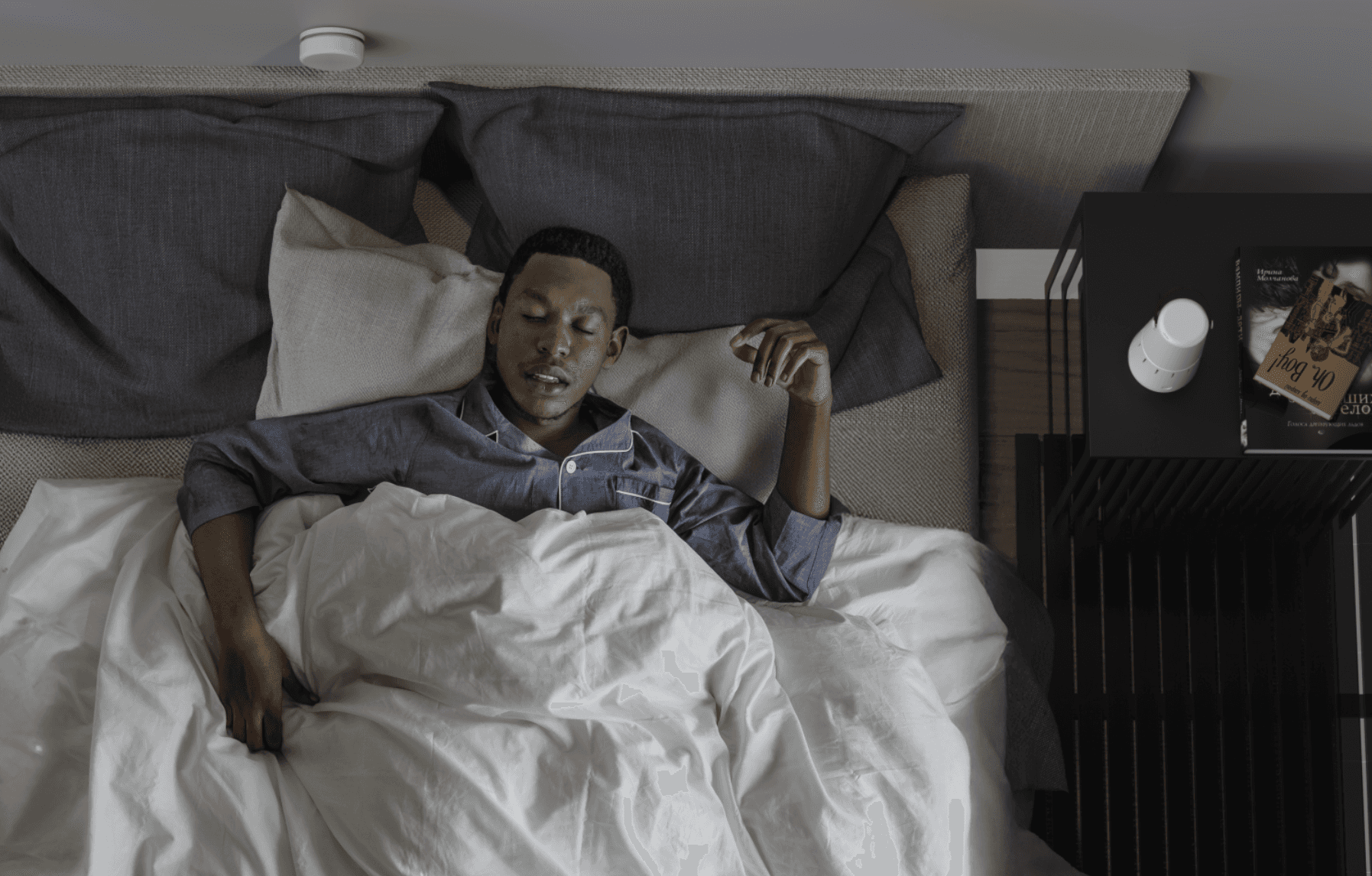
The Sleep Sensor will analyze your movements in bed to provide you with better sleep plans.
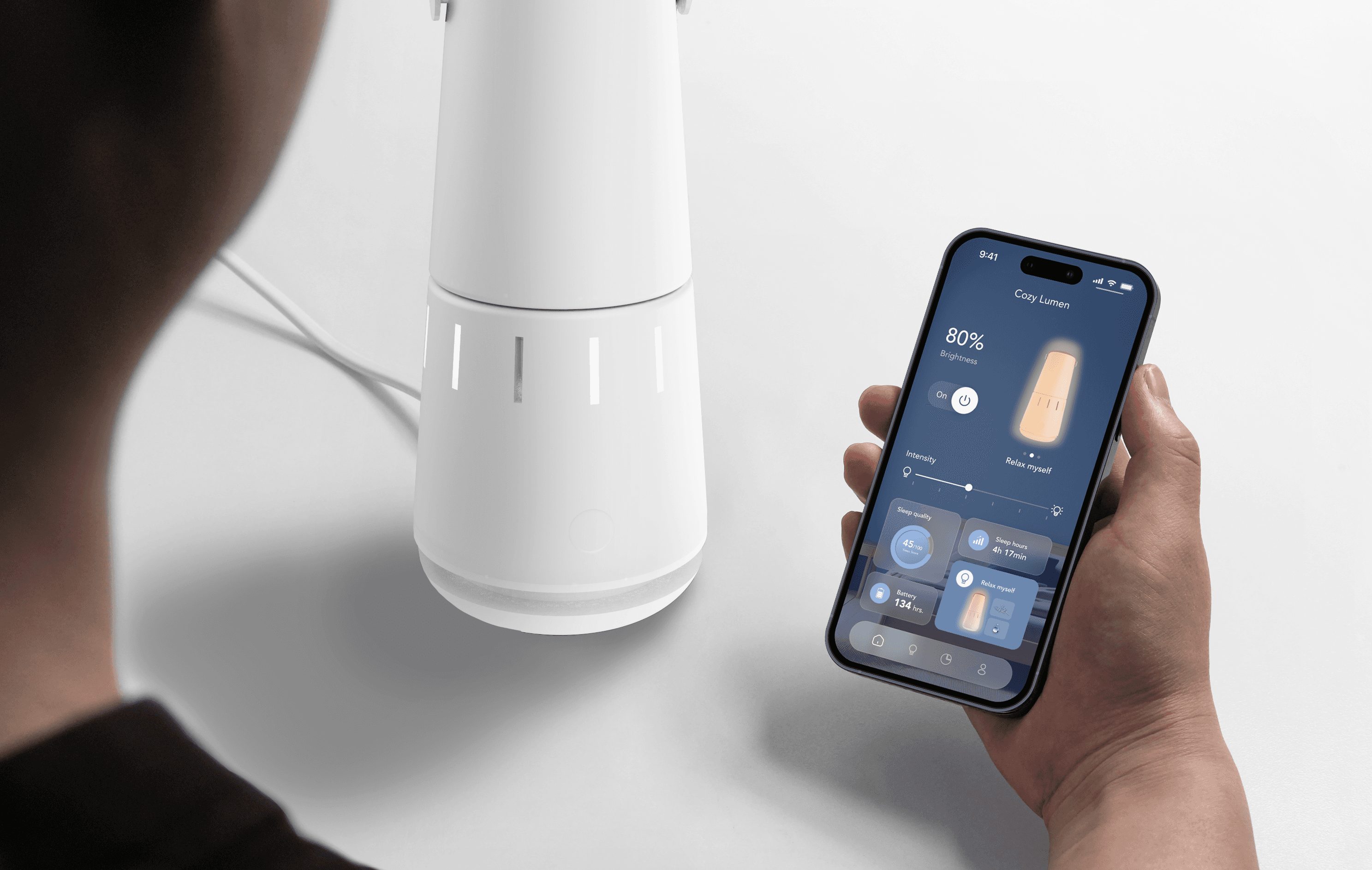
Cozy Lumen smart home app
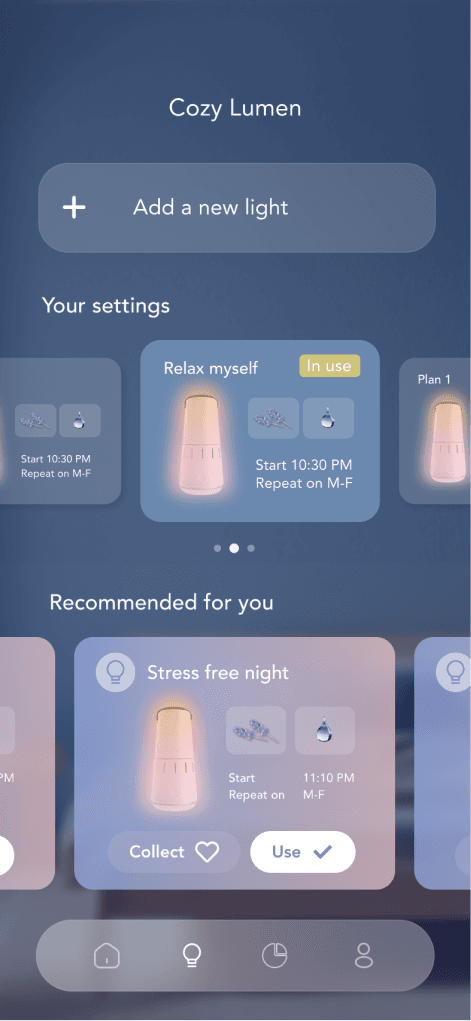
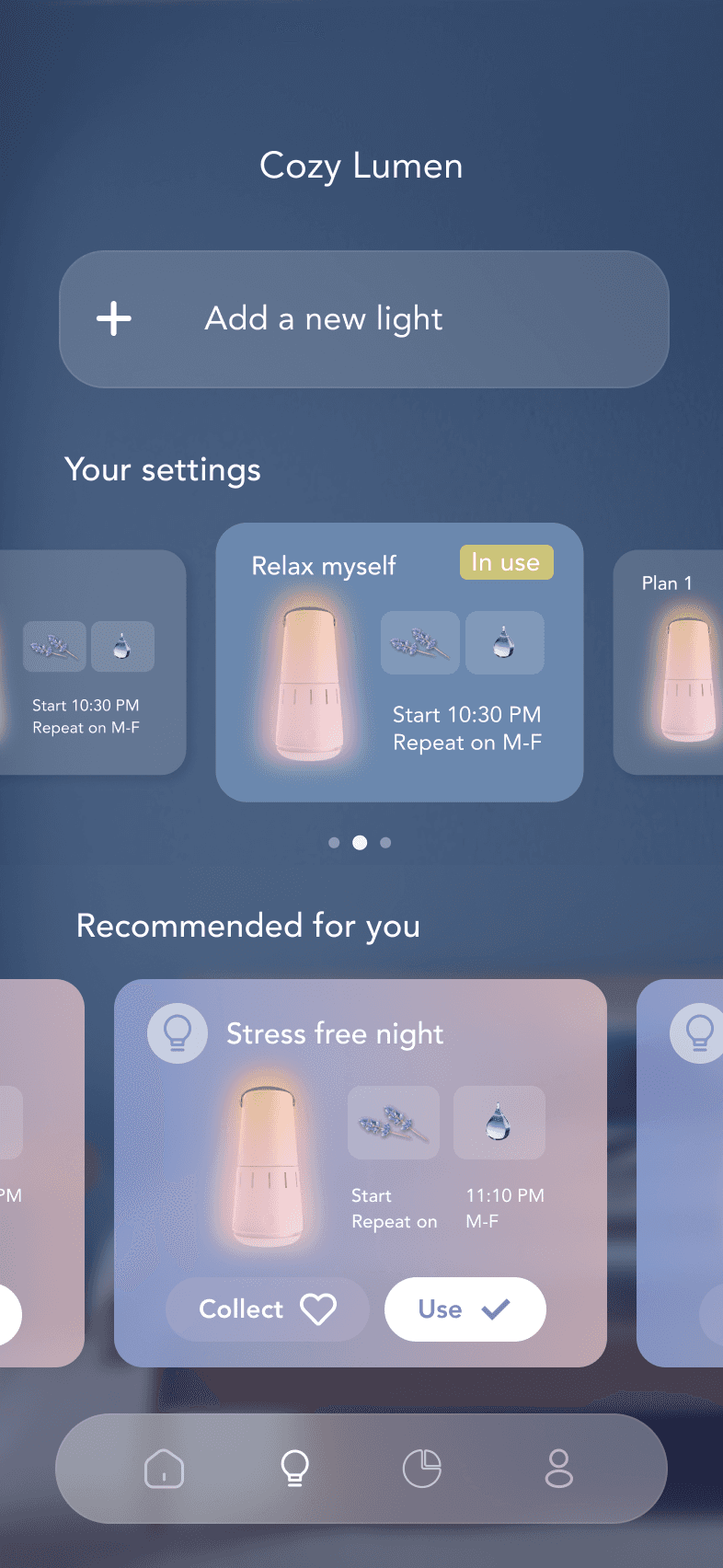
The app can be customized to suit your unique sleep plan, enhancing your overall sleep quality.
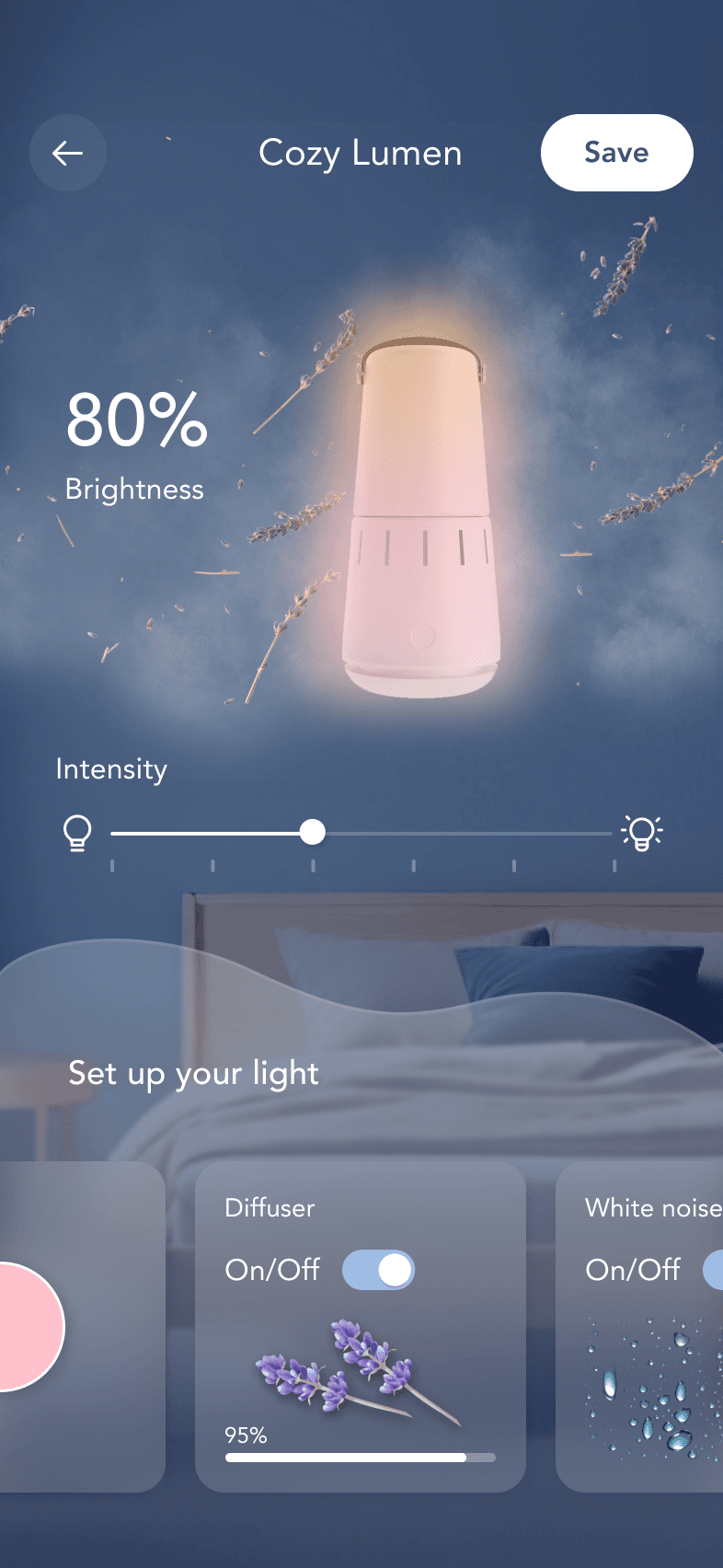
Customize your perfect night
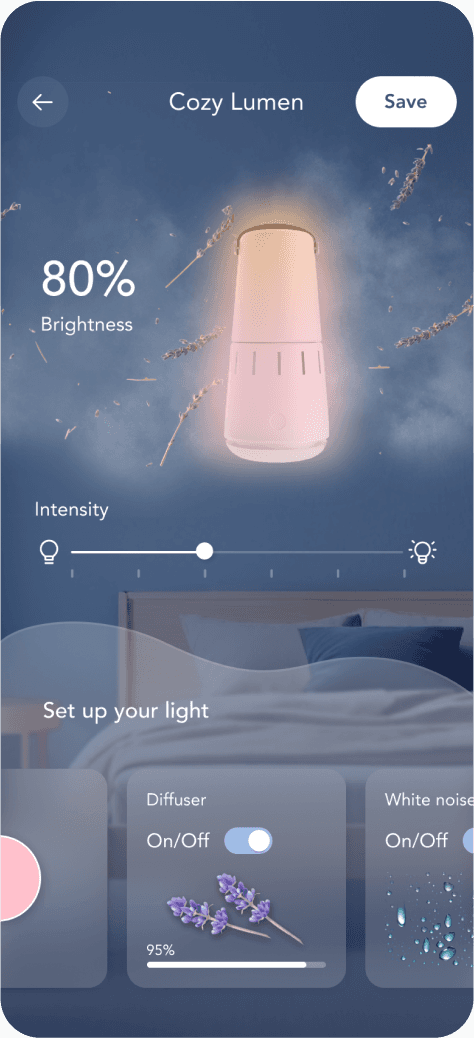
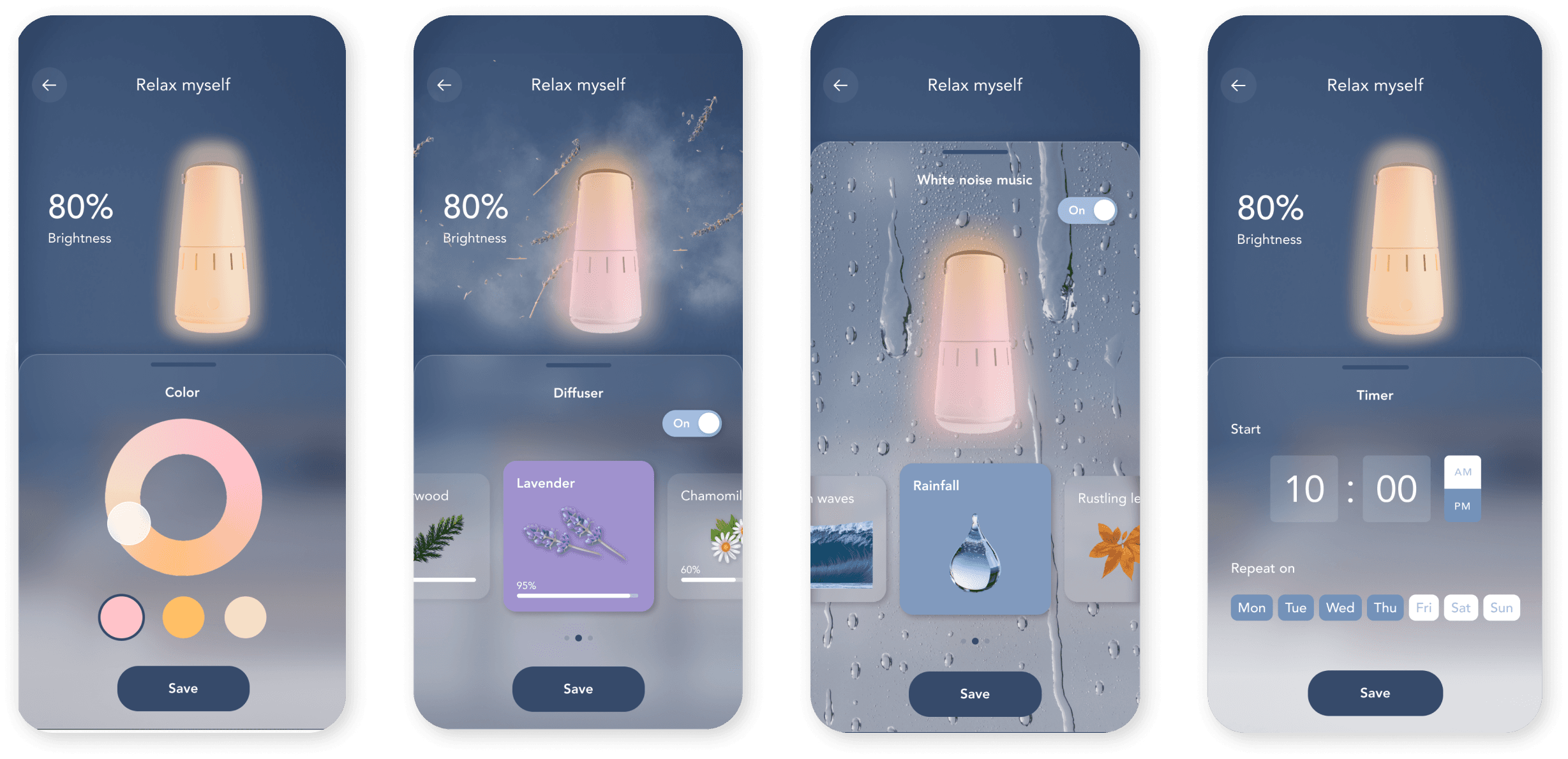
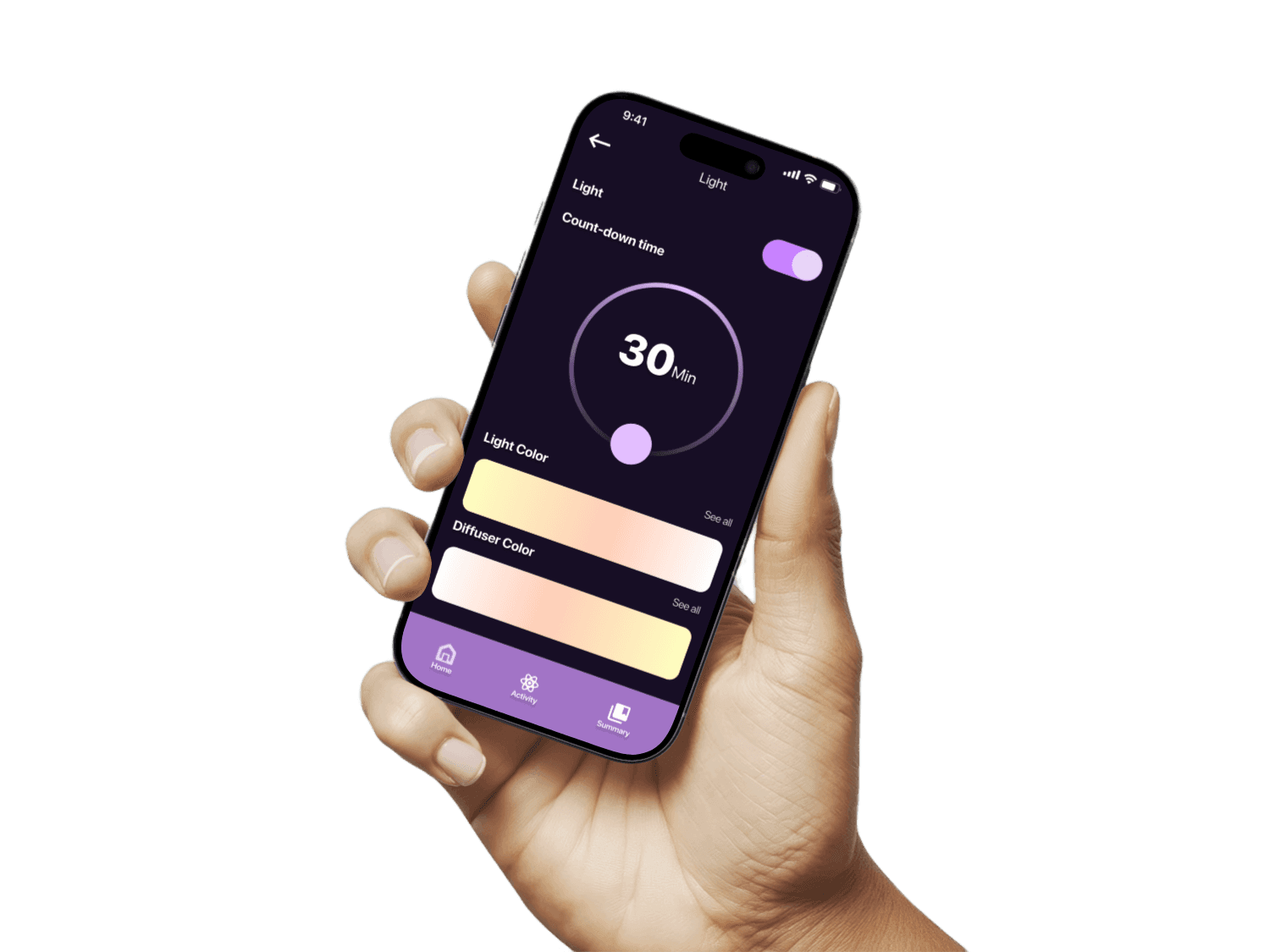
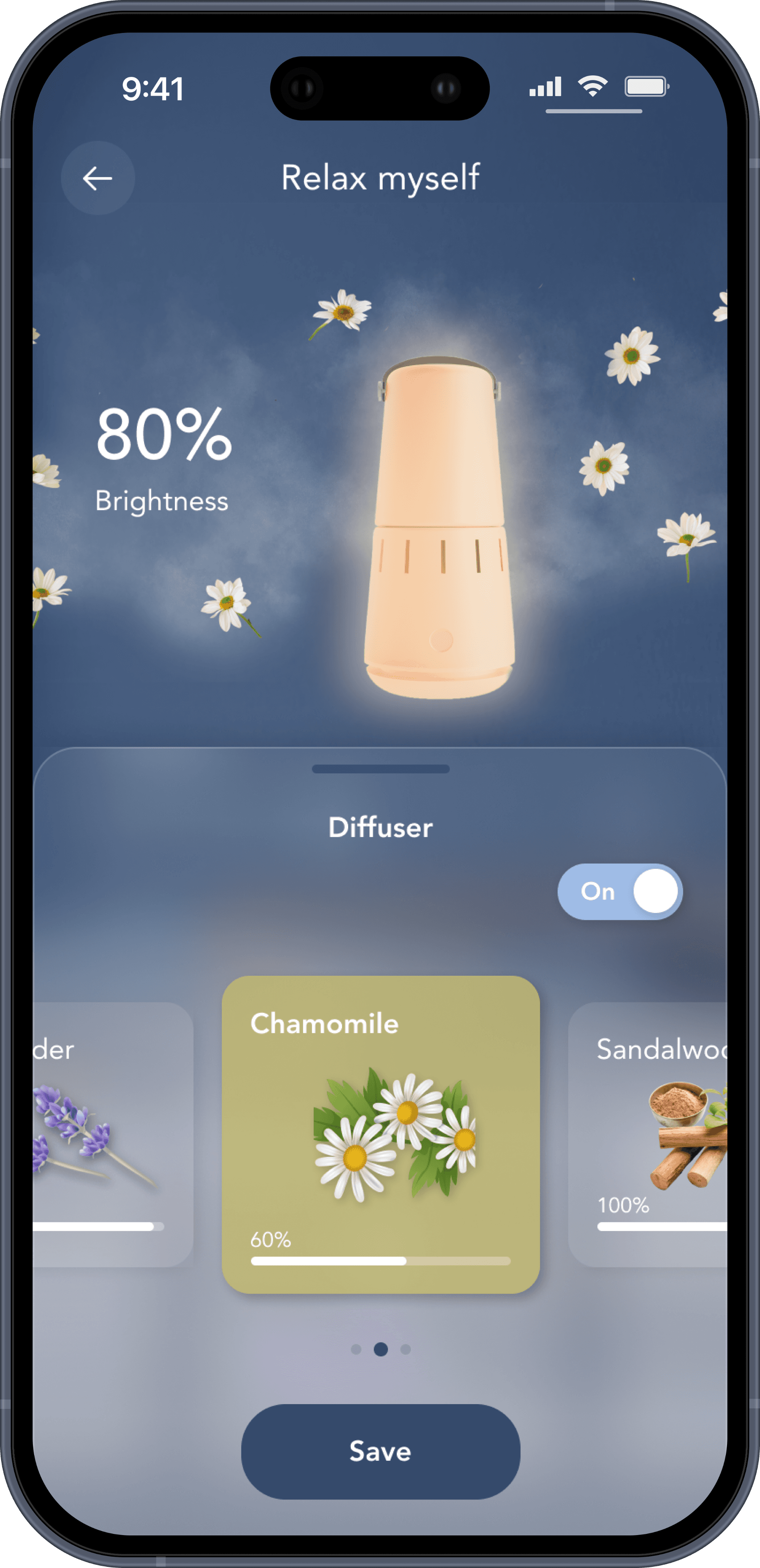
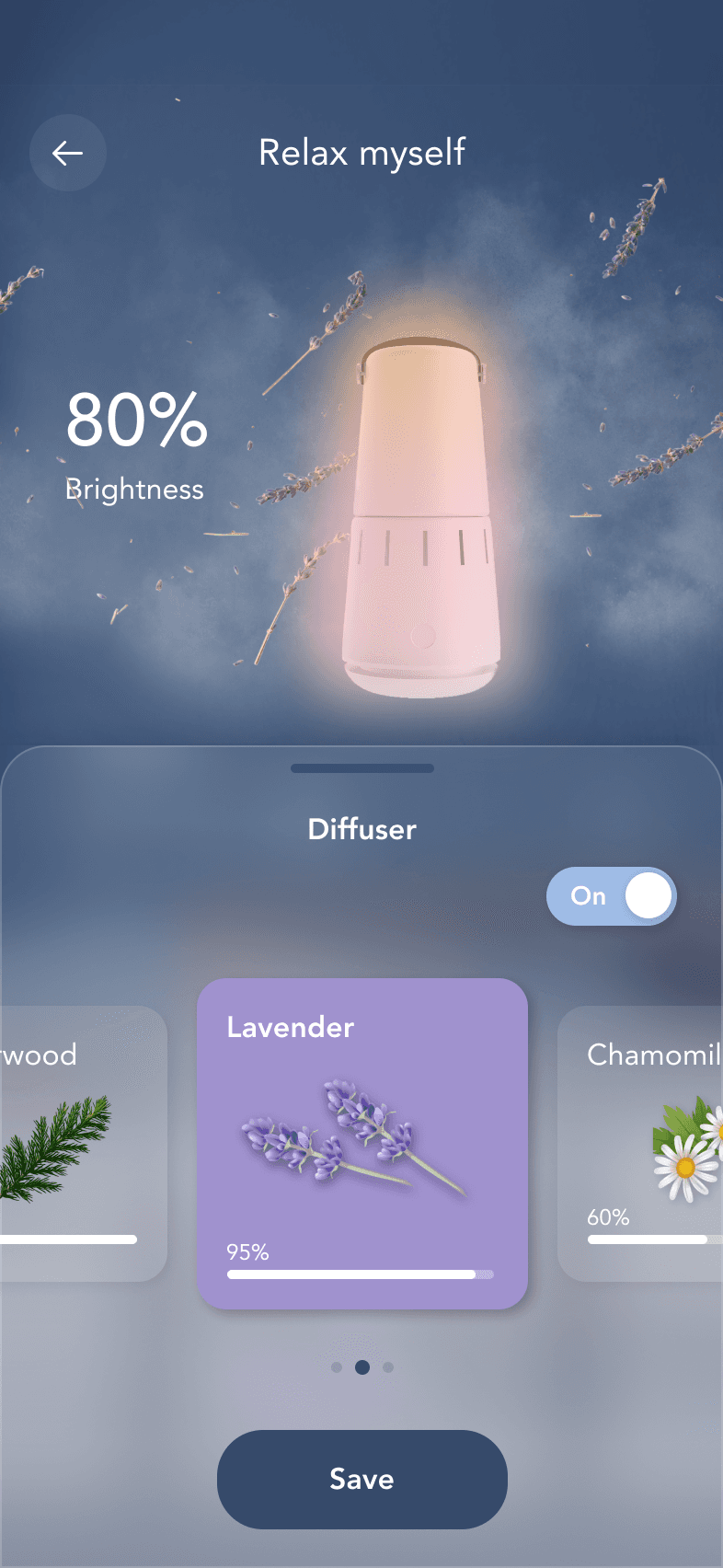
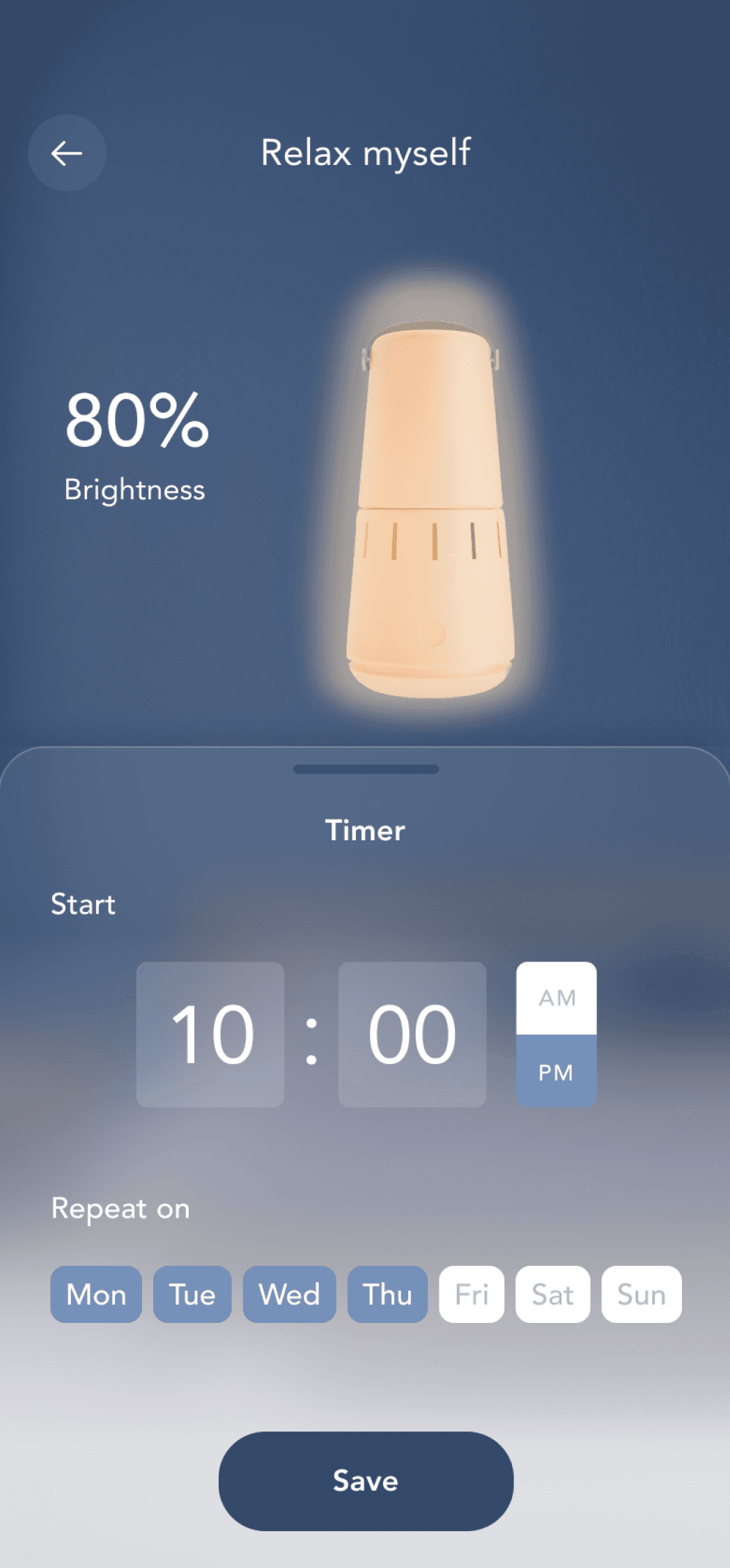
Choose a timer, adjust a color color, pick a soothing diffuser scent and select from a variety of white noise options to gently lull you into deep sleep
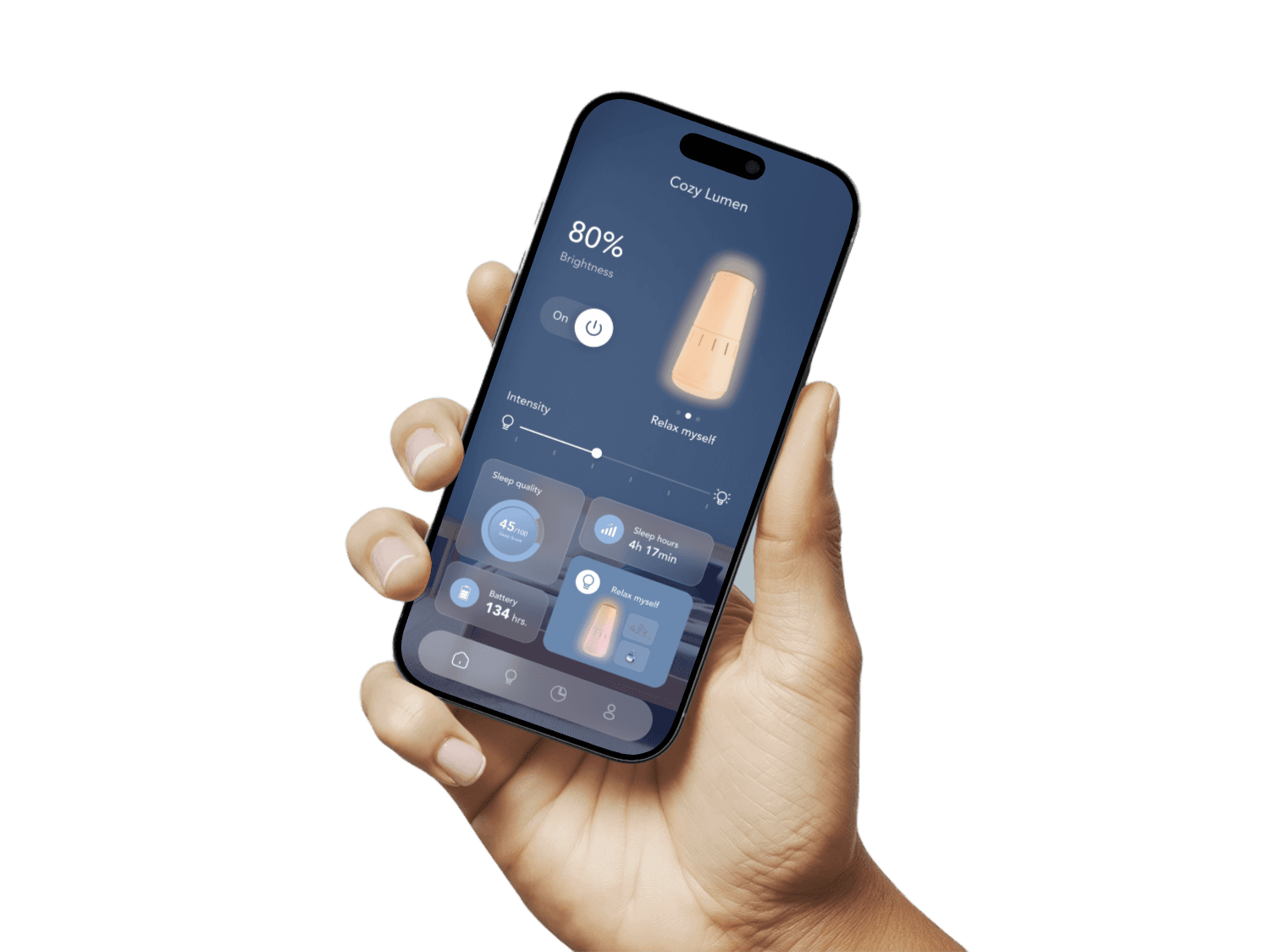
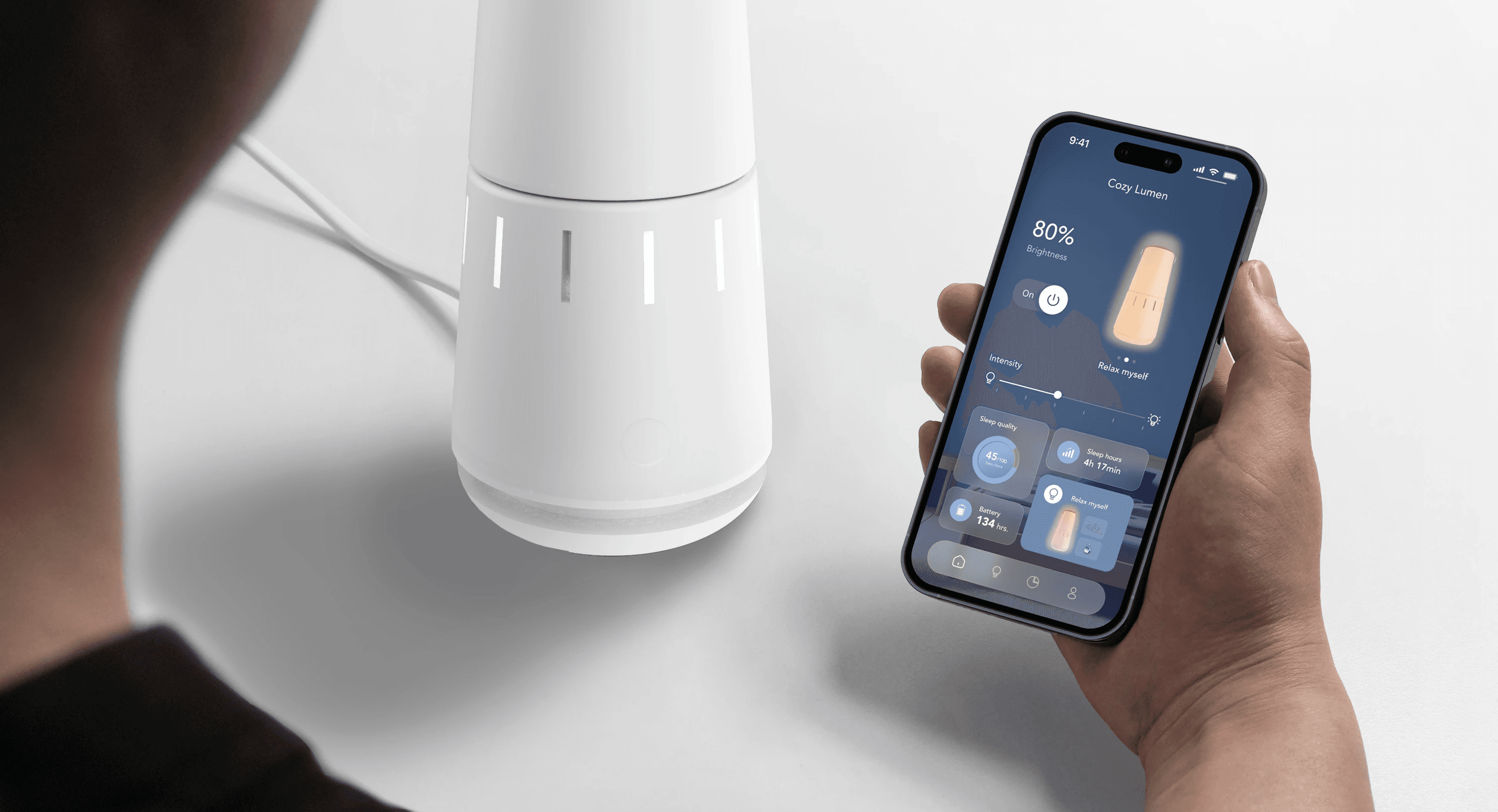
Smart Sleep Companion: AI Powered light for personalized rest
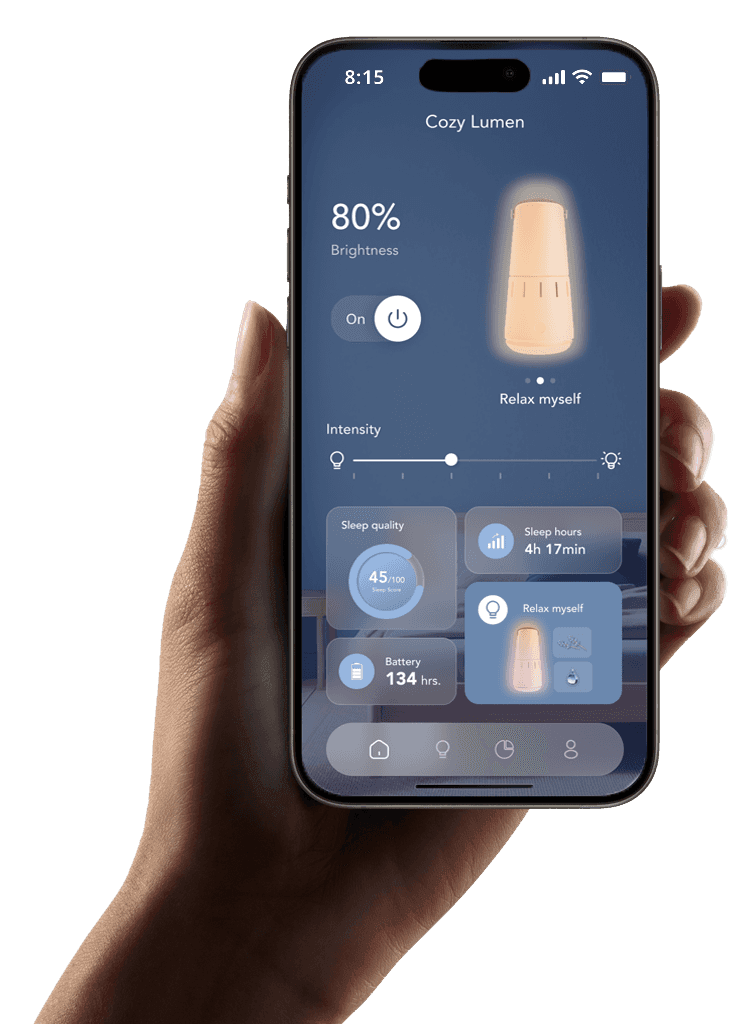
Control the lamp from one screen: set brightness and intensity, switch modes, and check your sleep score, sleep hours, and battery at a glance.
Equipped with advanced sleep sensors, CozyLumen analyzes your sleep data and recommends customized sleep plans for you.
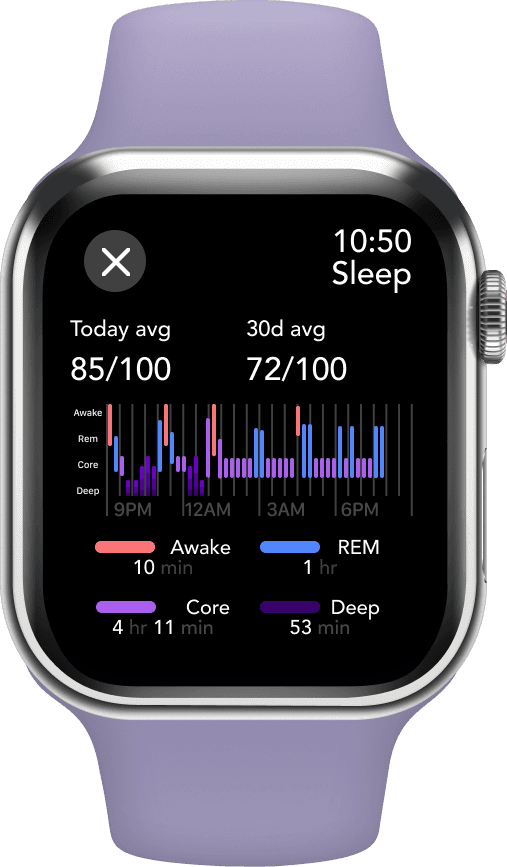
Gain insights into your sleep with detailed data on your movement, activity, and sleep duration
Drift into Dream land
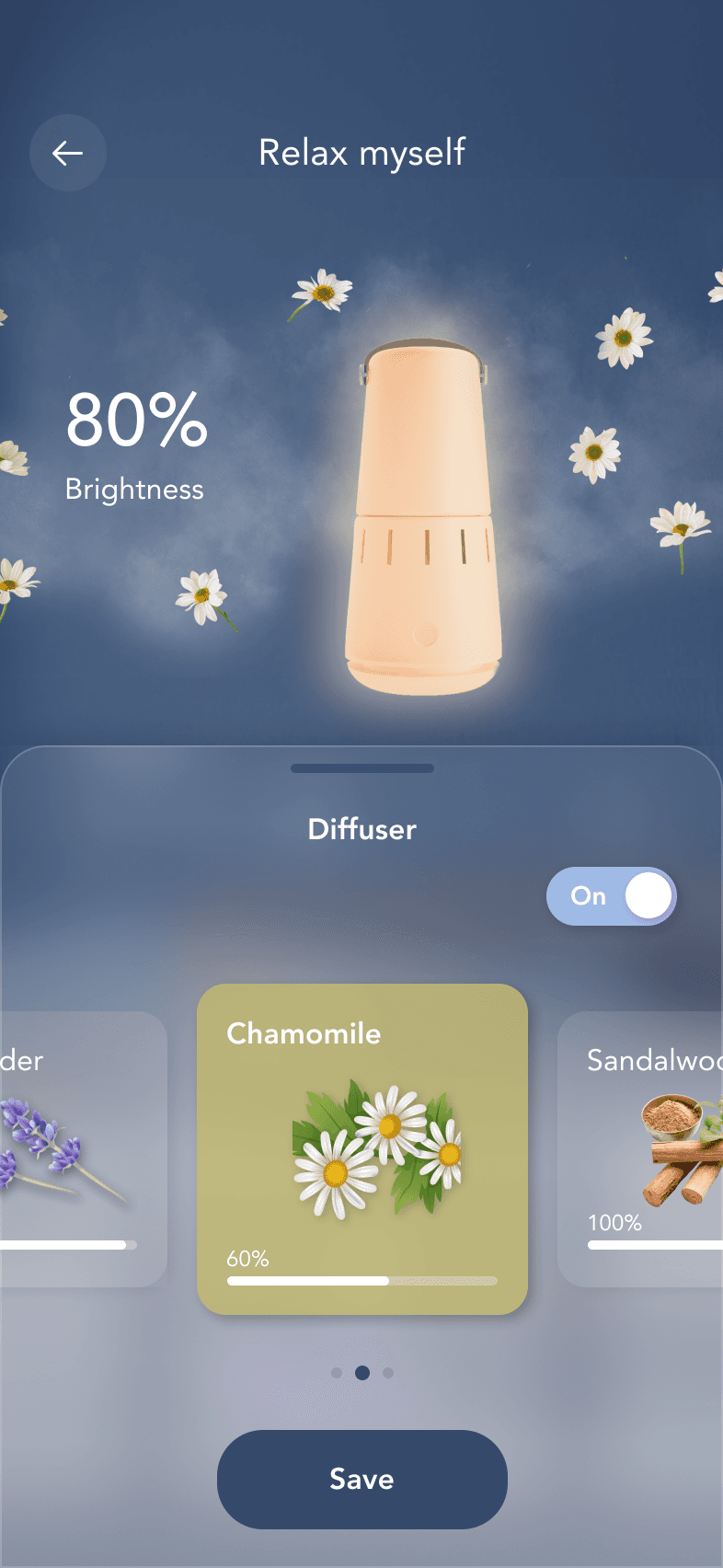
Pick your perfect sleep-enhancing diffuser scent
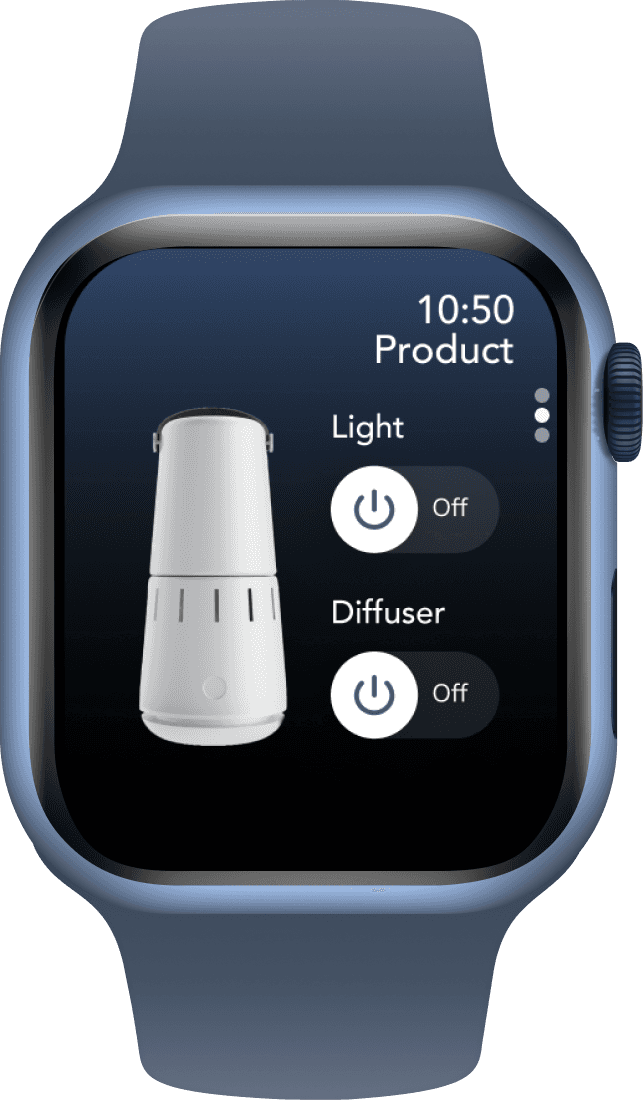
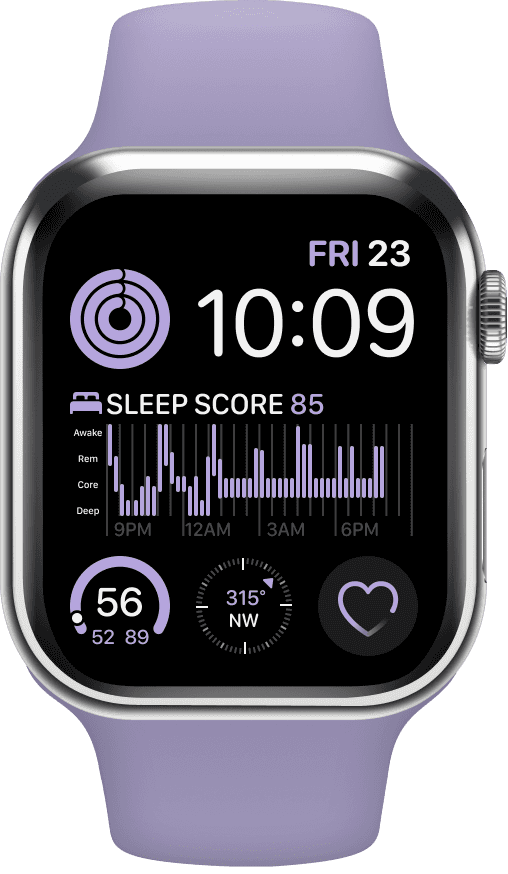
Syncs with Apple Watch
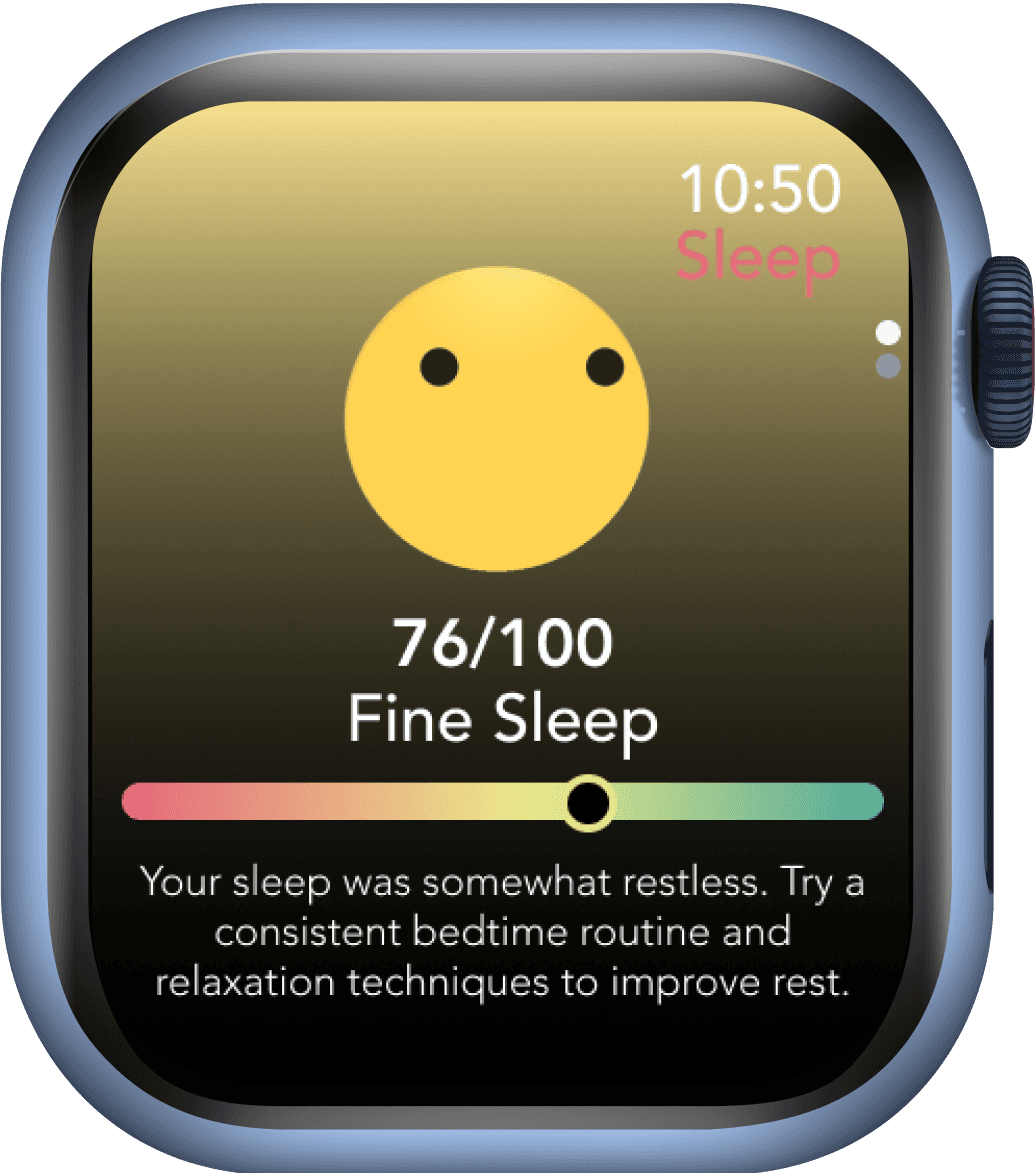
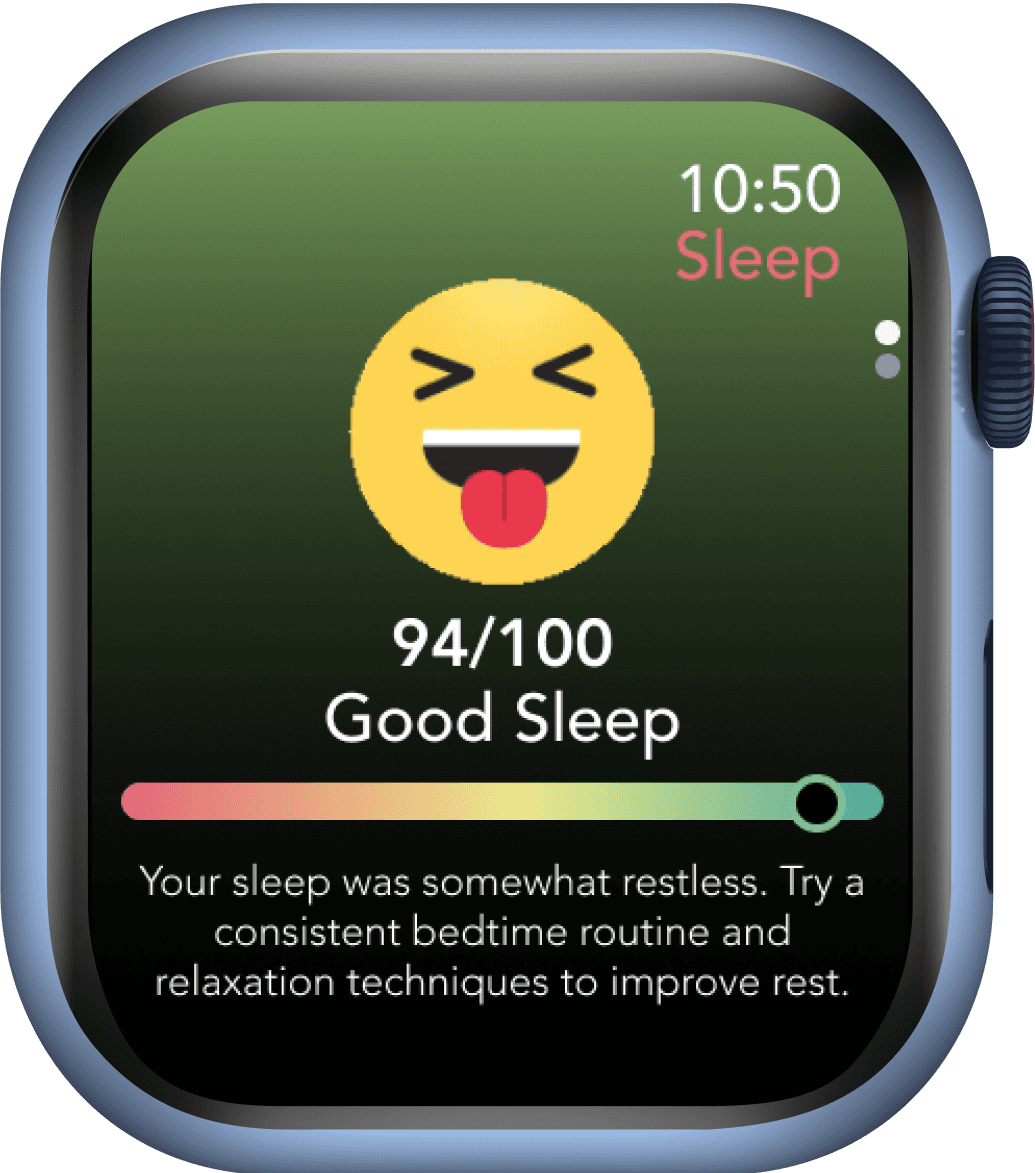
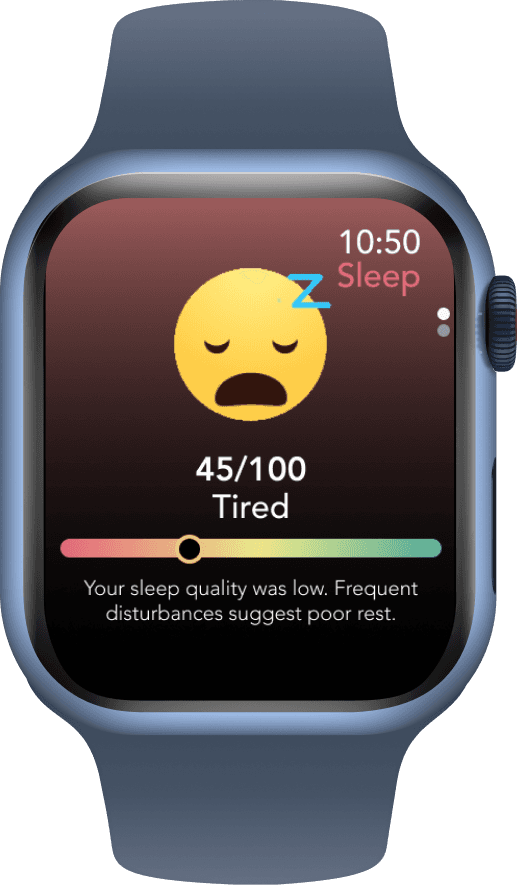
Tracking sleep noises and movement, generating a detailed sleep quality score for a personalized, data-driven rest experience.
The light turns on with the aroma diffuser triggered by motion.
User control the timer on their app or motion capture to control the light turn-on stages and the time for the aroma diffuser.
Count down light to remind your schedule
The countdown light feature signals when it’s time to sleep and simulates the natural sunset light, which can help promote relaxation and prepare the body for sleep.
Sleep movement tracking
Once the sensor detects that the user has fallen asleep, the aroma diffuser and white noise sounds will also be turned off. The sensor will analyze your sleep movements.
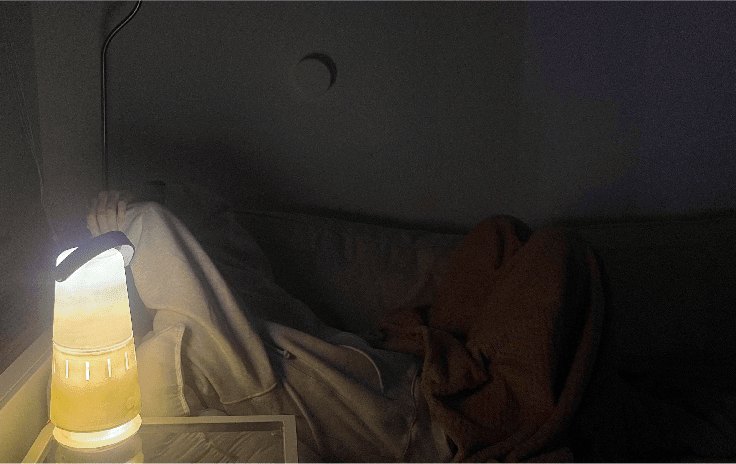
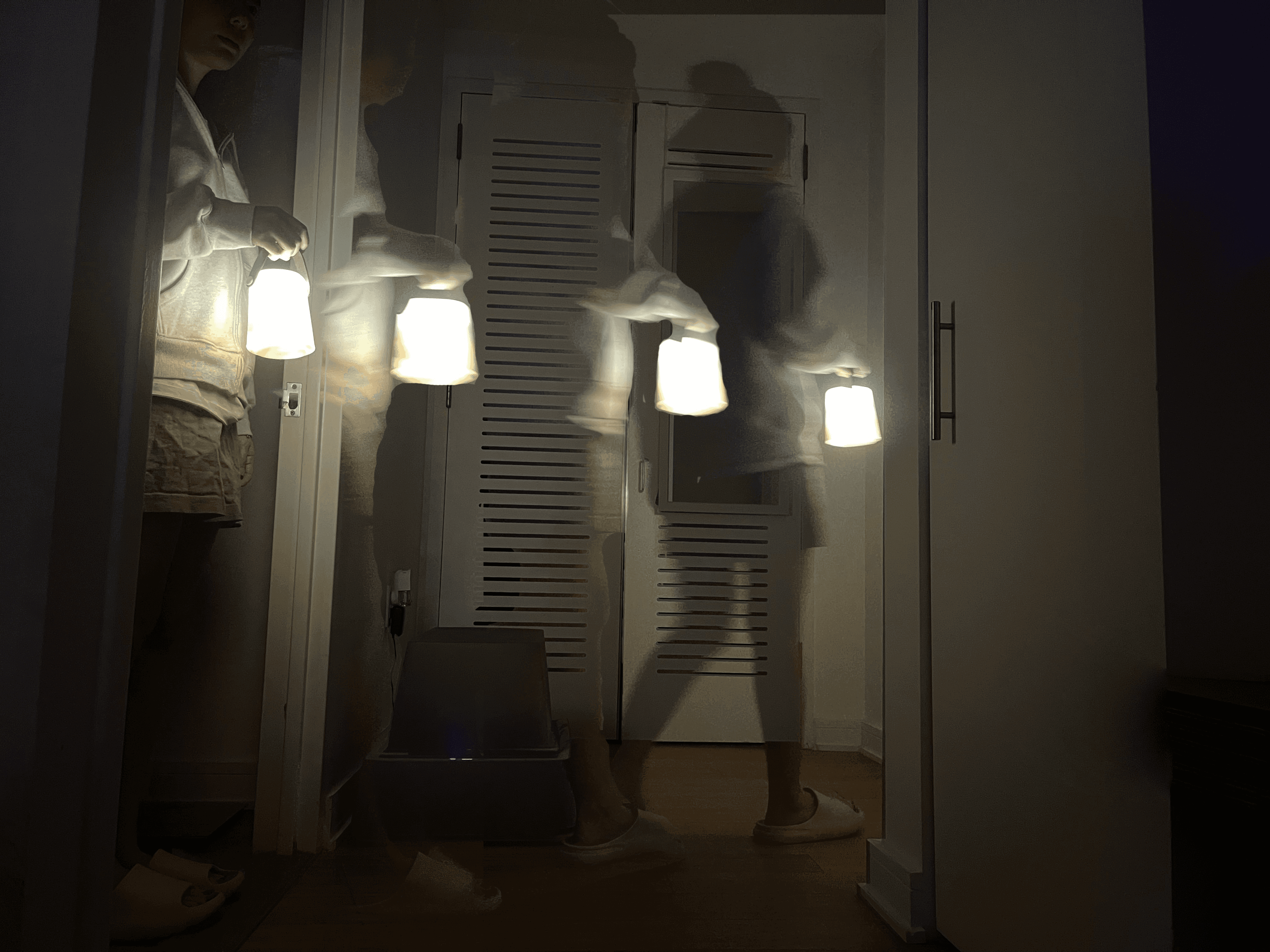
Portable Night Light
The lights will be turned on automatically when it leaves the station, and it will guide your way in the dark.
Smart home system
The Cozy Lumen app offers customization light and aroma diffuser settings for your sleep preferences, along with white noise sounds to help you drift off to sleep.
Reflection
Designing with empathy, pressure, and potential in mind
As my college capstone, this project means a lot to me, it took time, patience, and persistence to bring it to life. Through the process, I learned the value of testing early and often: even simple foam prototypes and Figma simulations revealed critical insights about form, ergonomics, and user expectations. I also discovered the importance of simplifying complex sleep data into calming, actionable insights that users can actually trust. If I had more time, I would continue iterating with functional prototypes and run longer-term user trials to validate real behavior change. Above all, this project strengthened my ability to connect physical and digital experiences into one cohesive, user-centered system — and reminded me how much I enjoy designing solutions that truly support people’s everyday wellbeing.
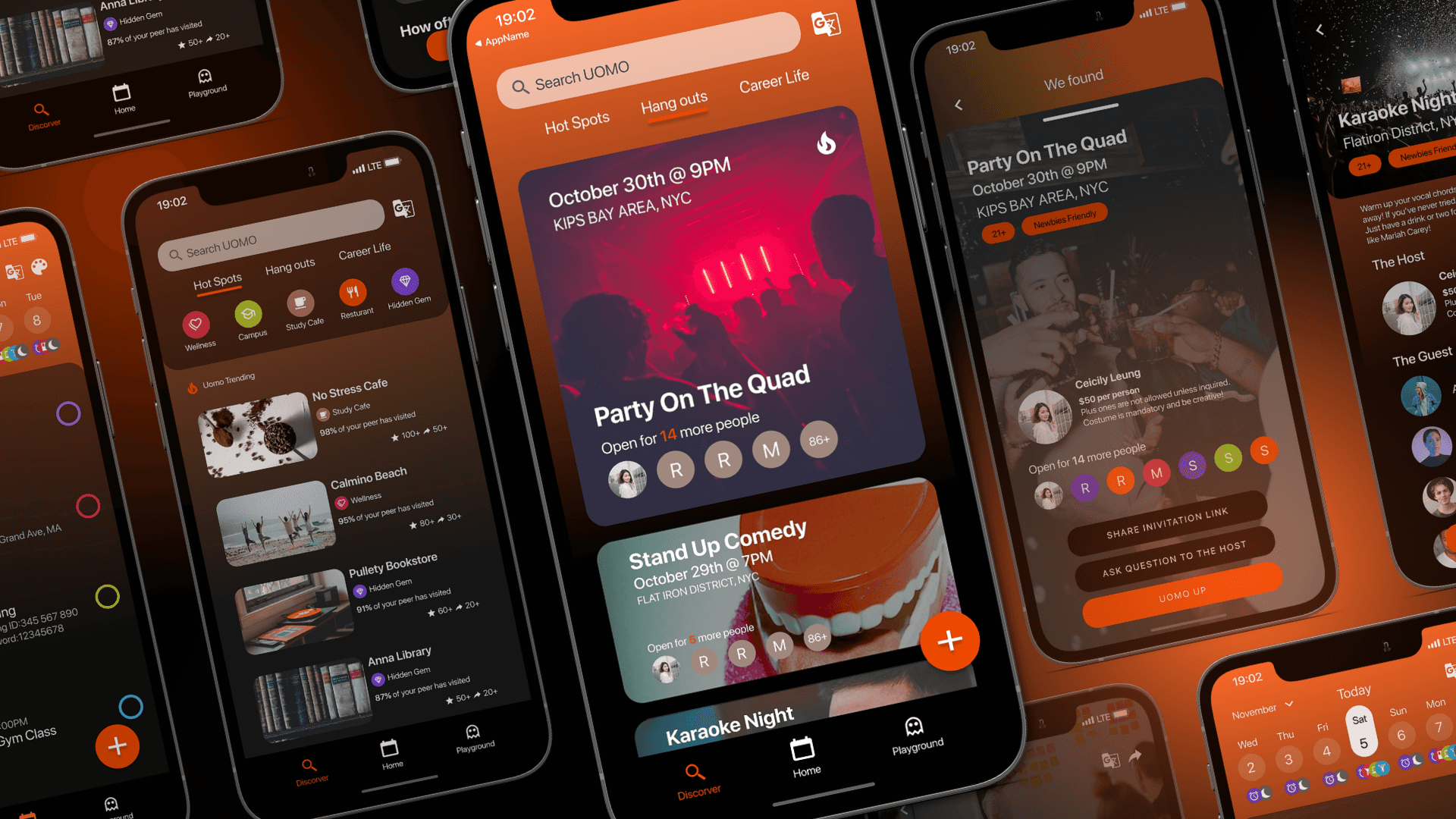
UOMO is a mobile app designed specifically for college freshman to expand their social life.
Prepared forMcMaster University Design Hackathon
Date2022
Timeline3 Days
Team3 Designer
(tl;dr) my role — UX Designer · team of 3 · design hackathon
3 daysfrom prompt to hi-fi mobile app
15in-person student interviews
4core features: planner, hot spots, playground, language help
Prompt
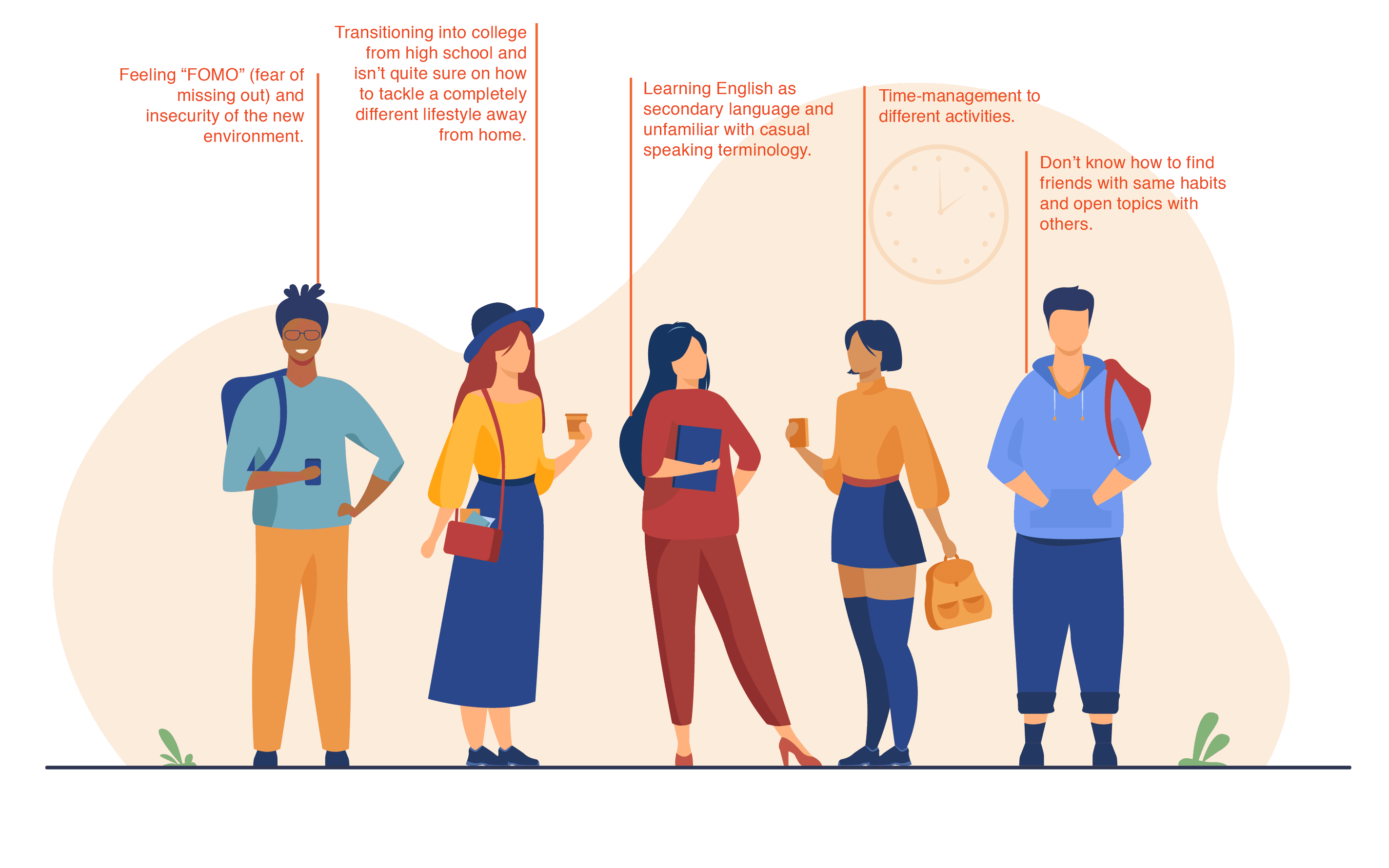
This is a project for a McMaster University design hackathon, the design prompt is “The user is unfamiliar with college after high school struggling with a different lifestyle, and is finding the balance between social and school life”. The user feels “FOMO” and insecurity from people who have quickly fit into the new life. For expand the user’s social life, the user also needs to work out the casual speaking words and sentence.
Our team’s goal is simple yet highly personal - building and improving people’s sociability and mental health hygiene. Delegating tasks by strengths, we created the end-to-end experiences of features:
Daily Planner
Discovering Hot Spots, Hangouts Spots and Career Services
Free Ideation Playground
Language Learning Assistance
Background
The target user currently struggles with...
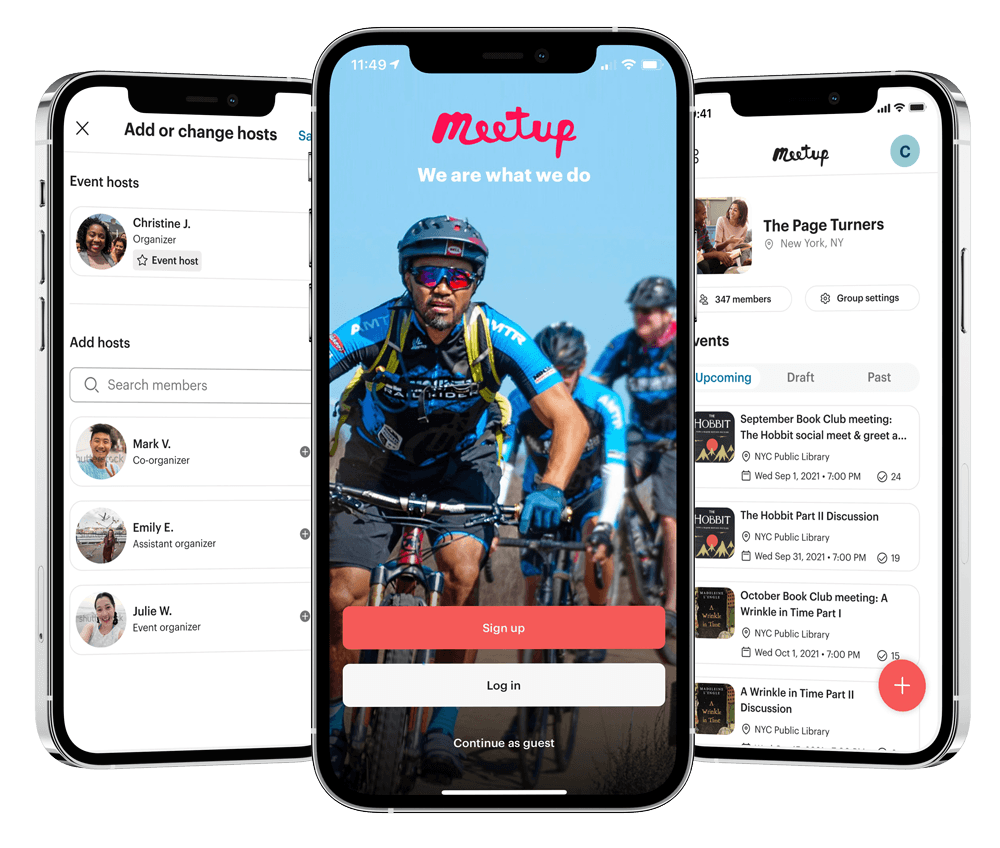
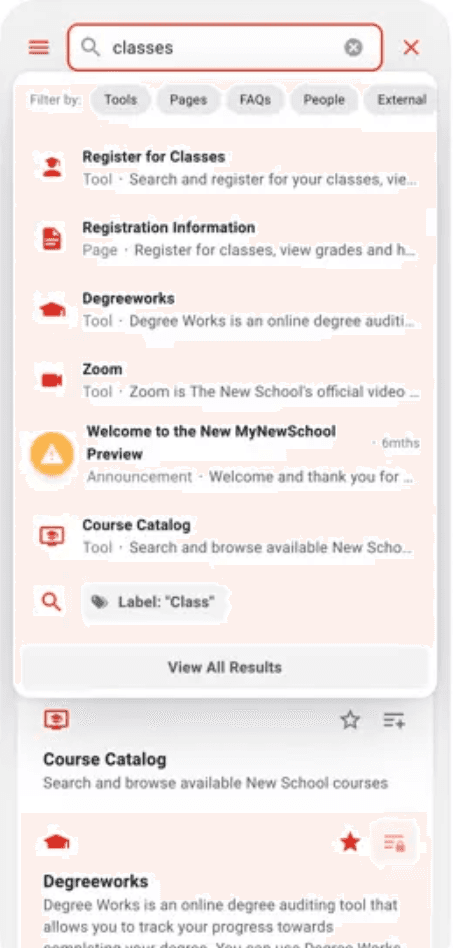
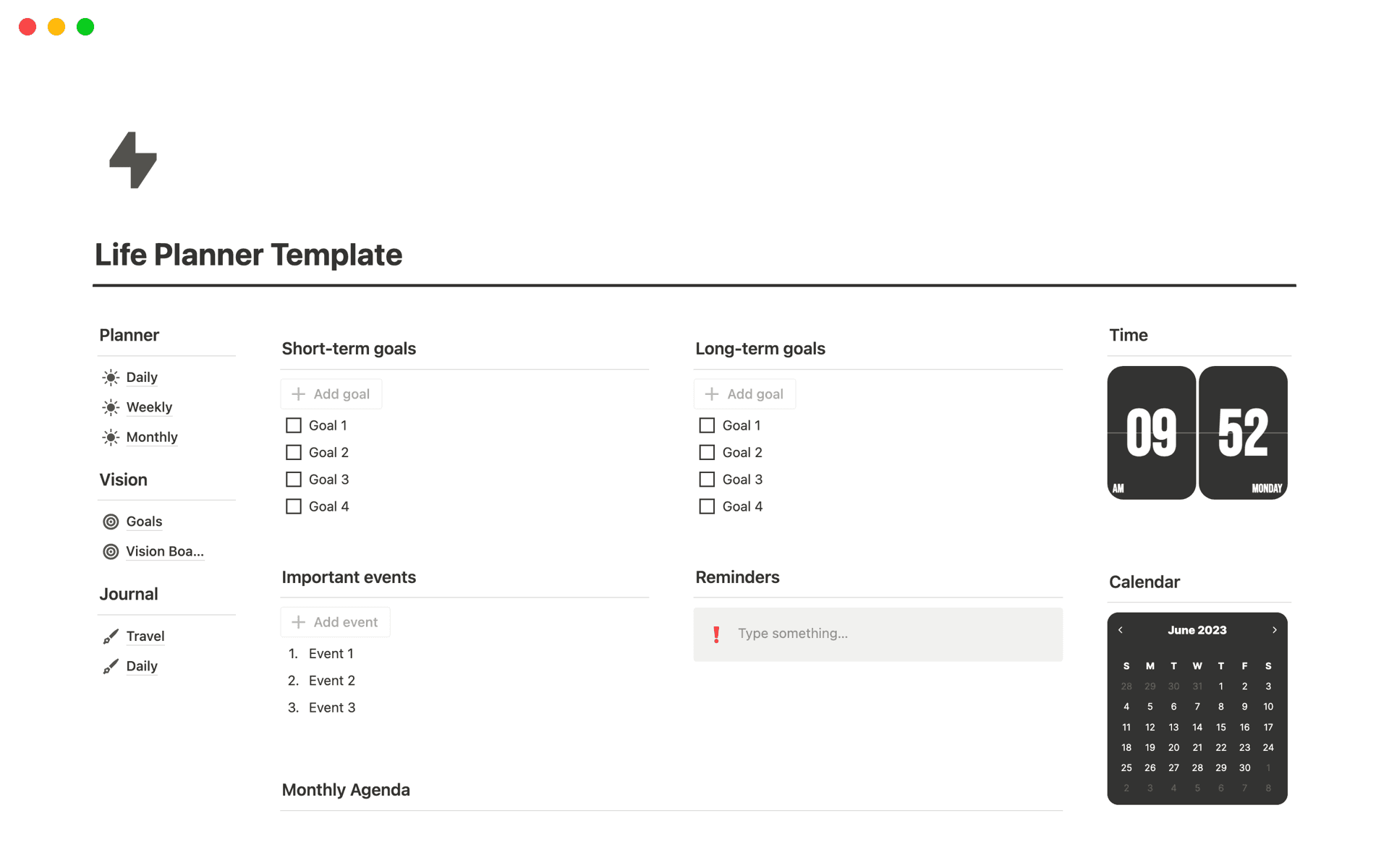
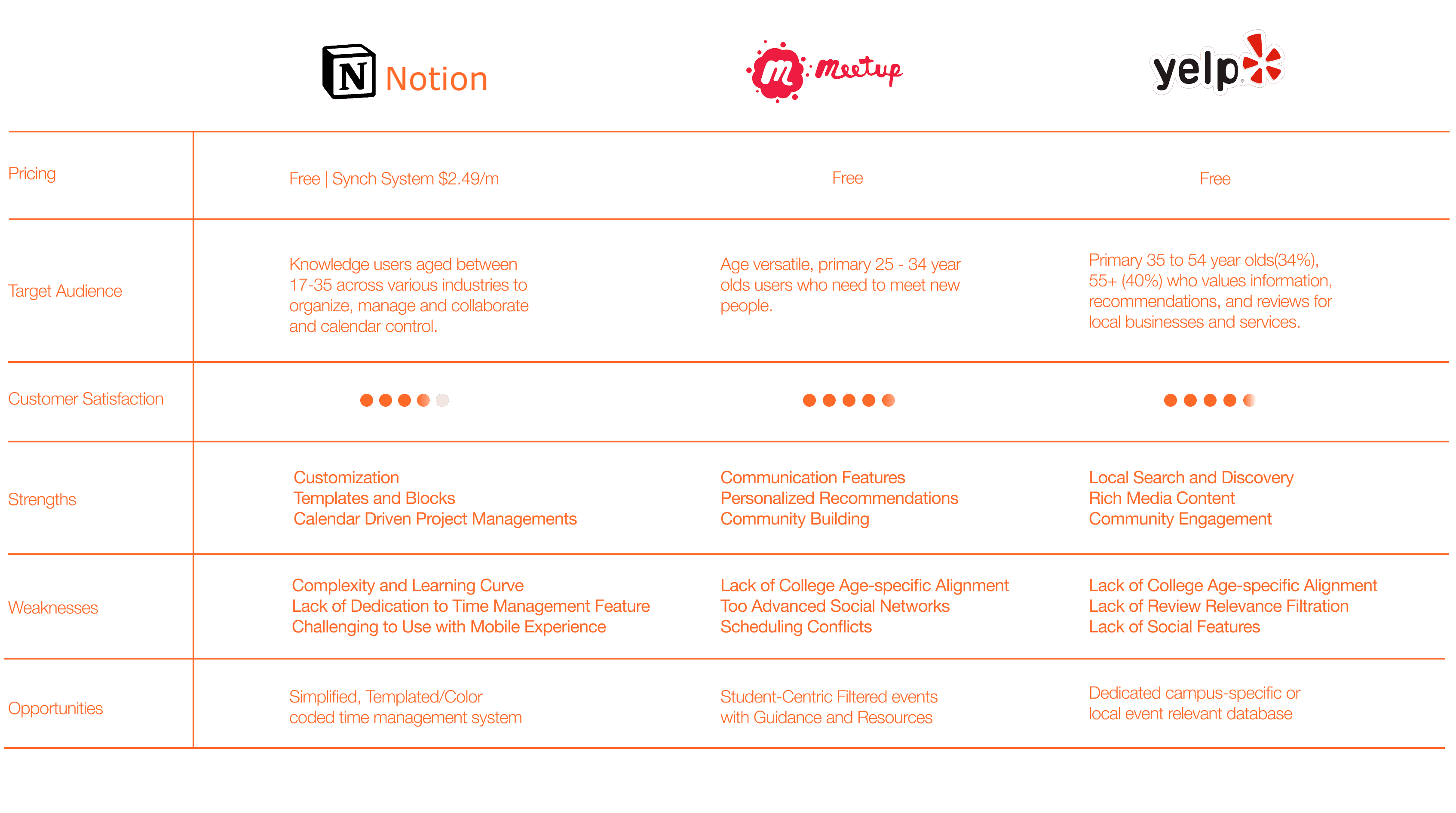
The available college social mobile applications experience can be fragmented and confusing, as popularized among the school mobile app, Meetup and Notion. While most students rely on it to provide academic planning, information about campus events, services, and resources, including career services, it often serves outdated content, limited customization, and lacks student Involvement.
This leaves student bodies to outsource other applications and platforms with scattered information that most find very time consuming and the accuracy of the information pool uncertain.
Meet UpMy New School AppNotion Planner
💡
How Might We...
design a user-friendly platform that helps users manage FOMO and social anxiety, while offering tools to build communication skills and improve time management?
Opportunities
UOMO leverages an all-in-one solution system for student social service community engagement. Differing from other platforms, UOMO aims to support student’s college campus needs with a more holistic engaging experience by having integrated information resources and social engagements.
Goals
What are the current painpoint of the college mobile app? How should we solve the problem by an additional platform?
User Interview User Journey
Market Landscape
What are the industrial standards and trends? What can we learn?
Market Analysis
User
What is the ultimate goal for UOMO? How would the app support them?
UOMO addresses the challenge of helping students seamlessly adapt to college life in unfamiliar environments. It tackles issues like fear of missing out, lack of connection, and the social gap between Gen-Z and Millennials. By fostering an engaging and inclusive student community, UOMO creates opportunities for better integration, informed decision-making, and meaningful social experiences.
Research
User Interview
conducted 15 interviews with most international student for an inclusive pool feedback.
To get to know the user’s transition to college experience, my team conducted 15 in-person interviews with half locals and half international students for an inclusive pool feedback. We use 1 on 1 in-person interview in campus to interview people, and we asked the participants a few of the following questions to lead the conversations:
Time Management
Can you describe your typical daily routine during the semester?
How do you currently plan and keep track of important dates, assignments, exams, and deadlines?
What tools or methods do you use to stay organized?
Culture Adjustment
How do you discover and stay updated on social events, clubs, and organizations on campus?
Have you used any social resources platforms for college-related networking and event discovery?
...
Social Network
Can you describe your experience with college career services?
What frustrations have you encountered when seeking guidance through your college’s career services?
...
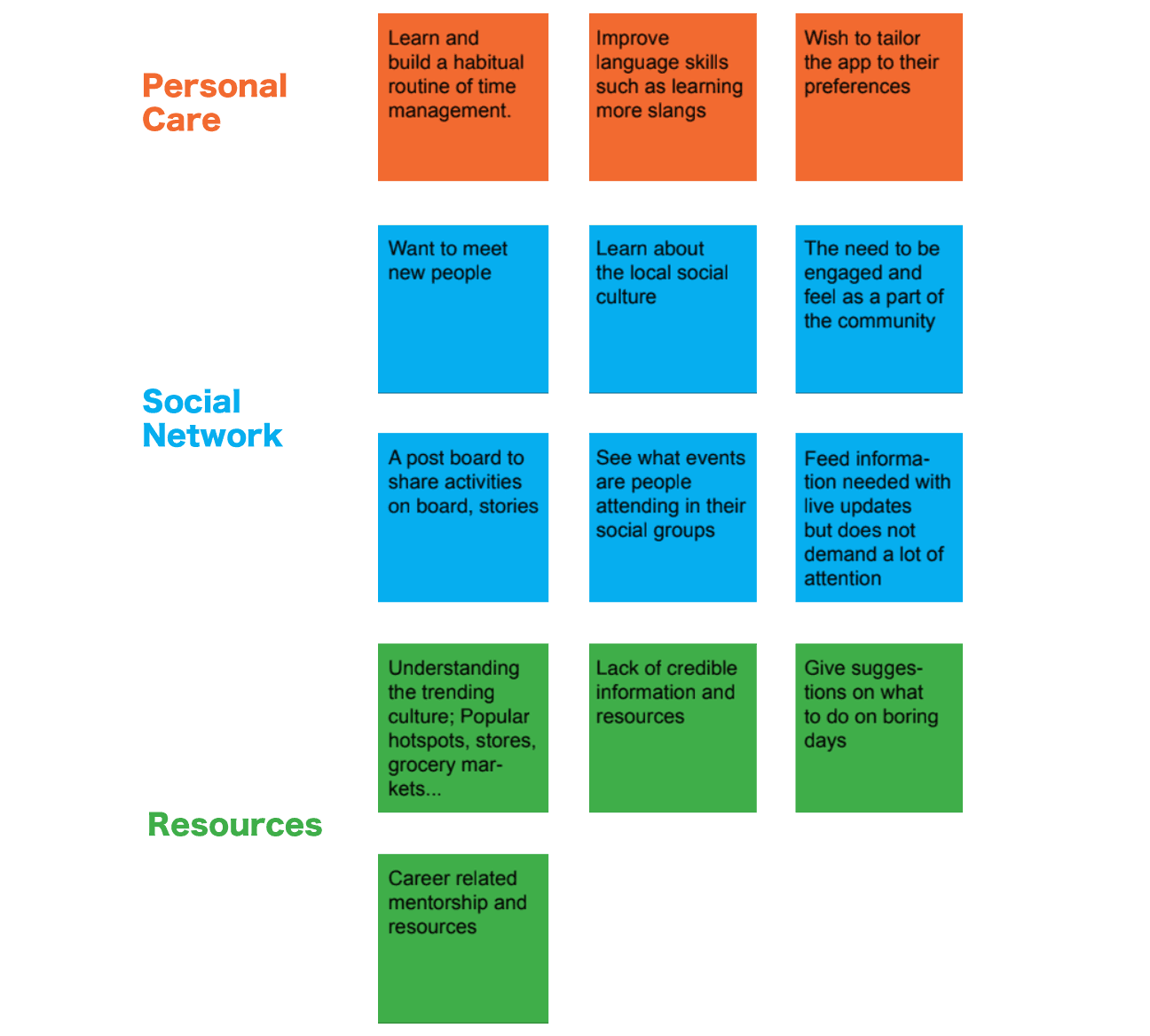
Affinity Diagram
Insights From the Interviews
🧑🤝🧑 Engaging Social Network
Students want to stay socially relevant and connected. They’re motivated to create and grow their own communities through features that are creative, gamified, and encourage a sense of belonging.
🧭 Access to Resources
Students seek quick access to relevant local resources—including campus services, trending spots, and cultural activities—but often struggle to find centralized, trustworthy information.
✅ Effective Task Tracking Flow
Students face challenges in building and managing schedules. They need better tools to plan time, categorize tasks, and track workload without added complexity.
💼 Seamless Career Learning & Exploration
Many students are unfamiliar with how to navigate school-based career resources or the job market. They actively look for mentorship, job guidance, and easy access to relevant career opportunities.
Market Analysis
Analyzing gaps in leading platforms to uncover missed opportunities in student lifestyle support
Most leading apps serve isolated needs but overlook the unique challenges of student life. This gap reveals an opportunity to design a more integrated, student-centered solution.
Apps are too disconnected
No single app covers school, social life, and mental well-being together.
Not made for students
Current platforms don’t address college students' unique needs.
Big design opportunity
There’s room to build one tool that helps students manage time, connect socially, and feel supported.
Persona
Getting to know our users and what they truly need
Most leading apps serve isolated needs but overlook the unique challenges of student life. This gap reveals an opportunity to design a more integrated, student-centered solution.
Sarah, 18 New York, NY Freshman Uni Student Single INTP (MBTI)
Pain Points
Learning English as a secondary language, Sarah is unfamiliar with casual speaking terminology.
Allocating time for a social life, physical activity, extra-curriculars, academic studies, personal care is hard.
Feeling FOMO’ (fear of missing out) and insecurity from those around them who have quickly adapted to the new life.
Sarah is often in a rush for school work and can’t spend much time on an organizing app.
Needs
A tool helps her organize her life schedule.
Resources of school life, places for hanging out, job opportunities.
A way to build new network.
Background
Sarah is transitioning into post-secondary school from high-school and isn’t quite sure on how to tackle a completely different lifestyle away from home, Cape Town, South Africa.
She felt lost when she arrived at the new school and as an international student, she is eager to learn about the new environments, culture and the people around her.
Goal
Make new friends.
Need to organize and planning staff for the transition.
Learn more casual speaking English.
Have common topic with her peers.
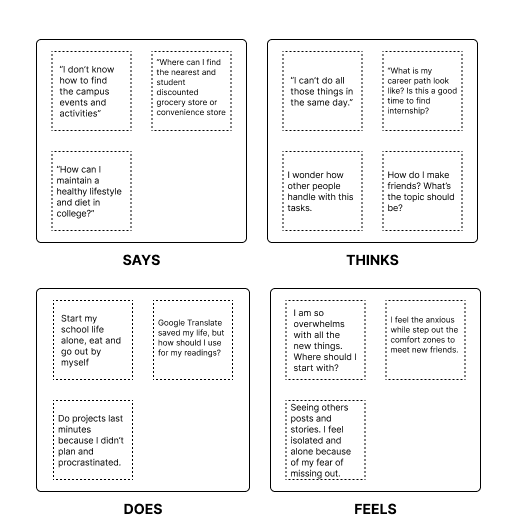
Empathy Map
We break down the responses from the interviews and set from persona’s identity to mocked up a general user’s empathy map. This helped us to map out our potential audience having a better understanding of their reasons behind actions.
Product Thinking
Through our research, we identified the following necessary features to address the pain points of freshman college students.
Platform
A user-friendly platform that informs students about activities outside of school.
Tool
A tool that helps students balance their school and personal life for better time management.
Adaptive Learning
A resource that provides guidance on career paths.
Design Exploration
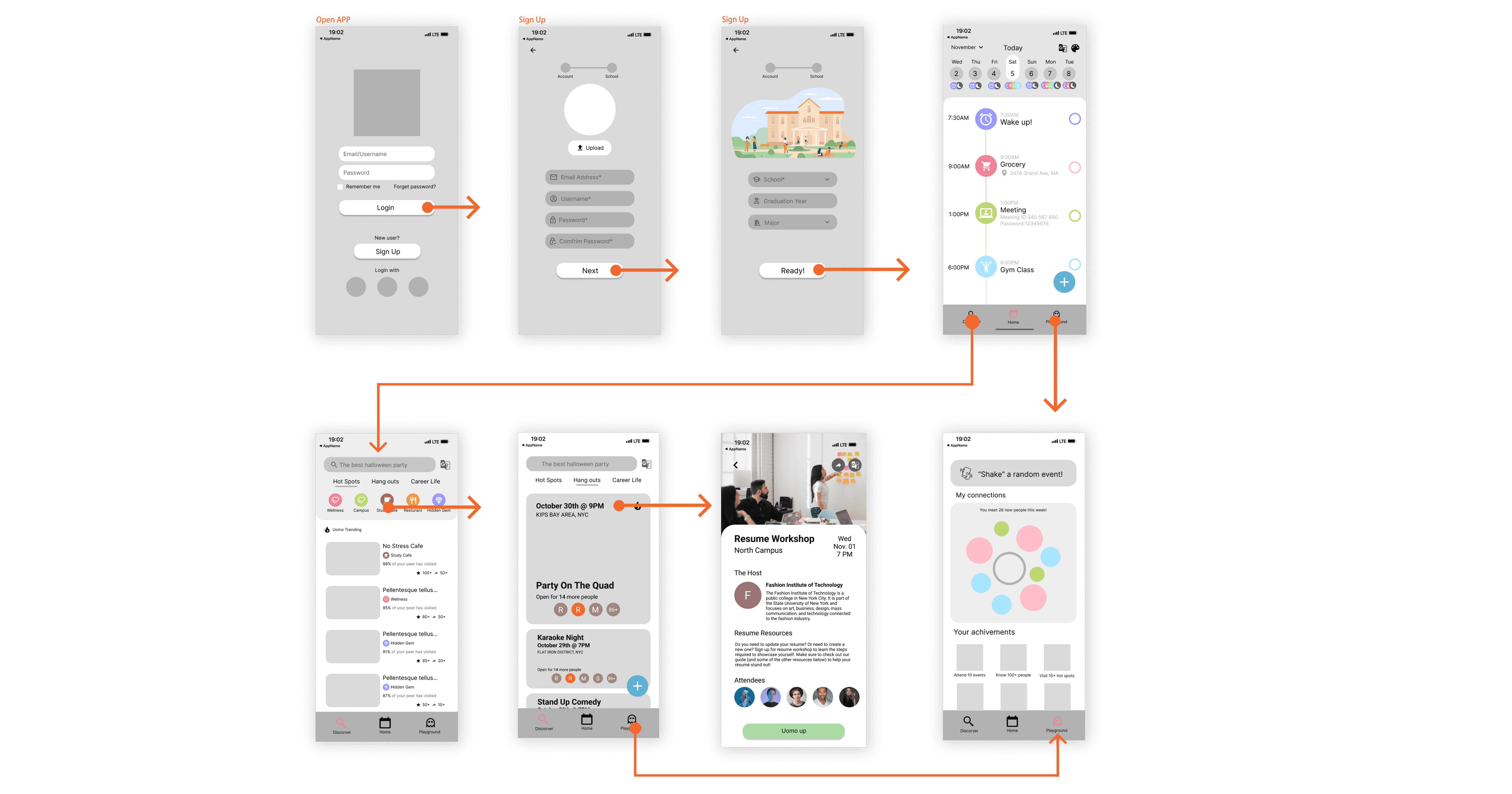
Once we mapped out the information architecture’s structure, we gained a better comprehension of our objectives. This enabled us to refine our design iteratively before advancing to the final development phase. Throughout this journey, we clarified the user flows and did exploration and assessment of various design blueprints, consolidating critical components in the most user-friendly ways.
Visual Identity
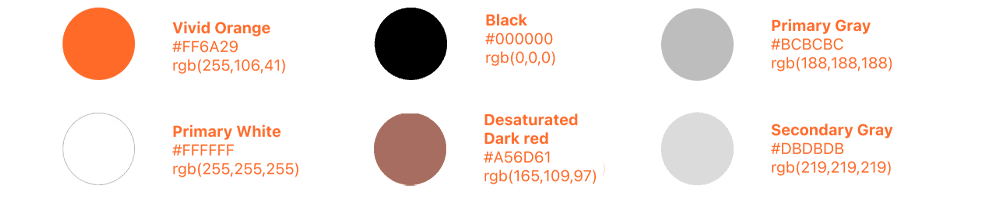
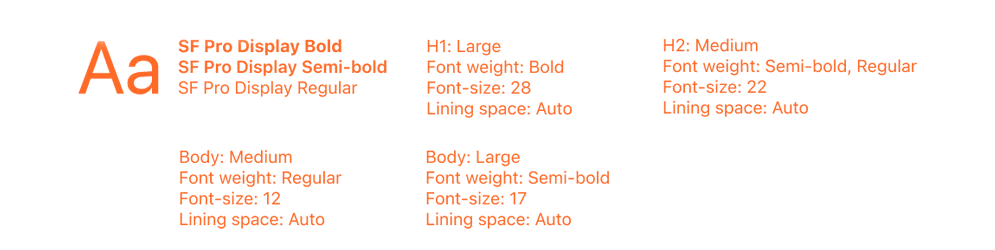
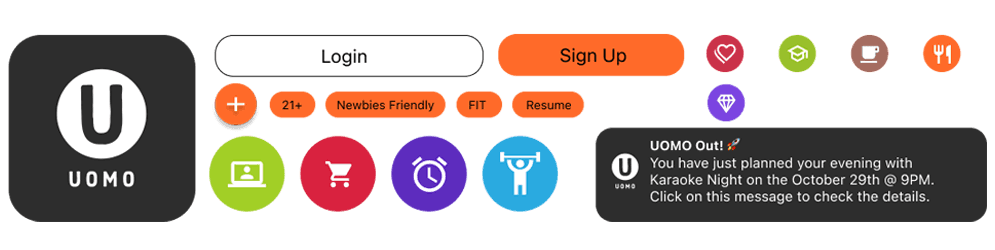
Uomo’s color palette was chosen to embody a sense of power and boldness. The combination of orange and black creates an aesthetic reminiscent of a sunrise in the dark, instilling a sense of hope for users to seamlessly integrate into their social lives and confidently navigate through their new environment.
Design
We combined the strongest aspects of each iteration to create a strong collective visuals
01
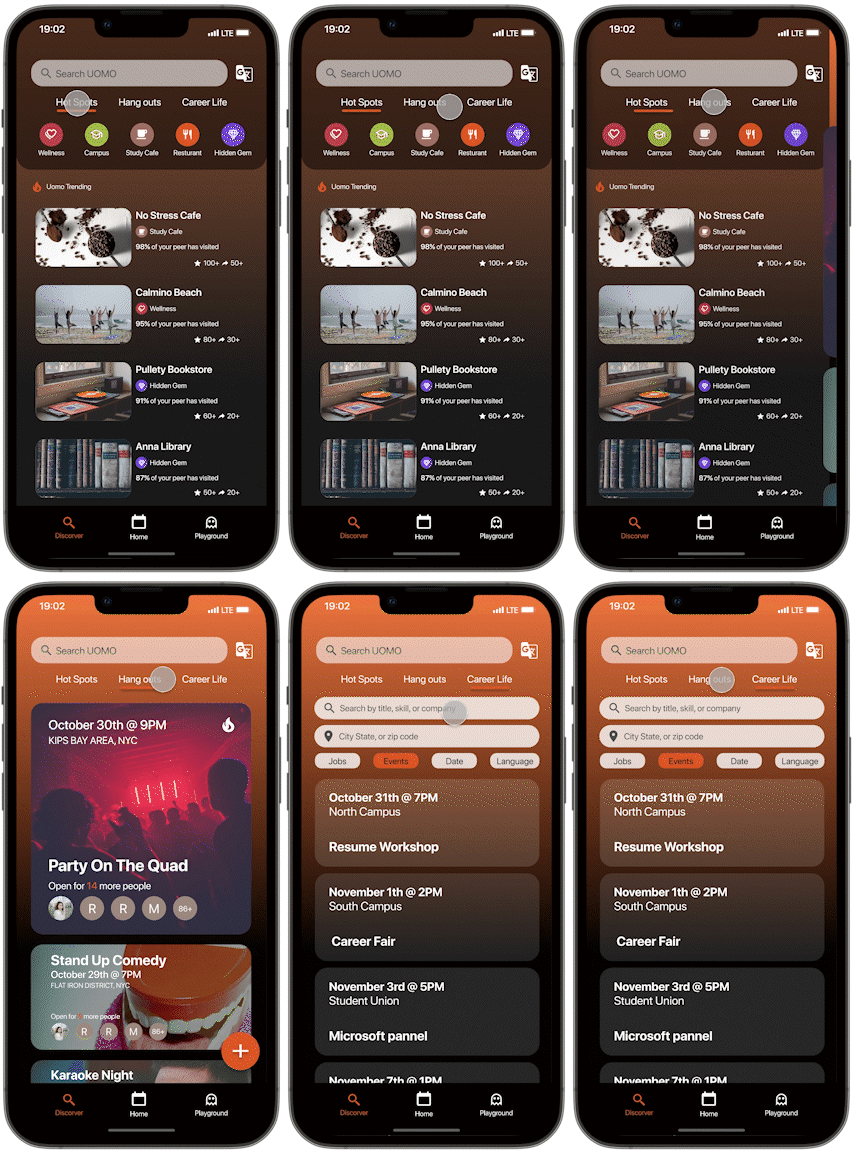
Campus Connect
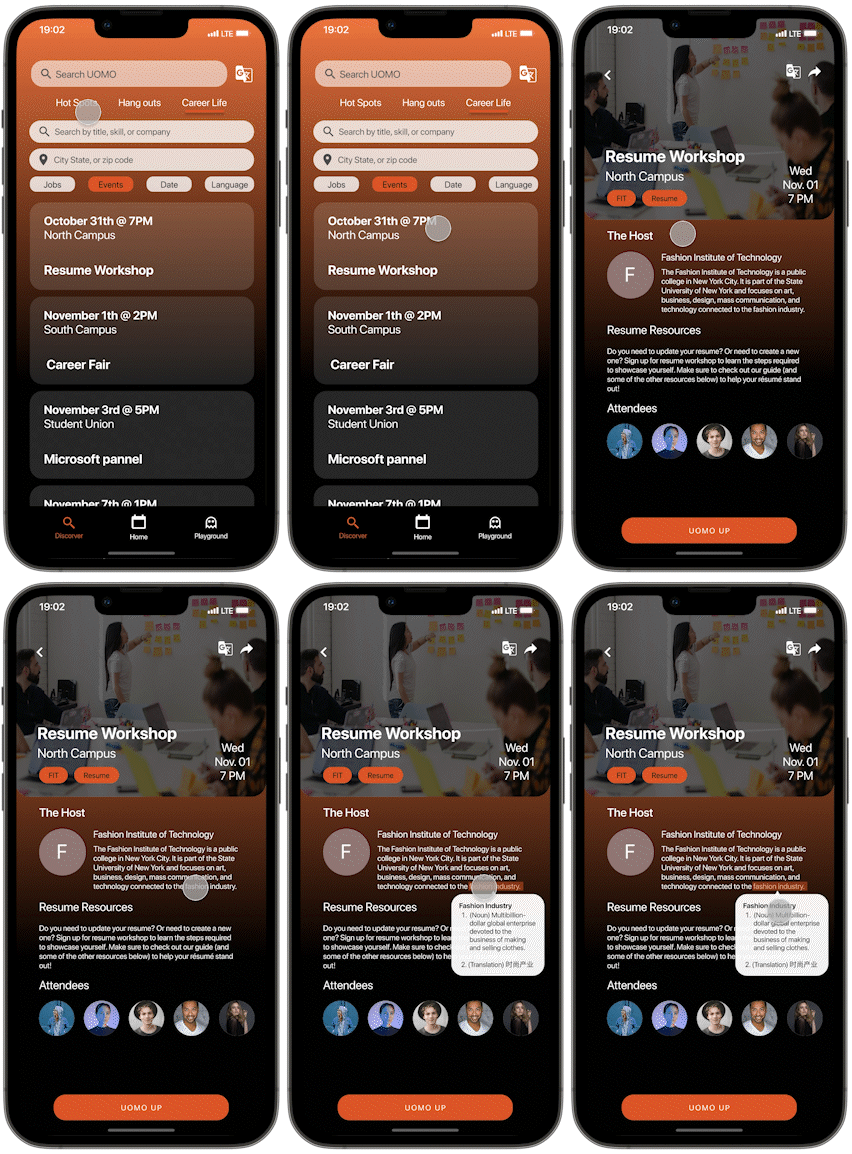
A unified platform for hot spots, events, and job opportunities, with a synced Google Calendar for easy access and planning.
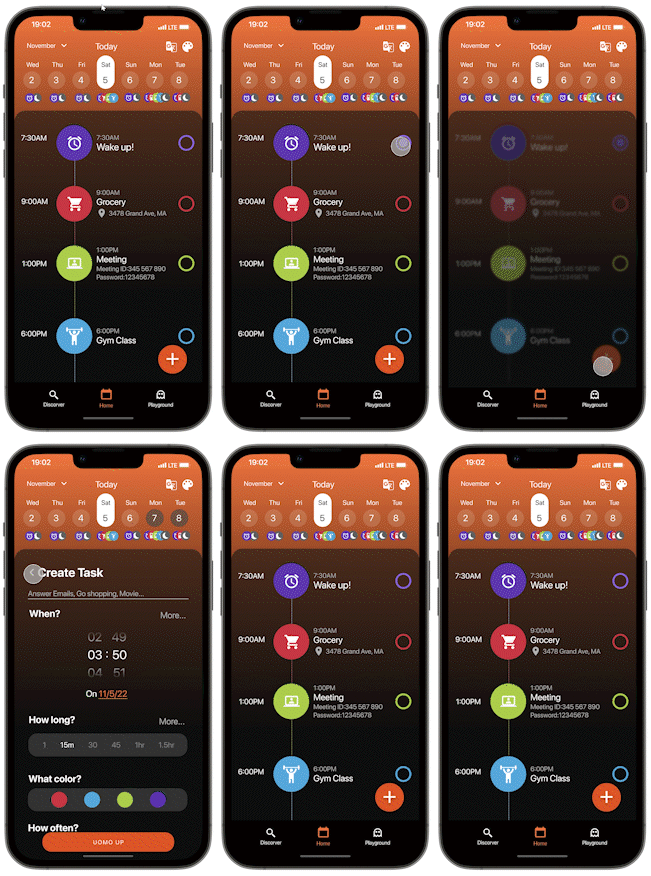
02
Balance Your School Life with Ease
Organize daily tasks and visually distinguish activities with color-coded scheduling. Customize your calendar's theme, colors, and logo for a personalized experience.
03
Career Resources for Freshmen
Uomo provides workshops, job opportunities, and a formal language dictionary designed to support college freshmen learning English as a second language in navigating the job market and enhancing their professional skills.
04
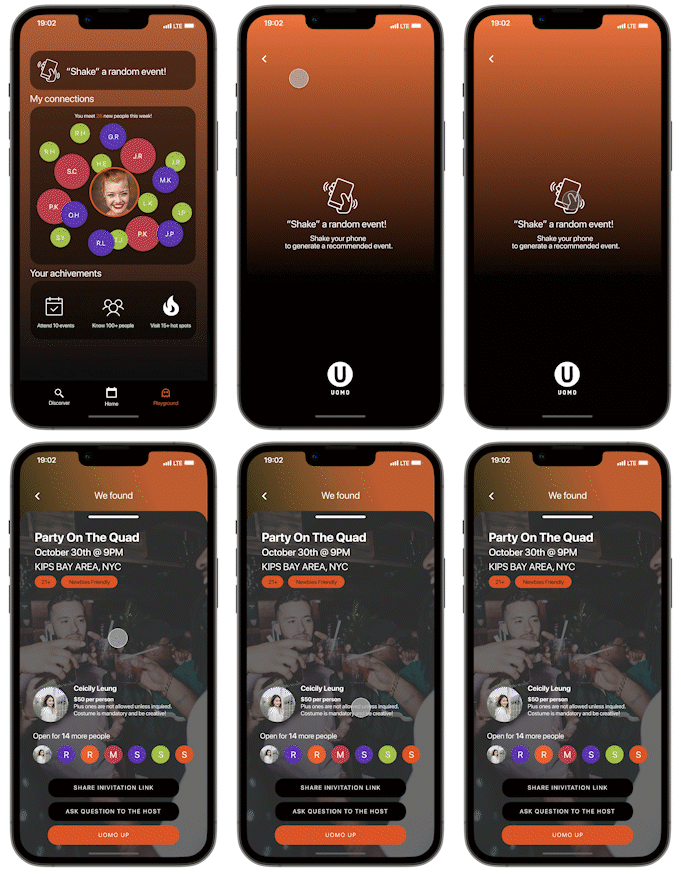
Event Playground
Discover random events when feeling bored or indecisive. Connect and network with others while tracking your achievements, all in one engaging platform.
Looking Forward
Prioritizing User Experience Over Aesthetics
Initially focusing on aesthetics before user research impacted our design thinking. We realized too late that prioritizing user experience first leads to more effective and user-centered designs.
Reflection
The Power of Communication
Collaborative brainstorming helped our group explore unique ideas, challenge perspectives, and develop innovative approaches by building on each other’s thoughts.
Collaborative Structure: Strength in Roles
Clear role assignments allowed each team member to utilize their strengths, fostering efficient and effective design decision-making.
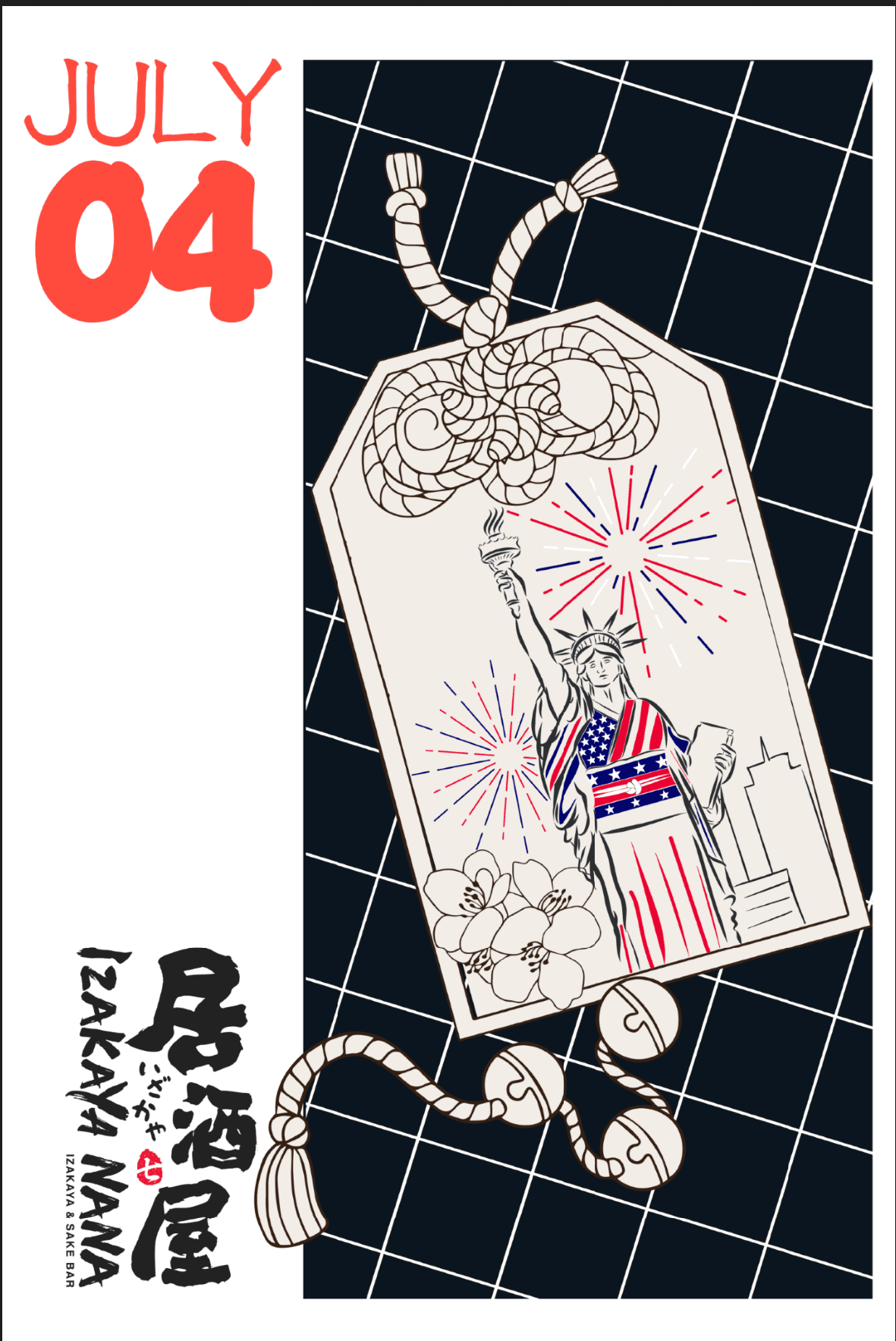
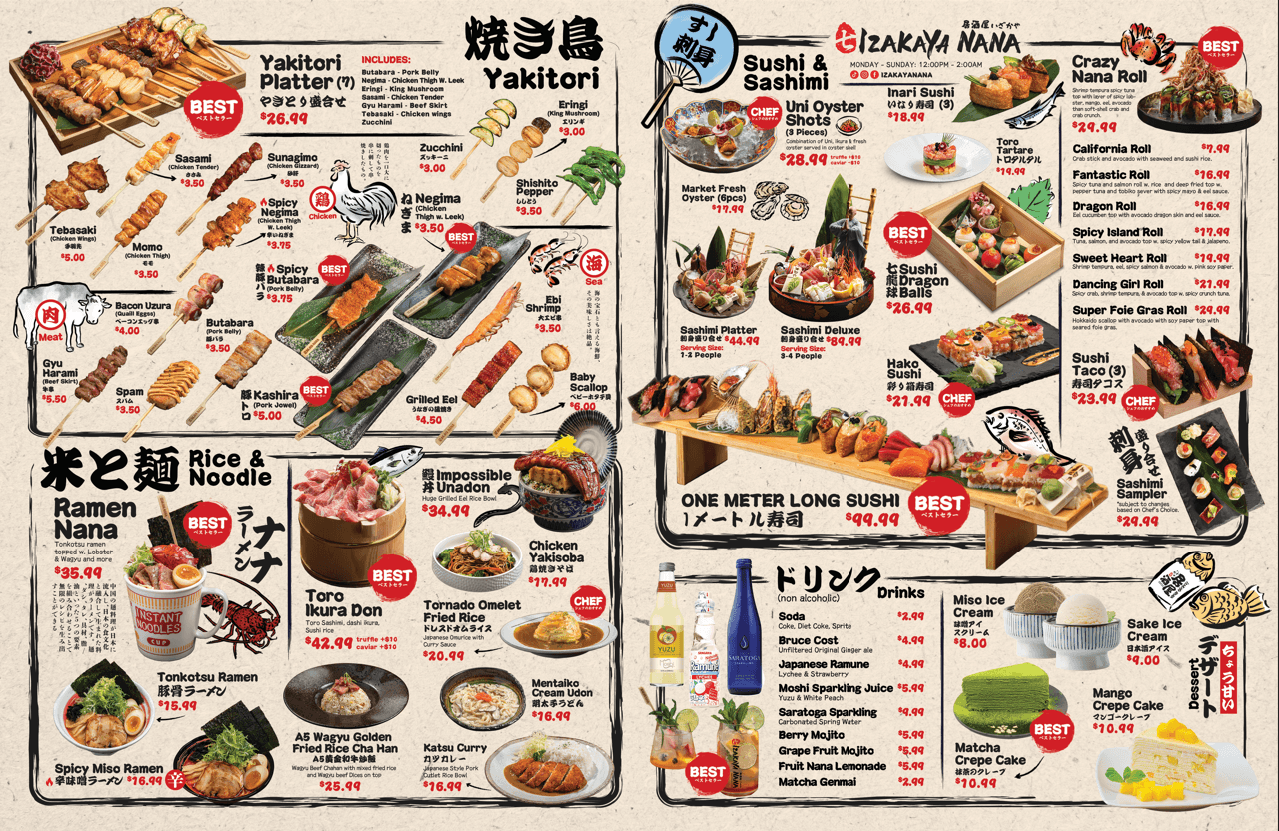
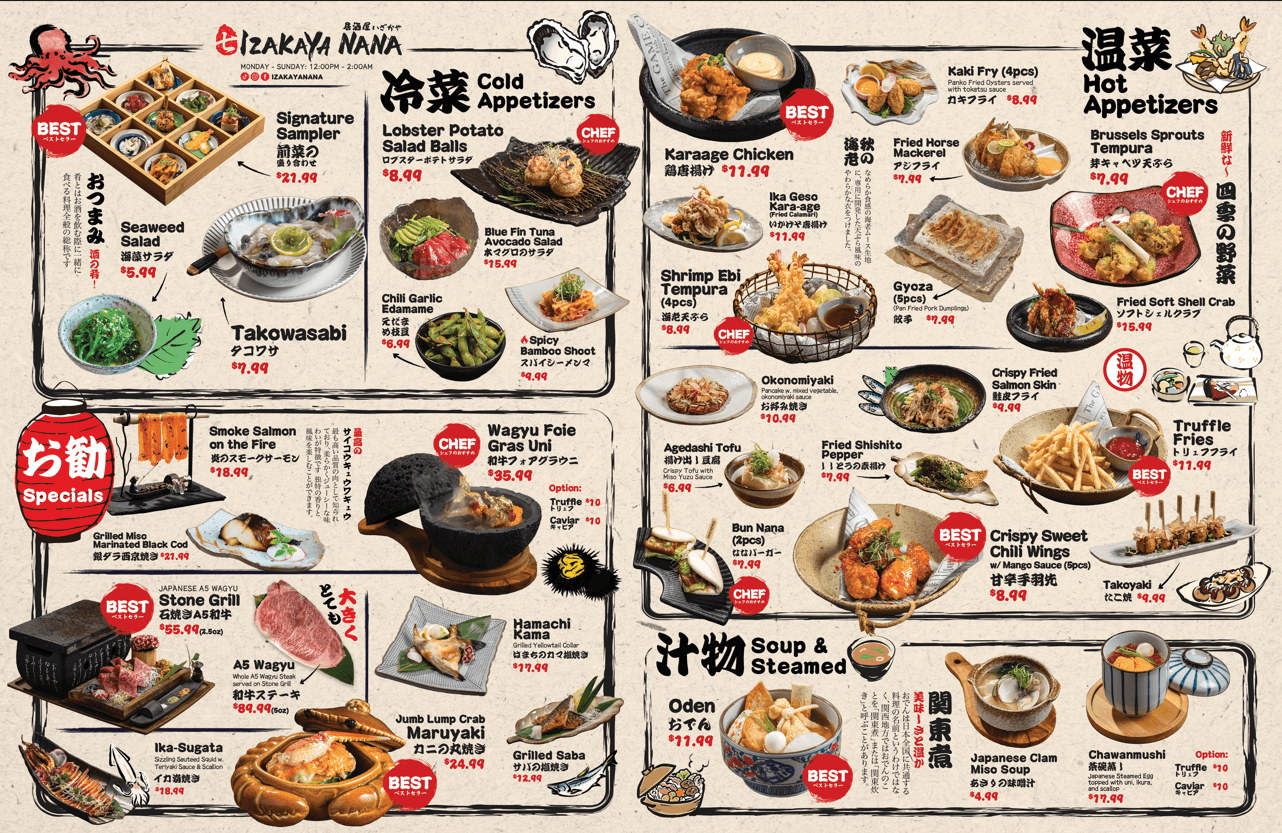
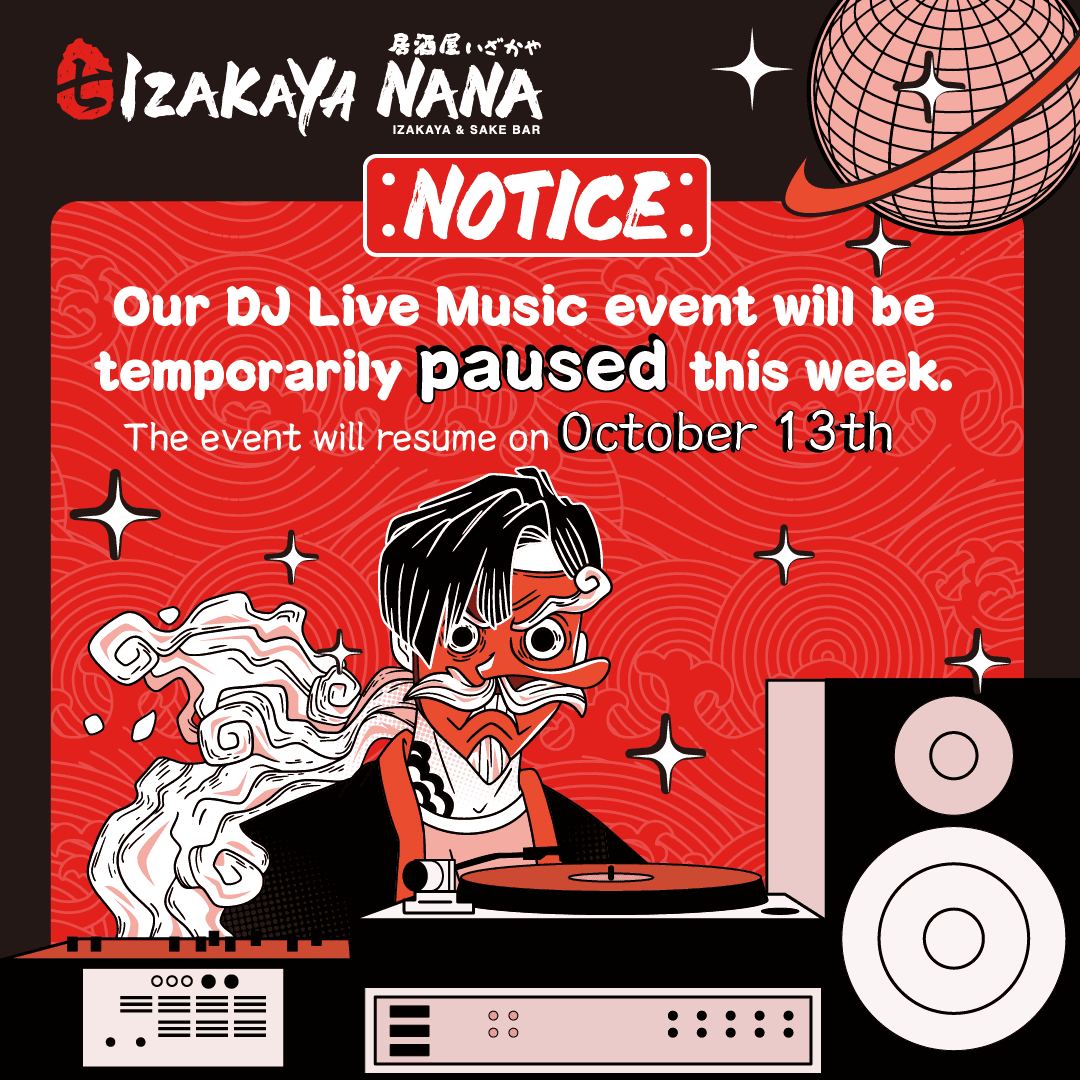
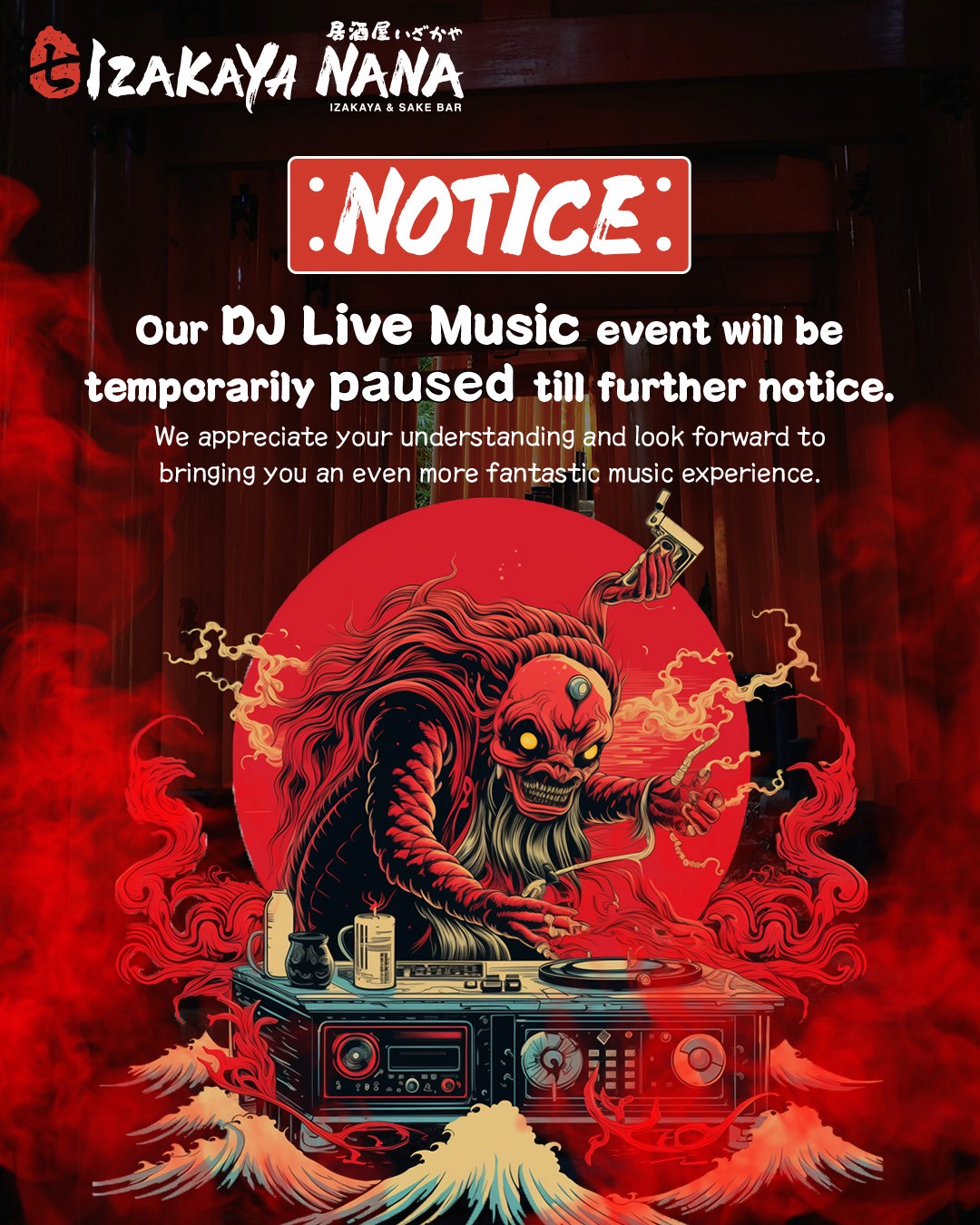
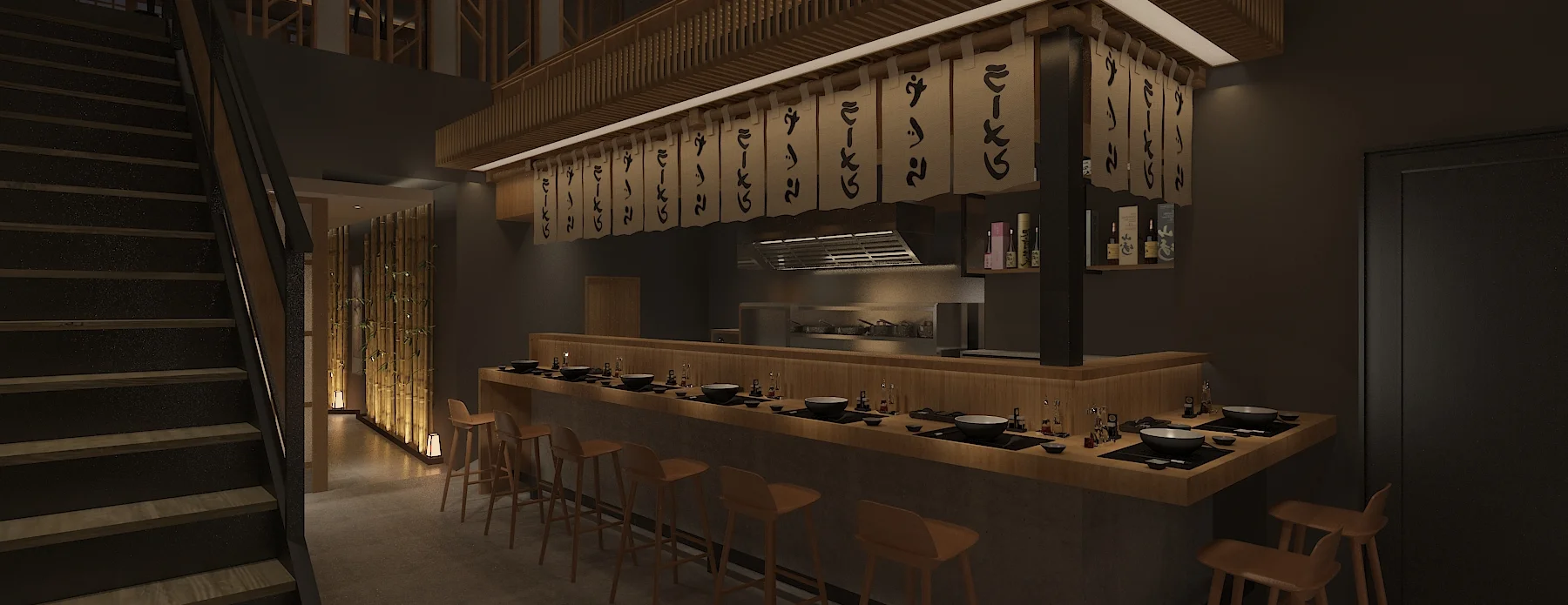
As the largest izakaya in New York, Izakaya NANA combines traditional Japanese flavors with a vibrant, modern setting, serving an array of small plates, grilled skewers, and premium sake.
Work forHilight Creative Studio
DateMay 2023 – Jul 2025
Team3 Designer
WorkUX Design, Graphic Design, Branding
(tl;dr) my role — Product Designer · Hilight Creative Studio
Due to NDA restrictions, some of my work cannot be shown publicly. Please contact me if you’re interested in discussing them further.
Reflection
Designing Between Cultures
Designing for Izakaya Nana taught me that cultural design requires intention. Authentic experiences come from understanding the meaning behind cultural elements, not just using them visually. This project pushed me to think more critically about how design can respectfully translate cultural identity into an immersive experience.
Due to NDA restrictions, some of my work cannot be shown publicly. Please contact me if you’re interested in discussing them further.
Reflection
Designing Beyond Deliverables
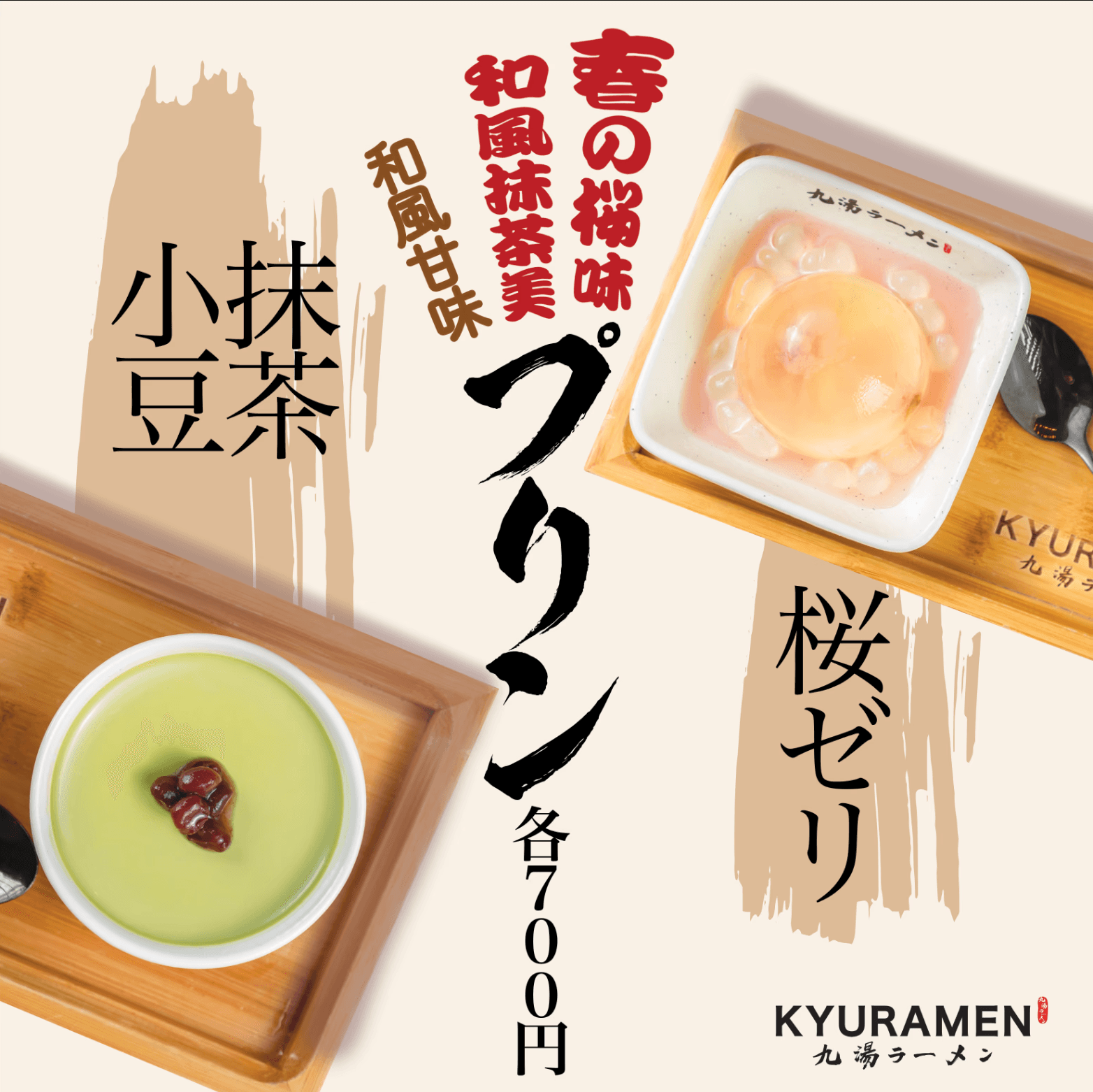
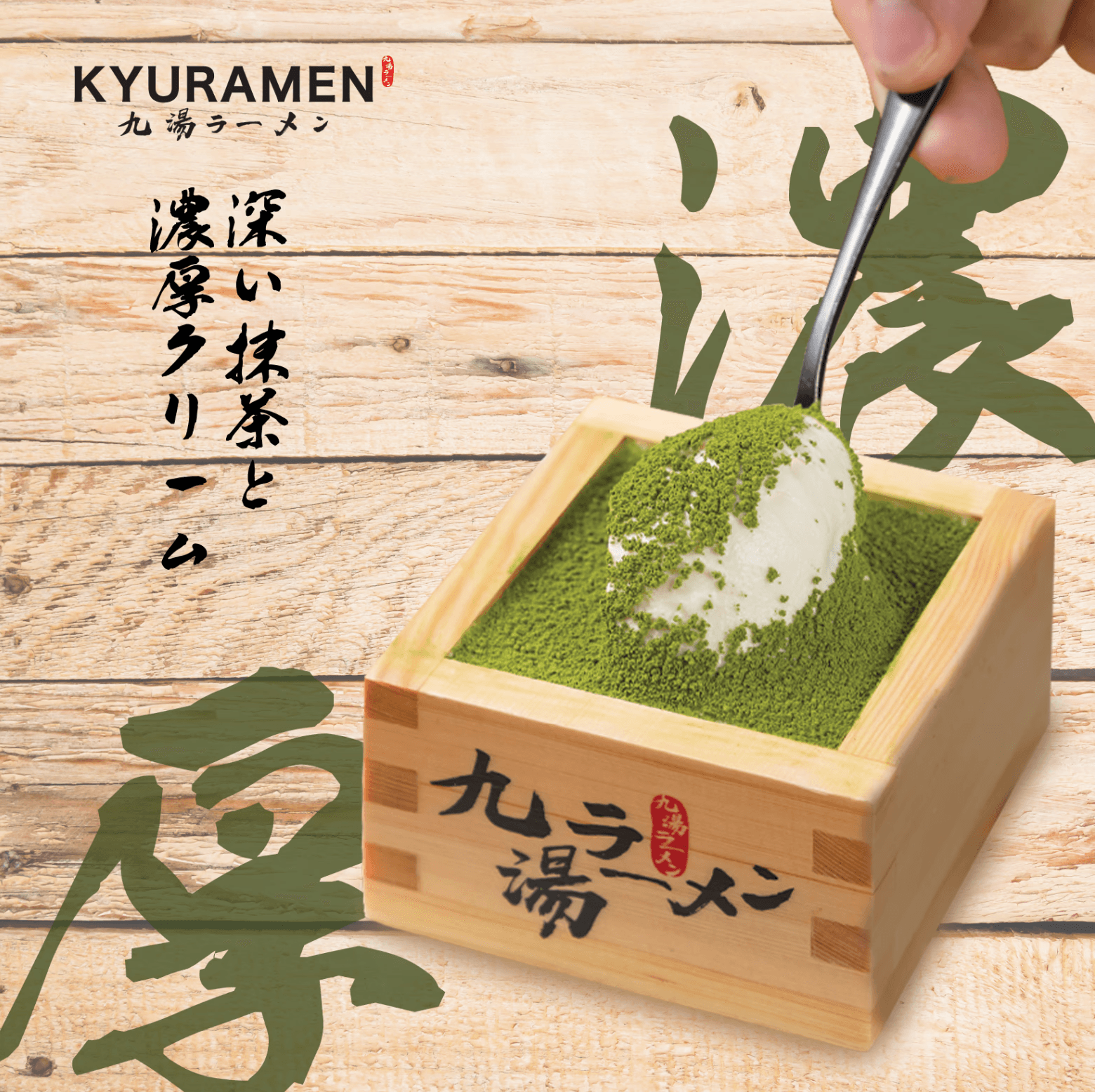
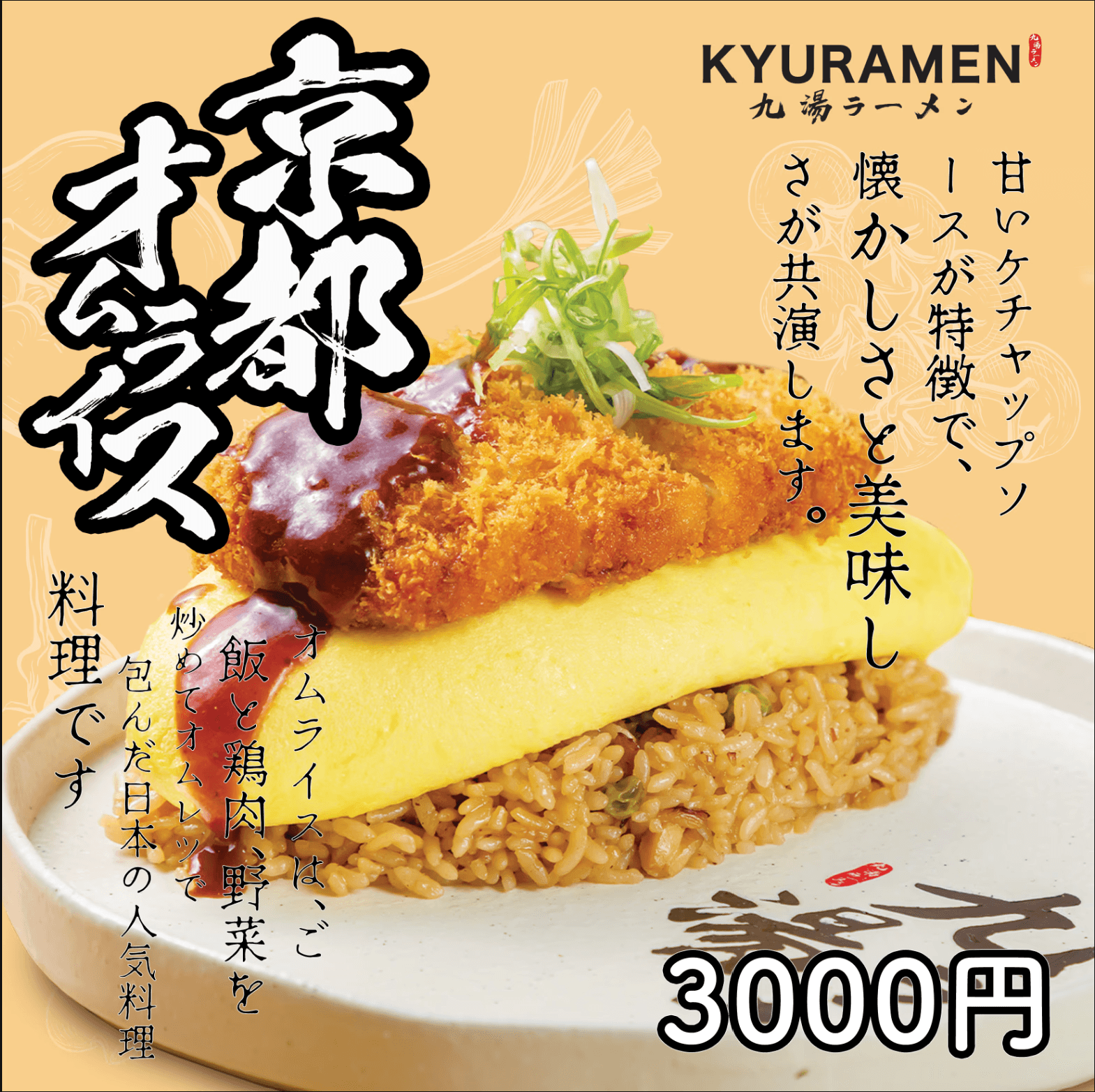
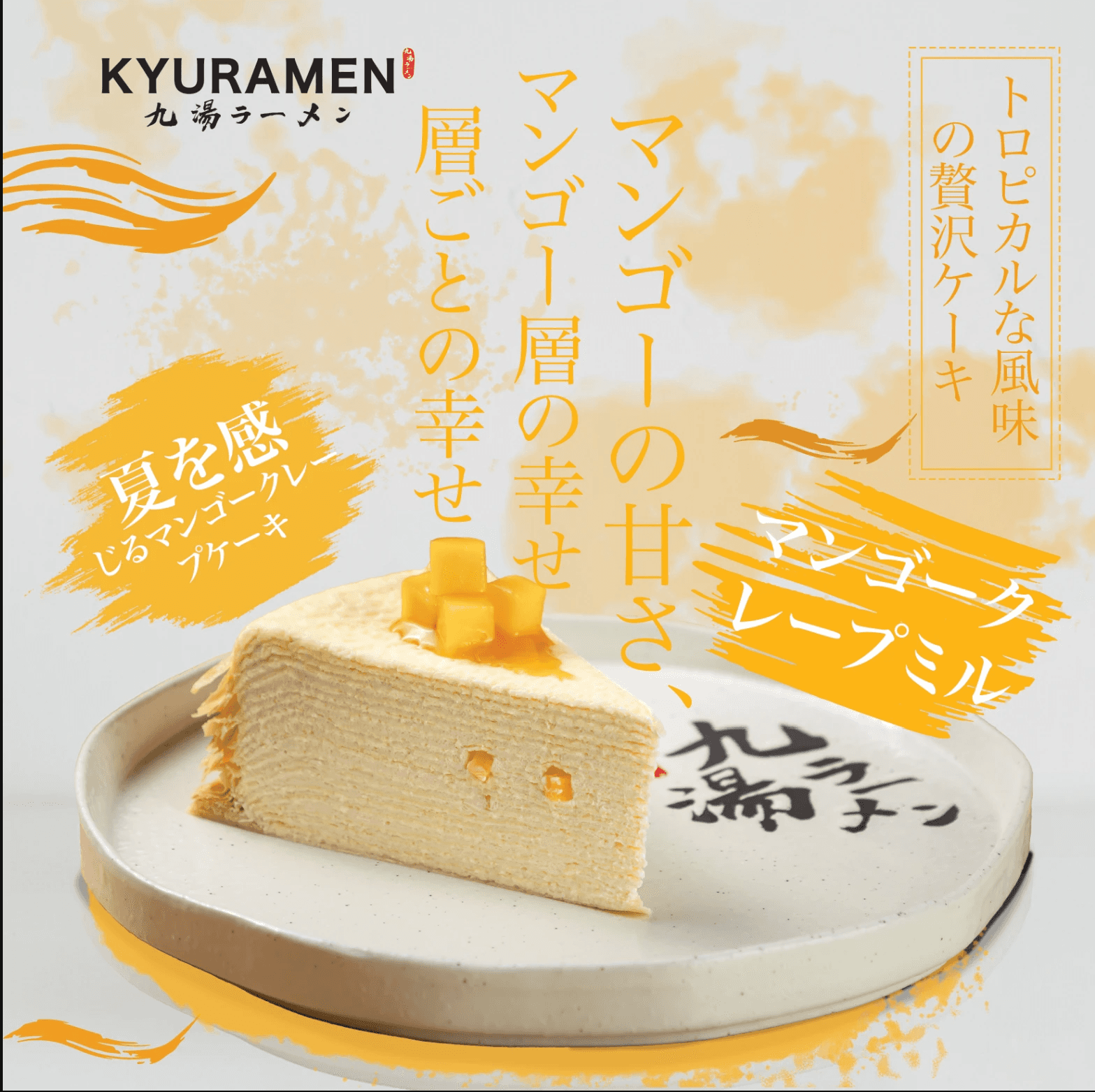
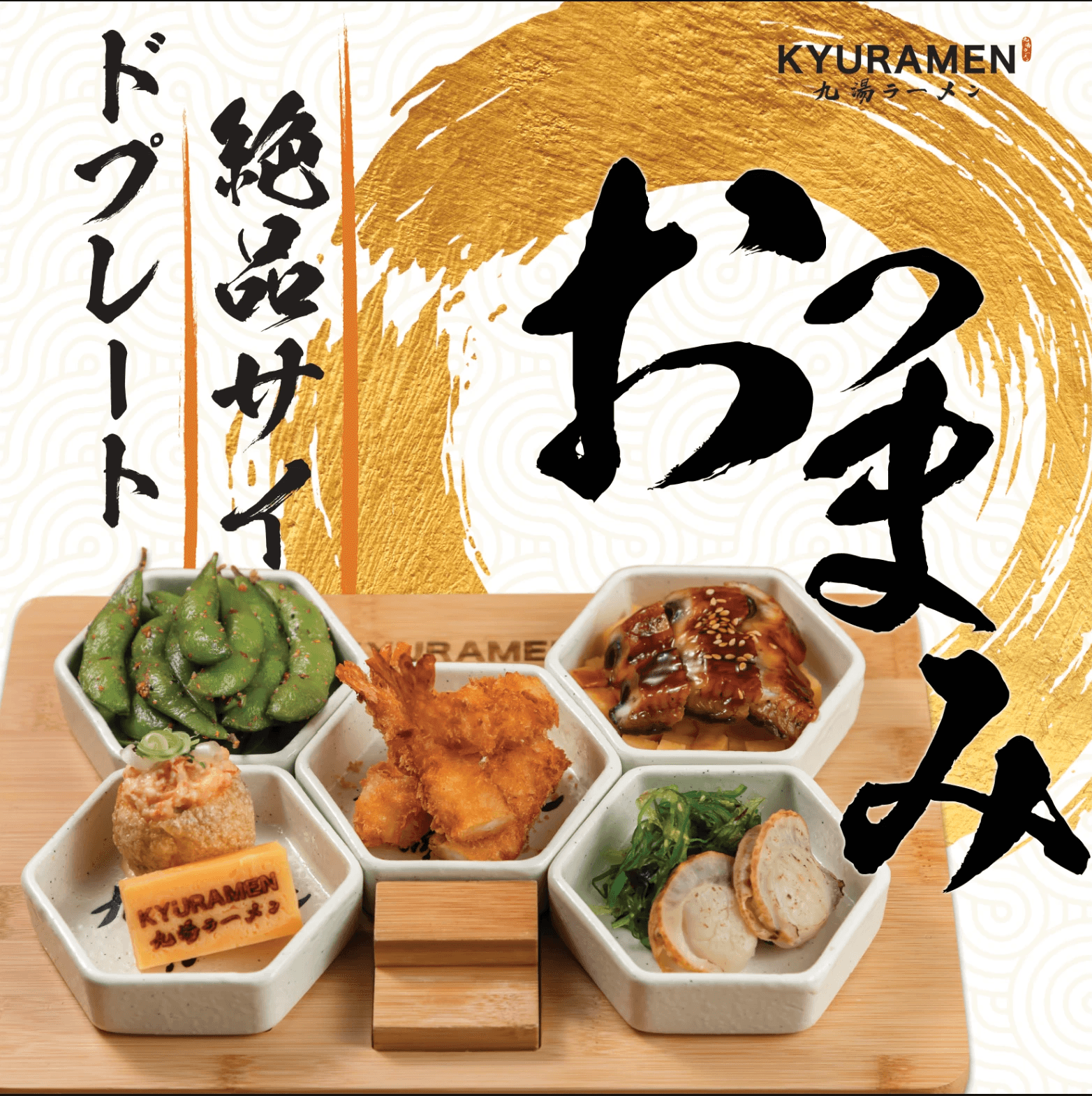
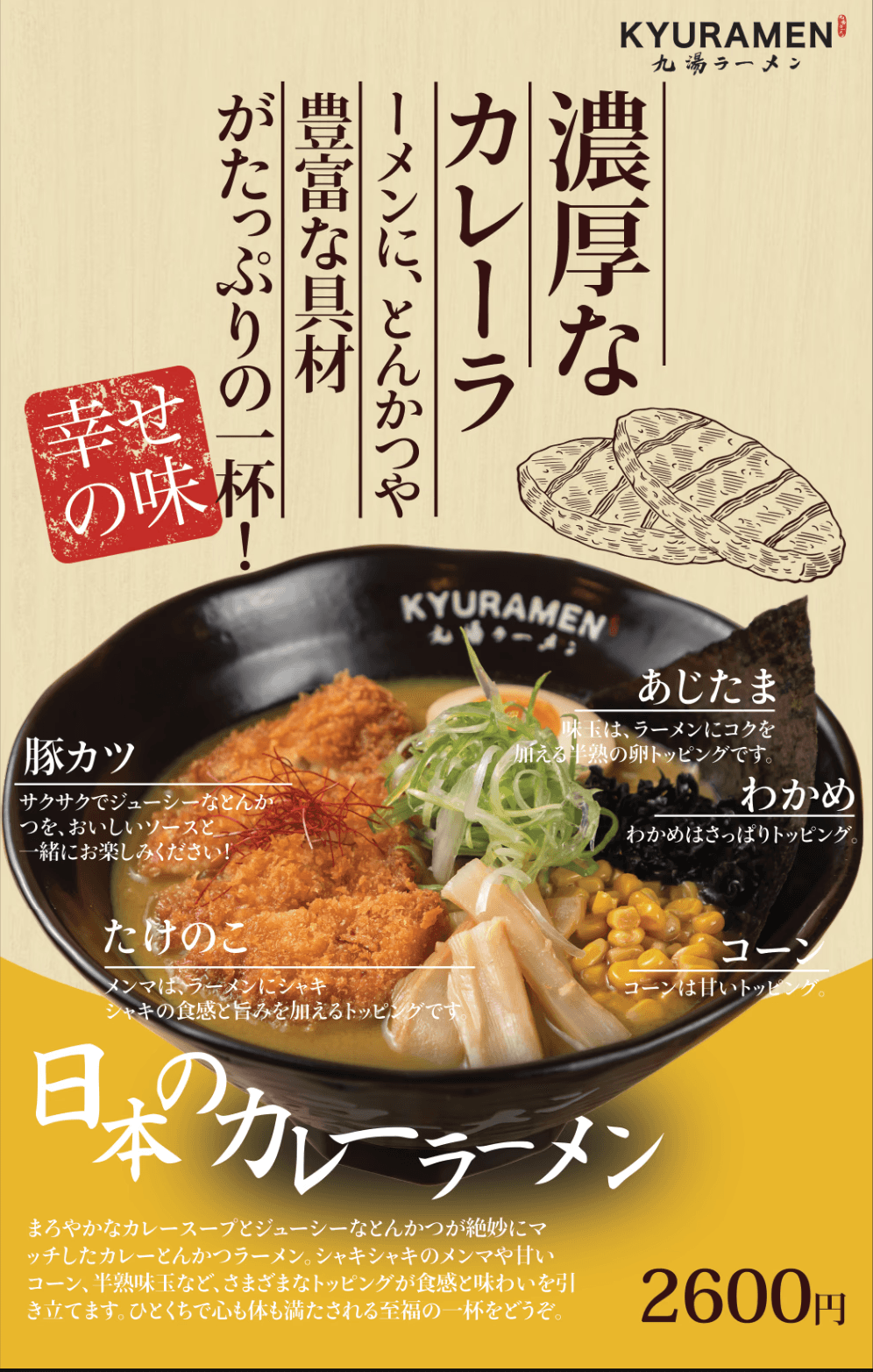
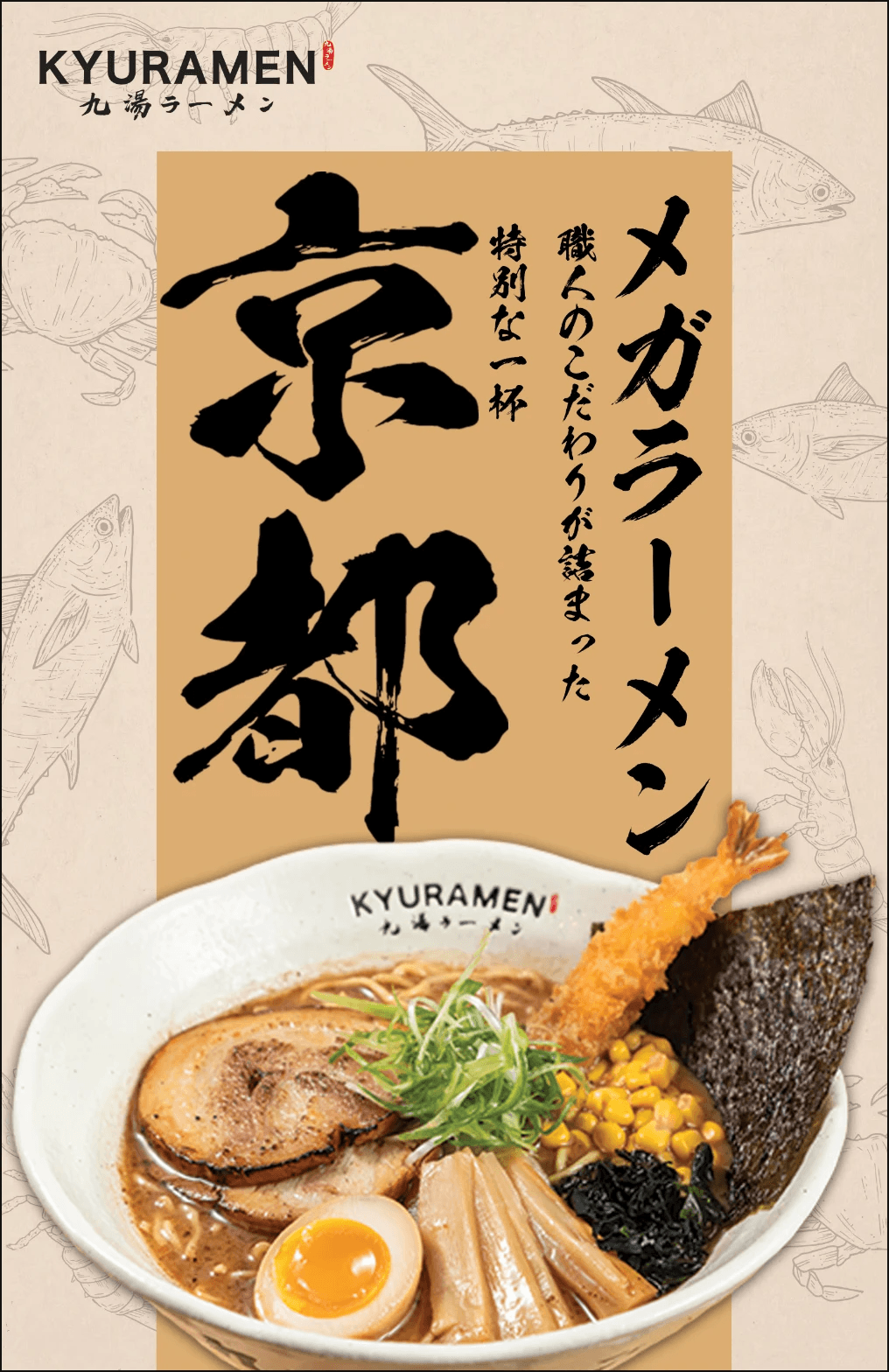
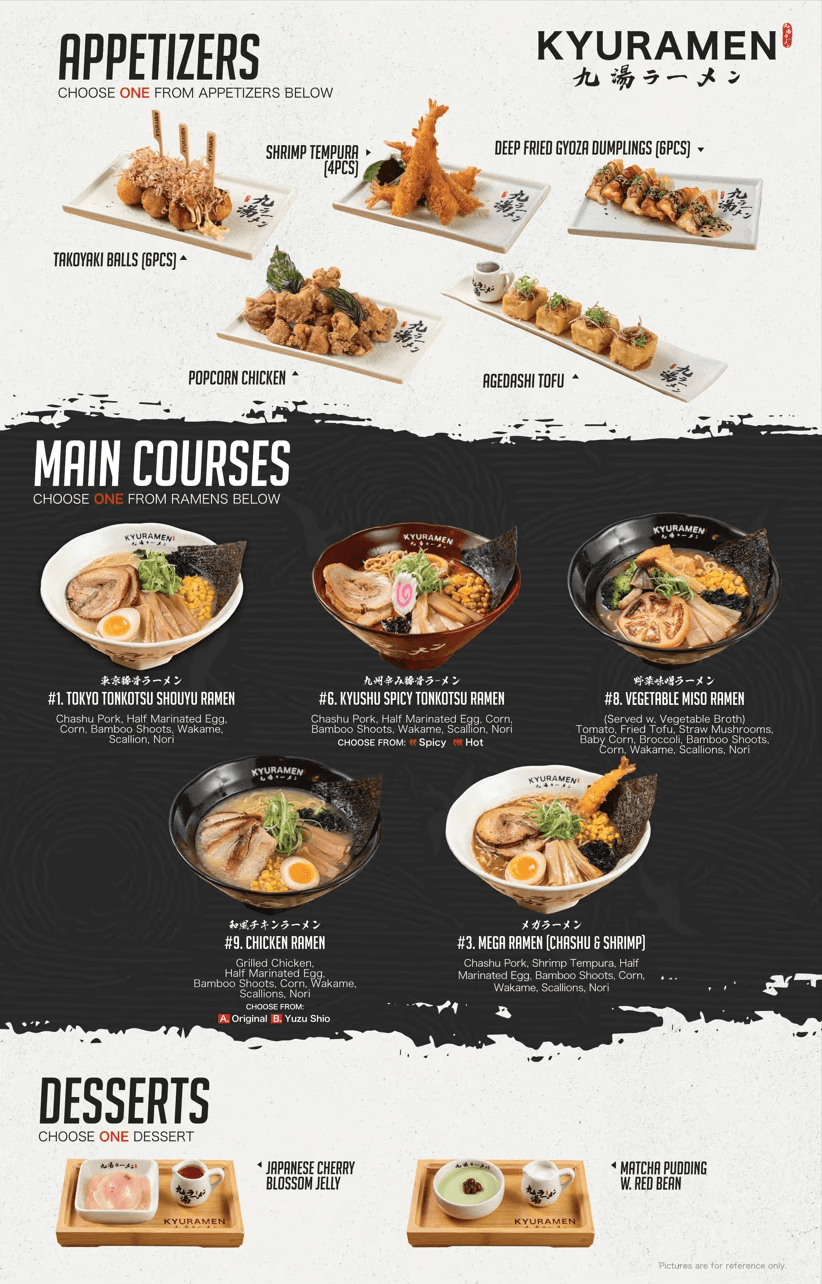
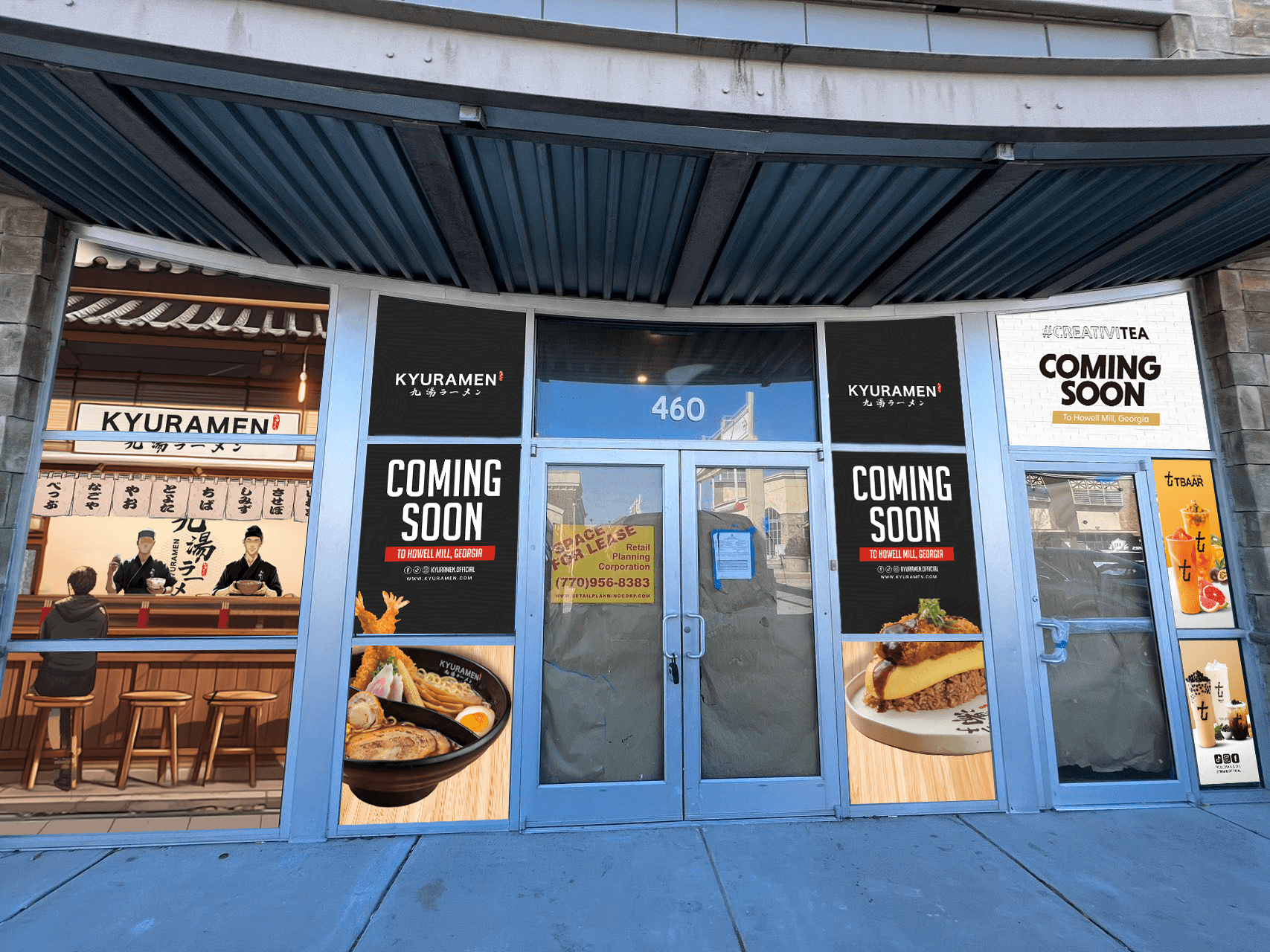
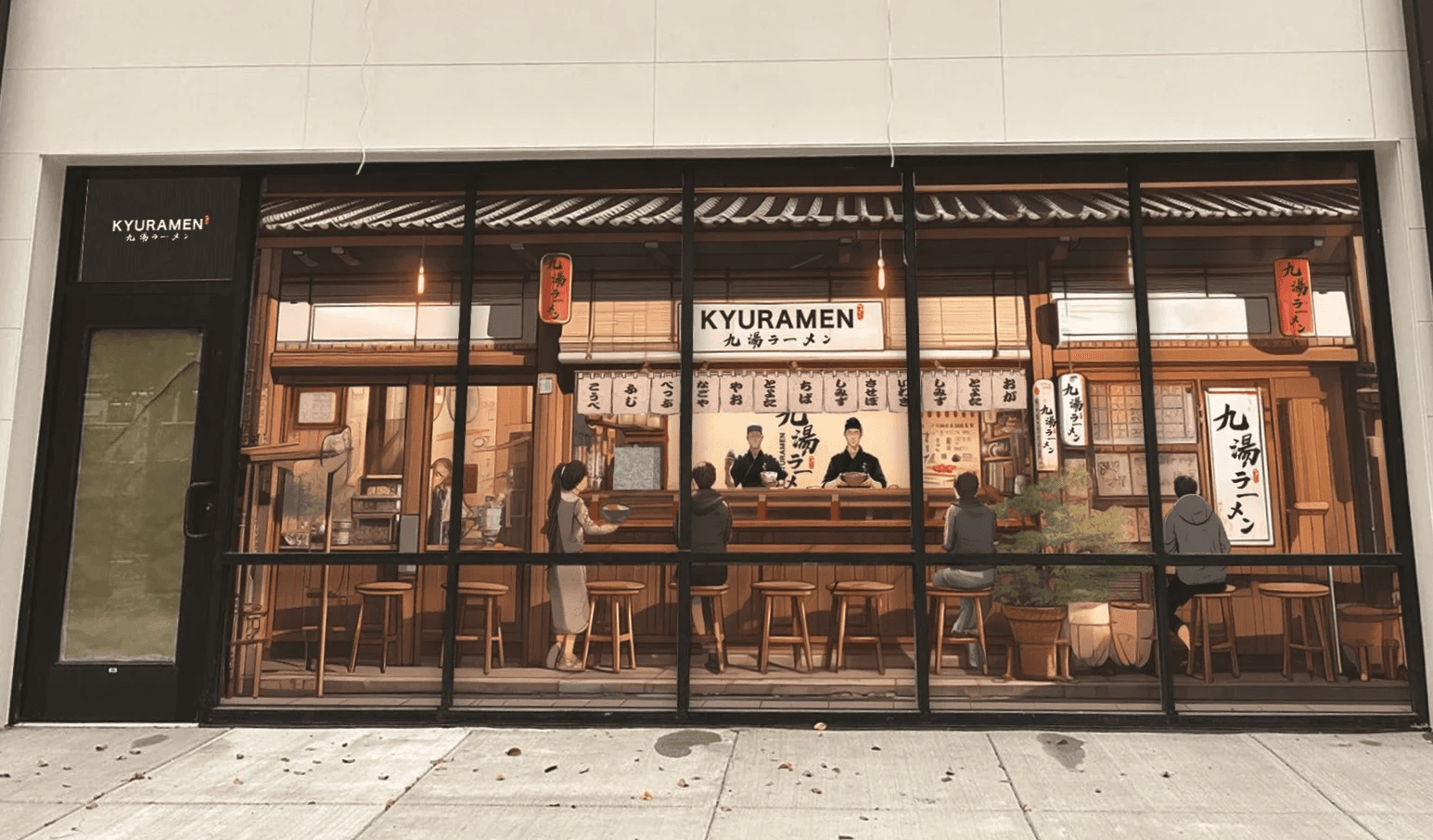
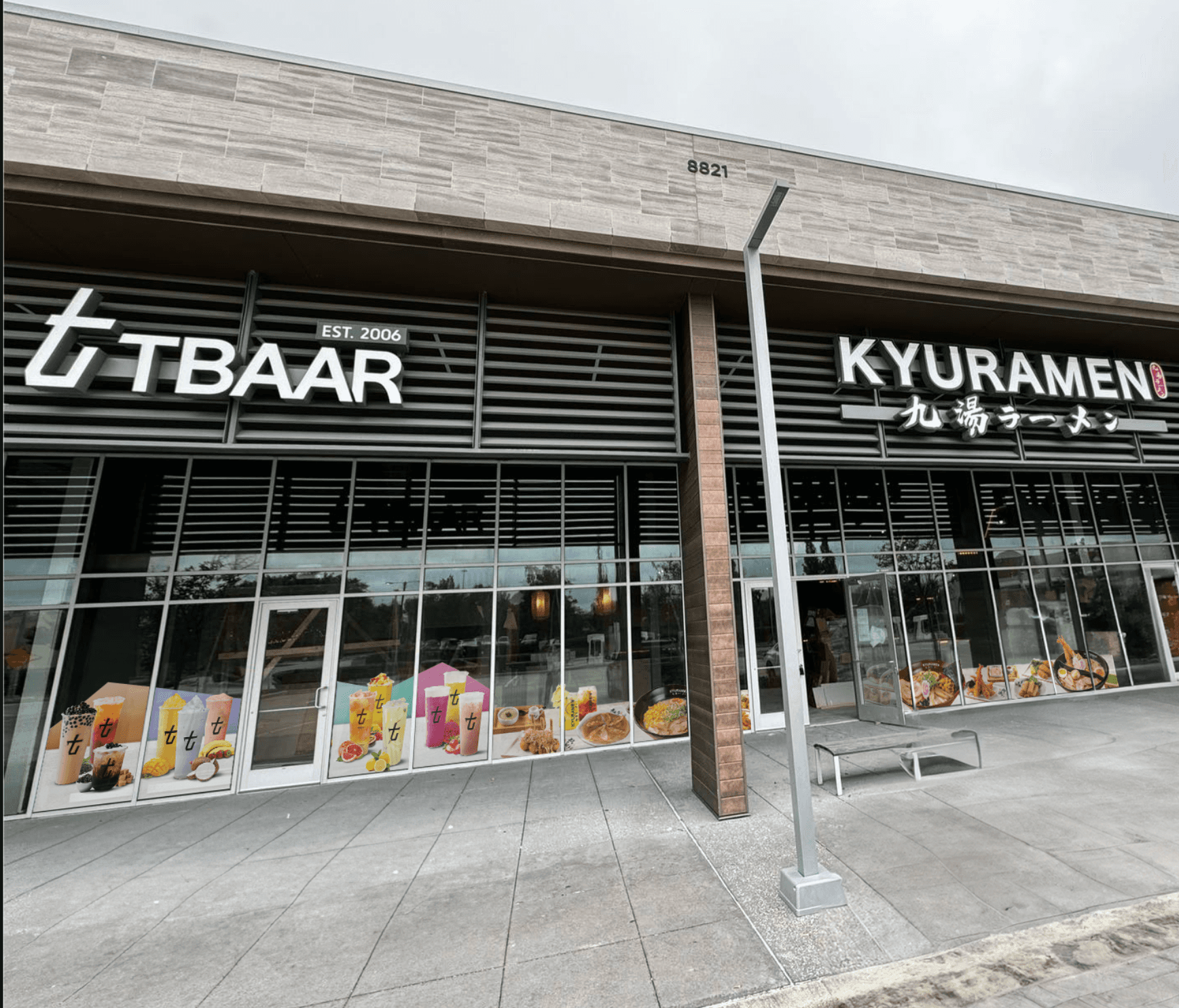
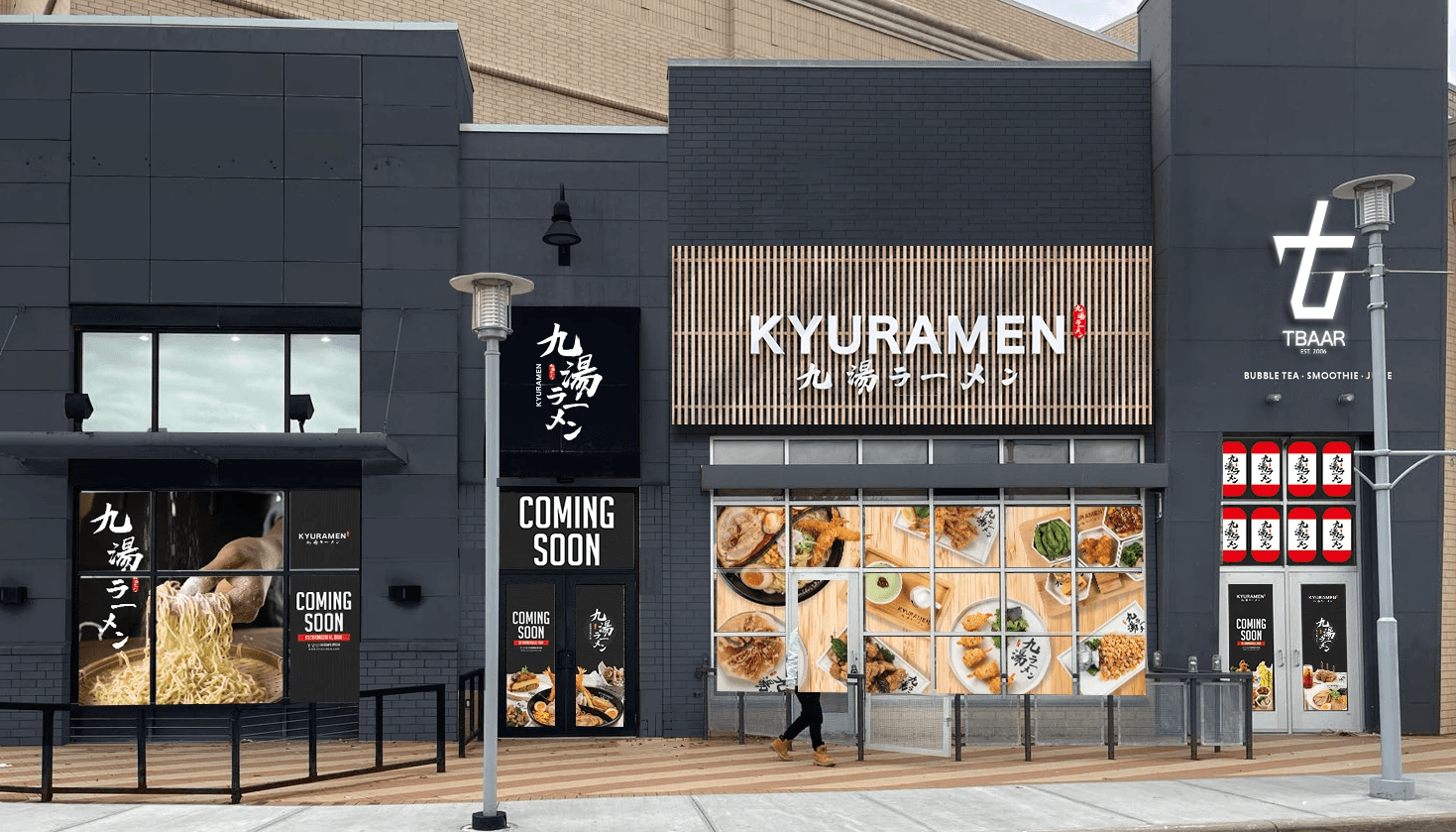
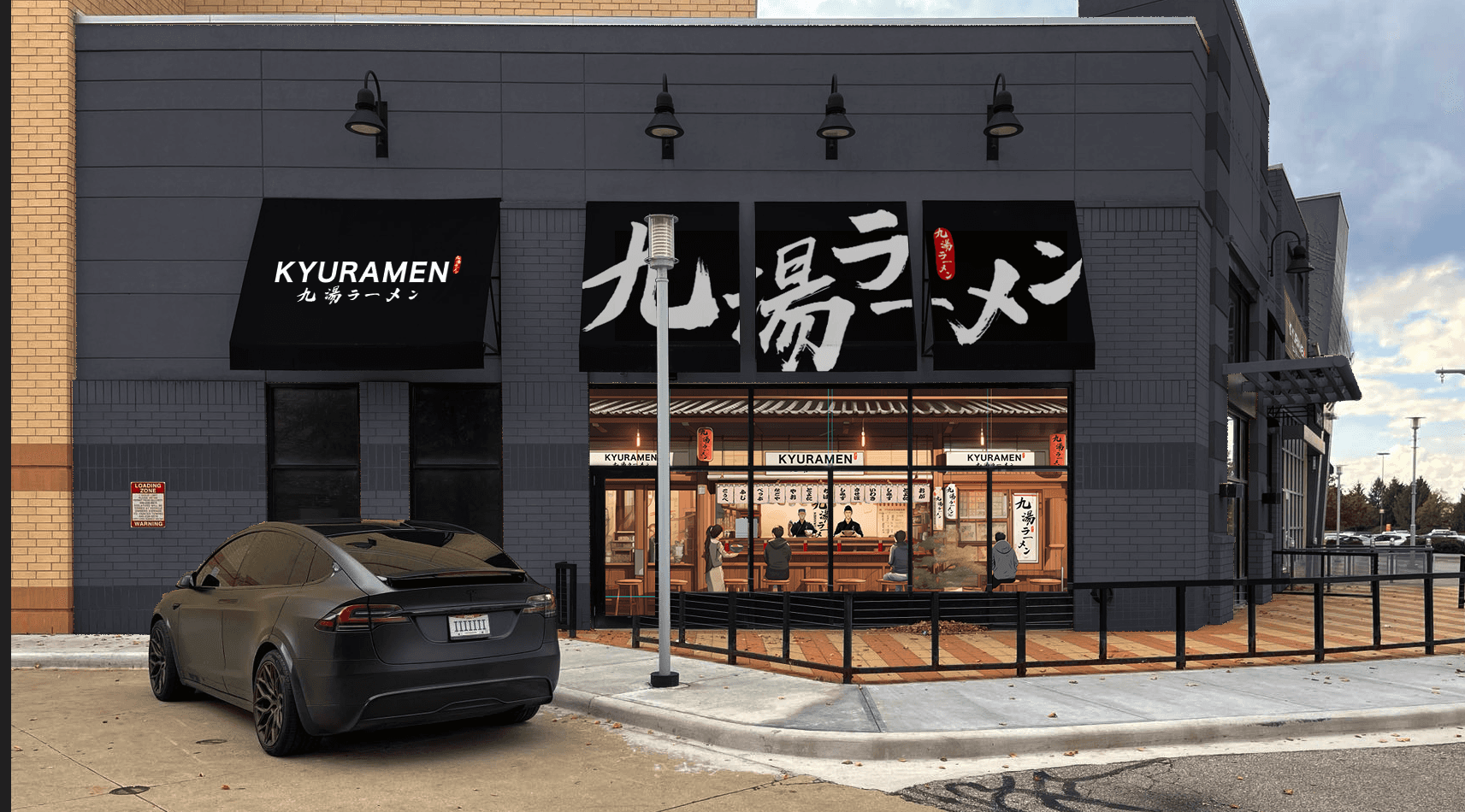
Designing for Kyuramen taught me how impactful design can be when it bridges physical and digital experiences. I grew to think beyond individual deliverables and consider how every detail — from menu interfaces to window wraps — contributes to a cohesive brand story. This project also pushed me to communicate effectively across disciplines and balance creative vision with real-world business needs.